
Sublimation Pricing Calculator & Profit Toolkit for Sellers
Original price was: $17.99.$9.99Current price is: $9.99.
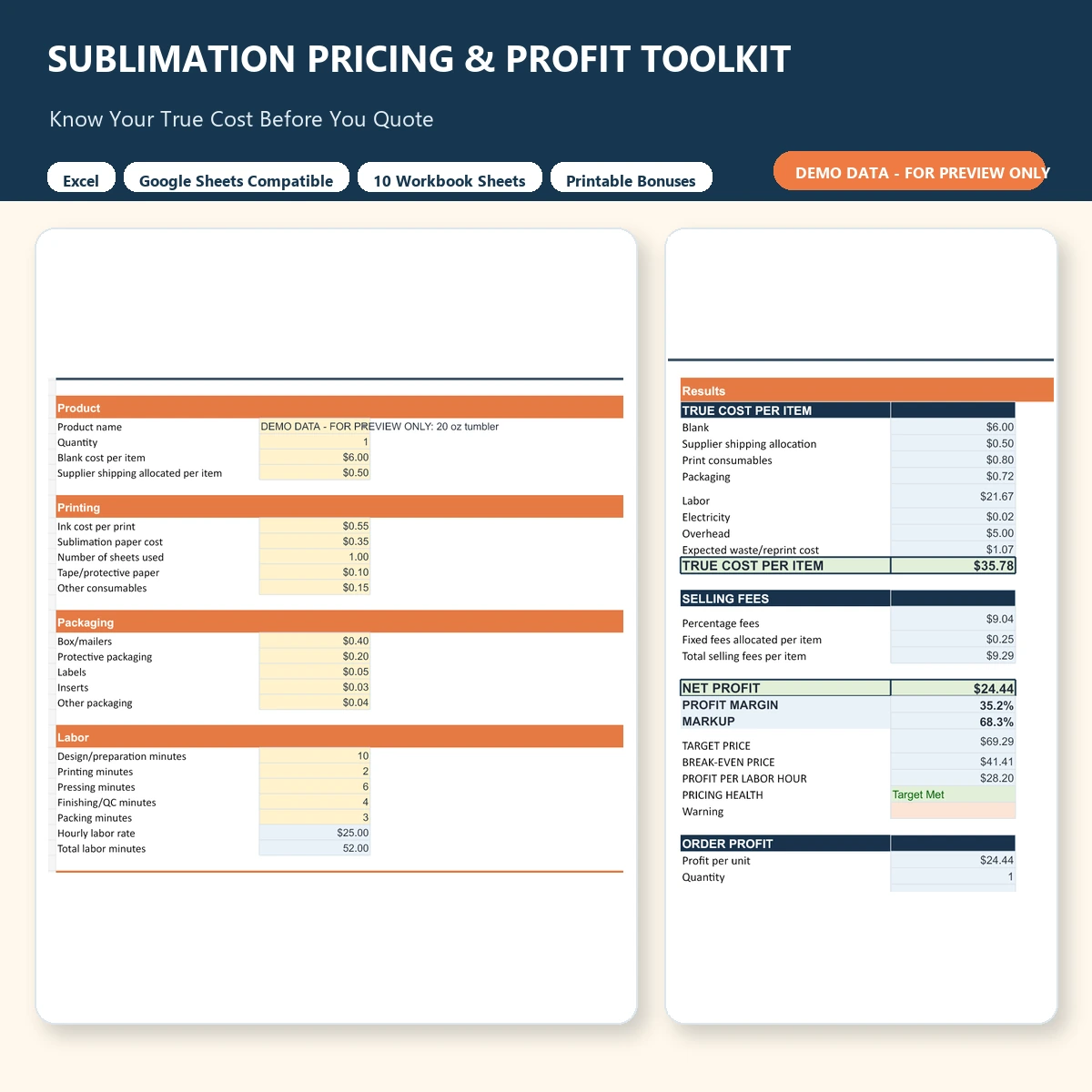
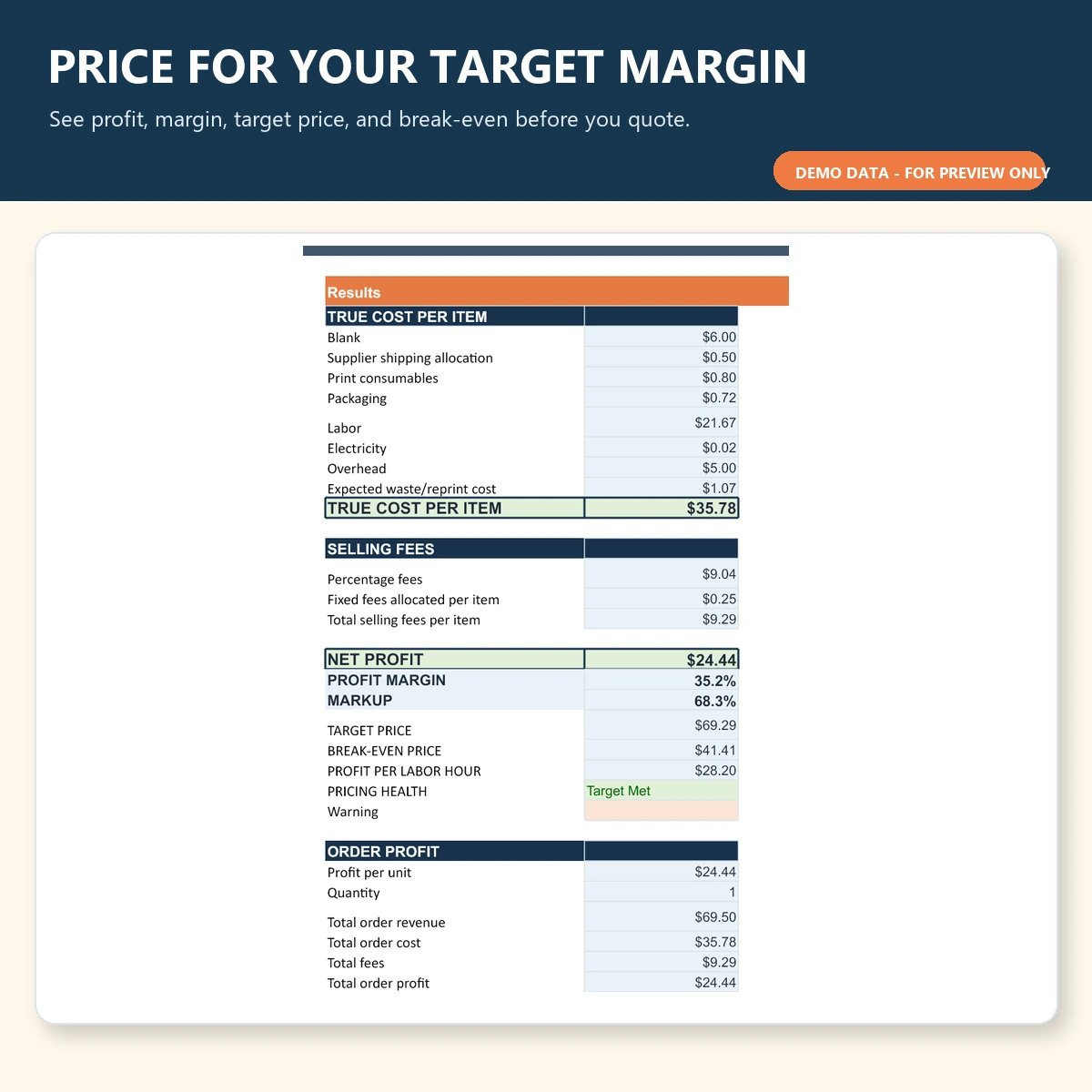
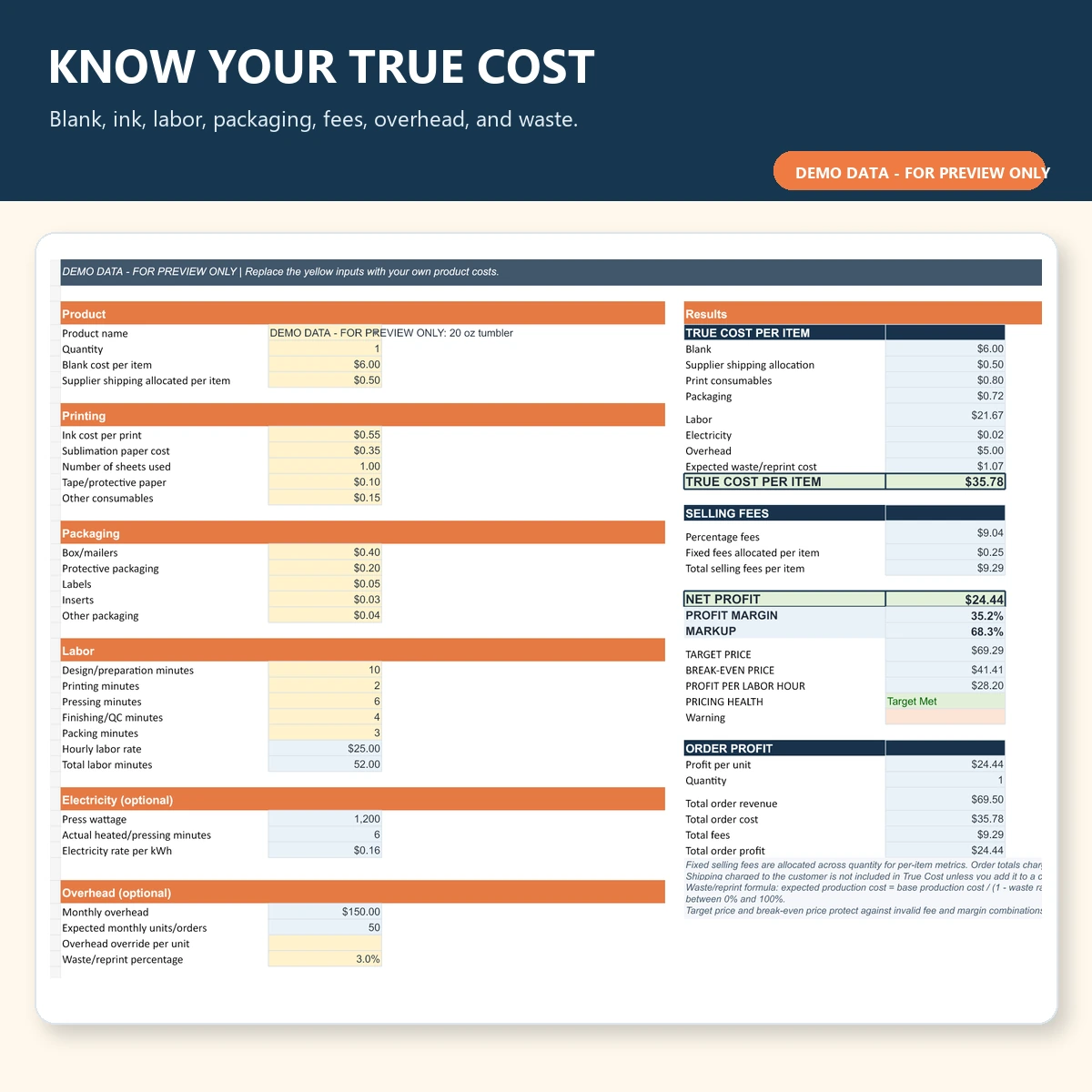
Calculate the true cost of your sublimation products before you quote a customer. This editable Excel and Google Sheets-compatible toolkit accounts for blanks, ink, paper, labor, packaging, waste, overhead, and selling fees, then shows profit, margin, break-even, and target pricing.
- Instant digital download
- Excel + Google Sheets compatible
- No macros, subscriptions, or paid add-ins
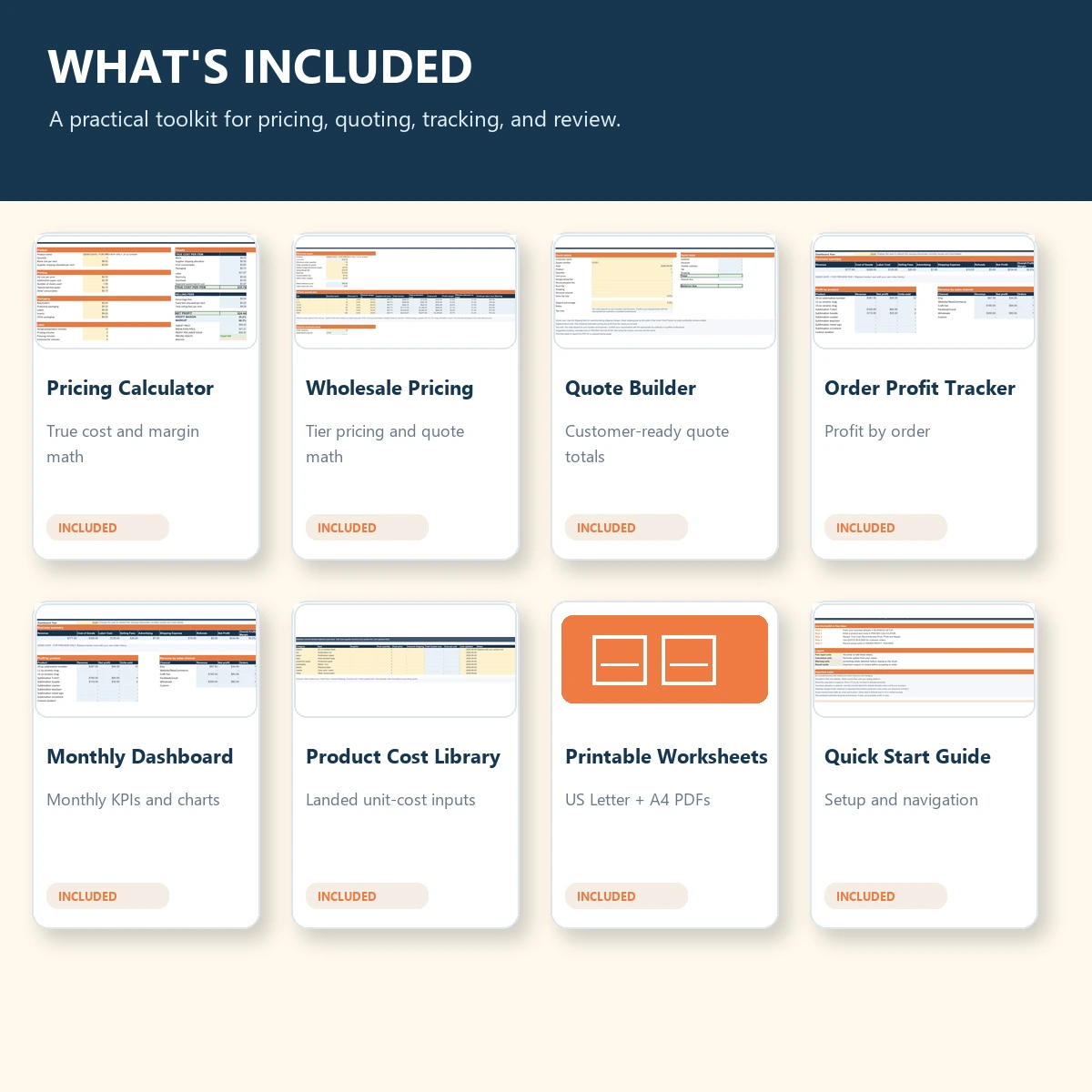
Includes: pricing calculator, wholesale pricing, quote builder, order tracker, dashboard, Quick Start guide, and printable costing worksheets.
Description
Calculate Your Real Sublimation Costs
Blank cost is only one part of pricing a sublimation product. Ink, paper, tape, packaging, labor, failed blanks, reprints, selling fees, electricity, overhead, and seller-paid shipping can all affect what you actually earn from an order.
The Subli Genius Sublimation Pricing & Profit Toolkit brings those costs into one editable workbook so you can calculate your estimated true cost before accepting an order or setting a selling price.
Use it for individual products, customer quotes, wholesale orders, and ongoing profit tracking.
What the Toolkit Calculates
- True cost per item
- Blank cost and supplier shipping allocation
- Ink, paper, number of sheets used, tape, and other consumables
- Packaging and finishing supplies
- Labor cost based on minutes worked and hourly labor rate
- Optional electricity cost using press wattage and operating time
- Optional overhead cost per unit
- Expected waste and reprint allowance
- Percentage and fixed selling fees
- Net profit
- Profit margin
- Markup
- Target selling price
- Break-even price
- Profit per labor hour
- Total order revenue, cost, fees, and profit
What’s Included in the Workbook
| Sheet | What You Can Use It For |
|---|---|
| START HERE | A quick orientation and simple workflow for using the toolkit. |
| BUSINESS SETUP | Set your labor rate, overhead, target margin, waste allowance, electricity cost, and editable selling fees. |
| PRODUCT PRESETS | Create starting cost records for common sublimation products and your own custom items. |
| PRICING CALCULATOR | Calculate true cost, selling fees, profit, margin, target price, and break-even price. |
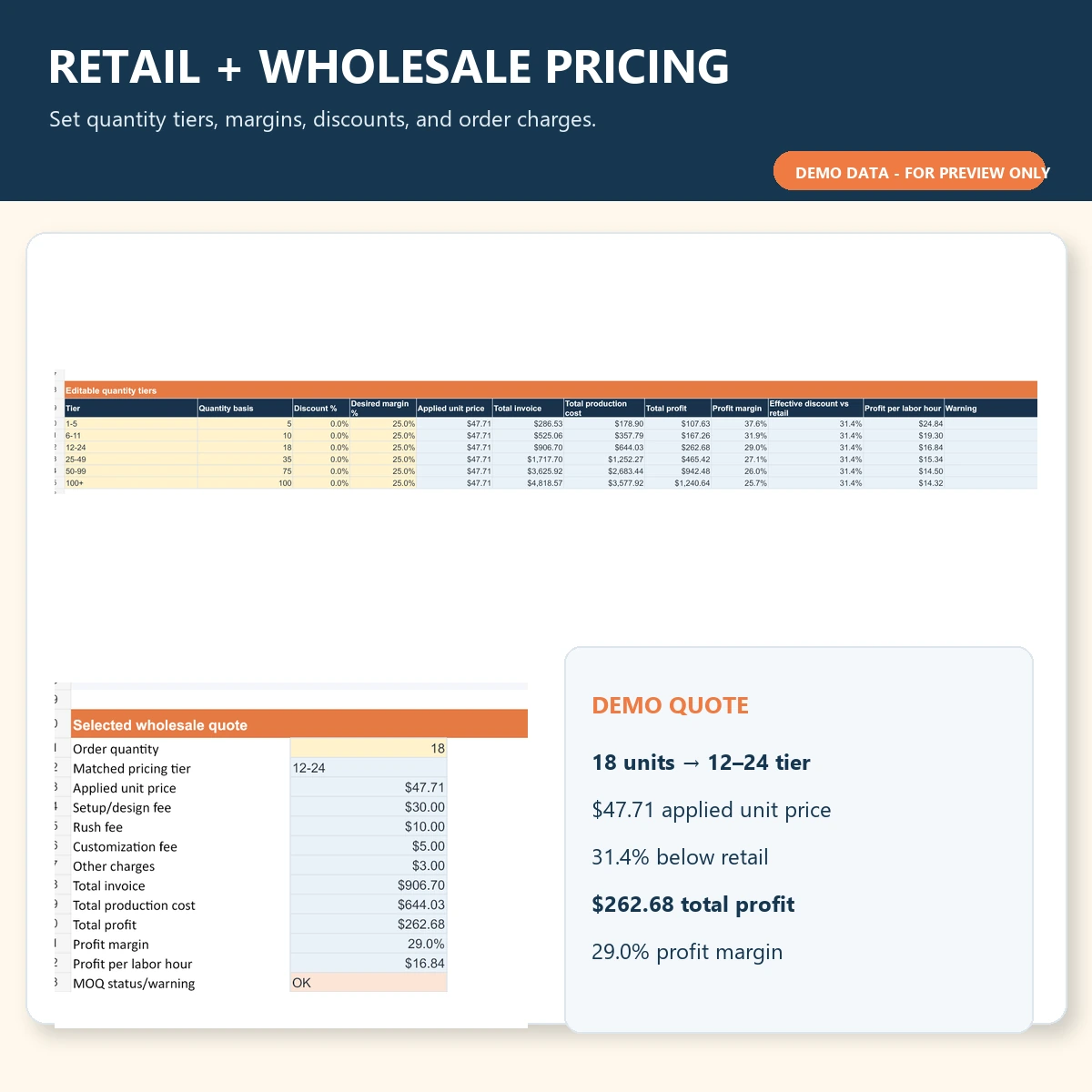
| WHOLESALE PRICING | Set quantity tiers, wholesale margins, discounts, order charges, and selected wholesale quotes. |
| QUOTE BUILDER | Prepare customer quote calculations with quantity, fees, shipping, discounts, tax, deposit, and balance. |
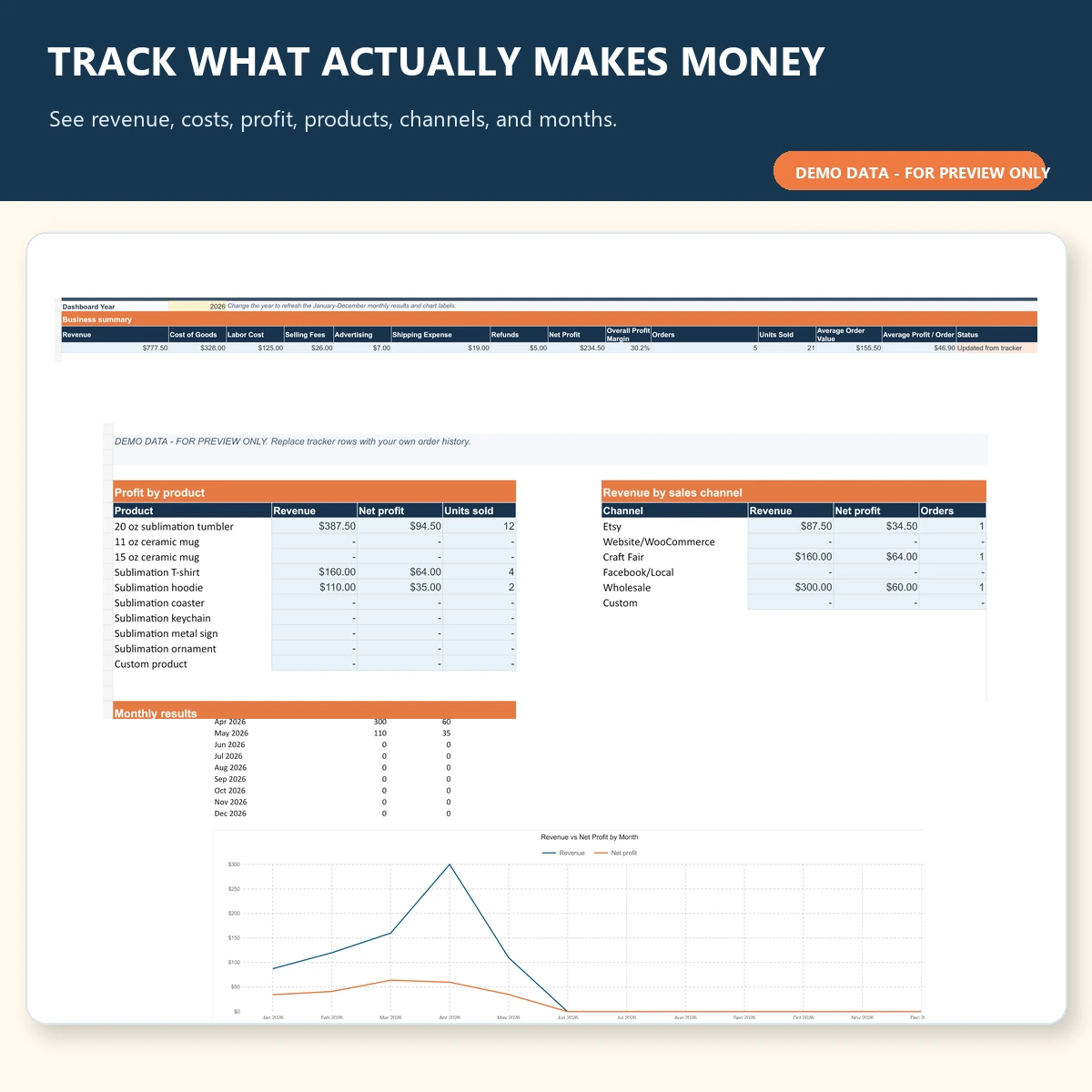
| ORDER PROFIT TRACKER | Record up to 500 orders and track actual revenue, costs, fees, and profit. |
| MONTHLY DASHBOARD | Review revenue, costs, net profit, overall profit margin, products, channels, and monthly results. |
| PRODUCT COST LIBRARY | Store current material, blank, packaging, and supplier costs. |
| FORMULA GUIDE | Understand the workbook calculations in plain language. |
Who This Toolkit Is For
This toolkit is designed for makers and small businesses that need a clearer way to price custom products. It can be used by:
- Sublimation beginners
- Home-based sublimation businesses
- Etsy and marketplace sellers
- Craft-fair sellers
- Custom-print shops
- Tumbler sellers
- Mug sellers
- T-shirt and apparel sellers
- Makers adding new products to their shop
- Businesses preparing wholesale or bulk quotes
It is especially useful when you know what competitors charge but are not sure whether that price actually leaves enough room for labor, fees, waste, and other operating costs.
Sublimation Products You Can Price
The workbook includes editable starting rows for common sublimation products, including:
- 20 oz sublimation tumblers
- 11 oz ceramic mugs
- 15 oz ceramic mugs
- Sublimation T-shirts
- Sublimation hoodies
- Coasters
- Keychains
- Metal signs
- Ornaments
- Custom products
The preset rows are editable starting points. Replace the costs with your own supplier prices, materials, labor, and business expenses. The included demo values are not presented as industry averages or recommended selling prices.
How the Pricing Toolkit Works
- Enter your business defaults. Add your hourly labor rate, monthly overhead, expected monthly units, target margin, waste rate, electricity rate, press wattage, and selling fees.
- Enter your product costs. Add the blank, supplier shipping allocation, ink, paper, consumables, packaging, and labor time.
- Review the true cost. The calculator combines the applicable expenses into an estimated cost per item.
- Enter a proposed selling price. Review estimated profit, margin, markup, fees, and profit per labor hour.
- Compare target and break-even pricing. See the estimated selling price required for your selected margin and the minimum break-even price.
- Track completed orders. Enter actual sales in the Order Profit Tracker and review results on the Monthly Dashboard.
Wholesale Pricing and Quote Builder
The Wholesale Pricing sheet helps you work with larger orders without using a universal discount formula that may not fit your costs.
You can enter your own quantity tiers, desired wholesale margins, discounts, setup fees, rush fees, customization charges, and other order-level costs.
The selected wholesale quote area shows:
- Matched quantity tier
- Applied unit price
- Order charges
- Total invoice
- Total production cost
- Estimated profit
- Profit margin
- Profit per labor hour
- Minimum-order warning
The Quote Builder gives you a separate place to calculate customer orders using quantity, unit price, setup fees, personalization, rush charges, shipping, discounts, sales tax, deposits, and remaining balance.
Excel and Google Sheets Compatibility
The toolkit is supplied as an .xlsx workbook designed for Microsoft Excel and Google Sheets after import.
- No VBA macros
- No external data connections
- No paid add-ins
- No subscription required to use the workbook itself
- No Microsoft 365-only formulas required
The workbook uses standard spreadsheet formulas, dropdowns, conditional formatting, tables, and charts. Google Sheets may display some chart styling, tables, dropdowns, or conditional formatting slightly differently after import.
Other spreadsheet programs may work, but compatibility is not guaranteed.
Important Limitations
The toolkit helps you estimate product cost and financial performance using the numbers you enter. It does not guarantee that a product will sell or that a particular price will produce a profit.
- Selling-platform and payment-processing fees change. Verify the current fees for the services you use.
- Electricity and overhead calculations are optional estimates.
- Supplier pricing and shipping costs should be updated when your costs change.
- Tax requirements depend on your business and location. Confirm your obligations with the appropriate tax authority or qualified professional.
- Currency fields are editable, although some spreadsheet programs may require manual number-format adjustments after changing currency.
What You’ll Download
Your purchase includes:
- Subli-Genius-Sublimation-Pricing-Profit-Toolkit.xlsx
- Subli-Genius-Pricing-Toolkit-Quick-Start.pdf
- Subli-Genius-Product-Costing-Worksheets-US-Letter.pdf
- Subli-Genius-Product-Costing-Worksheets-A4.pdf
- README.txt
- LICENSE.txt
This is a digital download. No physical product will be shipped.
Frequently Asked Questions
Does this work with Google Sheets?
Yes. The workbook is supplied as an Excel .xlsx file and can be imported into Google Sheets. Standard formulas are designed to remain compatible, although some charts, tables, dropdowns, and conditional-format styling may look slightly different after import.
Can I use this for tumblers, mugs, and shirts?
Yes. The toolkit includes editable starting rows for 20 oz tumblers, 11 oz and 15 oz mugs, T-shirts, hoodies, coasters, keychains, metal signs, ornaments, and custom products. Replace the demo costs with the actual costs for your products and suppliers.
Does the calculator include Etsy or payment-processing fees?
The workbook includes editable percentage and fixed-fee fields that you can use for marketplaces, payment processors, advertising, and other selling costs. Fee schedules change, so verify the current charges for the platforms and services you actually use instead of relying on permanent preset rates.
Can I change the currency?
Yes. The Business Setup sheet includes editable currency information. The workbook defaults to USD, but you can change the currency for your business. Some spreadsheet programs may require you to manually update cell number formatting after changing currencies.
Is this a physical product?
No. This product is a digital download. No physical item will be mailed or shipped. After purchase, you receive the workbook, Quick Start guide, printable costing worksheets, README, and license files included with the toolkit.
Reviews
There are no reviews yet.