How to Automate Order Tracking for Sublimation Print Business

A well-designed order tracking system helps your sublimation business run more smoothly without sacrificing customer experience.
Instead of spending hours searching for artwork, answering order status emails, or updating spreadsheets, you can focus on production, quality, and growing your business.
Start by automating one part of your workflow, test it thoroughly, and gradually expand your system as your order volume grows. Small improvements today can save dozens of hours over the course of a busy season.
What Is Automated Order Tracking?
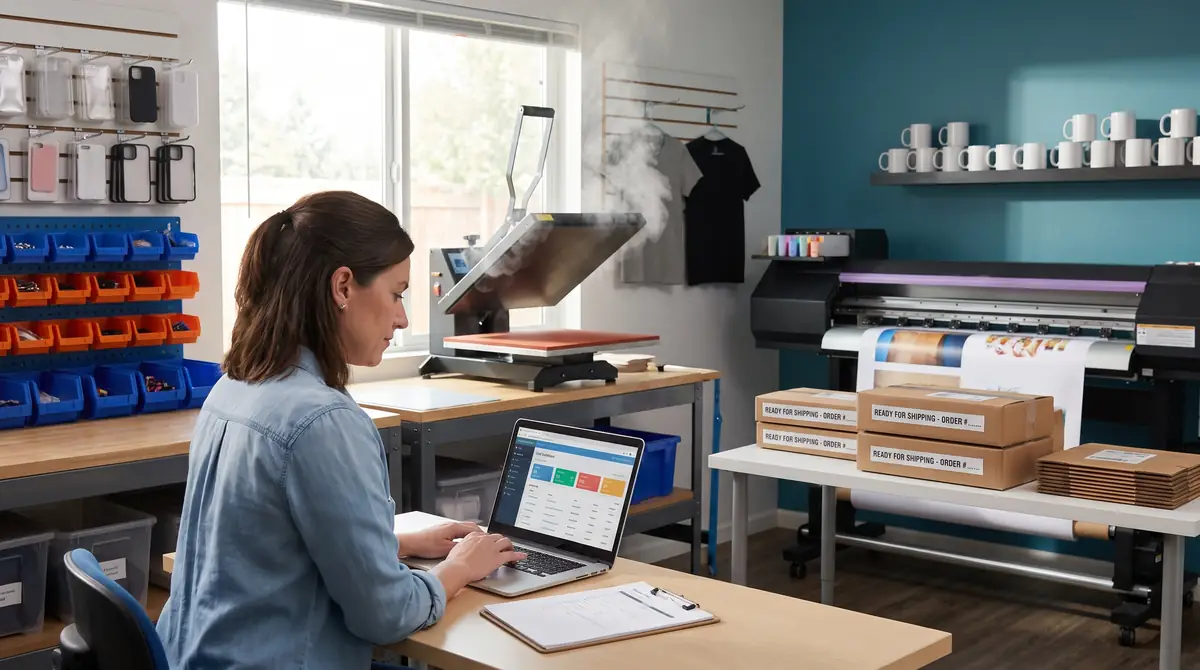
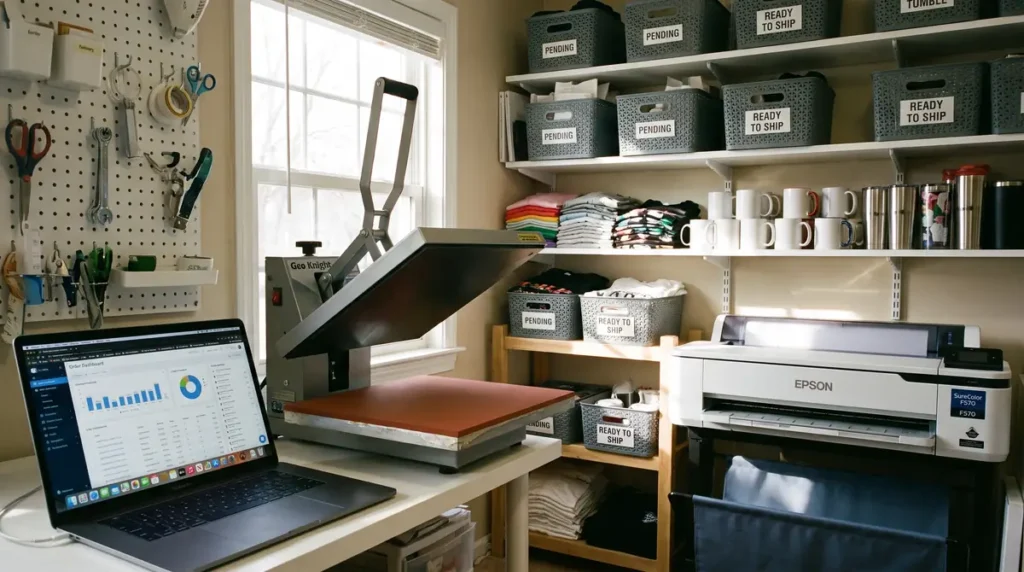
Automated order tracking is a system that moves customer orders through every stage of production without requiring you to manually update spreadsheets or send individual status emails.
Instead of wondering where an order is, your software automatically records its progress as it moves from:
- Order received
- Artwork review
- Customer approval
- Printing
- Heat pressing
- Quality inspection
- Packaging
- Shipping
- Delivered
Every status change becomes visible from one dashboard, making it easier to prioritize work and communicate with customers.
For many growing sublimation businesses, this becomes one of the first workflow upgrades that saves hours every week.
Why Manual Tracking Stops Working
Many sublimation businesses begin with sticky notes, Excel sheets, or handwritten order books. These methods work when you’re completing only a handful of orders each week.
Once daily orders increase, however, several problems usually appear.
Orders Become Difficult to Find
Searching through emails, Etsy messages, Facebook Messenger, and spreadsheets wastes valuable production time.
A centralized tracking system keeps everything connected to one order number.
Customer Updates Take Too Long
One of the biggest time drains is answering questions like:
“Has my tumbler shipped yet?”
Instead of checking multiple places, automated systems can send customers updates whenever an order status changes.
Production Mistakes Increase
Without clear production stages, it’s surprisingly easy to:
- Print the wrong design
- Forget an order
- Duplicate production
- Ship incomplete packages
- Miss delivery deadlines
A structured workflow dramatically reduces these errors.
Team Collaboration Becomes Confusing
If family members or employees help with production, everyone needs to know exactly what should happen next.
Automation creates one source of truth for every order.
Signs Your Sublimation Business Needs Order Tracking Automation
You don’t need hundreds of daily orders before investing in automation.
If any of these situations sound familiar, it’s probably time.
- You check multiple apps to find customer information.
- Customers frequently ask for order updates.
- Orders occasionally get forgotten.
- Production schedules feel disorganized.
- You manually copy customer information between systems.
- Shipping labels are created separately from order records.
- Inventory occasionally runs out without warning.
- Your business is growing faster than your workflow.
Even businesses processing only 10–20 orders per week often save several hours by automating repetitive administrative tasks.
You also check our Sublimation Supply Tracker to make life easier.
How Automated Order Tracking Works
Although every software platform is slightly different, most automated workflows follow the same process.
| Stage | What Happens |
|---|---|
| Customer Places Order | Order information enters your dashboard automatically. |
| Artwork Uploaded | Design files are attached to the order record. |
| Production Queue | Orders are organized by priority or due date. |
| Printing | Production staff updates status with one click. |
| Heat Pressing | Order advances automatically to the next stage. |
| Quality Check | Final inspection confirms accuracy. |
| Shipping | Tracking number syncs with the customer order. |
| Delivery | Customer receives automatic delivery confirmation. |
Instead of manually moving information between multiple apps, your workflow becomes largely self-managing.
Essential Features to Look for in Order Tracking Software
Not every business needs enterprise-level production software. The best solution depends on your order volume and production process.
Here are the features that provide the biggest productivity improvements.
1. Centralized Order Dashboard
A single dashboard should display:
- Customer details
- Product specifications
- Artwork
- Due dates
- Shipping status
- Production stage
This eliminates switching between multiple programs throughout the day.
2. Custom Production Stages
Every sublimation shop follows a slightly different process.
Look for software that lets you create stages such as:
- Awaiting artwork
- Proof sent
- Customer approval
- Printing
- Heat pressing
- Packaging
- Ready for pickup
- Shipped
Custom workflows make it much easier to identify bottlenecks before they delay customer orders.
3. Artwork and File Management
Keeping customer artwork attached to each order prevents confusion later.
This is especially useful when customers reorder products months later.
Instead of requesting files again, you can reopen the previous order and begin production immediately.
4. Automated Customer Notifications
One of the simplest automation wins is letting software send updates automatically.
Examples include:
- Order received
- Artwork approved
- Production started
- Shipped
- Delivered
Customers stay informed without increasing your workload.
5. Shipping Integration
Integrated shipping tools automatically:
- Generate labels
- Import tracking numbers
- Update order status
- Notify customers
This removes another manual step from your workflow.
6. Inventory Tracking
Many sublimation businesses don’t realize they’re low on blanks until production begins.
Inventory tracking helps monitor:
- Shirts
- Tumblers
- Mugs
- Sublimation paper
- Ink
- Packaging supplies
Knowing what’s available before accepting orders prevents unnecessary delays.
Best Ways to Automate Your Sublimation Workflow
Automation doesn’t have to happen all at once.
Many successful shops gradually automate one task at a time.
Connect Your Online Store
If you sell through Shopify or WooCommerce, connect your storefront directly to your production software so new orders appear automatically without manual data entry.
If you’re deciding which platform better supports automation, comparing Shopify vs WooCommerce for sublimation products can help you choose the right long-term foundation for your business.
Automate Customer Quotes
For wholesale clients, schools, sports teams, and corporate orders, generating quotes manually can become another bottleneck.
Using dedicated quoting software before production begins helps standardize pricing, approvals, and order creation.
If wholesale orders are part of your business model, explore Best Quoting Software for Wholesale Apparel Orders to simplify this process before orders even enter production.
Organize Production Queues
Instead of printing products in the order they arrive, automated software can sort jobs by:
- Due date
- Product type
- Heat press settings
- Customer priority
- Shipping deadlines
Grouping similar jobs together often reduces setup time and improves production efficiency.
Sync Shipping Automatically
Once a label is created, the tracking number should automatically:
- Update the order
- Notify the customer
- Mark production complete
- Record shipping history
This eliminates repetitive administrative work while improving customer communication.
Choosing the Right Order Tracking Software
There isn’t a single “best” platform for every sublimation business. The right choice depends on your order volume, team size, and sales channels.
| Business Type | Recommended Solution |
|---|---|
| Hobby or side hustle | Spreadsheet automation with Google Sheets and forms |
| Etsy seller | Etsy + shipping integrations + project management tool |
| Shopify or WooCommerce store | Store-integrated order management software |
| Growing print shop | Dedicated print shop management software |
| Multi-employee production shop | Full production management platform |
As your business grows, software built specifically for print shops becomes more valuable because it combines quoting, production tracking, inventory, customer management, and shipping into one workflow.
If you’re comparing dedicated print shop solutions, read Printavo vs Shopvox: Best Print Shop Software to understand which platform fits your production needs.
Step-by-Step Setup Guide
You don’t need to automate everything on day one. Start with a simple workflow and improve it over time.
Step 1: Map Your Current Process
Write down every step an order follows, from purchase to delivery.
Example:
- Customer places order
- Artwork received
- Proof created
- Customer approval
- Print transfer
- Heat press
- Quality inspection
- Package order
- Ship order
- Delivery confirmation
Seeing the entire workflow often reveals unnecessary manual steps.
Step 2: Create Standard Order Statuses
Keep statuses simple so everyone understands them.
Example:
- New Order
- Awaiting Artwork
- Proof Sent
- Approved
- Printing
- Pressing
- Packaging
- Ready to Ship
- Shipped
- Completed
Avoid creating dozens of stages that make the workflow harder to manage.
Step 3: Connect Your Sales Channels
Connect your online stores so every order automatically enters your production dashboard.
Popular integrations include:
- Shopify
- WooCommerce
- Etsy
- Custom websites
- Wholesale order forms
This eliminates duplicate data entry.
Step 4: Automate Customer Communication
Customers appreciate knowing what’s happening without needing to ask.
Useful automatic notifications include:
- Order confirmation
- Proof approval request
- Production started
- Order shipped
- Delivery confirmation
Many shops notice fewer support emails after enabling automated updates.
Step 5: Test Your Workflow
Before relying on automation, place several test orders.
Verify that:
- Artwork attaches correctly.
- Customer information imports accurately.
- Production stages update properly.
- Tracking numbers sync correctly.
- Notification emails arrive as expected.
Finding issues early prevents expensive mistakes later.
Common Automation Mistakes to Avoid
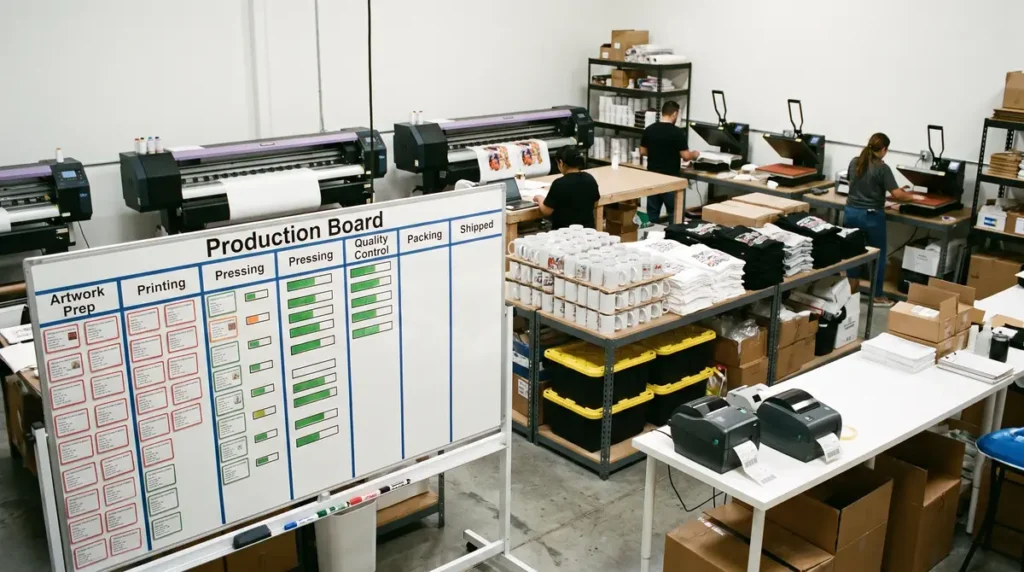
Automation only works well when the underlying process is organized.
Automating a Broken Workflow
Software cannot fix inconsistent production habits.
First standardize your process, then automate it.
Creating Too Many Statuses
Twenty different production stages often create confusion instead of clarity.
Most sublimation businesses only need 8–10 well-defined stages.
Ignoring Inventory
Automated order tracking becomes much less effective if you discover you’re out of tumblers or polyester shirts after production begins.
Inventory synchronization should be part of the workflow.
Forgetting Customer Communication
Customers care less about how long production takes than they do about knowing what’s happening.
Automatic status emails significantly reduce “Where is my order?” inquiries.
Skipping Workflow Reviews
Business processes change over time.
Review your workflow every few months and remove unnecessary steps.
Action Plan for Sublimation Businesses
Home-Based Solo Seller
Focus on:
- Store integration
- Automated emails
- Shipping synchronization
- Simple production dashboard
Keep the workflow lean and easy to manage.
Etsy Seller Scaling Up
Add:
- Production queue management
- Artwork organization
- Inventory tracking
- Shipping automation
This creates consistency as order volume increases.
Small Print Shop
Implement:
- Dedicated print shop software
- Team assignments
- Barcode or QR order tracking
- Production analytics
- Automated customer updates
These improvements help maintain quality while increasing production capacity.
You check our Sublimation Pricing Calculator for estimate your project price.
Weekly Workflow Checklist
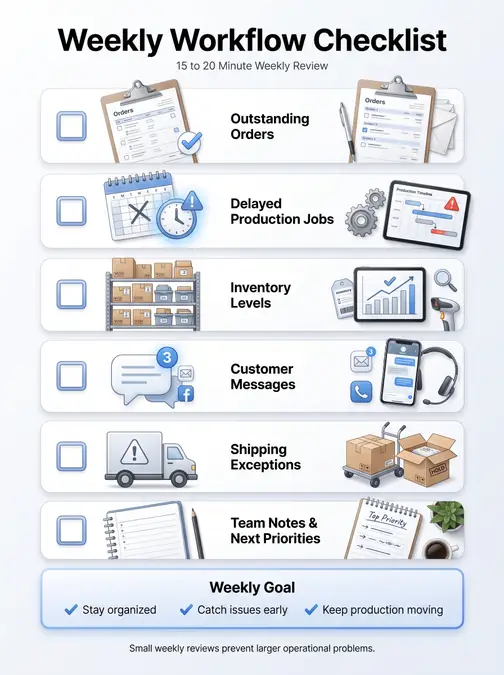
Set aside 15–20 minutes each week to review:
- Outstanding orders
- Delayed production jobs
- Inventory levels
- Customer messages
- Shipping exceptions
Small weekly reviews prevent larger operational problems.
Check our guide for about Why Most Sublimation Businesses Fail.
Frequently Asked Questions
How do small businesses keep track of orders?
Many begin with spreadsheets, but growing businesses typically move to dedicated order management software that automates production tracking, customer updates, and shipping.
What is the best software for a sublimation business?
The best software depends on your workflow. Hobby businesses may only need spreadsheet automation, while established print shops benefit from dedicated print management platforms with inventory and production tracking.
Can I automate order tracking for free?
Yes. Free tools like Google Sheets, Google Forms, and automation platforms can handle basic workflows. As order volume increases, paid software usually saves enough time to justify the investment.
What is the best app for keeping track of customer orders?
Apps that combine order management, production stages, inventory, and shipping in one dashboard generally provide the best long-term value for sublimation businesses.
Does automation replace customer service?
No. Automation handles repetitive updates so you can spend more time providing personalized support when customers actually need it.