
Sublimation printing can feel confusing at first, especially when you’re learning about printers, heat presses, paper types, and color settings all at once.
This sublimation training guide walks you through the full beginner workflow step by step. You’ll learn how sublimation works, what equipment you need, how to avoid common mistakes, and how to get cleaner, more vibrant transfers with less frustration.
If you want to make custom shirts, mugs, tumblers, or start a small home business, this guide gives you a practical starting point without overwhelming you.
What Is Sublimation Printing?
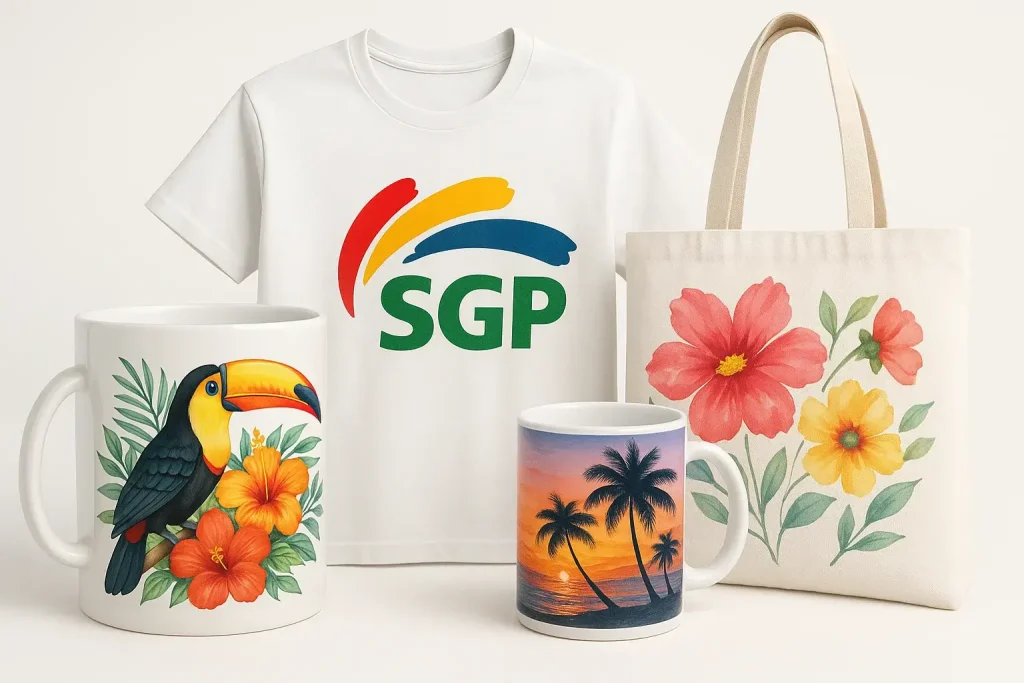
Sublimation printing is a heat transfer process where special dye-based ink turns into gas and permanently bonds with polyester fabric or polymer-coated surfaces.
Unlike vinyl or screen printing, sublimation becomes part of the material itself. The finished print feels smooth because the ink does not sit on top of the surface.
This process is commonly used for:
- Polyester shirts
- Mugs and tumblers
- Mousepads
- Coasters
- Aluminum photo panels
- Tote bags
- Keychains
If you are completely new to the process, this learn sublimation printing guide explains the full workflow in more detail.
Why Beginners Choose Sublimation
Many beginners start with sublimation because:
- Colors look vibrant and long-lasting
- Prints do not crack or peel
- Equipment costs are lower than many commercial printing methods
- Small home setups are possible
- Personalized products sell well online
A common beginner mistake is expecting sublimation to work on every material. In most sublimation setups, the best results come from polyester fabrics or poly-coated blanks.
Equipment You Need for Sublimation Training
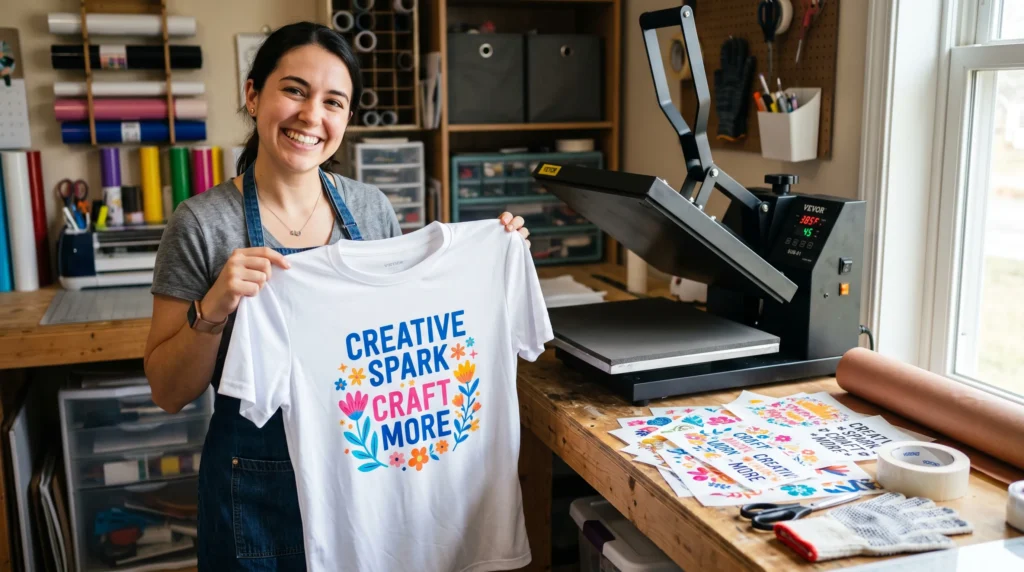
You do not need a professional print shop to begin learning sublimation. A simple beginner setup is enough to practice and improve.
Sublimation Printer
You need a printer that supports sublimation ink.
Common beginner options include:
- Epson EcoTank conversions
- Sawgrass SG500
- Dedicated sublimation printers
If you are still comparing machines, review these best sublimation printers before buying equipment.
Sublimation Ink
Sublimation ink is different from regular inkjet ink.
Popular beginner-friendly options include:
- Hiipoo
- Cosmos Ink
- Sawgrass Sublijet
Your printer, ink, and ICC profile should work together for accurate color management.
Sublimation Paper
Sublimation transfer paper controls how efficiently the ink releases during pressing.
Popular beginner papers include:
- A-Sub
- Koala
- TruePix
Using cheap paper often causes faded transfers or inconsistent color saturation.
Heat Press Machine
A heat press applies the temperature and pressure needed for sublimation transfer.
Types of presses include:
- Flat heat press
- Mug press
- Tumbler press
- Hat press
For more detailed pressing recommendations, review this sublimation heat press guide.
Sublimation Blanks
Beginners should practice on simple blanks first.
Recommended starter blanks:
- Polyester shirts
- Ceramic mugs
- Mousepads
- MDF coasters
- Tote bags with high polyester content
This sublimation blanks and substrates guide explains which materials work best.
Helpful Accessories
Small tools make a big difference in print quality.
Useful accessories include:
- Teflon sheets
- Heat-resistant tape
- Butcher paper
- White cardstock
- Lint roller
- Heat-resistant gloves
Setting Up Your Sublimation Workspace
A clean and organized workspace helps prevent beginner mistakes.
Choose a Stable Surface
Heat presses become extremely hot during operation.
Use:
- sturdy tables
- heat-resistant surfaces
- enough space around the press
Avoid unstable folding tables whenever possible.
Improve Ventilation
Sublimation can release fumes during heat activation.
Good airflow helps create a safer and more comfortable workspace.
Simple improvements include:
- opening nearby windows
- using small air purifiers
- placing fans near work areas
Organize Supplies Clearly
Many beginners lose time searching for tools during pressing.
Use labeled bins or drawers for:
- blanks
- paper
- tape
- ink
- transfer sheets
Keeping materials organized also reduces contamination and dust problems.
Step-by-Step Sublimation Training Workflow
This section covers the beginner sublimation process from design setup to final pressing.
Step 1: Create or Prepare Your Design
Use high-resolution artwork whenever possible.
Recommended settings:
- 300 DPI resolution
- RGB color mode
- Correct blank dimensions
- Mirrored artwork before printing
Popular beginner software includes:
- Canva
- Cricut Design Space
- Affinity Designer
- Adobe Illustrator
- Inkscape
Many beginners accidentally forget to mirror text designs before printing.
Always double-check mirrored artwork before pressing.
Step 2: Print the Design
Load sublimation paper correctly into the printer.
Use:
- high-quality print settings
- correct ICC profiles
- proper paper presets
Do not judge sublimation colors before pressing.
Sublimation prints usually look dull on paper until heat activates the ink.
Step 3: Prepare the Blank
Dust, lint, and moisture often ruin transfers.
Before pressing:
- Use a lint roller
- Wipe hard surfaces clean
- Pre-press garments for a few seconds
- Position the transfer carefully
- Tape the design securely
Skipping this step commonly causes ghosting or uneven transfers.
Step 4: Apply Heat and Pressure
Correct temperature, pressure, and timing matter more than most beginners realize.
General beginner settings:
| Blank Type | Temperature | Time |
| Polyester Shirt | 400°F | 60 seconds |
| Ceramic Mug | 400°F | 180 seconds |
| MDF Coaster | 385°F | 60 seconds |
For additional setup help, review these heat press temperature for sublimation recommendations.
Step 5: Remove and Cool the Transfer
Open the press carefully after pressing.
Allow the blank to cool on a flat surface before handling aggressively.
Check for:
- color consistency
- faded areas
- ghosting
- transfer movement
- uneven pressure marks
Testing small adjustments between projects helps improve consistency faster.
Understanding ICC Profiles and Color Accuracy
ICC profiles help your printer produce more accurate sublimation colors.
Without proper color management:
- reds may appear orange
- blacks may look brown
- skin tones may shift
- colors may appear dull after pressing
This is one of the most common beginner frustrations.
The easiest way to improve color consistency is learning proper ICC profiles for sublimation.
Why ICC Profiles Matter
Every printer, ink set, paper type, and monitor displays color differently.
ICC profiles help balance those differences.
In most sublimation workflows, better color management leads to:
- stronger color vibrancy
- improved consistency
- fewer wasted blanks
- easier repeat production
Free Downloadable Templates
Skip the setup. Grab ready-made, editable files sized for popular blanks:
- 11 oz mug wrap template (high-res PNG & PSD)
- T-shirt chest logo (standard 4×4″ design)
- Coaster and ornament layouts
- Sublimation print layout checklist
📁 Download Templates Now
Watch here: Subli Genius Print YouTube Channel
Common Causes of Color Problems
Typical causes include:
- incorrect ICC profile
- wrong paper settings
- low press temperature
- poor ink quality
- inconsistent pressure
If your prints still look faded or inaccurate, this guide on fixing sublimation color accuracy can help troubleshoot deeper issues.
Best Materials for Sublimation Practice
Practicing on beginner-friendly materials helps reduce waste and frustration.
Best Fabrics for Sublimation
100% polyester produces the most vibrant sublimation results.
Blends with at least 65% polyester may still work, although colors usually appear softer.
Good beginner fabrics include:
- polyester shirts
- performance jerseys
- microfiber towels
- polyester tote bags
Hard Sublimation Blanks
Poly-coated hard surfaces also work extremely well.
Popular beginner hard blanks include:
- mugs
- coasters
- mousepads
- ornaments
- aluminum panels
Many beginners accidentally buy uncoated blanks online.
Always verify that products are labeled specifically for sublimation.
Common Sublimation Problems Beginners Face
Most sublimation mistakes are fixable.
Small adjustments in pressure, heat, or color settings often improve results dramatically.
Why Do Sublimation Colors Look Dull?
Dull sublimation colors usually come from incorrect temperature, weak pressure, poor ICC profiles, or low polyester content.
You can follow this sublimation troubleshooting guide to diagnose common print problems.
Additional causes include:
- moisture inside garments
- incorrect paper settings
- expired ink
- low-quality blanks
What Causes Ghosting?
Ghosting happens when the transfer paper shifts during pressing.
To reduce ghosting:
- tape transfers securely
- avoid lifting the press too quickly
- use steady pressure
- let blanks cool properly
Why Does Banding Happen?
Banding usually appears as visible lines across printed designs.
Common causes:
- clogged print heads
- low print quality settings
- printers sitting unused too long
Regular nozzle checks and printer maintenance help prevent this issue.
Why Is Ink Not Transferring Properly?
Poor transfers often happen because:
- blanks are not sublimation-ready
- pressure is uneven
- temperatures are too low
- moisture is trapped inside the material
Pre-pressing garments for several seconds often improves transfer quality.
Beginner Sublimation Practice Projects
Simple projects help build confidence before attempting larger production runs.
Easy First Projects
Recommended beginner projects:
- polyester t-shirts
- ceramic mugs
- mousepads
- MDF coasters
- tote bags
These projects are affordable, forgiving, and widely available.
Practice Before Selling Products
Many beginners rush into selling before testing their workflow.
Before starting a business:
- test multiple press settings
- compare paper brands
- practice color correction
- wash-test garments
- track successful settings
Consistent testing builds reliable production habits.
Frequently Asked Questions
What sells the most with sublimation?
Popular sublimation products include custom shirts, tumblers, mugs, sports jerseys, tote bags, and personalized gifts.
Small personalized products usually perform well for Etsy sellers and craft businesses.
Can I sublimate on cotton?
Standard sublimation does not work well on pure cotton because sublimation ink bonds best with polyester fibers.
Some crafters use sublimation coatings or sublimation HTV as workarounds.
Which lasts longer, DTF or sublimation?
Sublimation usually lasts longer on polyester because the ink becomes part of the fabric instead of sitting on top.
DTF works on more fabric types but may eventually develop texture wear over time.
What printer is best for beginner sublimation?
Many beginners start with Epson EcoTank printers because they are affordable and easy to convert.
Sawgrass printers are easier to set up but usually cost more upfront.
Do I need special paper for sublimation?
Yes. Sublimation paper is designed to release sublimation ink correctly during heat transfer.
Regular copy paper does not transfer ink efficiently.
Why do sublimation prints look faded before pressing?
Sublimation ink activates fully during heating.
Printed transfer sheets often look dull until the heat press completes the transfer process.
Quick Recap
Learning sublimation becomes much easier when you focus on the basics first.
Start with reliable equipment, beginner-friendly blanks, proper heat press settings, and consistent workflow habits. Most early problems come from color management, pressure issues, or material compatibility.
As you practice more projects, you will quickly learn how small adjustments improve print quality and consistency.
- Forums, social media groups, and events for sublimation enthusiasts.
- Continuing education and professional development in sublimation.