
Sublimation Temperature Chart: Settings by Material and Method

Most sublimation settings fall somewhere between 350°F and 400°F, but the exact number depends on two things: what you’re pressing and which method you’re using to press it.
A flat cotton-poly shirt and a curved glass tumbler don’t heat the same way, and using one item’s settings on the other is one of the most common reasons prints come out faded, scorched, or cracked.
This chart covers starting settings for the most common sublimation blanks, split by heat press and convection oven where the method changes the numbers.
Treat every value here as a starting point. Your press, your blank supplier, and your room temperature can all shift these by 5 to 10 degrees or a few seconds in either direction.
Once you understand how heat affects sublimation ink, getting sharp, vibrant, and consistent results becomes much easier.
Quick Reference Chart
Use this table to find your material, then check the method column before you set your press. A few of these materials, like mugs, tumblers, and glass, need very different times depending on whether you’re using a mechanical press or a convection oven.
| Material | Method | Temperature | Time | Pressure |
|---|---|---|---|---|
| Polyester shirts | Heat press | 385–400°F | 45–60 sec | Medium |
| 50/50 poly-cotton blend | Heat press | 375–385°F | 45–60 sec | Medium |
| Ceramic mugs | Mug press | 385–400°F | 180–240 sec | Medium-firm |
| Ceramic mugs | Convection oven | 370–400°F | 12–15 min | Shrink wrap |
| Glass drinkware | Convection oven only | 380–400°F | 8–12 min | Shrink wrap sleeve |
| Tumblers | Tumbler press | 380–400°F | 60–90 sec | Medium |
| Tumblers | Convection oven | 375–400°F | 5–8 min | Shrink wrap |
| Metal panels | Heat press | 385–400°F | 45–70 sec | Medium |
| Wood / MDF | Heat press | 375–400°F | 40–90 sec | Medium |
| Canvas | Heat press | 385–400°F | 45–60 sec | Medium |
| Mousepads | Heat press | 380–385°F | 35–45 sec | Light-medium |
Tip: Always test one blank before running a full batch, especially on a new material or a press you haven’t calibrated recently. A few seconds can be the difference between a clean print and a scorched one.
Heat Press vs. Convection Oven
The method matters as much as the numbers. A heat press clamps the blank with direct, even pressure, so it needs far less time, usually under 90 seconds for most items. A convection oven heats the whole item from all sides with no direct pressure, so it needs several minutes instead, and pressure comes from shrink wrap rather than a clamp.
Flat items like shirts, metal panels, and wood almost always use a heat press. Curved or 3D items like mugs, tumblers, and glass can use either a dedicated press built for their shape, or a convection oven with shrink wrap.
Glass is the one exception worth remembering: it should never go in a mechanical press, since the direct clamping pressure can crack it. Glass gets its pressure from a shrink wrap sleeve in an oven instead.
Settings by Material
Polyester Shirts and Apparel
Polyester fabric takes the most heat of any common blank, typically 385–400°F for 45 to 60 seconds. Pre-press the shirt for 5 to 10 seconds first to remove moisture, which is one of the most common causes of ghosting.
For a full breakdown by fabric type, including how low you can go on polyester percentage before results suffer, see the polyester sublimation guide.
50/50 and Poly-Blend Fabric
Blends need slightly lower heat than 100% polyester, since the cotton content doesn’t accept sublimation ink and can scorch before the polyester fibers finish bonding.
The 50/50 cotton-polyester guide covers what to expect from a blend versus full polyester, and the 50/50 troubleshooting guide covers fixes for faded or patchy blend prints specifically.
Ceramic Mugs
Mugs take longer than flat items because the coating is thicker and the shape makes even heat harder to achieve. A dedicated mug press is faster, 3 to 4 minutes, while a convection oven takes closer to 12 to 15 minutes.
If you’re deciding which equipment to buy, the mug press vs. convection oven comparison walks through the trade-offs.
Glass Drinkware
Glass only works in a convection oven, never a mechanical press. Wrap the transfer paper around the glass, secure it with heat-resistant tape, then slide a shrink wrap sleeve over it to provide pressure as it tightens during heating.
Full glass items typically need 8 to 12 minutes at 380–400°F, while smaller pieces like shot glasses need closer to 5 to 8 minutes. The sublimation on glass guide covers the full wrapping process and common cracking mistakes to avoid.
Tumblers
Tumblers follow the same press-versus-oven split as mugs: 60 to 90 seconds per position in a tumbler press, or 5 to 8 minutes in a convection oven. Settings also shift by material, stainless steel, coated, and plastic tumblers each behave differently under heat.
The sublimation tumbler temperature guide breaks down settings by tumbler type and size.
Metal Panels
Coated aluminum and metal blanks press at 385–400°F for 45 to 70 seconds. Metal conducts heat quickly but also cools quickly, so consistent pressure across the panel matters more than it does on fabric.
See the sublimation metal blanks guide for fixes on peeling or faded metal prints.
Wood and MDF
Wood needs a coating, laminate, or sealer before it can hold sublimation ink at all, bare untreated wood won’t bond with the dye. Settings run 375–400°F for 40 to 90 seconds depending on the coating method used.
The sublimation on wood guide covers five different coating methods with settings for each.
Canvas
Canvas presses at 385–400°F for 45 to 60 seconds, similar to shirts, but a press pillow helps keep pressure even on thicker canvas.
The canvas sublimation guide covers coating requirements and common wrinkling issues.
Mousepads
Mousepads run cooler and faster than most blanks, 380–385°F for 35 to 45 seconds with light to medium pressure. Too much heat or pressure can compress the foam backing and leave a flattened edge around the design.
Why Temperature and Time Change by Method
Heat presses transfer heat through direct contact, so the temperature reading on the display is close to what your blank actually experiences.
Convection ovens heat the surrounding air instead, which takes longer to reach the same effective temperature and heats less evenly, hence the much longer times for oven-based methods.
Neither method is automatically more accurate. Budget presses can run 10 to 25°F off their display reading, and ovens can have hot and cold spots depending on placement.
If your prints look consistently faded, scorched, or uneven even when you’re following the chart above, the problem may be your equipment rather than the settings.
The heat press temperature guide walks through how to check whether your press is running true to its display.
Common Mistakes That Throw Off Your Settings
- Using a convection oven’s time on a mechanical press, or the reverse. This is one of the fastest ways to scorch a blank, since press times run in seconds and oven times run in minutes.
- Skipping the pre-press step on fabric, which traps moisture and causes ghosting.
- Pressing glass in a mechanical clamp press instead of using the oven and shrink wrap method.
- Assuming every mug or tumbler needs the same time, thicker or larger items usually need more.
- Never checking whether your press runs hot or cool compared to its display.
For a deeper walkthrough of pressure calibration and press setup specifically, see the heat press setup and calibration guide.
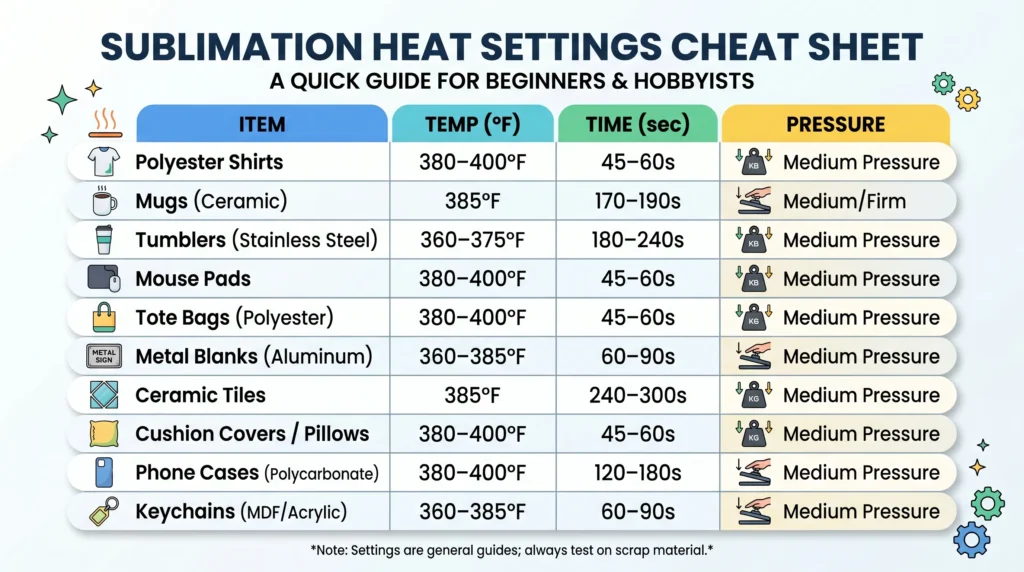
How to Choose the Right Sublimation Settings
Not all blanks behave the same. Here’s how to adjust your settings properly1. Based on Material
- Polyester fabrics: Higher temps (380–400°F) for strong bonding
- Hard surfaces (mugs, metal): Slightly lower temps with longer time
- Coated blanks: Follow manufacturer recommendations when possible
If you’re unsure about compatibility, check this sublimation material guide.
2. Based on Thickness
- Thin items → shorter time
- Thick items → longer time
- Curved items (tumblers) → longer heating cycles
3. Based on Your Heat Press
Not all presses are accurate.
- Budget presses may vary ±10–20°F
- Uneven heat causes inconsistent prints
- Always test and adjust gradually
Step-by-Step Sublimation Heat Process
Follow this process for consistent results:
- Prepare your design
Use high-resolution (300 DPI) artwork and mirror it before printing. - Pre-press the material
Press for 5 seconds to remove moisture. - Position and secure the design
Use heat tape to prevent shifting. - Apply heat and pressure
Use the correct temperature and time based on your blank. - Remove immediately after pressing
Lift the paper quickly to avoid ghosting.
If you’re just starting, this beginner sublimation guide walks through the full setup.
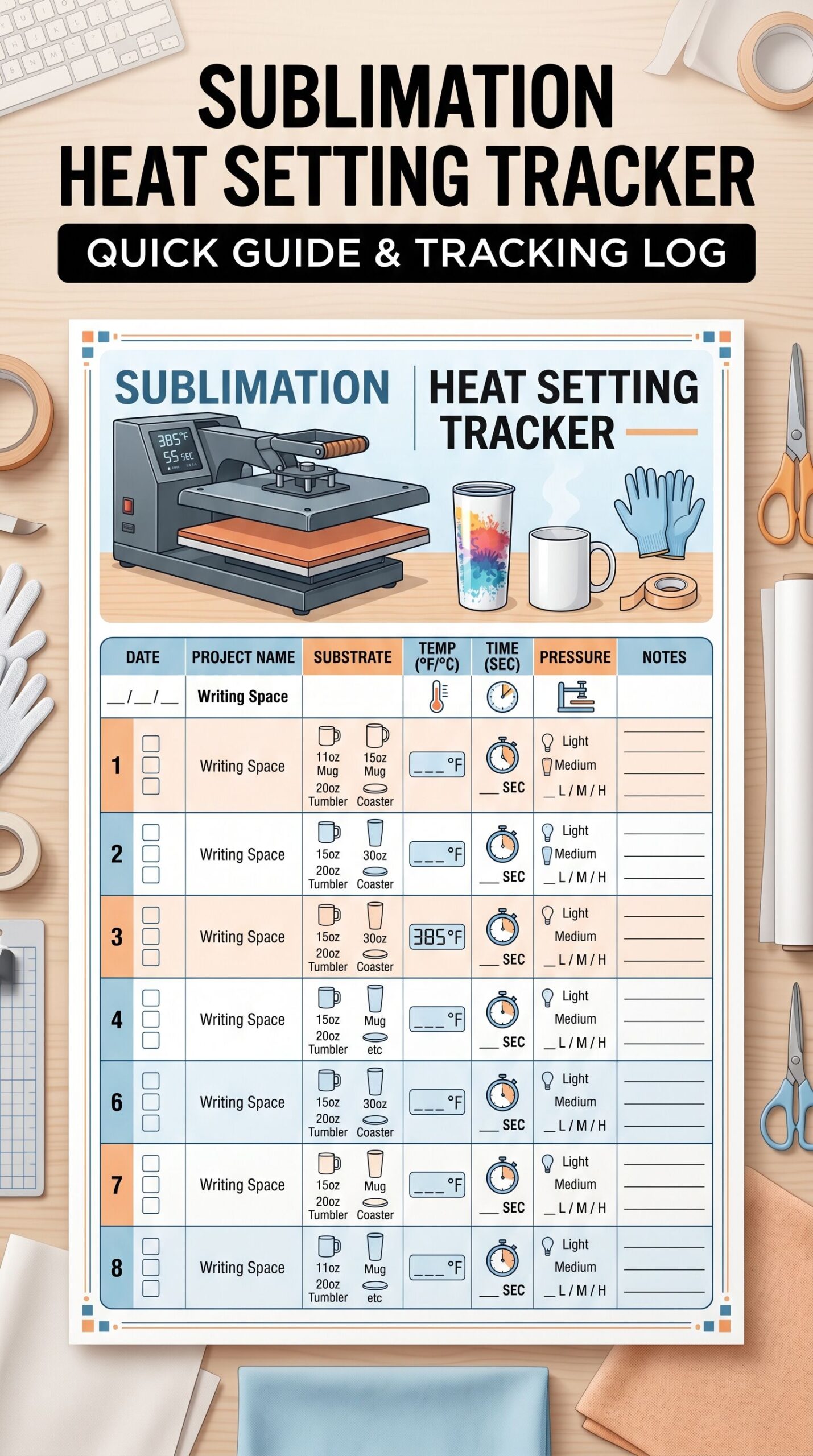
Optional: Track Your Heat Settings for Better Results
If you want more consistent sublimation results, tracking your heat settings can make a big difference.
A simple log helps you:
- Adjust for temperature drift in your heat press
- Find the best settings for each blank
- Reduce failed prints and wasted materials
Most users see fewer mistakes once they start tracking their settings consistently.
📄 Download your file here:
👉 sublimation_heat_logs.pdf
This PDF includes:
- Daily Heat Log (full page)
- Weekly Calibration Tracker (full page)
- Moisture & Humidity Tracker (full page)
Free Download:
Keep this by your press to record your favorite temperature, time, and pressure combos. It’s perfect for beginners learning how to dial in consistent results.
Frequently Asked Questions
What is the best temperature for sublimation?
Most sublimation projects work best between 350°F and 400°F, with the exact number depending on the material. Polyester fabric, metal, and canvas typically need the higher end of that range, while more heat-sensitive items may need less.
How long do I press a sublimation shirt?
A polyester shirt typically presses for 45 to 60 seconds at 385–400°F. Pre-press the shirt for 5 to 10 seconds beforehand to remove moisture and reduce the chance of ghosting.
How long to sublimate a mug at 400 degrees?
In a mug press at 400°F, most ceramic mugs take 3 to 4 minutes. In a convection oven at the same temperature, plan for closer to 12 to 15 minutes, since the oven heats more gradually.
How does the sublimation process work on glass drinkware?
The transfer paper is wrapped around the glass and secured with heat-resistant tape, then a shrink wrap sleeve is added over it to supply pressure as it tightens during heating. The wrapped glass goes into a convection oven, never a mechanical press, since direct clamping pressure can crack glass.



9 Comments