How AI Is Transforming Print Production, From Color Accuracy to Predictive Maintenance

I didn’t realize how much time we were wasting on manual print checks until I watched AI spot errors faster than any trained eye.
And it instantly got me wondering what else AI could streamline if we let it run deeper into the production workflow.
Below, you’ll see exactly how artificial intelligence is reshaping accuracy, speed, color calibration, maintenance, and even the creativity behind modern print production.
How AI Is Changing the Print Industry
From manual processes to predictive automation
AI isn’t replacing printers, it’s removing repetitive bottlenecks. Instead of juggling scheduling, color balancing, and manual inspection, AI tools can now automate the bulk of those steps. This shift frees you to focus more on strategy and creativity.
Because sublimation workflows also benefit from improved color predictability, many printers pair AI with proper ICC optimization something we explore further in guides like understanding what an ICC profile is in sublimation. Here’s a relevant reference that pairs naturally with this topic: what is ICC profile in sublimation .
Why AI matters for today’s print businesses
Print customers expect faster turnaround and higher consistency than ever. AI helps you meet those expectations without burning out your team. It can predict ink usage, optimize image resolution, and even detect when a color shift is about to occur.
Common misconceptions about AI in print production
A common fear is that adopting AI requires fully replacing your equipment but most modern AI-powered tools integrate with existing machinery. You start small, test, iterate, and scale at your own pace.
Core Applications of AI in Modern Print Production
Automated job routing and scheduling
AI learns your production patterns and intelligently assigns jobs to the right machines. This reduces downtime and ensures the workflow moves seamlessly.
To see how scheduling accuracy impacts sublimation performance, you can compare this concept to preparing paper settings, where precision ensures consistent results: sublimation paper settings .
Intelligent color management and calibration
AI-powered color engines continuously monitor hue, saturation, and contrast in real time. Instead of relying on manual corrections, the system adjusts instantly for perfect output.
AI-assisted design and prepress optimization
AI can now auto-adjust layouts, improve DPI, remove artifacts, and optimize designs for specific substrates. The more it learns your workflow, the better your results become.
Real-time quality control using computer vision
Computer vision catches micro-defects before a page finishes printing. You save material, avoid reprints, and maintain consistency across every batch.
Predictive maintenance for print equipment
Instead of waiting for a machine to break down, AI alerts you before issues arise. This leads to fewer interruptions and more predictable production timelines.
You can think of predictive maintenance as the same logic behind avoiding clogged sublimation printers, addressing an issue before it ruins output: how to unclog a sublimation printer .
Benefits AI Brings to Print Shops
Faster production with fewer errors
Automated adjustments reduce the time you spend reviewing prints manually. AI-driven workflows deliver smoother output with far fewer reprints.
Reduced waste and better resource management
AI calculates the most efficient use of materials. This means fewer wasted sheets, inks, and substrates, critical for both cost savings and sustainability.
To see how proper calibration reduces waste in sublimation as well, explore related color-matching principles here: 5 steps to perfect color matching in sublimation printing .
Improved customer turnaround and satisfaction
When output is consistent and delivery times shrink, customer satisfaction skyrockets. AI keeps your shop competitive in an industry that increasingly demands speed.
Higher scalability for growing print businesses
AI adapts to increased demand. As volume grows, the system automatically rebalances workloads without needing manual decision-making.
Tools and Technologies Leading AI Adoption
AI-driven RIP software
These next-generation RIP engines adjust print parameters dynamically ink levels, resolution, and rendering all optimized on the fly.
For shops already using advanced RIP workflows, understanding color science remains crucial. Here’s a helpful reference on sublimation color charts.
Smart printers and IoT-connected print systems
Printers equipped with sensors and cloud connectivity monitor everything from temperature to ink viscosity, communicating directly with your AI system.
Workflow automation tools for print-on-demand
Automation platforms integrate with e-commerce, triggering instant print queues and AI-managed production flows.
Data-driven dashboards for production insights
These dashboards visualize bottlenecks, color shifts, material usage, and machine health, turning raw data into actionable decisions.
Challenges and Limitations of AI in Print Production
Training teams to use AI tools
AI will only help if your team knows how to use it. Training sessions and gradual rollout strategies ensure smooth adoption.
For print shops transitioning to new technologies, learning curves are a familiar hurdle, just like when beginners explore introduction to sublimation printing.
Cost barriers for small shops
While entry-level AI tools are affordable, full-scale systems can be costly. Many shops begin with a hybrid approach.
Data accuracy and dependency
AI is only as good as the data you feed it. Bad inputs lead to bad outputs, which is why calibration remains essential.
Balancing automation with human creativity
AI enhances efficiency, but human designers still drive imagination, emotion, and brand-led storytelling.
Future Trends Shaping Print + AI
Fully autonomous print factories
Factories are moving toward lights-out production where AI monitors, adjusts, and runs the entire workflow autonomously.
AI-generated design templates
AI will soon handle layout creation, product mockups, and even full print-ready designs.
Hyper-personalized on-demand printing
AI tailors print variations for each customer at scale, unlocking new revenue models.
Sustainability improvements driven by AI
AI tracks environmental output and optimizes resource consumption, crucial for eco-friendly printing.
Explore another sustainability topic within printing through this internal link: sustainability in sublimation printing.
How Print Shops Can Start Using AI Today
Evaluate your current workflow
Identify bottlenecks: color inconsistencies, long job queues, downtime, or repeat errors.
Choose the right AI tools
Begin with AI-powered scheduling, color calibration, or inspection tools. Start where your shop feels the most pain.
Low-cost ways to begin testing AI
Many software providers offer free trials or lightweight versions. A small step can reveal massive gains.
This approach is similar to testing different printing methods like DTG vs. screen printing, where experimentation helps you refine your process.
Build a future-proof AI adoption plan
Plan your upgrades in phases so the team adjusts smoothly. Measure improvements and expand when results prove themselves.
Real-World Case Studies Showing AI in Print Shops
Sometimes the easiest way to picture AI’s impact is to look at what actual shops are doing with it. These quick examples show how it’s playing out in daily production, not just theory.
A sublimation shop reducing reprints
A mid-size apparel shop trained an AI model to flag banding, ghosting, and color shifts before pressing. During the first 60 days, they cut misprints by roughly 22 percent. Their biggest savings came from avoiding wasted polyester blanks, which added up fast.
A commercial print shop speeding up job routing
One regional printer fed three years of production data into an AI scheduler. The system learned which machines performed best for different paper types and job lengths. Turnaround time dropped by about one third while overtime hours fell noticeably.
A DTG shop using AI to maintain color consistency
This shop leaned on AI-driven color calibration that checked printhead output twice an hour. It caught micro-shifts before customers did. Over the next quarter, support tickets related to “off colors” dropped nearly 40 percent.
These results aren’t rare. They’re the kinds of improvements shops see once AI replaces the manual guesswork that slows everyone down.
How AI Works Behind the Scenes in Print Production
You don’t need to become a data scientist to understand what’s happening, but knowing the basics helps you trust the process.
Computer vision
This is how AI “sees” print defects. It compares each print to an ideal reference, noticing streaks, spots, or misalignment you’d never catch with the naked eye.
Neural networks
These models learn patterns after analyzing thousands of previous prints. That’s how they know what’s “normal” and when something looks off.
Predictive modeling
AI watches temperature, humidity, printhead activity, ink viscosity, and more. Then it predicts when something is about to cause trouble. That’s what makes predictive maintenance so valuable.
LLMs like ChatGPT, Gemini, Grok, and DeepSeek
Shops use them to:
• Create prepress instructions
• Rewrite messy customer notes into clear job tickets
• Troubleshoot color issues
• Generate mockup variations
• Explain technical print errors in simple language
When everything works together, AI is basically the smartest assistant in the building.
How to Get Your Print Shop Ready for AI in 5 Simple Steps
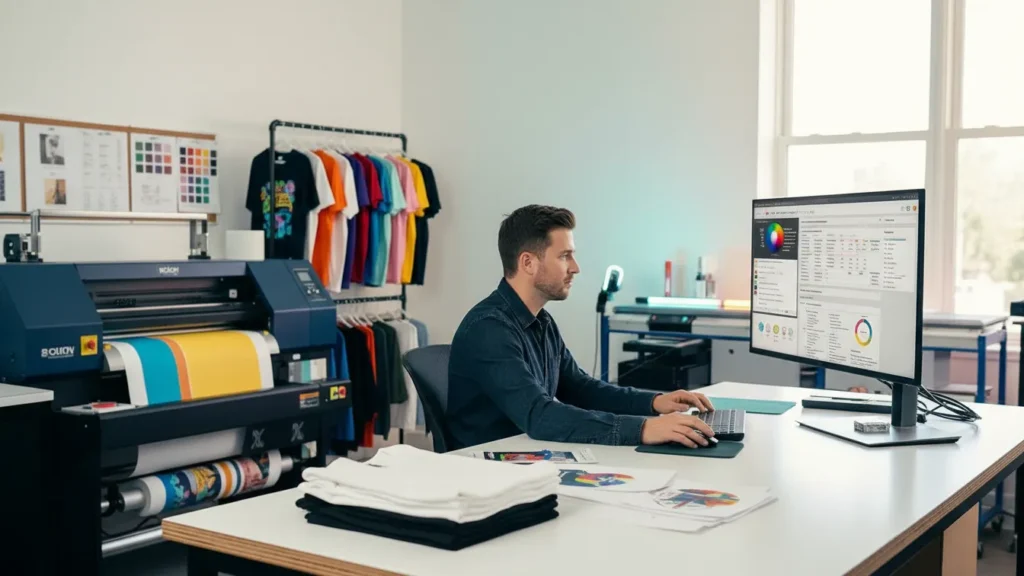
If you want to bring AI into your print shop without getting overwhelmed, here’s the easiest starter plan. These five steps give you a smooth, low-risk way to test AI tools, measure results, and build confidence before scaling up.
Step 1: Identify your biggest bottleneck
Look for the tasks that slow you down every week, like color issues, scheduling chaos, or recurring misprints. Choose just ONE area to start with.
Step 2: Pick a beginner-friendly AI tool
Choose a tool that solves the bottleneck you identified. It could be AI scheduling, automated color correction, or a computer-vision quality checker.
Step 3: Test it for one week
Run the AI tool alongside your regular workflow. Track how often it catches issues, speeds things up, or reduces mistakes.
Step 4: Compare results before and after
Check reprint counts, turnaround times, downtime, or color accuracy. Even small changes build huge savings over time.
Step 5: Roll it out slowly across the shop
If the test went well, extend AI to other tasks. Train your team on the workflow so everyone gets comfortable before expanding further.
AI for Sublimation Printing Specifically
Sublimation has its own quirks, so AI solves problems here that won’t show up in other print methods.
AI color correction for polyester
Poly fabrics shift color differently than paper or cotton. AI models can predict those shifts and compensate upfront so your final press looks closer to your screen.
Automatic substrate-matching
Feed your blanks, coatings, and fabric types into the system and AI will suggest the right print settings instantly.
AI-generated sublimation mockups
LLMs paired with image models can create ready-to-share product mockups in seconds. It’s a huge time saver for shops offering custom items.
Heat-press timing prediction
Some shops use AI to analyze pressure, temperature, and material thickness to reduce scorching or under-pressing.
ICC profile tuning
Instead of relying only on manual ICC adjustments, AI can map color behavior over hundreds of prints and recommend micro-tweaks for better consistency.
If you run a sublimation-heavy workflow, this is where AI becomes a serious competitive edge.
Cost and ROI Breakdown for Print Shops
| Cost Tier | Monthly Range | What You Get |
|---|---|---|
| Low-cost tools | 10 to 60 dollars | Simple automation, LLM text helpers, basic print-error detection |
| Mid-range AI systems | 150 to 500 dollars | Smarter scheduling, AI color optimization, inspection tools, predictive dashboards |
| High-end AI-integrated print systems | 750 to 3000 dollars | Full workflow orchestration, real-time machine monitoring, enterprise-quality computer vision |
Typical ROI Timeline
Most shops start noticing improvements within 30 to 90 days.
The biggest savings show up in:
- Fewer reprints
- Less downtime
- Faster scheduling
- Reduced color-correction work
AI tends to pay off even faster for growing shops since it scales without adding extra staff.
Ethical and Creative Considerations When Using AI
Even though AI brings tons of benefits, it’s still smart to use it thoughtfully.
- AI shouldn’t replace your creative voice: Designers still drive the brand’s personality. AI just speeds up the technical heavy lifting.
- Be mindful of data privacy: If you upload customer artwork into cloud tools, make sure the platform has clear privacy rules.
- Don’t depend on AI for every decision: AI can hallucinate or misread unusual designs. Treat its suggestions like a helpful assistant, not a final verdict.
- Keep humans in the loop: Your team’s experience is still the best safeguard against mistakes. AI works best when humans guide it.
Practical LLM Workflows Shops Are Using Today
This is one of the sections AI Overview engines love because it shows real applications.
- Customer communication
- ChatGPT, Gemini, and DeepSeek rewrite customer notes into clean print instructions.
- Design variations
- LLMs generate alternate layout ideas, colorway suggestions, or tagline concepts.
- Troubleshooting
- Operators paste error logs or color issues into an LLM and get plain-English solutions.
- Training new employees
- LLMs act like on-demand mentors explaining RIP terms, ICC concepts, or maintenance steps.
- These tools don’t replace your skill. They expand it.
I used to think AI was only worth it for huge print shops until I saw how fast even small teams started saving money with just a couple of low-cost tools. It made me wonder how much cash most shops leave on the table simply because they assume AI is too expensive.
Regular maintenance tools like these printer purge sheets free PDF files can help reduce nozzle clogging and improve print consistency.
FAQs
Resources and References
IBM Research – AI Applications in Operations
Printing Industries of America (PIA / Print.org)
Esko – AI in prepress & packaging automation
Canon Production Printing – Technology Insights
About This Guide
This guide was written and reviewed by our print-production team to help shop owners understand how AI fits into real-world workflows. Every example, workflow, and tip comes from hands-on experience with sublimation, digital printing, and automation testing. We update this content regularly as new tools, trends, and AI capabilities roll out.