Removing Sublimation Ink from Mugs: What Actually Works

Mistakes happen in sublimation printing. Maybe the design was misaligned, the colors turned out wrong, or the customer requested a change after the mug was already pressed.
A common question many beginners ask is: Can sublimation ink be removed from a mug?
The short answer: It’s difficult, but sometimes possible depending on the mug and how the design was applied.
In this guide, you’ll learn:
- why sublimation ink is hard to remove
- when removal is possible
- practical methods people use to reduce or remove sublimation prints
- how to prevent the issue in the future
If you’re new to dye sublimation printing, understanding how the process permanently bonds ink to surfaces is key. A good starting point is this sublimation printing guide which explains how heat and pressure activate sublimation ink.
Why Sublimation Ink Is Hard to Remove from Mugs
Sublimation printing is designed to be permanent.
During the sublimation process:
- Sublimation ink is printed onto transfer paper.
- Heat (usually around 380–400°F) activates the ink.
- The ink turns into gas and diffuses into the polymer coating on the mug.
- As the mug cools, the dye becomes trapped inside the coating.
This means the ink is not sitting on the surface like vinyl or screen printing. Instead, it becomes part of the mug’s coating.
That’s why removing sublimation ink is difficult compared to other printing methods.
If you want a deeper understanding of the workflow, see the full sublimation printing process explained.
When Sublimation Ink Removal Might Work
You may have some success removing or fading sublimation prints in these situations:
- The design was recently pressed
- The mug received low heat or uneven pressure
- The coating quality is lower than professional blanks
- The goal is lightening the print, not fully erasing it
However, if the mug was pressed correctly using proper heat press settings, removal is usually limited.
For reference, proper pressing conditions are discussed in this sublimation heat press settings guide.
Method 1: Reheating the Mug to Fade the Design
One of the most common techniques is reheating the mug without a transfer paper.
The idea is to force the remaining dye to re-gas and dissipate.
Steps
- Preheat your mug press to about 400°F.
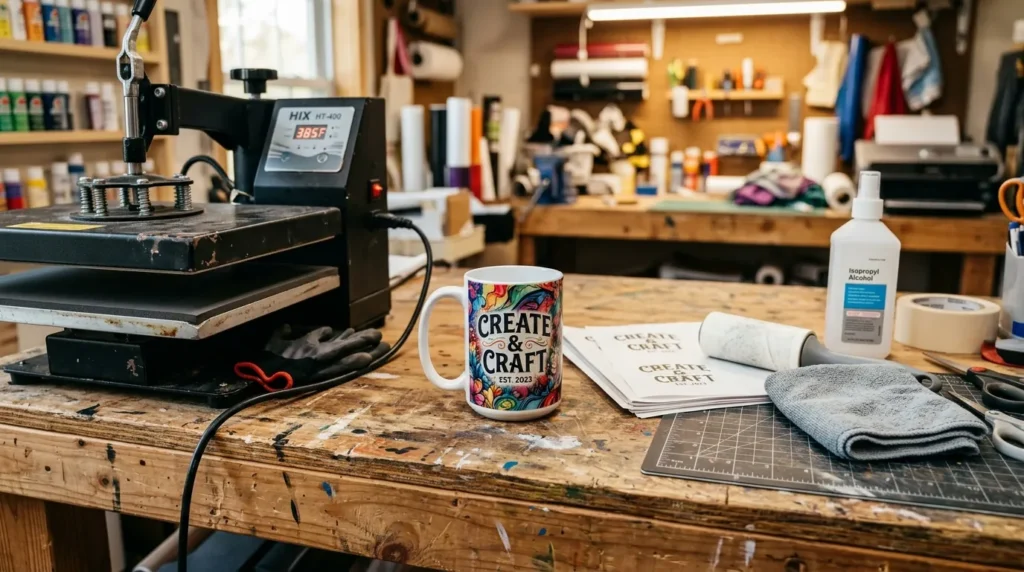
- Place the mug inside without any transfer paper.
- Press for 3–5 minutes.
- Remove and allow it to cool slowly.
You may notice:
- faded colors
- washed-out graphics
- partial removal
This method rarely restores the mug to a blank state, but it can sometimes make the design faint enough to reuse.
Method 2: Heat + Bleach Technique
Some users attempt a bleach fading process after reheating.
Steps
- Reheat the mug using the method above.
- Prepare a diluted bleach solution.
- Apply using a cloth or sponge.
- Rinse thoroughly with water.
Important notes:
- This may damage the coating.
- Results vary widely.
- It may leave discoloration.
Because sublimation dye is inside the coating, bleach typically fades rather than removes the design.
Method 3: Sanding the Surface (Last Resort)
If the mug has sentimental or experimental value, sanding may reduce the print.
Process
- Use very fine grit sandpaper (1000–2000 grit).
- Sand lightly over the design area.
- Rinse and polish.
This removes part of the polymer coating, which also removes the embedded dye.
However, it usually leaves:
- matte patches
- visible scratches
- uneven gloss
Because of this, sanding is rarely recommended for commercial mugs.
Method 4: Covering the Design Instead
In many cases, covering the original design is easier than removing it.
Some options include:
- applying a larger sublimation design over the original
- wrapping the mug with a full-coverage print
- using vinyl decals
Removing sublimation prints is often easier on fabric than on hard substrates like ceramic mugs. If you’re working with garments instead, this guide on removing sublimation prints from polyester explains several fabric-safe methods.
Common Mistakes When Trying to Remove Sublimation Ink
Many beginners try methods that simply won’t work because of how sublimation bonding occurs.
Avoid these common mistakes:
Using Alcohol or Acetone
These chemicals work on surface inks but do not affect embedded sublimation dye.
Scrubbing the Mug
Abrasive scrubbing usually damages the coating before affecting the design.
Expecting Complete Removal
Even with aggressive methods, most mugs will still show ghost images or faded prints.
If you run into printing errors often, a good troubleshooting reference is this sublimation troubleshooting guide.

How to Prevent Sublimation Mistakes on Mugs
Preventing mistakes is always easier than fixing them.
Here are practical tips used by experienced sublimation crafters.
Test Your Design First
Print a paper preview to verify:
- placement
- size
- alignment
Use Heat-Resistant Tape
Heat tape prevents design shifting during pressing.
Double-Check Mirror Settings
Forgetting to mirror the design is one of the most common sublimation errors.
Verify Heat Press Settings
Incorrect temperature or time can ruin a mug.
If you want a deeper breakdown of common issues, see 10 common sublimation printing mistakes.
Frequently Asked Questions
Can I completely remove sublimation ink from a mug?
In most cases, no. Sublimation ink becomes embedded inside the mug’s polymer coating, which makes full removal extremely difficult.
Can I sublimate over an existing mug design?
Sometimes. If the original design is faded enough, a darker or full-wrap design can cover it.
Does bleach remove sublimation prints?
Bleach may fade the design slightly, but it usually cannot fully remove the sublimation dye.
Is sanding safe for sublimation mugs?
Sanding can remove part of the coating, but it typically damages the finish and leaves visible scratches.
Conclusion
Removing sublimation ink from mugs is challenging because the dye becomes part of the mug’s coating during the sublimation transfer process.
While reheating, bleaching, or sanding may reduce the design, complete removal is rarely possible.
In most situations, the better solution is to:
- fade the design and cover it
- reuse the mug for testing
- treat it as a learning sample
As you gain experience with sublimation printing, mistakes become less frequent—and your results become far more consistent.
Follow Subli Genius Print for more practical sublimation guides and troubleshooting tips.
Sublimation ink on ceramic mugs bonds with a polyester coating, making it just as stubborn as on fabric. Here’s how to tackle it without cracking your mug.