DTF Printers for Small Business: Cost, Maintenance & Production Comparison

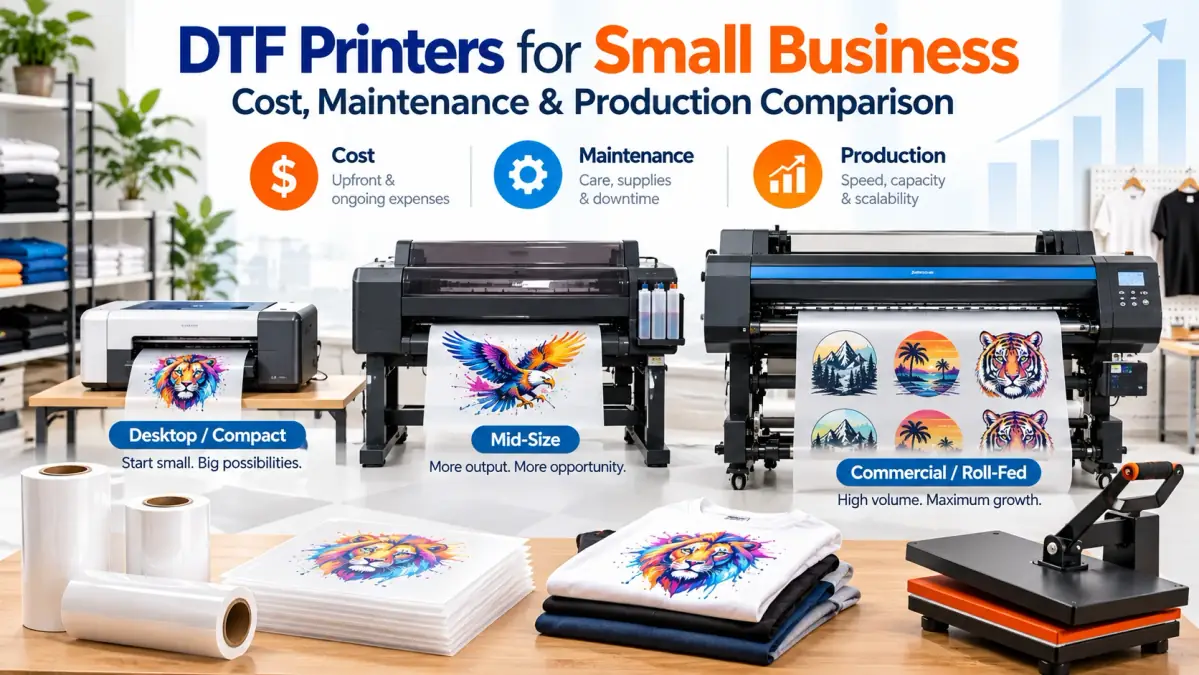
The right DTF printer for a small business is not automatically the cheapest machine or the fastest one. Start with your real order volume, print sizes, available workspace, maintenance tolerance, and the cost of continuing to outsource transfers.
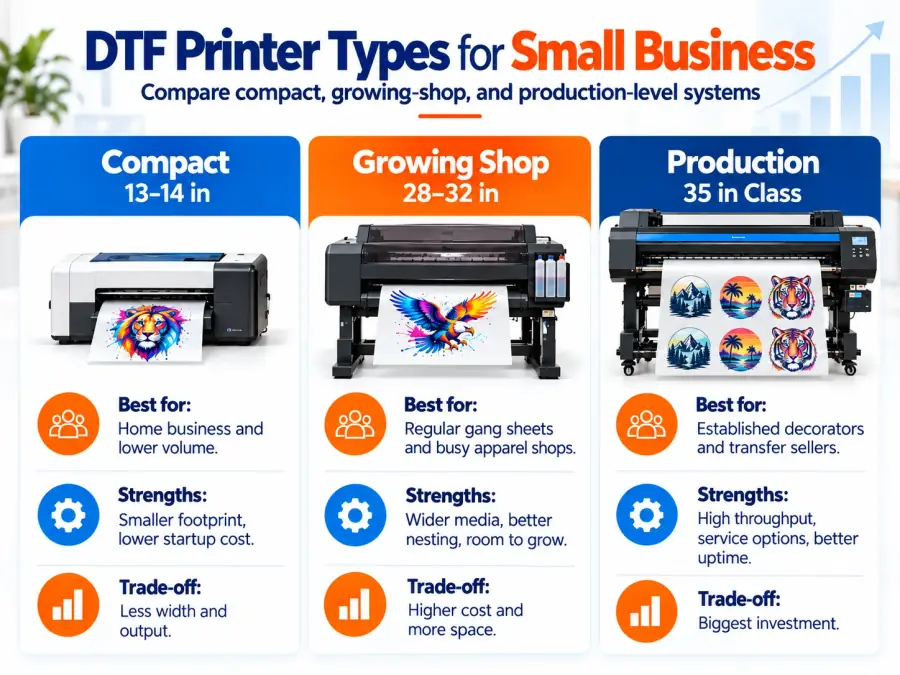
A compact 13-inch or 14-inch system can make sense for regular in-house apparel work. A wider commercial machine is easier to justify when gang-sheet volume, oversized graphics, production deadlines, and downtime have become serious business concerns.
| Business stage | Better starting point | Main reason |
|---|---|---|
| Testing DTF demand | Outsource transfers | Avoids printer maintenance and large upfront costs |
| Regular home or small-shop orders | 13-inch to 14-inch system | Smaller footprint and lower equipment cost |
| Growing apparel shop | Wider roll-fed system | More gang-sheet capacity and production room |
| High-volume transfer production | Commercial dealer-supported system | Uptime, service, automation, and throughput matter more |
If you are still deciding whether DTF is the right printing process for your products, compare the fabric and workflow differences in our DTF vs sublimation printing guide first.
Should Your Small Business Buy a DTF Printer Yet?
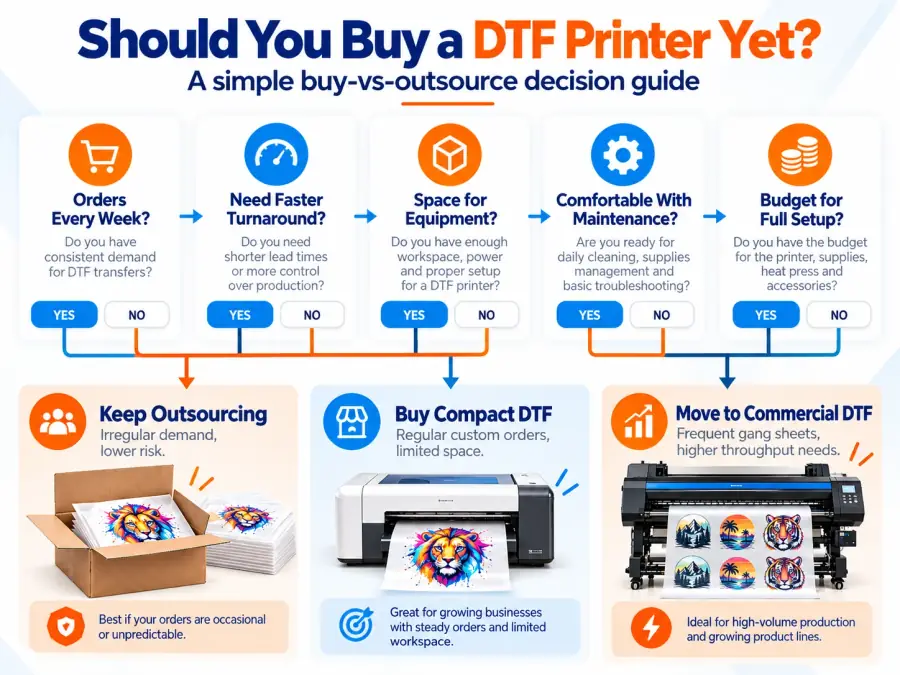
Buy a DTF printer when your recurring production demand can justify the equipment, maintenance, workspace, and operator time. If your DTF work is occasional or unpredictable, outsourcing transfers can still be the lower-risk choice.
- DTF orders arrive every week rather than a few times per month.
- Transfer outsourcing is delaying production.
- You regularly need last-minute or same-day prints.
- You want to produce your own gang sheets.
- You have enough space for printing, powdering, curing, and pressing.
- Someone can handle routine nozzle checks, cleaning, consumables, and troubleshooting.
Bottom line: prove the order volume before buying capacity.
DTF Printer Comparison for Small Businesses
These machines cover very different business stages. They are not ranked as though they were tested under identical conditions. Specifications and listed prices were checked in October 2026 and can change.
| Printer | Listed price* | Print width | Key workflow feature | Best business fit |
|---|---|---|---|---|
| Procolored K13 Lite | $1,999 | 13 in | Automatic cleaning, compact entry-level format | Lower-volume home or small studio |
| xTool Apparel Printer Plus | $4,999 | 14 in | Dual Epson I1600 heads, automated maintenance, integrated software | Small shop wanting a more automated workflow |
| Mimaki TxF150-75 | $8,495 MSRP | Up to 32 in class | White-ink circulation, nozzle checks, commercial roll workflow | Growing shop moving beyond desktop production |
| Epson SureColor G6070 | $14,995 MSRP | 35.4 in | Automated maintenance, nozzle verification, wide-format production | Established apparel decorator |
| Roland TY-300i | $17,195 promotional price | 28.9 in max printing/cutting width | Improved white-ink circulation, VersaWorks RIP, production workflow | High-output commercial DTF operation |
Procolored K13 Lite: Lower-Cost Entry Point
The K13 Lite fits a business that wants to bring DTF in-house without immediately moving into a large roll-fed production system. Procolored lists the model with a 13-inch print width and automated cleaning features aimed at reducing clogging and dried ink problems.
Best for: home-based apparel businesses, lower or moderate order volume, limited floor space, and buyers prioritizing lower initial equipment cost.
Avoid if: gang-sheet production is already a major revenue stream or wide designs are common.
xTool Apparel Printer Plus: More Automation in a Small-Shop Format
xTool’s small-business argument is workflow automation rather than raw width. The 14-inch system uses dual Epson I1600 printheads and combines automatic cleaning, white-ink management, wet capping, and integrated software.
Best for: a shop that values workflow simplicity and wants less manual intervention than a basic desktop DTF setup.
Mimaki TxF150-75: Step Up to a Roll Workflow
The TxF150-75 moves the comparison into a different category. Its wider roll workflow, white-ink circulation, and nozzle monitoring make more sense when DTF production is becoming regular shop work rather than an occasional service.
Epson SureColor G6070: Wide Production With Service Options
The G6070 becomes easier to justify once downtime, service, and production width affect real customer deadlines. Its 35.4-inch print width provides substantially more nesting room than a 13-inch desktop machine, while automated maintenance and nozzle verification are built into the platform.
Roland TY-300i: Production-Level DTF
The TY-300i is aimed at continuous commercial production rather than entry-level shirt customization. Roland specifies a 28.9-inch maximum printing/cutting width, guided maintenance, improved white-ink circulation, and included VersaWorks RIP software.
Bottom line: buy the production class that matches your business today with reasonable room to grow. Paying for unused capacity does not improve profit.
What a Complete DTF Setup Actually Costs
The printer is only one line in the startup budget. A usable DTF workflow also needs finishing equipment, consumables, software, workspace, and maintenance.
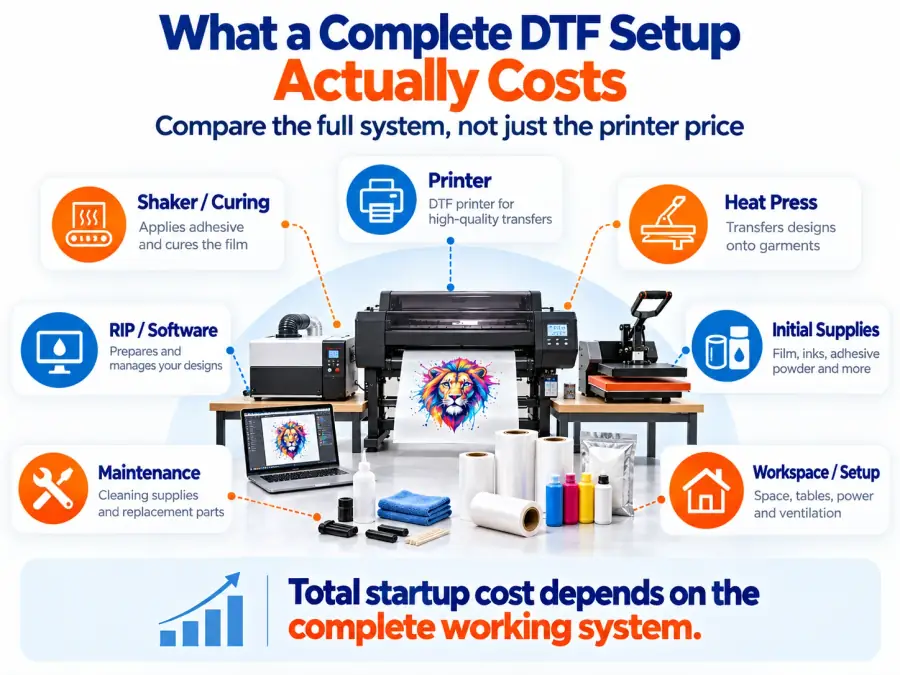
| Cost category | What to include |
|---|---|
| Printer | Machine and any required stand or feeder |
| Powder workflow | Manual powder station or automatic shaker |
| Curing | Oven or compatible shaker/dryer system |
| Heat press | Sized for the products you sell |
| RIP/software | License, subscription, or included software |
| Consumables | CMYK and white ink, film, adhesive powder, cleaning supplies |
| Workspace | Electrical, ventilation, tables, storage, and production area |
| Waste | Failed transfers, test prints, and maintenance ink |
For the wider business budget beyond DTF equipment, see how much it costs to open a print shop.
Bottom line: compare complete working systems, not printer prices.
13-Inch vs Wide-Format DTF Printers
A 13-inch printer saves space and capital. A wide-format printer buys production flexibility and more efficient gang-sheet nesting.
| Factor | 13 to 14-inch DTF | Wide-format DTF |
|---|---|---|
| Initial investment | Lower | Higher |
| Workspace | Easier for home studios | Requires more production space |
| Full-size graphics | More restricted | Easier |
| Gang-sheet nesting | Limited width | More efficient |
| Throughput potential | Lower | Higher |
| Best use | Custom orders and smaller shops | Regular production and transfer sales |
White Ink Is the Maintenance Decision That Matters Most
White ink deserves special attention because DTF uses it as an opaque underbase, particularly on dark garments. White pigment can settle, which is why manufacturers invest in circulation, agitation, capping, cleaning, and nozzle-management systems.
- What must be done every operating day?
- What happens when the printer sits unused?
- Does white ink circulate automatically?
- Is the printhead wet-capped when idle?
- Does the machine perform automatic cleaning?
- What maintenance still requires the operator?
- Which cleaning supplies must remain in stock?
- What maintenance is required to preserve warranty coverage?
Do not use a generic online maintenance schedule in place of the manufacturer’s procedure for your exact machine.
Single Head vs Dual Head: When Extra Speed Pays
Dual-head DTF systems can separate or parallelize white and color printing, depending on the machine design. The business benefit is potential throughput, but the trade-off is more hardware to maintain.
- A single-head system can make sense when daily production is modest, capital needs to stay controlled, and you would not use the additional capacity.
- A dual-head system becomes more interesting when jobs regularly queue behind the printer and faster output would remove a measurable bottleneck.
A faster printer can still create a slow production line if powdering, curing, cutting, pressing, or order sorting cannot keep up.
Shaker/Oven vs Manual Powdering
Manual powdering lowers equipment cost but adds labor and makes process consistency more dependent on the operator. An automated shaker/dryer can apply powder, remove excess material, and cure the transfer as part of a continuous roll workflow.
Bottom line: automation should remove a real bottleneck, not become another machine sitting idle.
RIP Software, Support and Replacement Parts
A DTF printer is partly a software and service purchase. The RIP controls functions such as white underbase, ink limits, nesting, color output, and print queues. Check exactly what software is included before comparing prices.
- Is technical support handled by the manufacturer, dealer, or reseller?
- Are support hours compatible with your shop?
- Can a technician service the machine locally?
- How quickly can replacement parts ship?
- Is the printhead covered?
- What voids the warranty?
- Are extended service plans available?
- Does the RIP license remain usable if you replace the computer?
Downtime changes the economics quickly. A cheap machine waiting two weeks for a part can cost more than a higher-priced system with dependable service.
DTF Printer Cost Calculator: Buy or Keep Outsourcing?
Use the calculator below with your own numbers instead of relying on a universal payback claim. These results are planning estimates. Labor, taxes, finance charges, repairs, failed prints, shipping, electricity, and downtime can materially change the result.
DTF Printer Buy-or-Outsource Calculator
Enter your own equipment quote, monthly volume, and transfer costs.
Total startup investment: $0.00
Estimated monthly ownership cost: $0.00
Estimated in-house monthly cost: $0.00
Estimated in-house cost per transfer: $0.00
Current outsourcing cost per month: $0.00
Estimated monthly savings: $0.00
Operating break-even volume: Not available
Simple equipment payback: Not available
Estimate only. Add labor, electricity, taxes, financing, shipping, repairs, failed prints, downtime, and other business costs before making a purchase.
For a broader equipment investment calculation, use the sublimation equipment ROI calculator.
Which DTF Printer Type Fits Your Business?
| Business situation | Better fit | Why |
|---|---|---|
| New seller with inconsistent DTF orders | Outsourced transfers | Lowest maintenance and capital risk |
| Home business with regular custom apparel | Compact 13 to 14-inch DTF | Brings common work in-house without commercial footprint |
| Growing shop with frequent gang sheets | Wider roll-fed DTF | More nesting room and production capacity |
| Established apparel decorator | Commercial manufacturer-supported system | Wider production and stronger service infrastructure |
| High-volume transfer operation | Production DTF system | Throughput and uptime become primary buying factors |
Questions to Ask Before Ordering Any DTF Printer
- Who handles technical support? Get the support channel, operating hours, and escalation process.
- Where do replacement printheads and parts ship from? Ask about normal lead times.
- What maintenance remains manual? Automatic cleaning does not explain the entire routine.
- What happens when the printer sits unused? This matters for seasonal or part-time businesses.
- Is RIP software included? Check license terms, operating-system compatibility, and update costs.
- Does the quoted price include curing equipment? Printer-only prices can make packages look cheaper than they are.
- What supplies must be used to preserve the warranty?
- What electrical and environmental conditions are required?
- Can the seller print your actual artwork before purchase?
- What is the complete installed price? Include software, shipping, training, finishing equipment, and the first set of consumables.
Take This Checklist Before You Talk to a DTF Printer Dealer
Use the free two-page worksheet to compare complete setup costs, maintenance requirements, warranty coverage, support, replacement parts, and quotes from up to three DTF printer vendors.
Printable PDF • 2 pages • Includes a three-vendor comparison worksheet
Practical Buying Decision
The best DTF printer for a small business is the system that solves a real production bottleneck without creating a larger cash-flow or maintenance problem.
- Keep outsourcing when order volume is irregular or you cannot support routine DTF maintenance.
- Consider a compact 13-inch to 14-inch system when custom apparel orders are consistent, workspace is limited, and bringing common transfers in-house would improve turnaround.
- Move into wider commercial equipment when narrow printers are restricting gang-sheet efficiency, production time, or design size.
- Invest in production-class equipment when downtime, support, automation, and hourly output have become more important than minimizing the purchase price.
Before ordering, run your actual numbers through the DTF startup-cost calculator. If the machine cannot recover its installed cost at a realistic production volume, keep the cash in the business and continue outsourcing until the numbers change.