
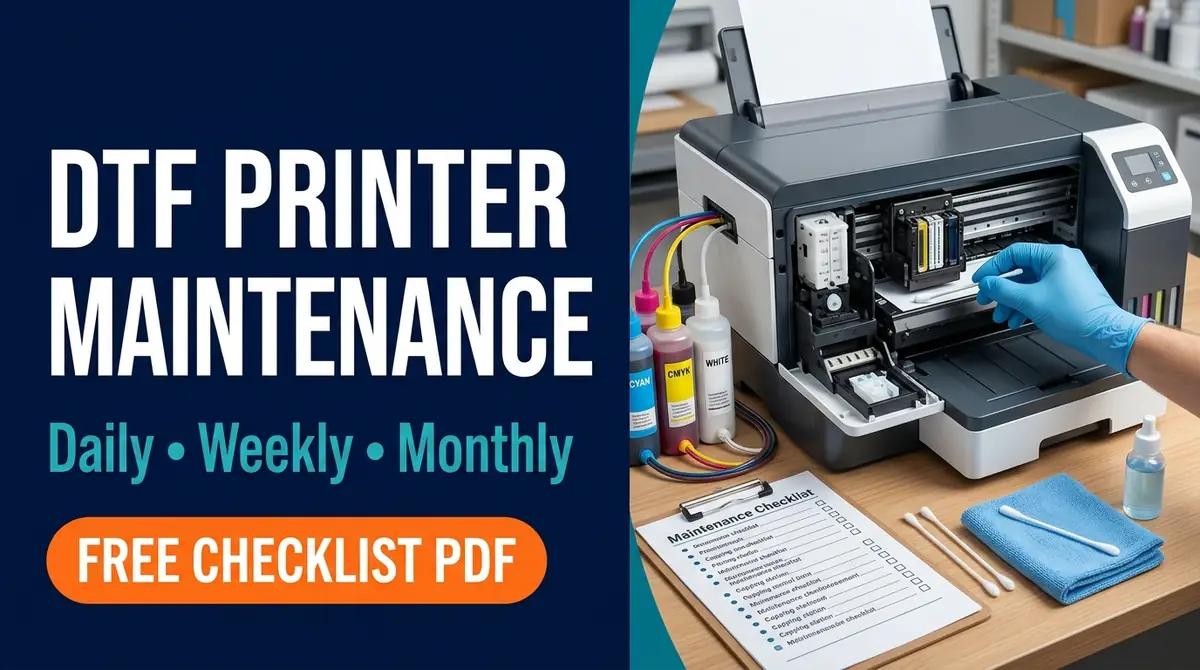
DTF Printer Maintenance Checklist: Daily, Weekly & Monthly (Free PDF)

A DTF printer can finish one transfer cleanly and then show missing white ink or banding on the next job. Before running several head-cleaning cycles, check the printer status and document what changed. A short, consistent maintenance routine makes that easier.
A DTF printer maintenance checklist should track white-ink care, nozzle-test results, approved cleaning, the film path, supplies, and idle-time procedures. The exact routine depends on the printer model. This guide separates everyday operator checks from maintenance that must follow the manufacturer’s instructions.
Download the Free DTF Printer Maintenance Checklist PDF
This two-page, US Letter worksheet includes start-up and shut-down checks, weekly and monthly reviews, a seven-day maintenance log, and space for model-specific instructions. Print a separate copy for each machine.
Before use: Add your printer model, approved cleaning fluid, white-ink handling rules, and required standby procedure. The worksheet is an operator log, not a replacement for the official manual.
DTF Printer Maintenance Schedule at a Glance
Daily checks prevent avoidable print interruptions. Weekly and monthly reviews help identify repeat faults without prescribing unnecessary deep cleaning.
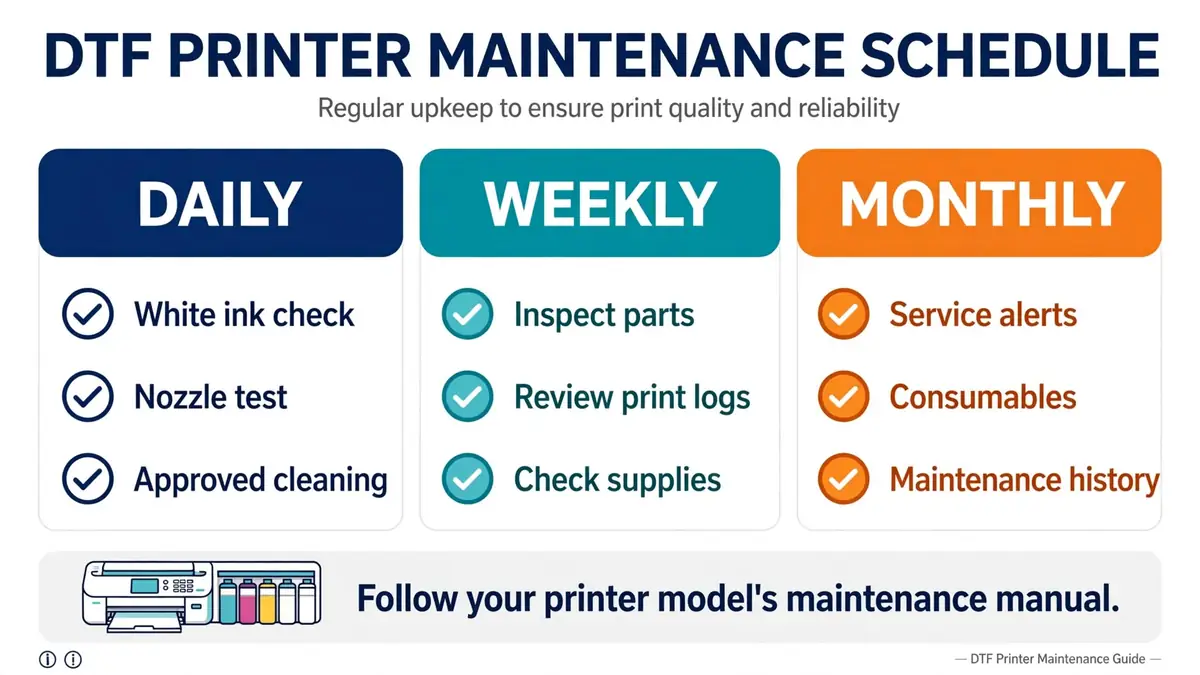
| When | Operator checks | Follow-up |
|---|---|---|
| Daily, before printing | White-ink procedure, control-panel alerts, nozzle check, ink and cleaner levels, film path | Record failed patterns before starting production |
| Daily, after printing | Manufacturer-required cleaning, accessible debris, parking and standby state | Note any errors or repeat defects |
| Weekly | Compare nozzle tests, inspect accessible maintenance parts, check powder-area cleaning and supplies | Escalate recurring problems |
| Monthly | Review service messages, replacement parts, consumables, logs and staff procedures | Plan authorized service when needed |
| Before extended idle time | Read model-specific storage and power instructions; check ink and cleaning supplies | Plan any required periodic care |
Important: A weekly review does not mean every printer needs weekly manual printhead cleaning. A monthly review does not authorize flushing ink lines or replacing parts on a calendar schedule.
Daily DTF Printer Maintenance: Before Printing
The first goal is to confirm that white ink is ready and the printhead can produce an acceptable diagnostic pattern.
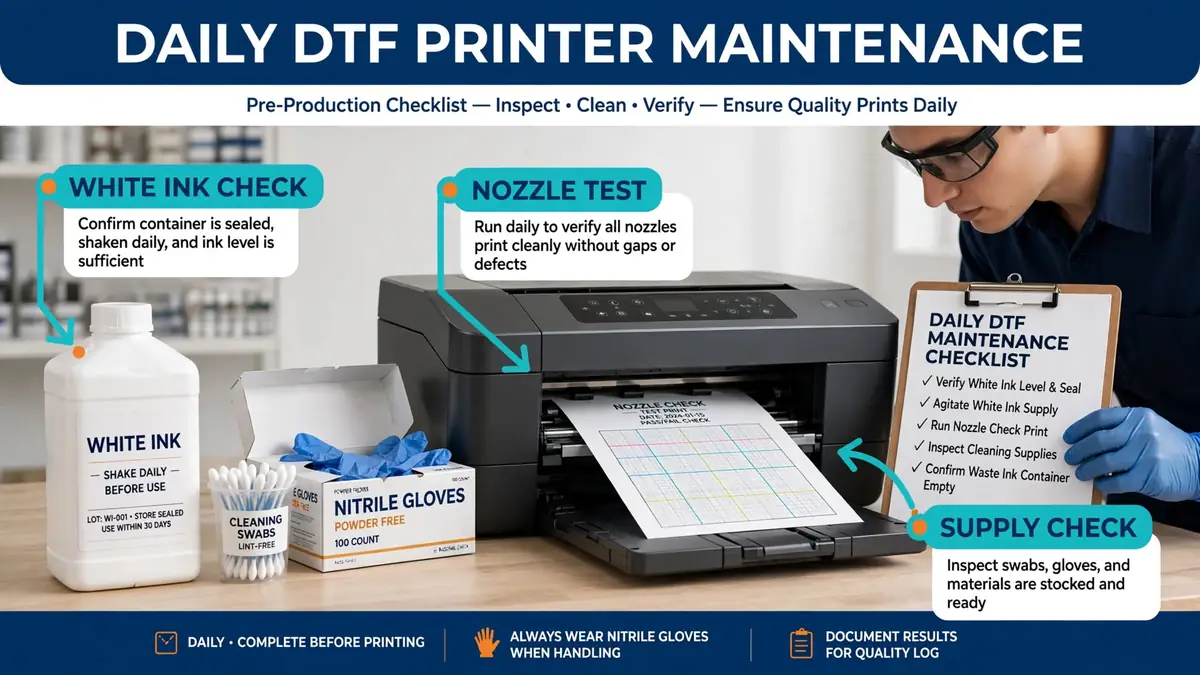
1. Follow the white-ink mixing procedure
White DTF pigment can settle when the printer sits idle. Check the ink-system warnings and follow the mixing or circulation instructions supplied with your model. Do not copy agitation counts from another brand.
For example, the Roland TY-300 manual specifies 50 shakes of its white cartridge before daily operation, and 100 after two to three days without use. Those numbers apply to the TY-300 cartridge procedure only.
2. Run and record a nozzle check
Print the machine’s own diagnostic pattern and inspect it according to the manufacturer’s acceptance criteria. Look for missing segments, deflected lines, or a channel that has changed since the previous test.
- Save the date and a photograph or printout when the pattern fails.
- Record which color or white channel is affected.
- Do not begin a large customer order while a failing diagnostic pattern remains unresolved.
3. Confirm supplies and alerts
Check ink, maintenance fluid where required, waste capacity, and pending maintenance warnings. A printer may need supplies even when it is idle because automatic cleaning can consume them.
4. Inspect the film path
Check accessible areas for film scraps, lint, and misfeeding. Use the approved cleaning method. Keep adhesive powder out of exposed printer mechanisms and follow the powder and curing-equipment ventilation instructions.
Daily DTF Printer Maintenance: After Printing
At shut-down, remove accessible debris and perform only the cleaning your equipment requires. Confirm the printer can park or enter standby correctly before leaving it unattended.
Clean the right parts, not every part
| Component | Function | Operator check |
|---|---|---|
| Capping station | Helps seal and protect the nozzle surface | Inspect or clean only where authorized |
| Wiper | Removes residue during a cleaning cycle | Look for buildup, damage, or replacement alerts |
| Flushing area | Collects ink used during maintenance | Check for excessive residue or service warnings |
| Media path | Guides DTF film through the printer | Remove accessible film scraps and dust |
| Waste-ink system | Collects discharged maintenance fluid | Follow the disposal alert and service procedure |
Never scrape a nozzle plate, force the printhead carriage, or use unapproved cleaning liquid. The TY-300 daily maintenance schedule includes start-up and shut-down cleaning, but other printers can rely on different automatic and manual routines.
Confirm the correct standby state
Do not assume unplugging the printer after work is safer. Some systems need power for periodic cleaning or ink circulation. Record the exact power and standby instructions from the manual so every operator uses the same procedure.
Weekly DTF Printer Maintenance
Use a weekly review to spot repeating problems and check that supplies and routine care are not being missed.
- Compare nozzle-test records: Does the same white or CMYK channel fail repeatedly? Does it happen after idle time or during long runs?
- Inspect accessible caps and wipers: Check for residue, wear, and maintenance messages without opening restricted areas.
- Review film and powder-handling areas: Clean permitted surfaces and service ventilation or filtration only as instructed by the equipment manufacturer.
- Check stock: Make sure the approved cleaner, cleaning materials and waste containers are available.
- Record unresolved issues: Put recurring defects into a service log instead of repeatedly resetting the machine.
For shops with multiple operators, the print shop production checklist can help assign routine equipment checks to the right person.
Monthly DTF Printer Maintenance
A monthly service review is mainly a planning task. Check replacement alerts, maintenance history, instructions, and consumables, then decide whether qualified service is needed.
- Review cap, wiper and other part-replacement messages.
- Compare corrective-cleaning frequency across the month.
- Check for unresolved leaks, repeated errors or unsuccessful recovery attempts.
- Confirm the model manual, approved cleaner and staff instructions are current.
- Plan service rather than performing an aggressive flush without a documented reason.
If the printer is a converted desktop model, do not assume its servicing matches a purpose-built DTF machine. See our discussion of converted printer reliability and common failure causes for additional context.
What to Do When a DTF Nozzle Check Fails
A failed nozzle check is a diagnostic signal, not automatic proof of a damaged printhead. Save the initial pattern and use the model’s prescribed recovery sequence.
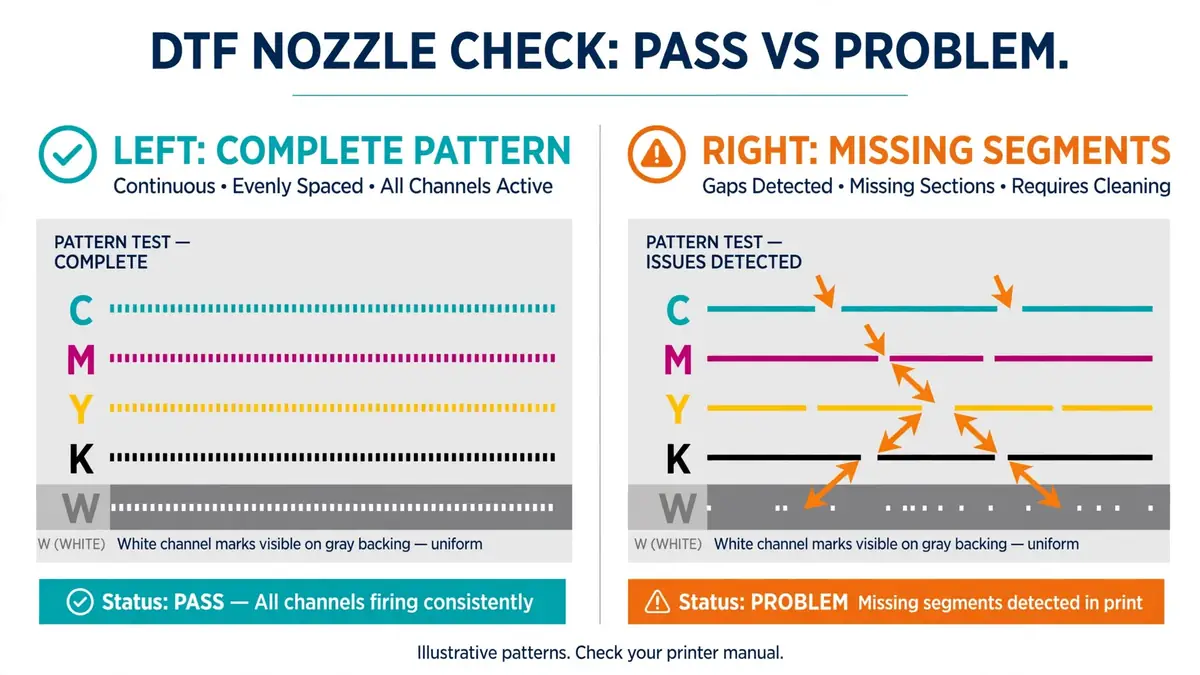
| Symptom | First check | If it continues |
|---|---|---|
| Missing lines in one channel | Save the nozzle pattern; check ink and control-panel warnings | Run the prescribed cleaning or seek support |
| Weak or irregular white output | Check the model-specific white-ink agitation or circulation procedure | Use the authorized white-channel recovery procedure |
| Pattern improves, then fails again | Record how quickly and under what conditions it returns | Investigate recurring ink-delivery or capping faults with support |
| Visible residue near maintenance components | Inspect manufacturer-approved cleaning points | Clean using the approved tools and fluid |
| Cleaning does not restore the pattern | Stop unnecessary repeated recovery cycles | Follow the service escalation procedure |
- Keep a copy of the failed nozzle-check pattern.
- Check warnings, ink, cleaner and the correct white-ink procedure.
- Use the cleaning level and number of attempts specified by the manufacturer.
- Print a new nozzle test and compare it with the original.
- Record the result and escalate persistent failures.
Repeated powerful cleaning can consume substantial ink. Do not keep escalating cleaning intensity without consulting the machine’s instructions.
Leaving a DTF Printer Idle for a Weekend or Vacation
An unused printer may still require ink, cleaning liquid, circulation, or periodic operator care. The correct plan depends on how long the machine will sit and what its manual requires.
For example, Roland’s TY-300 prolonged-idle instructions say to keep sufficient ink and cleaning fluid, perform shut-down cleaning weekly even during nonuse, and avoid periods longer than one week without operation. That is a TY-300 requirement, not universal DTF advice.
- Check the exact idle-time and storage procedure before the last shift.
- Record the date of the latest acceptable nozzle test.
- Confirm enough supplies remain for required automatic maintenance.
- Leave the machine in the manufacturer-approved power state.
- Arrange any required periodic operator care during an extended absence.
How to Fill Out the Maintenance Log
A useful log records the symptom, the action, and what changed afterward. A row marked “done” is not enough if the same nozzle problem reappears each morning.
| Field | Example entry |
|---|---|
| Date | November 3, 2026 |
| Printer | Example DTF printer, Unit 1 |
| White ink | Procedure completed |
| Nozzle test | White channel has missing segments |
| Corrective action | Manufacturer-approved cleaning performed |
| Result | Retest saved; review before production |
| Follow-up | Compare at next start-up |
This example is illustrative and does not describe a real printer test. For team handoffs, connect the log to your print shop workflow so unresolved faults are assigned to a responsible operator.
Mistakes That Can Make DTF Maintenance Worse
- Using the wrong cleaning fluid: Chemicals and cleaning procedures are not interchangeable across ink systems.
- Running repeated head-cleaning cycles: Check the diagnostic result and follow the recommended recovery limits.
- Assuming automation eliminates manual work: Automatic cleaning does not remove all supply and inspection responsibilities.
- Ignoring repeat failures: A channel that keeps failing needs diagnosis, not just another temporary fix.
- Following another printer’s schedule: White-ink packs, circulation systems and capping mechanisms vary.
- Switching off required standby power: Follow the manufacturer’s instructions for idle operation.
Frequently Asked Questions
Does a DTF printer need daily maintenance?
Many DTF printers need daily white-ink checks, nozzle diagnostics, and attention to alerts. Some also require daily manual cleaning. Check your model’s schedule rather than assuming all machines need identical tasks.
Should I run head cleaning every morning?
Only if your printer’s instructions call for it or a diagnostic indicates that cleaning is needed. Some machines use automatic routines and others prescribe start-up cleaning. Record the nozzle-test result before and after corrective work.
How often should I clean the capping station?
Follow your exact manufacturer schedule or service alert. The capping station and wiper may be serviced at different intervals depending on the printer. Use only approved tools and fluids.
Can I leave a DTF printer unused for one week?
Possibly, but not without checking the model’s idle-time procedure. Some printers need periodic operation or cleaning and sufficient consumables while unused. Long absences may require a separate storage procedure.
Does automatic white-ink circulation replace nozzle checks?
No. Circulation can help maintain ink movement, but operators still need to follow required nozzle diagnostics, cleaning alerts and model-specific checks.
Start With a Reliable Record
Print the checklist, fill in the model-specific requirements, and use it for the next week of production. If the same defect repeats, your nozzle checks and maintenance notes will help you decide what to inspect or report to service.