Why Converted Printers Fail After 6 Months (And How to Avoid It)

If you’re thinking about converting a standard printer into a DTF, sublimation, or eco-solvent setup, you’ve probably seen the promise:
Lower cost.
Higher margins.
DIY freedom.
And for the first few months, it works.
Then around month 4–6, things start breaking.
Clogged heads.
Banding.
Color shifts.
Random errors.
Dead printheads.
This post isn’t about how printer conversions work.
It’s about why they fail, when they don’t, and whether converting is actually the right decision for you.
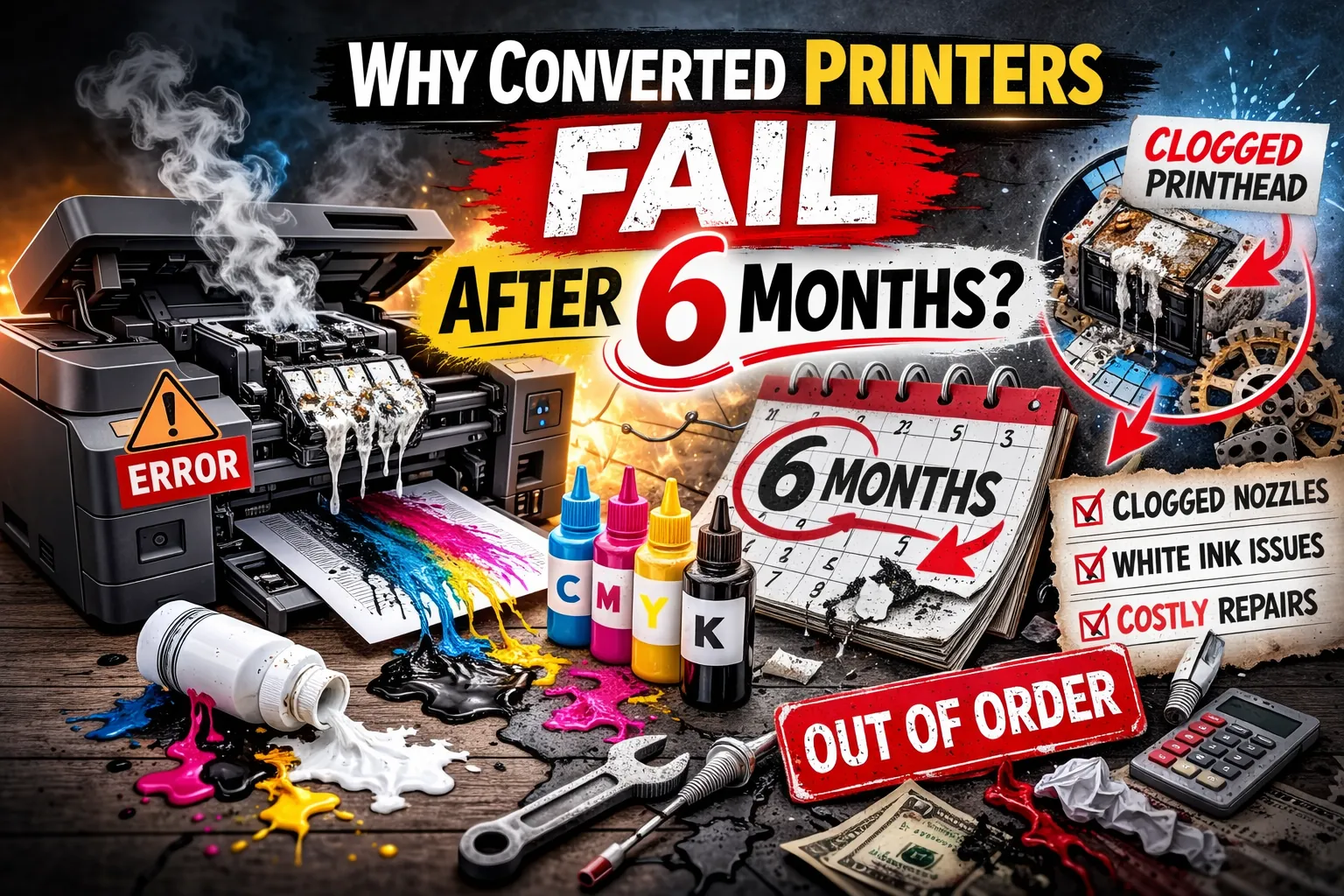
Most converted printers fail within 6 months because of:
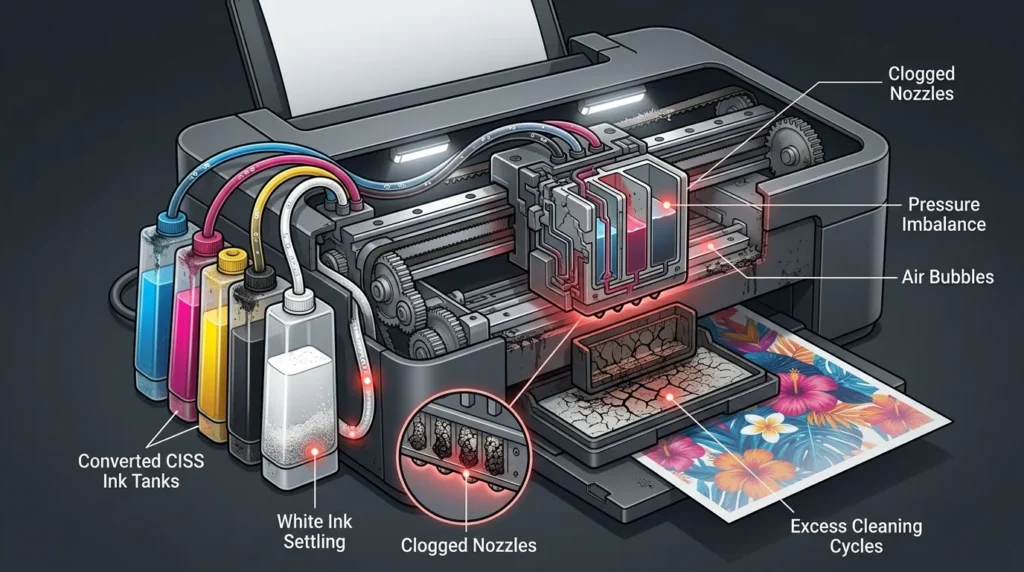
- White ink settling and clogging that damages nozzles
- Printheads not built for heavy production use
- Increased cleaning cycles that accelerate wear
- Ink pressure imbalance in DIY systems (CISS/mods)
- Inconsistent daily maintenance
- Ink chemistry mismatches that degrade internal components
Converted printers don’t usually fail suddenly.
They degrade gradually until repairs cost more than the savings.
The Real Problem: You’re Using Hardware Outside Its Design Limits
Most converted printers (especially Epson EcoTank models) were designed for:
- Water-based dye or pigment ink
- Occasional home/office use
- Clean, low-viscosity fluid systems
- Light duty cycles
When you convert them, you introduce:
- Higher viscosity inks (DTF, sublimation, solvent)
- White ink with heavy pigment load
- Constant agitation needs
- Higher print volumes
- Aggressive cleaning cycles
That mismatch creates predictable failure.
The printer isn’t defective.
It’s being used beyond what it was engineered to handle.
1. White Ink Is the Silent Killer
White ink is the #1 reason converted DTF printers die early.
Why?
White ink contains titanium dioxide heavy particles that settle quickly.
If not constantly agitated:
- It clogs dampers
- Settles in lines
- Hardens in the printhead
- Causes uneven pressure
Consumer printers don’t have built-in white ink circulation systems.
Commercial DTF printers do.
That difference matters.
When It Works
- You print daily
- You manually agitate ink consistently
- You understand flushing and maintenance cycles
When It Fails
- You leave it unused for 3–7 days
- You rely on auto-clean only
- You treat it like a hobby printer
If you’re not printing daily, converted DTF is a liability.
2. The Printhead Isn’t Built for Heavy Production
Most Epson-based conversions use MicroPiezo heads.
They’re precise but not industrial.
In a converted setup:
- Cleaning cycles increase
- Ink load increases
- Heat cycles increase
- Head strikes become more common
Result?
Premature failure.
Printheads in converted systems often last:
- 3–8 months under moderate use
- Less under heavy use
Replacement cost wipes out “savings.”
White ink sediment buildup is one of the main causes of nozzle damage, which is why learning how to prevent banding and printhead clogging problems early can extend your printer’s lifespan significantly.
Decision Rule
If you plan to run this as a business printing daily volume — don’t rely on consumer hardware long-term.
You’re deferring cost, not avoiding it.
3. Ink System Pressure Imbalance
Converted printers typically use:
- Modified cartridges
- CISS systems
- External ink tanks
These setups are often manually calibrated.
Pressure inconsistencies cause:
- Ink starvation
- Backflow
- Air bubbles
- Random banding
Factory printers are pressure-balanced at the engineering level.
DIY systems are not.
That’s why performance degrades gradually not suddenly.
It’s mechanical drift.
If you’re still troubleshooting washed-out prints, this guide on best ICC profiles for sublimation breaks down real-world adjustments.
4. Maintenance Burden Is Higher Than People Expect
Here’s what most sellers don’t emphasize:
Converted printers require daily care.
Not weekly.
Not “when needed.”
Daily.
Maintenance includes:
- Nozzle checks
- Head cleans
- Ink agitation
- Wiper blade cleaning
- Capping station inspection
Miss maintenance for a few days and problems compound.
This is where most hobbyists fail.
Not from incompetence — from life getting busy.
If you’re not following a structured routine, this detailed guide on how to clean your sublimation printer properly shows exactly what most beginners skip.
5. Heat and Ink Chemistry Mismatch
Sublimation and DTF inks behave differently from OEM ink.
They:
- React differently to heat
- Leave more residue
- Require different flushing solutions
- Interact differently with dampers
Over time, seals degrade.
Tubing stiffens.
Ink paths narrow.
OEM printers were never optimized for this chemistry long-term.
It works short-term.
It degrades long-term.
Many long-term failures are misdiagnosed as hardware issues when they’re actually profile problems, which is why understanding RGB vs CMYK and choosing the right ICC profile is critical.
6. False Economy: The Math People Ignore
A converted setup might cost:
$400–$900 to start.
A commercial DTF system might cost:
$3,000–$10,000.
On the surface, conversion wins.
But factor in:
- 1–2 printhead replacements per year
- Downtime during failures
- Wasted film and ink
- Lost orders
- Manual labor hours
- Emotional stress
If you’re printing commercially, the cheap option often becomes the expensive one by month 12.
Who Conversions Actually Make Sense For
Conversions work best when:
- You’re testing the market
- You print low to moderate volume
- You understand printer mechanics
- You’re comfortable troubleshooting
- You accept replacement as part of cost
They are not ideal if:
- You depend on consistent daily output
- You run customer deadlines
- You don’t enjoy technical maintenance
- You want “plug and play” reliability
Before converting any machine, it’s worth reviewing what’s actually involved in setups like how to convert an HP printer to sublimation most people underestimate the maintenance load.
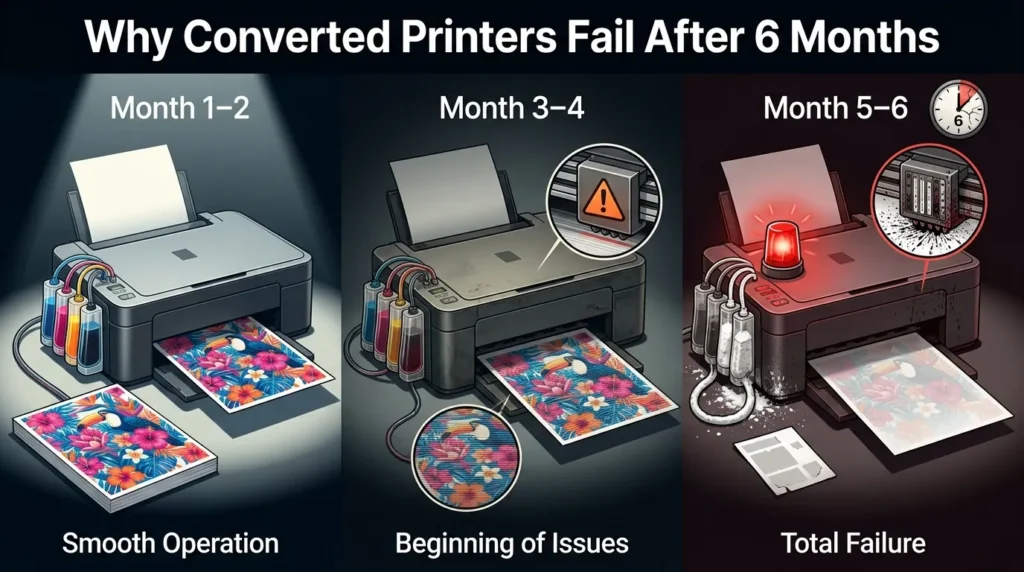
The 6-Month Failure Pattern (What Actually Happens)
Month 1–2:
Everything works. Excitement phase.
Month 3–4:
Occasional clogging. More cleaning cycles.
Month 5–6:
Banding increases. Head cleanings stop working fully.
White channel weakens.
Then one day:
Permanent nozzle loss.
At that point, many users either:
- Replace the head
- Upgrade to commercial equipment
- Quit the model entirely
The pattern is predictable.
Converted vs Commercial DTF: The Honest Trade-Off
Converted Printer
Pros:
- Low upfront cost
- Great for learning
- Accessible
Cons:
- High maintenance
- Shorter lifespan
- Inconsistent output
- Higher long-term risk
Commercial DTF System
Pros:
- Ink circulation
- Stable pressure systems
- Designed for white ink
- Better durability
Cons:
- High upfront cost
- Larger footprint
- Learning curve still exists
The decision isn’t about cost.
It’s about tolerance for risk and downtime.
It also helps to understand how different processes compare, especially when weighing long-term durability in this breakdown of DTF vs sublimation printing.
The Core Question You Should Ask
Are you building a hobby income stream or an operational printing business?
If hobby:
Converted makes sense.
If business:
It’s a temporary bridge, not a foundation.
How to Extend a Converted Printer Beyond 6 Months
If you’re already committed, here’s what actually helps:
- Print something daily even a small purge sheet
- Agitate white ink manually every day
- Replace dampers proactively
- Clean capping station weekly
- Control humidity (40–60%)
- Budget for head replacement in advance
- Keep flushing solution on hand
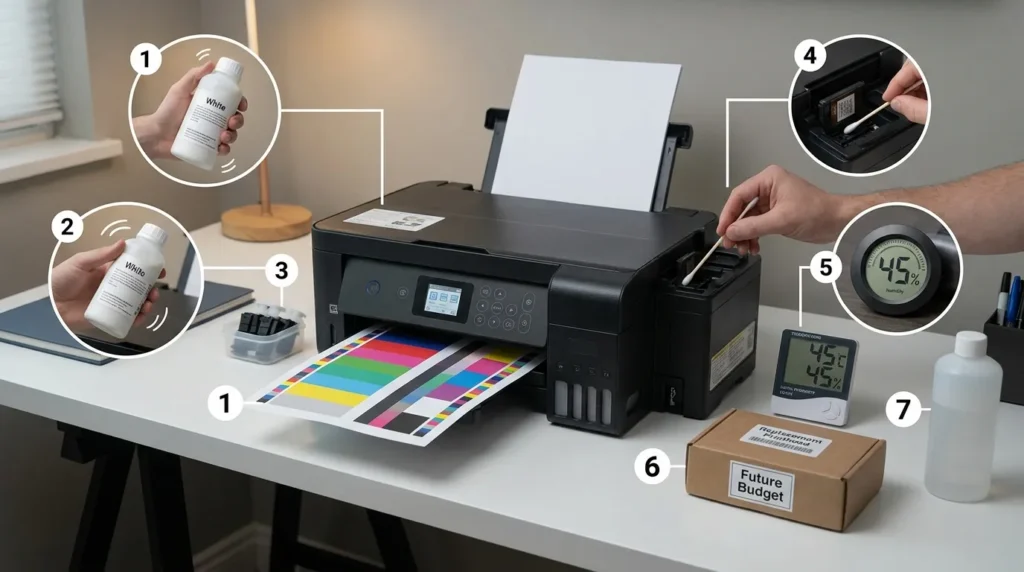
Think of it like maintaining a modified car.
You can run it hard but only if you maintain it aggressively.
Final Take: Conversions Don’t “Fail.” Expectations Do.
Converted printers aren’t scams.
They’re just overextended.
The real failure happens when:
- People treat them like industrial machines
- Sellers market them as long-term production tools
- Buyers underestimate maintenance
If you go in informed, they can be profitable.
If you go in expecting reliability without effort, six months is generous.
FAQs About Converted Printers Failing After 6 Months
Why do converted printers fail after 6 months?
Converted printers fail after 6 months because they run outside their original design limits.
Most consumer printers are built for light use and standard ink. When converted for sublimation or DTF, they handle heavier ink loads, more cleaning cycles, and higher production demands. Over time, this leads to clogged nozzles, pressure issues, and printhead damage.
How long does a converted sublimation printer last?
A converted sublimation printer typically lasts 6 to 12 months under regular use.
With light use and strict maintenance, it may last up to 2 years. Under daily production conditions, major components like the printhead often need replacement within the first year.
Is it cheaper to convert a printer or buy a dedicated sublimation printer?
It is cheaper upfront to convert a printer.
However, a dedicated sublimation printer is usually cheaper long term if you print daily or run a business. Converted printers require more maintenance, have shorter lifespans, and may cause downtime that affects income.
Can you prevent a converted printer from failing?
You cannot completely prevent failure, but you can extend its lifespan.
Print daily, perform regular nozzle checks, clean the capping station weekly, maintain proper humidity, and avoid letting the printer sit unused for long periods. Most failures happen gradually, not suddenly.