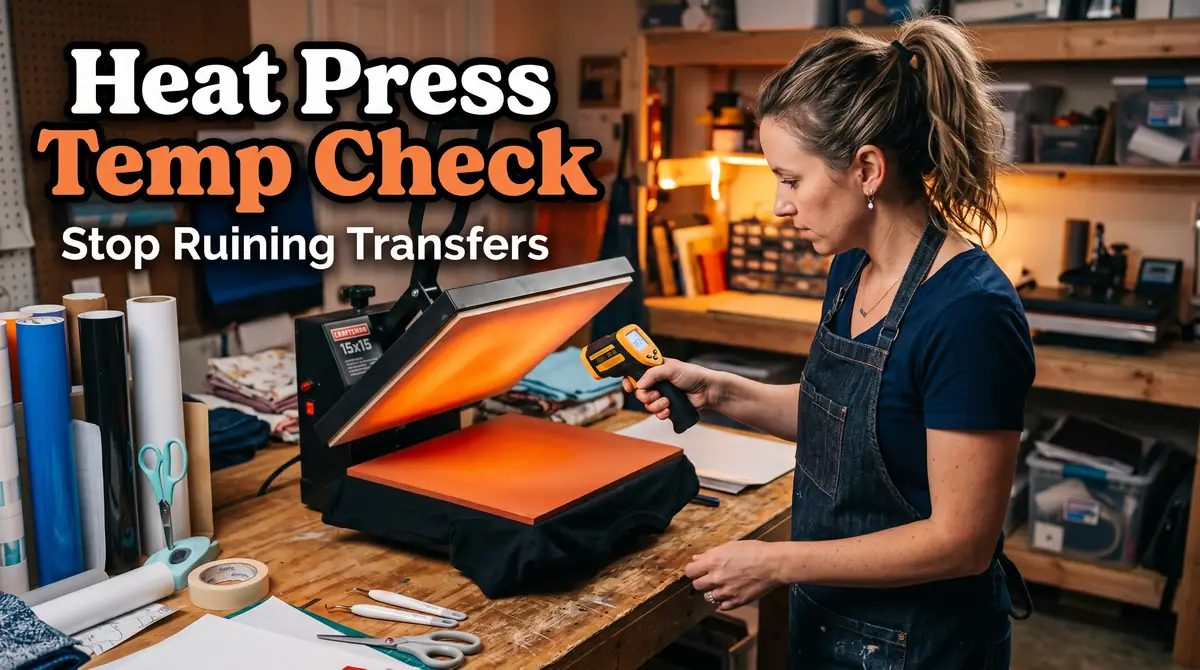
How to Check if Your Heat Press Temperature Is Accurate

Accurate heat press temperature plays a major role in successful sublimation printing.
Even small temperature differences can affect color vibrancy, transfer quality, and consistency across your projects.
Regular testing helps you catch problems early before they waste blanks, ink, and transfer paper. In many cases, a quick calibration check is enough to solve frustrating sublimation issues.
Why Heat Press Temperature Accuracy Matters
Sublimation ink depends on precise heat activation. If the platen temperature is incorrect, the ink may not fully convert into gas during the transfer process.
When your heat press runs too cold, you may notice:
- faded colors
- incomplete transfers
- dull prints
- weak ink bonding
When it runs too hot, you may see:
- scorched substrates
- blurry transfers
- ghosting
- color shifting
- paper sticking
Many beginners assume transfer problems come from their printer or ICC profile. In reality, inaccurate heat is often the hidden cause.
If you are troubleshooting multiple print issues at once, this sublimation troubleshooting guide can help narrow down the problem.
Signs Your Heat Press Temperature Is Not Accurate
A common sublimation mistake is trusting the digital display without testing the actual platen temperature.
Here are the most common warning signs:
- Transfers look different every time
- Colors appear faded despite correct settings
- One side of the design transfers better than the other
- Corners look lighter than the center
- You need unusually long pressing times
- Different blanks react inconsistently
You may also notice that certain areas of the platen feel hotter during use. Uneven heating is often just as damaging as incorrect temperature.
Tools You Can Use to Test Heat Press Temperature
Several tools can help you measure actual platen heat.
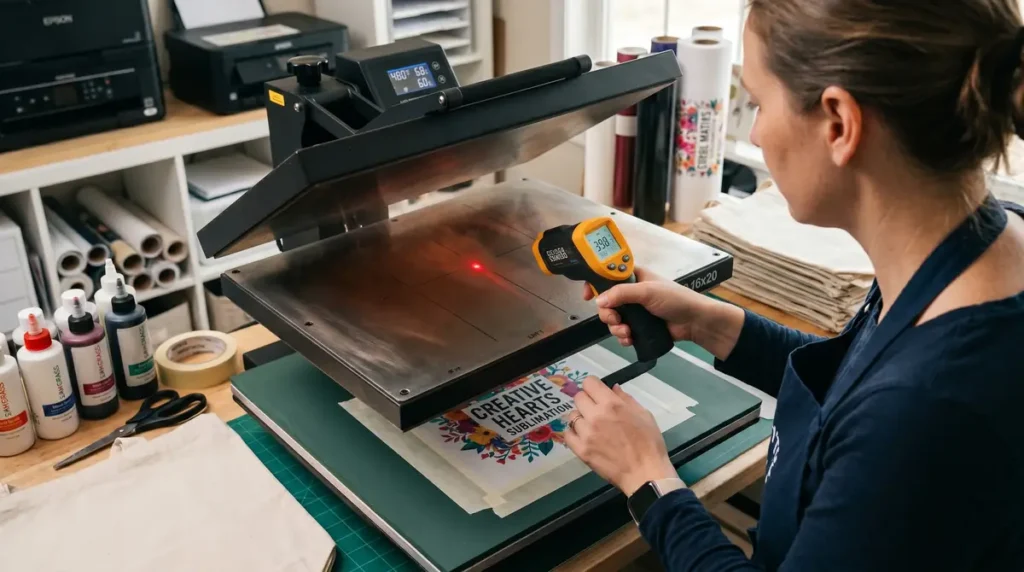
Infrared Thermometer (Heat Gun)
An infrared thermometer is the easiest option for beginners.
It allows you to quickly scan multiple platen areas and compare temperatures.
Pros:
- affordable
- fast readings
- easy to use
- useful for quick checks
Limitations:
- readings can vary depending on distance
- reflective surfaces may affect accuracy
- measures surface temperature only
For most home sublimation setups, an infrared thermometer works well enough for routine testing.
Heat Press Temperature Test Strips
Temperature strips change color when they reach specific heat levels.
They are useful because they physically contact the platen instead of scanning from a distance.
These strips can reveal:
- cold spots
- uneven heat zones
- inaccurate settings
Many crafters use them alongside an infrared thermometer for better accuracy.
Surface Probe Thermometer
A surface probe thermometer provides one of the most accurate readings because the probe touches the platen directly.
This method is often preferred for professional calibration checks.
The downside is that good probe thermometers cost more than infrared guns.
How to Check Heat Press Temperature Accuracy Step by Step
Step 1: Preheat the Heat Press Properly
Turn on the heat press and let it fully warm up.
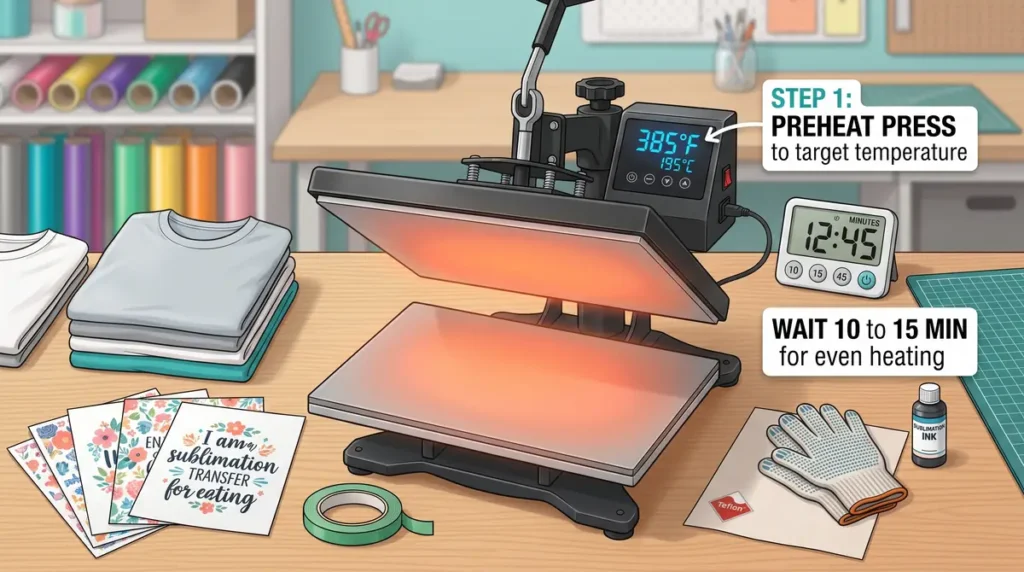
Even after the display reaches the target temperature, the platen itself may still be stabilizing.
Wait at least:
- 10–15 additional minutes for most presses
- longer for larger commercial models
Testing too early is one of the biggest mistakes beginners make.
Step 2: Set the Press to a Known Temperature
For sublimation testing, many people use 400°F because it is common for polyester transfers.
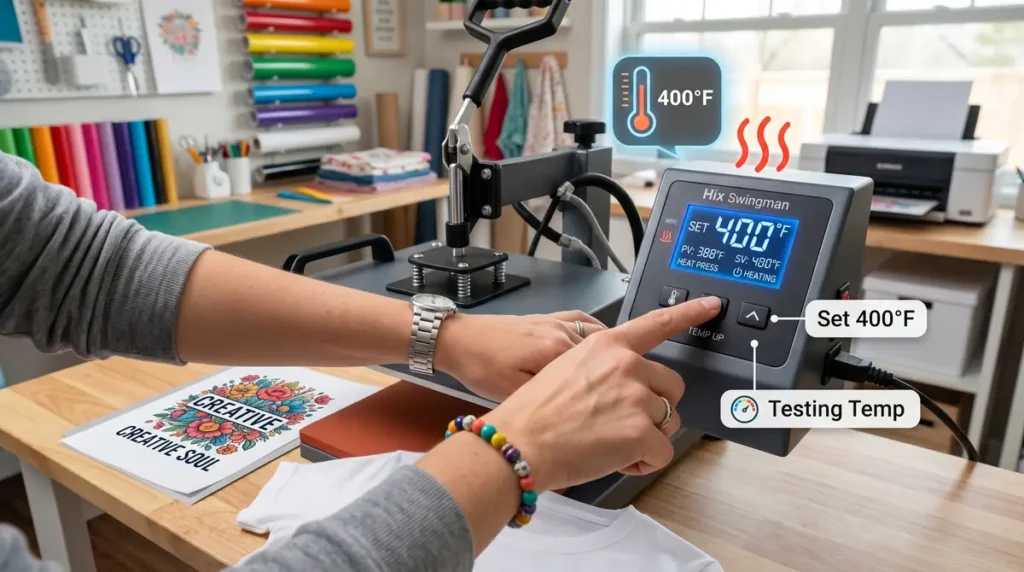
You can also test at your normal working temperature if you primarily use different materials.
For reference, this guide on heat press temperature for sublimation explains common sublimation temperature ranges.
Step 3: Test Multiple Areas of the Platen
Do not test only the center.
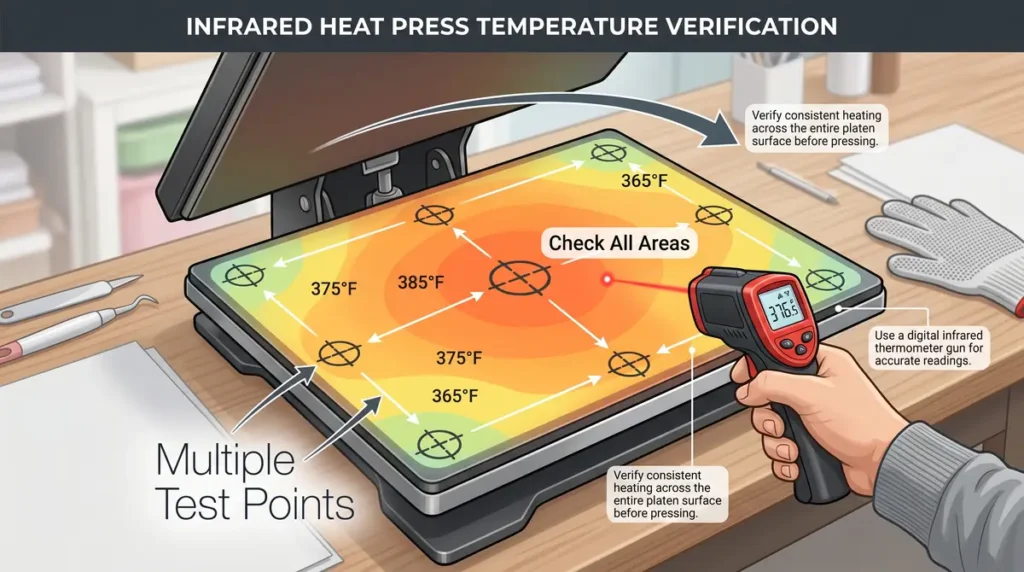
Check:
- center
- upper left corner
- upper right corner
- lower left corner
- lower right corner
- front edge
- back edge
Uneven readings often reveal hidden heating problems.
Step 4: Compare the Readings
Most quality heat presses stay within:
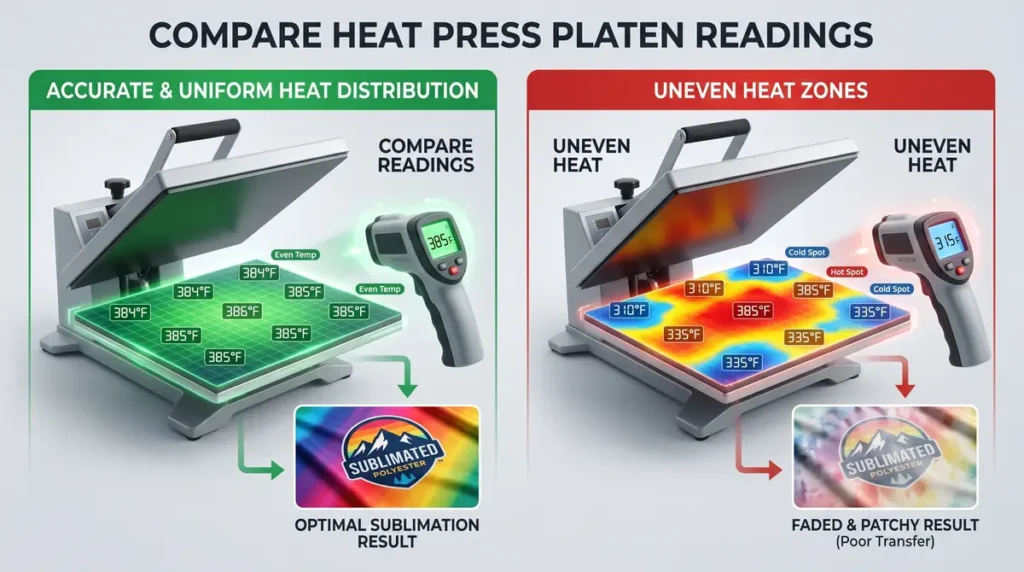
- ±5°F for professional machines
- ±10°F for budget hobby presses
If you notice 15°F to 25°F differences across the platen, your transfers may become inconsistent.
Large temperature swings usually explain:
- uneven sublimation colors
- patchy transfers
- inconsistent pressing results
Step 5: Repeat the Test
Test several times instead of relying on one reading.
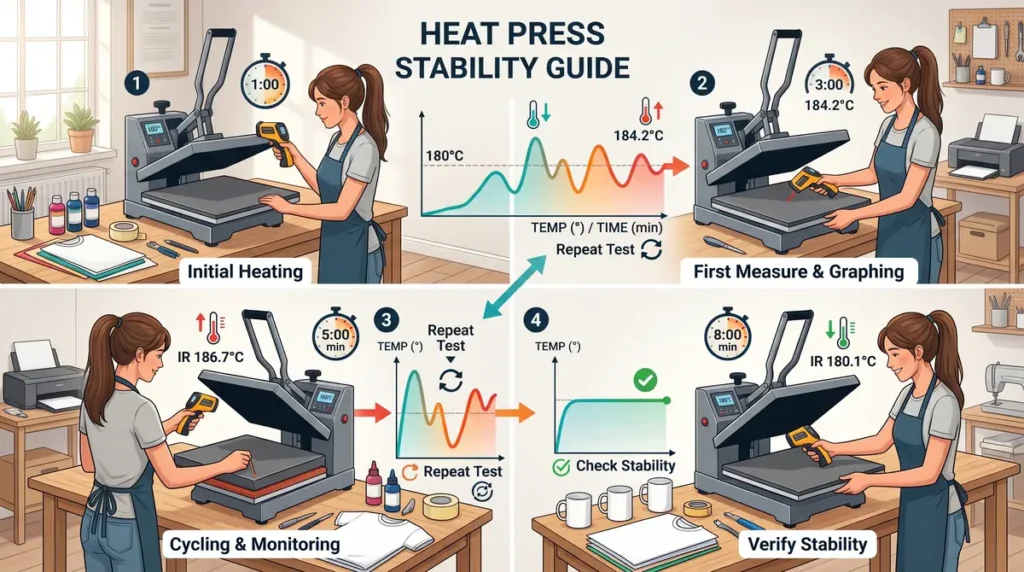
Heat presses sometimes fluctuate while cycling on and off during operation.
Repeated readings help you identify:
- unstable heating
- cycling problems
- inconsistent recovery time
How to Test Heat Distribution Across the Platen
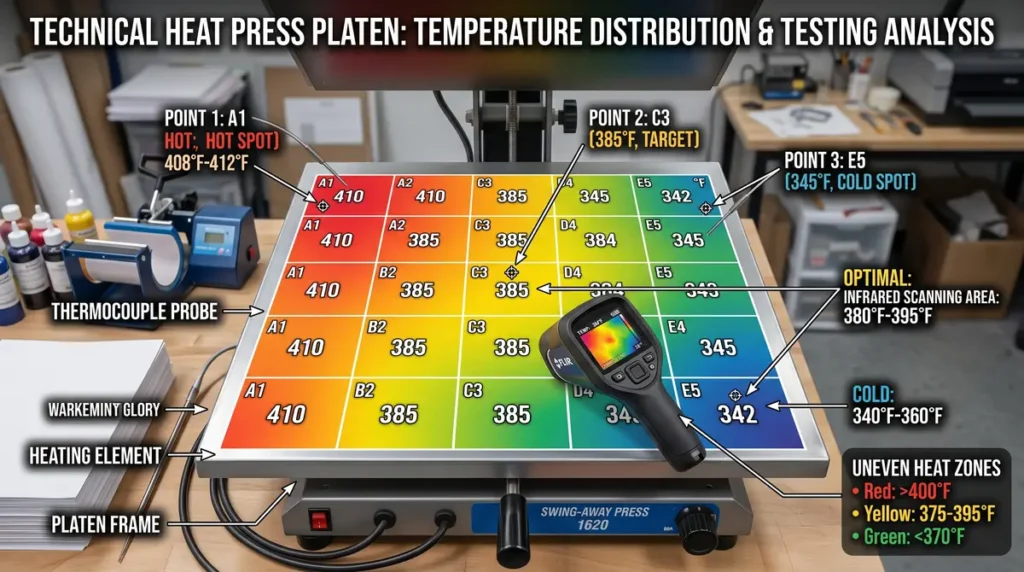
Accurate temperature alone is not enough. Heat distribution also matters.
A platen can technically reach the correct temperature while still having cold corners or overheated edges.
To test distribution:
- Heat the press fully
- Scan the entire platen slowly
- Record temperatures in multiple areas
- Compare the readings
Cold spots often cause:
- faded corners
- uneven color saturation
- incomplete transfers
Many budget presses struggle with consistent edge heating.
If your transfers keep failing in the same location, uneven heat is likely the cause.
How to Calibrate a Heat Press
Some digital heat presses allow manual calibration adjustments.
The exact process depends on the machine manufacturer, but typically involves:
- Entering calibration mode
- Comparing actual vs displayed temperature
- Adjusting offset settings
- Saving the corrected value
Not every press supports calibration.
Many inexpensive hobby machines only allow basic temperature control without true calibration options.
Always check the manufacturer manual before adjusting settings.
Common Mistakes When Testing Heat Press Temperature
Testing Before Full Warm-Up
The platen needs time to stabilize after reaching the target setting.
Measuring Too Far Away
Infrared thermometers become less accurate when used from long distances.
Keep the sensor close to the platen.
Ignoring Pressure Problems
Some transfer issues come from uneven pressure rather than incorrect heat.
Heat and pressure work together during sublimation transfers.
Assuming the Display Is Accurate
Digital displays can drift over time.
Always verify with external tools.
Testing Only the Center
Cold corners are extremely common on lower-cost heat presses.
Always test multiple areas.
What Temperature Difference Is Acceptable?
For most sublimation projects:
- within 5°F is excellent
- within 10°F is usually workable
- over 15°F can create transfer problems
Professional heat presses generally maintain tighter consistency than budget models.
You may notice that inexpensive presses struggle more during long production runs because recovery time becomes slower.
Tips to Keep Your Heat Press Temperature Consistent
Consistent heat helps reduce wasted transfers and expensive blank mistakes.
Here are some simple maintenance habits:
- test temperature monthly
- clean the platen regularly
- avoid overloaded extension cords
- use stable power outlets
- allow recovery time between presses
- avoid pressing oversized items incorrectly
Following proper sublimation heat press settings also improves consistency.
When a Heat Press Needs Replacement
Sometimes calibration alone will not solve the issue.
Your press may need repair or replacement if you notice:
- large temperature fluctuations
- persistent cold spots
- unstable heating cycles
- electrical burning smells
- inaccurate readings after calibration
- repeated transfer failures
A reliable heat press saves time, materials, and frustration over the long term.
You can also review these heat press mistakes that ruin transfers to rule out workflow errors before replacing equipment.
Frequently Asked Questions
How do I check the temperature of a heat press?
You can check heat press temperature using an infrared thermometer, heat test strips, or a surface probe thermometer.
Can a heat press display be wrong?
Yes. Many heat press displays become inaccurate over time, especially on budget machines.
What is the best tool to test heat press temperature?
A surface probe thermometer is usually the most accurate, but infrared thermometers are the most popular for everyday testing.
Why is my sublimation transfer faded even with correct settings?
Your actual platen temperature may not match the display temperature. Uneven heat distribution can also cause faded results.
How often should I test my heat press temperature?
Testing once every few weeks is a good habit for frequent sublimation users. Commercial setups may test more often.