Epson DTG Printers:

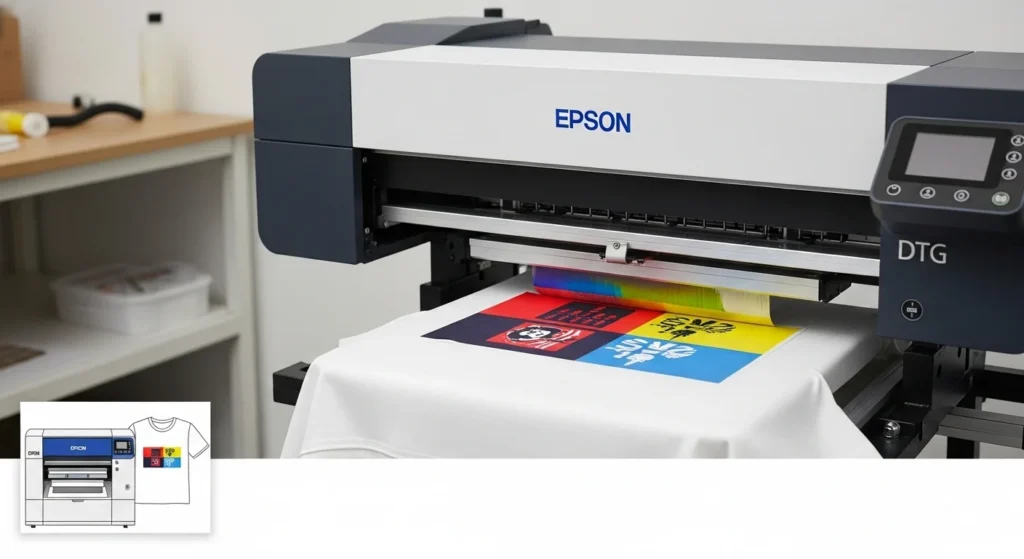
Epson’s DTG ecosystem gives you reliability, predictable color, and a clear upgrade path from single-shop production to higher throughput setups.
If you want dependable support and plan to scale from custom tees to real shop volume, start with an F-series model that fits your monthly run rate, budget for good pretreatment and curing gear, and lock in a reseller with training and service.
That combo makes the difference between a printer that collects dust and one that actually earns you money.
Why people pick Epson
- Proven hardware, built specifically for garment printing, not repurposed office printers.
- Strong ecosystem: official ink packs, garment creator software, service plans, and training from authorized resellers.
- Hybrid options (DTG + DTFilm) on newer models, which add flexibility for non-flat items or transfer workflows.
For full specs and official details, check out Epson’s SureColor F2100 DTG printer page.
What Fabrics Actually Work With Epson DTG Printers
Epson’s DTG printers, including the F2100, F2270, and F3070, are built for cotton and high-cotton blends. This matters before you buy, since it rules out some of the products people assume DTG can handle.
Fabrics that print well
- 100% cotton, which gives the softest hand feel and the most predictable ink absorption
- Cotton-poly blends of 50/50 or higher cotton content, though color vibrancy drops as polyester content increases
- Tri-blends, with some tradeoff in ink saturation compared to pure cotton
Fabrics that don’t work well
Pure polyester and other synthetic fabrics resist DTG ink absorption, since the ink is designed to bond with natural fibers rather than sit on top of a synthetic surface. If most of your orders are polyester shirts, jerseys, or performance wear, sublimation is the better fit, not DTG. Our guide on comparing DTG, DTF, sublimation, and embroidery breaks down which method fits which fabric and order type.
This is worth checking before you commit to an Epson DTG machine. Shops that print a mix of cotton and polyester orders often end up running DTG alongside a separate sublimation or DTF setup rather than trying to force one machine to do both jobs well.
Models to Know
SureColor F2100: Good starter pro choice. Purpose-built DTG with PrecisionCore TFP printhead and UltraChrome DG inks, easy platen loading, and user-friendly Garment Creator software. It’s a solid pick for shops printing cotton tees and testing higher volumes.
SureColor F2270: A hybrid step up: DTG plus DTFilm capability, bulk ink packs, nozzle verification, and automatic garment thickness optimization. Great if you want more flexibility and lower ink swap frequency. MSRP and bundles place it toward the small-shop / growth tier.
SureColor F3070: Production level. Dual printheads, large ink supply, automated features and higher throughput for serious volume. This one is for shops that need speed and uptime more than low upfront cost.
Newer entry models (F1070 and others) Epson periodically refreshes the lineup with compact or hybrid models aimed at makers and smaller studios, so keep an eye on new releases if your budget is tight.
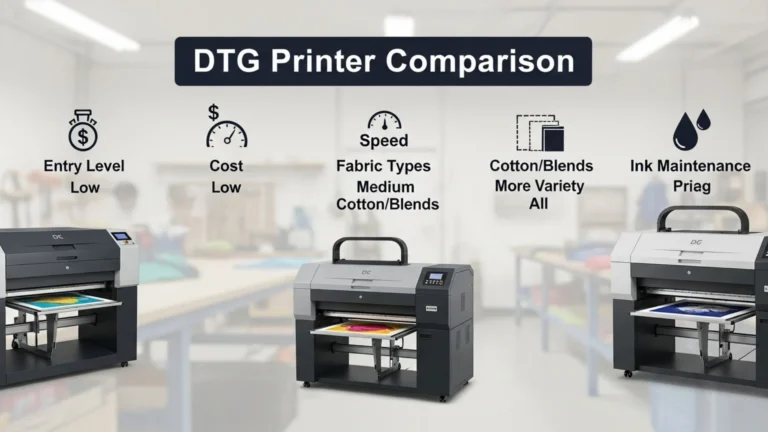
| Model | Best For | Print Size | Speed (Approx.) | Ink System | Price Range (USD) |
|---|---|---|---|---|---|
| Epson SureColor F2100 | Small to medium shops, custom orders | Up to 16″ x 20″ | ~1 min per light shirt, 2–3 min dark shirt | CMYK + White, 600ml cartridges | $13,000–$15,000 |
| Epson SureColor F2270 | Growing businesses, hybrid DTG + DTF capability | Up to 14″ x 16″ | ~35–45 sec per light shirt, 2 min dark shirt | UltraChrome DG2 ink, improved white ink circulation | $15,000–$17,000 |
| Epson SureColor F3070 | High-volume production, industrial scale | Up to 16.5″ x 20.5″ | ~45–55 sec per light shirt, 1–2 min dark shirt | Large 1.5L bulk ink packs, dual printheads | $45,000–$50,000 |
For shops balancing DTG with other methods, our DTG printing guide explains how the workflow compares with sublimation and screen printing.
Epson DTG Printer Price: What to Expect
Epson DTG printer prices are higher than some competitors, but you’re paying for reliability, brand support, and long-term uptime which matters more than the cheapest entry cost.
Prices typically range from $13,000 on the low end to around $50,000+ for production models. The exact price depends on the model, print speed, ink system, and whether you want hybrid DTG + DTF capability.
- Budget $15K+ if you want a dependable Epson setup for a small to medium shop.
- Budget $45K+ if you’re moving into true production territory.
- Always add a few thousand more for curing, pretreating, and initial supplies.
Entry to Mid-Level Epson DTG Printers
- SureColor F2100: around $13,000–$15,000. Good for small to medium shops printing cotton tees, hoodies, and custom runs.
- SureColor F2270: around $15,000–$17,000. A step up with DTG + DTF hybrid features, bulk ink packs, and faster output. Perfect for growing shops that need flexibility.
High-Volume Epson DTG Printers
- SureColor F3070: around $45,000–$50,000. This one’s built for real production. Dual printheads, 1.5L bulk ink packs, and throughput built for hundreds of shirts a day.
Other / Compact Models
- F1070 and newer releases sometimes appear in the $10,000–$12,000 range, designed for makers or studios with smaller runs.
What’s Included (and What’s Not)
When you see Epson DTG printer prices online, know that the base unit usually includes the printer, starter inks, platen, and software. What’s not included (but essential) is:
- Pretreatment machine or sprayer
- Heat press or conveyor dryer
- Ongoing consumables (ink, pretreatment, cleaning solution, maintenance kits)
These extras can easily add $2,000–$10,000 to your real startup cost depending on the scale you’re aiming for.
Want to cut costs without hurting quality? Our sublimation cost-saving tips also apply to pretreatment, ink use, and bulk ordering for DTG.
Epson DTG Printer Price vs. Total Cost of Ownership
On average, running costs land between $2–$4 per shirt when you include ink and pretreatment. Don’t just compare sticker prices. Factor in:
- Ink consumption (dark shirts with white ink use more)
- Pretreatment cost (especially for dark garments)
- Maintenance (cleaning kits, replacement capping stations, etc.)
- Warranty or service contracts
Epson F2100 DTG Printer: Features, Pros, and Pricing
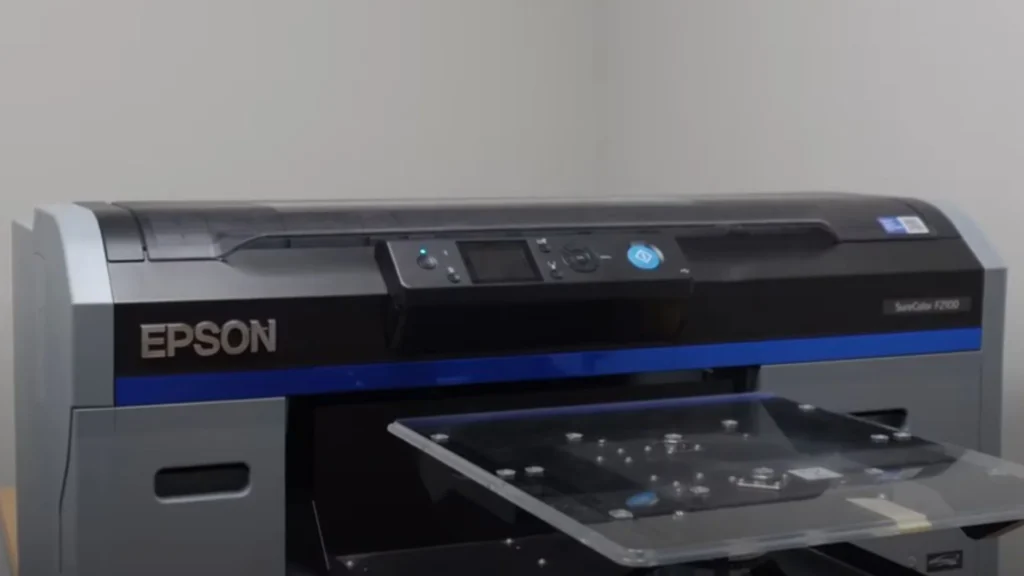
The Epson F2100 DTG printer is ideal if you want a dependable, mid-range machine that produces professional results without jumping straight into a $45K+ production unit. Just budget for pretreatment and curing gear, since those are essential for wash-durable prints.
Key Features
- Print on light and dark garments with Epson’s UltraChrome DG inks (includes white ink)
- Hybrid flexibility: DTG plus film/transfer mode (DTF workflow)
- Multiple platen options (standard, sleeve, large, kids) for different garment sizes
- Built-in Garment Creator software for layout, color control, and cost estimation
- Automated maintenance features like nozzle checks and white ink circulation
- Print area up to 16″ × 20″ with optional platen upgrades
- Compatible with both Mac and Windows systems
Pros & Cons
| Pros | Cons |
|---|---|
| Excellent print quality and color consistency | Ink cost can be high, especially for white ink |
| Trusted Epson support and service network | Slower on dark garments (2–3 minutes per shirt) |
| Works for both DTG and DTF workflows | Requires pretreatment and curing equipment |
| Multiple platen sizes for flexibility | Regular maintenance is needed to avoid downtime |
| Good resale and upgrade path | Not fast enough for high-volume production shops |
- “I love the flexibility to do multiple designs in one session … it does very well on ring spun cotton and blends.”
- “The F2270 is better and faster, but for that much cheaper, the F2100 is worth the savings. It has never let me down and it prints a ton.”
- Some users say ink is a major ongoing cost: > “Ink is very expensive … DTG is far more expensive than most traditional printing methods.”
Why I’d Select the F2100
Here’s my take, when I want to balance cost, capability, and future growth:
- I want one machine that handles both finished garment printing and film / transfer printing, F2100’s dual DTG + DTF ability is attractive.
- I value brand support, proven parts availability, uptime. Epson tends to have stronger support networks.
- I don’t have (yet) the volume to justify a full industrial model (like F3070), but I’m designing for growth. F2100 fits well in that middle ground.
- I prefer not being limited to just light garments, having white ink capability means I can take on dark shirts too.
- I want a machine that’s “future proof” enough to last me several years before upgrading.
- I accept that ink & pretreatment cost is part of the game; I’d build that into my pricing model rather than chase ultra-low upfront cost.
Epson F2100 Quick Specs & Pricing
| Model | Best For | Max Print Size | Speed (Approx.) | Ink System | Price Range (USD) |
|---|---|---|---|---|---|
| Epson SureColor F2100 | Small to mid-sized shops, Etsy sellers, growing custom apparel brands | Up to 16″ × 20″ | ~1 min per light shirt, 2–3 min for darks | UltraChrome DG inks, CMYK + White | $13,000–$15,000 |
If you’re printing on darker garments, our DTG black shirt guide covers white ink tricks and curing steps that also matter at scale.
Real benefits and what to watch for
The good
- Color consistency and fast adoption of ICC workflows means less guesswork on prints. Epson’s inks are formulated for garments, so you’ll see good vibrancy and wash performance when pretreatment and curing are correct.
- Vendor support and parts are easier to get than many white-label DTG machines, which helps uptime and long-term ownership.
The tradeoffs
- Higher entry cost for production models, and genuine inks are required for best results, which raises running costs.
- Space and power: production models need more room, proper ventilation, and stronger cure equipment.
Ink, maintenance, and running costs (practical notes)
- Use UltraChrome DG / DG2 inks and follow Epson’s maintenance routines. Off-brand inks can void warranties and cause head damage.
- Factor ink and pretreatment into your cost-per-shirt, especially for dark garments that need a white base. Conservative estimates: consumables plus pretreatment often run a few dollars per shirt depending on coverage and shirt color.
- Plan for routine cleaning, nozzle checks, and occasional head maintenance. Regular upkeep reduces downtime and expensive repairs.
White Ink Maintenance: What Ownership Actually Requires
White ink is the part of DTG ownership that catches new buyers off guard. It uses a heavier titanium dioxide pigment that settles inside the ink lines and printhead if it sits idle, and once it dries in the nozzles, it’s one of the more expensive components to repair.
Before you buy, plan for this as a daily commitment, not an occasional chore:
- White ink needs regular agitation or circulation to keep the pigment from settling, which is why models like the F2270 build automated circulation into the system.
- Printers that sit idle for more than a day or two are at real risk of white ink clogging, so shops with inconsistent order volume need a maintenance routine even on slow days.
- Off-brand or non-genuine ink increases clogging risk further and can void the printer’s warranty, which is part of why Epson’s ecosystem leans on official ink packs.
If you already own an Epson DTG printer, our full DTG printer maintenance guide covers the daily, weekly, and monthly routine in detail.
Who should buy which model
- Hobbyist / Maker / Small Etsy shop: Look for compact or entry models, or even consider entry non-Epson options if budget is tiny. Newer compact Epson hybrids can work if you want brand support.
- Small to mid shop: F2100 or F2270 hit the sweet spot, balancing speed, support, and quality. The F2270 is especially useful if you want DTFilm flexibility.
- High volume / scaling: F3070 or higher production units give the throughput and automation you’ll need. Factor in conveyor dryers, automated pretreating, and service agreements.
Setup and Training: What to Expect Before Your First Shirt
A DTG printer isn’t something you unbox and start selling from the same afternoon. Budget real time for setup and the learning curve, especially if this is your first garment printer.
What setup typically involves
- Unboxing and physical setup, which includes leveling the printer and installing the initial ink charge
- Software installation and configuring Garment Creator for your design workflow
- Connecting and calibrating your pretreatment and curing equipment, since the printer alone won’t produce wash-durable results
- Running test prints to dial in white ink coverage, especially for dark garments
Where the learning curve shows up
Most new owners spend their first several print runs adjusting pretreatment amounts, white ink underbase settings, and cure temperature and time. Getting consistent, wash-durable results on dark garments takes more trial and error than light garments, since the white underbase layer has to be even before color goes down on top.
Authorized resellers typically include training as part of the purchase, which is one of the practical reasons buyers pay a premium for Epson over unsupported alternatives. If training isn’t included with your quote, ask about it directly before you buy, since a few hours of guided setup can save weeks of trial and error.
Tip: Print a batch of test shirts on scrap or discount blanks before you take on paid orders. It’s a lot cheaper to work out white ink and cure settings on a $3 blank than a customer’s shirt.
Buying tips and checklist
- Confirm platen size matches your common print area.
- Ask about white ink management: agitation, circulation, and nozzle checks.
- Check reseller support: training, on-site service, return policy, and warranty.
- Budget for pretreatment and curing gear; cheap printers + weak cure = poor wash results.
- Get transparent total cost of ownership numbers: ink pack sizes, maintenance kits, consumable frequency.
DTG Printers Under $1000: What You Need to Know
There are no true DTG printers under $1000, but there are affordable entry points into garment printing. For hobbyists, sublimation or DTF kits are solid stepping stones. For business-minded buyers, waiting and budgeting for a professional DTG printer (like the Epson F2100) will save you frustration and money long-term.
Entry-level DTG printers like the Epson F2100 or Brother GTX typically start around $13,000–$15,000, and production-grade models can run well above $40,000.
That doesn’t mean you’re out of options. It just means you’ll want to look at realistic alternatives that fit a budget under $1000.
Why DTG Printers Cost More
- DTG machines use specialized printheads built for thick cotton fabrics, not paper.
- They need white ink circulation systems, agitation, and maintenance parts to keep prints consistent.
- The technology also requires pretreatment and curing equipment, which adds to the overall cost.
These features are what make DTG printing high-quality but also expensive.
Options Under $1000
If you’re working with a limited budget, here are paths worth considering:
- Used / Refurbished Units
- Sometimes older DTG printers show up on marketplaces for under $1000.
- Be careful: printheads may be clogged, warranties expired, and parts hard to find. Repairs can quickly cost more than the machine.
- DTF (Direct to Film) Starter Kits
- For under $1000, you can get a small DTF setup with a converted printer, film sheets, and powders.
- While not true DTG, DTF transfers let you print full-color designs and press them onto cotton, polyester, and blends.
- Sublimation Printing
- Sublimation printers (like converted Epson models) can start under $1000.
- These only work on polyester fabrics or poly-coated blanks, but it’s a cost-friendly way to begin making custom products.
- Heat Transfer Vinyl (HTV) + Cutting Machine
- Not DTG, but a budget option for shirts and accessories.
- With a vinyl cutter (like Cricut or Silhouette) and a heat press, you can make designs for a fraction of the cost.
Who Should Skip the “Cheap DTG” Route
If your goal is to build a real business around custom tees, mugs, or apparel, it’s better to save and invest in a mid-tier DTG or hybrid machine later. A $500 “converted DTG” printer you find online will almost always end up costing more in wasted ink, broken parts, and lost time.
Can Epson DTG printers print on polyester?
Not well. Epson’s DTG printers are built for cotton and high-cotton blends. Pure polyester resists DTG ink absorption, so polyester-heavy orders are better suited to sublimation.
How much training does an Epson DTG printer require?
Most new owners need several print runs to get comfortable with pretreatment amounts, white ink coverage, and cure settings, especially on dark garments. Authorized resellers typically include initial training with purchase, which shortens that learning curve significantly.