

How to Save Money on Sublimation Printing: 15 Smart Ways to Cut Costs in

Saving money on sublimation printing isn’t about choosing the cheapest equipment or supplies. The biggest savings come from reducing waste, maintaining your printer, buying strategically, and understanding your true production costs.
Small improvements, like optimizing artwork, batching production, or tracking expenses, may seem minor on their own. Together, they can significantly improve your profit margins over time.
Cost should never compromise quality. That’s why we’ve put together this comprehensive guide to help you save money on sublimation printing without sacrificing the quality of your products.
Why Sublimation Printing Can Become Expensive
Many people underestimate the hidden costs of sublimation. Ink and blanks receive most of the attention, but failed transfers, printer maintenance, electricity, and production mistakes can quickly increase the cost of every order.
The biggest expenses usually include:
| Cost Category | One-Time Cost | Ongoing Cost |
|---|---|---|
| Sublimation printer | ✓ | |
| Heat press | ✓ | |
| Sublimation ink | ✓ | |
| Transfer paper | ✓ | |
| Sublimation blanks | ✓ | |
| Electricity | ✓ | |
| Printer maintenance | ✓ | |
| Misprints and waste | ✓ |
Understanding where your money goes makes it much easier to identify opportunities to save.
How Much Does Sublimation Cost Per Print?
The actual cost depends on your blank, ink usage, labor, and overhead. Many new businesses only calculate the blank price and forget expenses like electricity, tape, packaging, and failed prints.
Typical production costs look something like this:
| Product | Typical Material Cost | Typical Selling Price | Profit Potential |
| Mug | Low | Medium | High |
| T-shirt | Medium | High | High |
| Tote bag | Low | Medium | Good |
| Mouse pad | Low | Medium | Good |
Before setting prices, calculate your actual production costs instead of estimating them.
Our Sublimation Pricing Calculator can help you determine realistic pricing and healthy profit margins for every order.deal.
15 Smart Ways to Save Money on Sublimation Printing
1. Start With a Budget-Friendly Printer
Buying the most expensive printer doesn’t automatically lower production costs.
Many beginners can produce excellent results using an Epson EcoTank conversion or an entry-level dedicated sublimation printer. The money saved can be invested in better blanks, color management, or additional inventory.
If you’re buying your first machine, compare features before paying for capabilities you may never use.
Our Best Sublimation Printer for Beginners Under $500 guide compares several affordable options.
2. Reduce Ink Costs
Ink is one of your largest recurring expenses.
Simple habits can noticeably reduce ink consumption:
- Buy larger ink bottles when available.
- Print test designs at lower quality settings.
- Avoid unnecessary cleaning cycles.
- Store ink correctly.
- Print regularly to reduce clogged print heads.
Tracking ink usage also helps identify jobs with unusually high production costs.
For a more accurate estimate, see How to Calculate Sublimation Ink Usage.
3. Use the Right Transfer Paper Size
Many people waste transfer paper simply by printing small artwork on oversized sheets.
Instead:
- Match paper size to your design.
- Print multiple small designs on one sheet.
- Rotate artwork to reduce unused space.
- Save partial sheets when your printer supports them.
Small improvements like these can reduce paper waste throughout the year.
4. Buy Blanks in Bulk
Wholesale pricing usually lowers the cost per item.
Buying larger quantities often provides:
- lower unit prices
- reduced shipping costs
- better supplier discounts
- fewer emergency orders
Only purchase products you know you’ll sell within a reasonable time to avoid tying up cash in slow-moving inventory.
5. Choose Cost-Effective Sublimation Blanks
Not every project requires premium substrates.
| Blank | Relative Cost | Best Use |
| Ceramic mugs | Low | Beginners |
| Polyester shirts | Medium | Apparel |
| Tote bags | Low | Promotional products |
| Aluminum panels | High | Premium signage |
| Glass products | High | Specialty gifts |
Choosing the right blank for each order can improve both profitability and customer satisfaction.
6. Prevent Failed Transfers
Every failed transfer costs more than a blank. It also wastes ink, transfer paper, electricity, and production time.
Before pressing a large order:
- Test new blanks first.
- Verify your heat press temperature.
- Use the correct pressure.
- Secure transfer paper to prevent ghosting.
- Follow the recommended time and temperature for each substrate.
Spending a few minutes on testing is much cheaper than replacing an entire batch of products.
If you’re unsure about your press accuracy, check our guide on Heat Press Temperature for Sublimation.
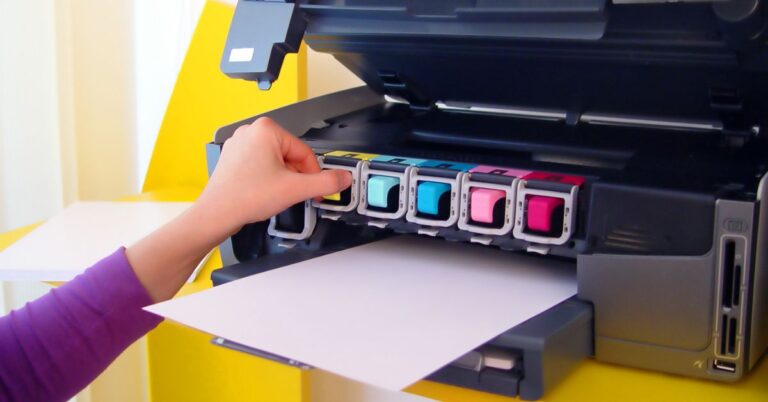
7. Maintain Your Printer to Avoid Expensive Repairs
Regular maintenance costs very little compared to replacing clogged print heads or damaged components.
A simple maintenance routine includes:
- Print a nozzle check every week.
- Run a cleaning cycle only when necessary.
- Keep the printer in a dust-free environment.
- Print something every few days to prevent ink from drying.
- Store ink bottles away from direct sunlight.
Many printer problems develop gradually. Catching them early helps reduce downtime and avoids costly repairs.
For a complete maintenance routine, read How to Clean Your Sublimation Printer.
8. Optimize Your Artwork Before Printing
Poor artwork preparation often wastes more ink than people realize.
A few simple adjustments can lower printing costs:
- Remove unnecessary solid-color backgrounds.
- Resize artwork before printing.
- Use transparent backgrounds whenever possible.
- Print only the area that transfers to the blank.
- Group small designs onto one transfer sheet.
Large areas of heavy ink rarely improve the finished product but can noticeably increase ink consumption.
9. Use Free or Affordable Design Software
Professional software is helpful, but it isn’t required for every sublimation project.
Several affordable options work well for beginners and small businesses:
| Software | Best For | Cost |
|---|---|---|
| Canva | Simple graphics | Free / Paid |
| Inkscape | Vector artwork | Free |
| GIMP | Photo editing | Free |
| Affinity Designer | Professional design | One-time purchase |
Choose software that fits your workflow instead of paying for features you’ll rarely use.
10. Reduce Electricity and Production Costs
Electricity may seem like a small expense, but it adds up over hundreds of production hours.
You can reduce operating costs by:
- Printing multiple jobs before heating the press.
- Pressing similar products in batches.
- Turning equipment off during long breaks.
- Planning production to minimize warm-up cycles.
Batch production also improves efficiency by reducing setup time between orders.
11. Compare Suppliers Before Buying
The lowest advertised price isn’t always the best value.
Compare suppliers based on:
- Product quality
- Shipping costs
- Delivery times
- Bulk discounts
- Return policies
- Customer support
Sometimes paying slightly more for reliable blanks saves money by reducing defective products and customer returns.
12. Know When Outsourcing Makes More Sense
Buying equipment isn’t always the most economical choice.
For hobbyists or businesses with only occasional orders, outsourcing can eliminate equipment costs and maintenance.
| Factor | DIY Printing | Outsourcing |
|---|---|---|
| Equipment investment | High | None |
| Material control | Full | Limited |
| Production speed | Depends on equipment | Depends on supplier |
| Best for | Frequent production | Small order volumes |
Once your monthly order volume increases, producing in-house usually becomes more cost-effective.
13. Track Every Production Expense
Many small businesses know how much they spend on blanks but overlook other production costs.
Track expenses such as:
- Ink
- Transfer paper
- Packaging
- Shipping supplies
- Electricity
- Labor
- Equipment maintenance
- Waste from failed prints
Accurate records help you price products correctly and identify areas where costs can be reduced.
Our Sublimation Supply Tracker makes it easier to monitor inventory and recurring expenses.
14. Focus on High-Profit Products
Some sublimation products naturally provide better profit margins than others.
Popular examples include:
- Personalized mugs
- Polyester T-shirts
- Tumblers
- Tote bags
- Mouse pads
- Promotional gifts
- Corporate merchandise
Choosing products with strong demand and healthy margins helps offset rising material costs.
For pricing strategies, visit Sublimation Profit Margin Explained.
15. Build an Efficient Production Workflow
An organized workflow reduces mistakes, speeds up production, and lowers labor costs.
A simple workflow might include:
- Review customer artwork.
- Print all transfers together.
- Prepare blanks in batches.
- Press products by material type.
- Inspect each finished item.
- Package orders immediately after quality control.
Even small workflow improvements can save hours every week while reducing costly production errors.
Beginner Budget Sublimation Setup (Under $300)
Starting a sublimation business doesn’t require thousands of dollars. A carefully planned setup lets you learn the process and begin selling without a large upfront investment.
| Equipment | Estimated Budget |
|---|---|
| Epson EcoTank printer (conversion) | $120-$180 |
| Budget heat press | $80-$120 |
| Sublimation ink | $20-$35 |
| Transfer paper | $10-$20 |
| Starter blanks | $20-$40 |
| Heat tape & accessories | $10-$20 |
This type of setup works well for hobbyists, Etsy sellers, and anyone testing the market before investing in commercial equipment.
DIY vs Outsourcing: Which Saves More Money?
The right choice depends on how often you print and how much control you need over production.
| Situation | DIY Printing | Outsourcing |
|---|---|---|
| One-off gifts | ❌ | ✅ |
| Small Etsy shop | ✅ | ✅ |
| Growing side business | ✅ | ⚠️ |
| High-volume production | ✅ | ❌ |
| Corporate orders | ✅ | ⚠️ |
DIY is usually the better choice if you:
- Print every week.
- Want complete control over quality.
- Need faster turnaround times.
- Sell personalized products.
Outsourcing makes sense if you:
- Only print occasionally.
- Don’t have space for equipment.
- Want to avoid maintenance.
- Need professional production without a large investment.
Common Money-Wasting Mistakes
Many printing mistakes are preventable. Avoiding them can save hundreds of dollars over time.
Buying Cheap Supplies Instead of Quality Supplies
The cheapest blanks or transfer paper often lead to faded colors, poor transfers, or higher failure rates.
Ignoring Printer Maintenance
Skipping routine nozzle checks can result in clogged print heads, wasted ink, and expensive repairs.
Printing Without Testing
Always test new blanks, paper, or heat settings before producing a large order.
Buying Too Much Inventory
Bulk discounts are attractive, but purchasing products that don’t sell ties up your cash and storage space.
Forgetting Hidden Costs
Don’t overlook expenses like:
- Packaging
- Shipping materials
- Electricity
- Labor
- Equipment wear
- Failed prints
Including these costs gives you a more accurate picture of your true profit.
Sublimation Cost & Profit Calculator
Your existing calculator is a valuable tool and should remain part of this guide. To make it even more useful, consider adding these features:
- Cost per print
- Break-even point
- Monthly profit estimate
- Yearly profit estimate
- Return on investment (ROI)
- Electricity cost per job
- Waste percentage
- Recommended selling price
- Target profit margin
Combined with your current material, labor, and overhead calculations, these additions help readers price products with greater confidence.
Beginner Tips vs Pro Tips
| Beginner Tips | Pro Tips |
|---|---|
| Start with mugs or polyester shirts. | Buy ink and blanks in bulk. |
| Use free design software while learning. | Create custom printer profiles for consistent colors. |
| Test one item before printing large batches. | Batch similar jobs to improve efficiency. |
| Keep a notebook of successful press settings. | Track every production cost to improve pricing. |
| Learn proper printer maintenance early. | Review supplier pricing regularly to stay competitive. |
Frequently Asked Questions
What is the cheapest way to start sublimation printing?
A converted Epson EcoTank printer, an entry-level heat press, and a small selection of polyester blanks provide an affordable way to begin. Many beginners can start for less than $300 by purchasing only the essentials.
How much does sublimation cost per print?
The cost varies by product, ink usage, labor, and overhead. Small items like mugs generally cost less than larger apparel items, making accurate cost tracking important before setting retail prices.
How can I reduce sublimation ink costs?
Print only the required design area, avoid unnecessary cleaning cycles, buy larger ink bottles when possible, and maintain your printer regularly to prevent wasted ink.
Is buying sublimation blanks in bulk worth it?
Yes, if you consistently sell the same products. Wholesale pricing usually lowers the cost per item, but avoid purchasing inventory that may sit unused for long periods.
Is outsourcing cheaper than printing yourself?
Outsourcing is often more affordable for occasional projects. Once you begin producing orders regularly, owning your own equipment generally lowers the cost per item.
Which sublimation products have the highest profit margins?
Personalized mugs, tumblers, polyester apparel, tote bags, and promotional products are often among the most profitable because they combine relatively low production costs with strong customer demand.
What free software can I use for sublimation?
Many beginners successfully use Canva, Inkscape, and GIMP before moving to more advanced paid software.
How do I reduce failed sublimation prints?
Use the correct heat settings, perform test prints on new blanks, maintain your printer, and verify artwork before pressing large production runs.
Before pricing your next order, use our Sublimation Cost Estimator to calculate your actual production costs and set prices that protect your profits.
Professional Sublimation Printing & Wholesale Custom Products
Looking for high-quality sublimation printing for apparel, drinkware, and promotional items? Subli Genius Print delivers vibrant color, sharp detail, and long-lasting results for businesses, brands, and resellers across the U.S.






3 Comments