Epson EcoTank ET-15000 for Sublimation: Specs, Costs, and What to Know Before Converting

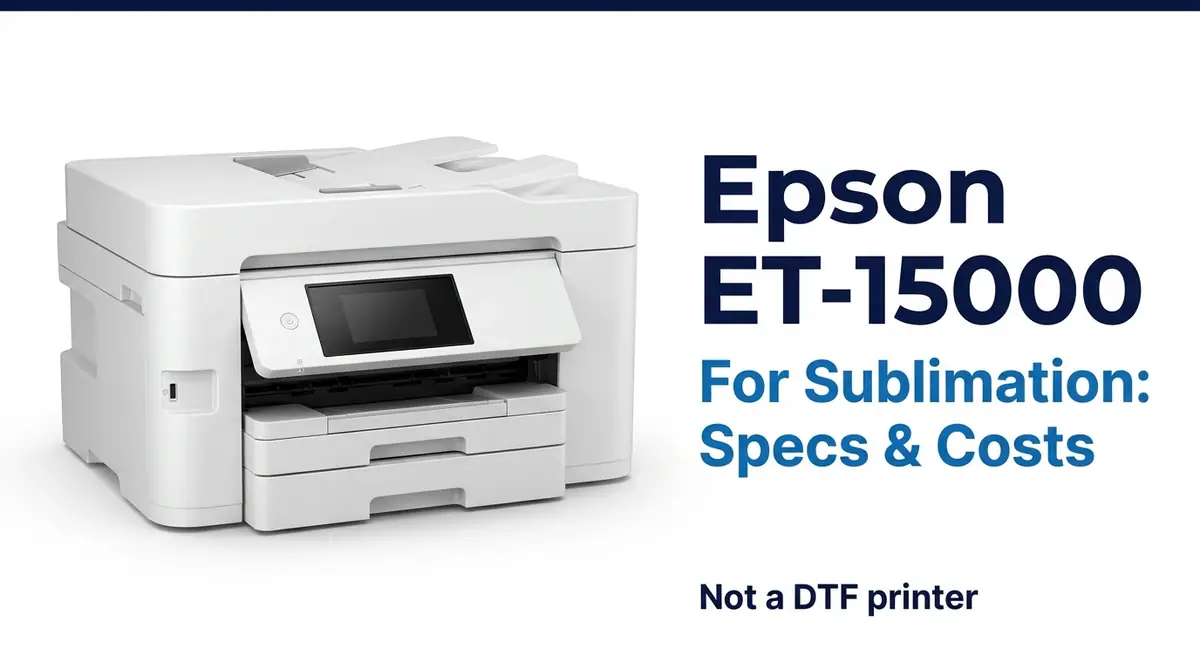
The Epson EcoTank ET-15000 is a wide-format document printer, not a sublimation printer out of the box. But its refillable ink tanks and heat-free printhead technology make it one of the more common EcoTank models people convert for sublimation use, which is why it shows up constantly in sublimation search results despite Epson never marketing it that way.
This page covers the verified specs, the real cost of running one, and what actually makes it conversion-friendly. It does not cover DTF printing. That’s a different process with different risks, and this page isn’t built to guide that safely.
Full specifications
| Spec | Detail |
|---|---|
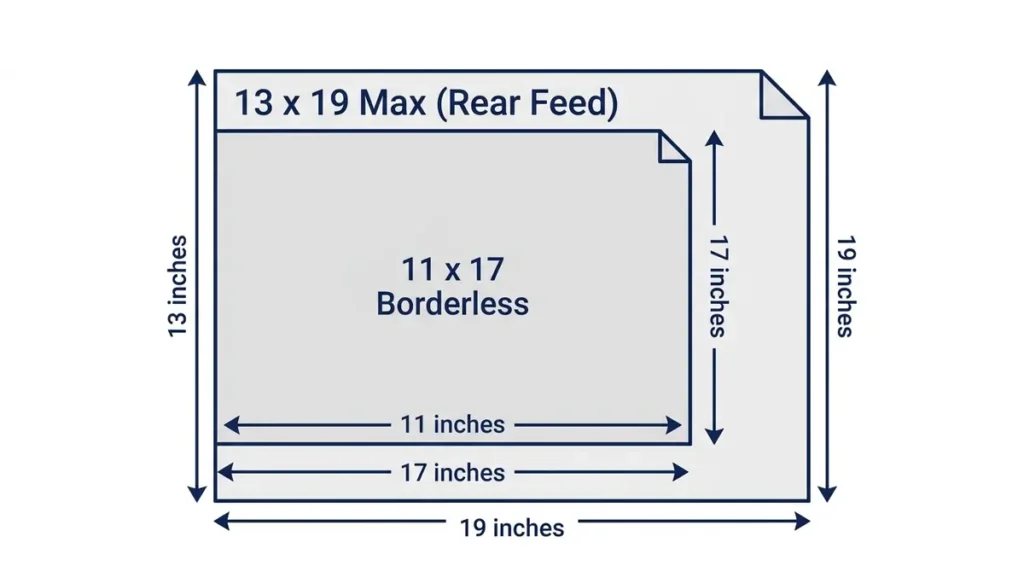
| Maximum print size | 13″ x 19″ through the rear specialty-paper feed; borderless color photos up to 11″ x 17″ through the front tray |
| Scan size | Up to 8.5″ x 14″ via the automatic document feeder |
| Print speed | 17 ISO ppm black, 9 ISO ppm color |
| Maximum resolution | 4800 x 1200 dpi, minimum ink droplet size 3.8 picoliters |
| Print technology | PrecisionCore piezoelectric inkjet |
| Ink system | 502-series EcoTank bottles, 4 colors (cyan, magenta, yellow, black) |
| Ink bottle sizes | Black 127 mL, color bottles 70 mL each |
| Ink yield per set | Up to 7,500 black pages / 6,000 color pages |
| Paper handling | 250-sheet front tray plus rear specialty-media feed |
| Connectivity | Wi-Fi, Wi-Fi Direct, Ethernet, Epson Smart Panel app, voice-activated printing |
| Display | 2.7″ color touchscreen |
| Other functions | Auto 2-sided printing, copy, scan, fax |
| Warranty | 12 months or 50,000 plain paper sheets standard, extendable to 24 months or 50,000 sheets with registration and genuine Epson ink |
Why the ET-15000 gets converted for sublimation
Two things make the ET-15000 a common conversion base, and neither is specific to Epson marketing it that way.
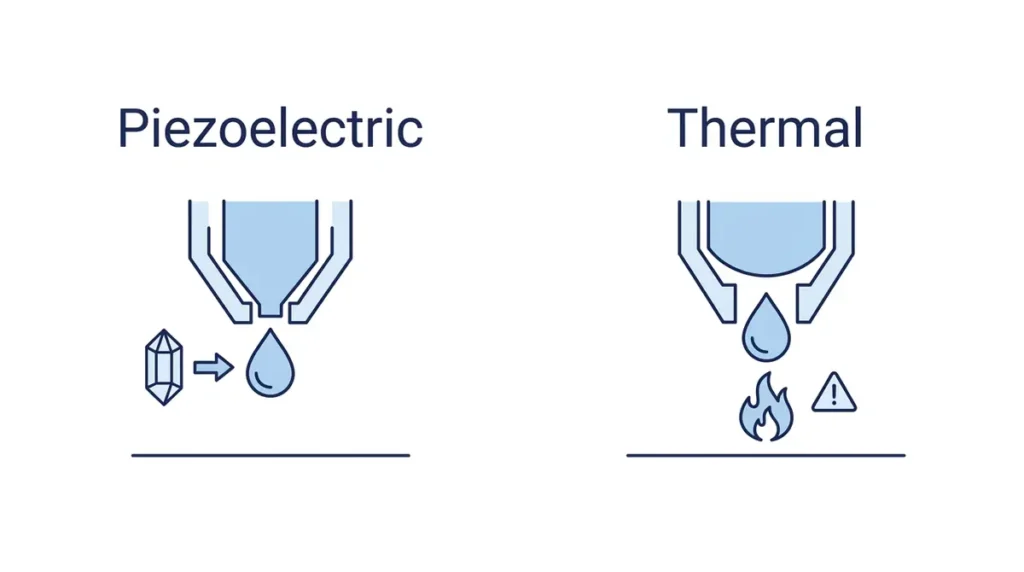
First, it uses a piezoelectric printhead. Piezo technology ejects ink using an electrical charge that changes the shape of a crystal, pushing ink out mechanically. That matters for sublimation specifically because sublimation ink is heat-reactive by design, it’s meant to vaporize under a heat press, not inside a printer.
Thermal inkjet technology, used by some other printer brands, ejects ink by rapidly heating it to form a vapor bubble. Running heat-reactive sublimation ink through a heat-based printhead risks degrading the ink or clogging the head before it ever reaches the paper.
Piezo avoids that problem entirely, which is why Epson’s EcoTank line specifically, not inkjet printers generally, is the common starting point for this kind of conversion.
Second, the EcoTank refillable tank system makes a full ink swap practical. Unlike a sealed cartridge printer, EcoTank’s tanks can be drained and refilled directly with third-party sublimation ink, no cartridge chip or lockout to work around.
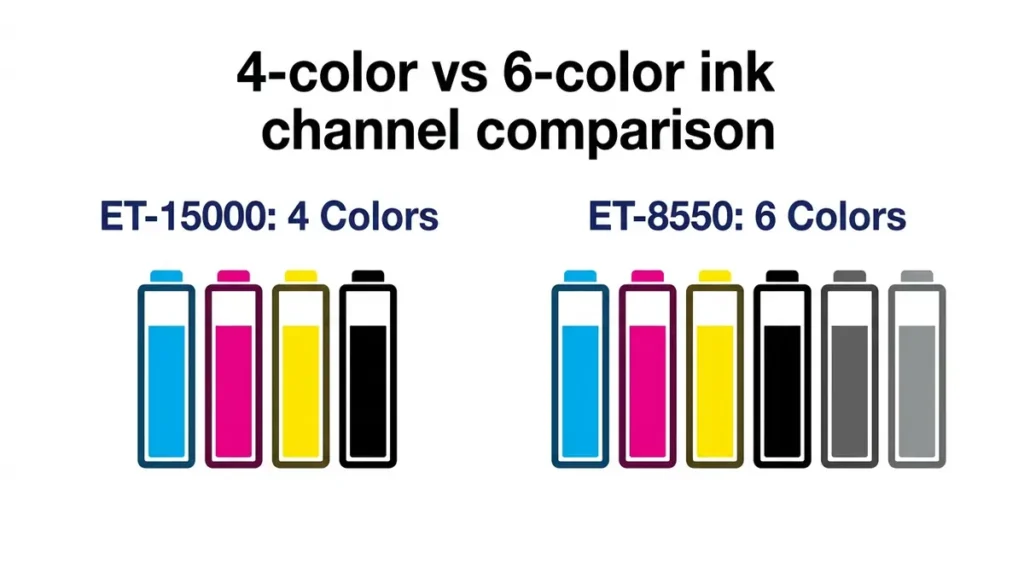
On the ink channel count: the ET-15000 uses a standard 4-color system, cyan, magenta, yellow, and black. That maps directly onto standard sublimation ink sets, which also ship in CMYK. This is one reason 4-color EcoTank models tend to be preferred conversion candidates over 6-color photo-focused models like the ET-8550, which add Photo Black and Gray channels that don’t have a direct sublimation equivalent and complicate the swap.
What converting actually costs and risks
Converting the ET-15000 for sublimation ink is not something Epson supports or warranties, and it carries real, well-documented risks independent of any specific brand of ink you’d use:
- You lose the standard warranty. Epson’s own documentation states that non-genuine ink could cause damage not covered under the printer’s limited warranty. Filling the tanks with third-party sublimation ink falls squarely into that category.
- There’s no built-in safeguard against filling the wrong tank with the wrong ink. Unlike a cartridge system that physically keys each color to its slot, EcoTank refilling is manual, and a mistake here isn’t a quick fix.
- Idle time risks clogging. This applies to any piezo inkjet, converted or not, but it’s worth taking seriously with sublimation ink specifically, since a printer sitting unused for weeks is a common cause of nozzle clogs.
We’re not walking through the full conversion process step by step on this page. If you’re set on converting an EcoTank for sublimation, our EcoTank sublimation setup guide covers the general process, which applies similarly across Epson’s piezo EcoTank line, though you should confirm any model-specific steps against your exact printer before starting.
Advertisement
Running costs (as a document printer, before conversion)
Checked directly against Epson and cross-referenced against Amazon, Walmart, Office Depot, and Staples as of August 22, 2026:
| Item | Detail |
|---|---|
| MSRP | $699.99 |
| Typical street price | Roughly $530 to $600 depending on retailer and sale timing |
| Ink yield per set (genuine ink) | Up to 7,500 black pages / 6,000 color pages |
The ET-15000’s low cost-per-page as a stock document printer is part of why it’s a popular conversion base to begin with.
Buyers aren’t just getting a piezo printhead and refillable tanks, they’re getting a printer that was already priced to be cheap to run, which softens the sting of walking away from the standard warranty once you refill with sublimation ink instead of genuine Epson bottles.
Converting voids your Epson warranty, this one-page checklist walks through it safely.
ET-15000 vs. ET-8550: which one for sublimation
| ET-15000 | ET-8550 | |
|---|---|---|
| Ink channels | 4-color (CMYK) | 6-color (adds Photo Black and Gray) |
| Max print size | 13″x19″ via rear feed, 11″x17″ borderless via front tray | 13″x19″ borderless |
| Print speed | 17 ppm black / 9 ppm color | 16 ppm |
| Min. ink droplet size | 3.8 picoliters | 1.5 picoliters |
| Fax | Yes | No |
| Display | 2.7″ touchscreen | 4.3″ touchscreen |
| MSRP | $699.99 | $749.99 |
Epson built these two printers for different purposes.
- The ET-15000 is an all-in-one document workhorse. It includes fax, runs on standard 4-color ink, and costs less.
- The ET-8550 is a photo-focused printer. It uses a finer ink droplet size for smoother photo gradients, but it gets there with 6 ink channels instead of 4.
The deciding factor for sublimation conversion
Sublimation ink ships in standard CMYK sets. That maps cleanly onto the ET-15000’s 4 channels.
The ET-8550’s extra Photo Black and Gray channels don’t have a direct sublimation ink equivalent. That complicates the conversion in one of two ways:
- Leave those channels unused, which can trigger maintenance errors on some EcoTank models
- Find a workaround that adds complexity most beginners don’t need
This is a big part of why 4-color EcoTank models like the ET-15000 tend to be the more commonly recommended conversion base over 6-color photo models. That’s true independent of print quality on either machine as a stock document or photo printer.
If you already own an ET-8550 or specifically need its larger scan bed or finer photo detail for non-sublimation work, our EcoTank sublimation setup guide covers conversion considerations that apply there too.
For a straightforward sublimation conversion with fewer complications, the ET-15000’s simpler 4-color system is the easier starting point.
Frequently asked questions
Is the Epson ET-15000 a good printer?
As a stock document and wide-format photo printer, yes. It offers wide-format printing, low per-page ink costs, and all-in-one functionality including fax at a mid-range price point. It’s not marketed or designed for sublimation, that’s a conversion buyers do themselves.
Is the Epson ET-15000 a sublimation printer?
Not out of the box. It ships with standard pigment/dye document ink. It’s commonly converted for sublimation because of its piezoelectric printhead and refillable EcoTank system, but that conversion isn’t supported or warrantied by Epson.
Can the ET-15000 be used for DTF?
DTF printing requires a different ink set including white ink, a separate film substrate, and a powder-adhesive curing step the ET-15000 has no role in. White ink circulation is also known for settling and clogging print lines if not run constantly, a real risk on a printer not designed for it. This page doesn’t cover DTF conversion for that reason.
Which is better, the ET-8550 or the ET-15000, for sublimation?
The ET-15000 is generally the simpler sublimation conversion, since its 4-color CMYK system maps directly onto standard sublimation ink sets. The ET-8550’s 6-color system, built for photo quality, adds channels that don’t have a direct sublimation equivalent and complicate the conversion.
Does converting the ET-15000 void the warranty?
Yes. Epson’s own documentation states non-genuine ink could cause damage not covered under the printer’s limited warranty, and third-party sublimation ink falls under that.
What size can the ET-15000 print for sublimation?
Up to 13″ x 19″ through the rear specialty-paper feed, which is the size sublimation users typically use since it’s the printer’s true maximum. The front tray’s borderless mode tops out at 11″ x 17″.
The bottom line
The ET-15000 is a capable, affordable wide-format document printer that happens to be well suited to sublimation conversion because of its piezoelectric printhead and simple 4-color refillable ink system. It’s not sold or supported for that use, converting voids the standard warranty, and the process carries real risks worth taking seriously rather than rushing into.
If you’re comparing it against a dedicated sublimation printer instead of a conversion, our EcoTank vs Sawgrass cost breakdown lays out that tradeoff directly, and our best sublimation printers roundup covers the wider range of options beyond just this one model.