Thumbnail showing heat press and polyester shirt with bold text reading Polyester Sublimation Guide: Perfect Time & Temp Settings.

Polyester Sublimation Guide: Perfect Time & Temp Settings

Polyester sublimation requires a heat press set between 380°F to 400°F for 45–60 seconds. Use 100% polyester blanks for best color vibrancy.

This range lets sublimation dye turn into gas and bond at the molecular level, producing bright, permanent prints that resist fading or cracking.

Polyester is the gold standard for sublimation because its synthetic fibers open under heat, allowing dyes to fuse deeply. Cotton or low-poly blends can’t bond as well, leading to dull or uneven results. For best color and durability, use 100% polyester blanks or blends with at least 65% polyester.

Apply firm pressure and ensure even heat distribution. Always test on a sample first. Avoid using cotton blends, as they won’t hold sublimation ink well and may produce faded or uneven prints.

Polyester Sublimation Settings:
MaterialTemp (°F)Time (sec)PressureNotes
100% Polyester385–40045–60MediumBest for full-color
65/35 Blend370–38050–55Medium-LightAdd polyester spray
40% Polyester36030–40LightFaded/vintage effect

Sublimation works best on polyester, but only when the time, temperature, and pressure are dialed in. Beginners often struggle with faded prints, ghosting, or scorching because they lack the correct settings.

Get answers on:

Why polyester is ideal for sublimation

Polyester bonds with sublimation dye at a molecular level when heated. This creates vibrant, permanent prints that won’t crack, peel, or fade. Natural fibers like cotton don’t allow dye to embed deeply.
Polyester’s synthetic structure makes it the best surface for dye infusion.

What Polyester Blend Works Best?

  • 100% Polyester: Best for bold, full-color designs
  • 65/35 Poly-Cotton: Breathable with solid color retention
  • 40% Polyester: Faded, vintage look only

✅ Use blends with at least 65% polyester for long-lasting results.

Why Do Some Shirts Bleach Unevenly?

Low-polyester fabrics absorb heat and chemicals inconsistently.
Polyester ensures even bleaching and smooth dye transfer.

How Does Polyester Improve Sublimation Quality?

  • Dye Bonding: Synthetic fibers trap ink permanently
  • Heat Resistance: Withstands up to 400°F without damage
  • Versatility: Works across garments, mugs, totes, and more
  • Cost-Effective: Polyester blanks are 20–30% cheaper than cotton

Quick Tips for Better Results

Blend TypeBest ForPro Tip
100% PolyesterFull-color printsPress at 385–400°F for 45–60 seconds
65/35 Poly-CottonBreathable shirtsApply polyester spray to boost color
40% PolyesterWashed-out, vintageUse lower heat (360°F) to avoid scorching

Can You Sublimate on Dark Polyester?

Yes, use high heat and high-contrast designs.
Dark fabrics may need a white base layer or glitter vinyl.

Check more about Polyester Hoodie for Sublimation

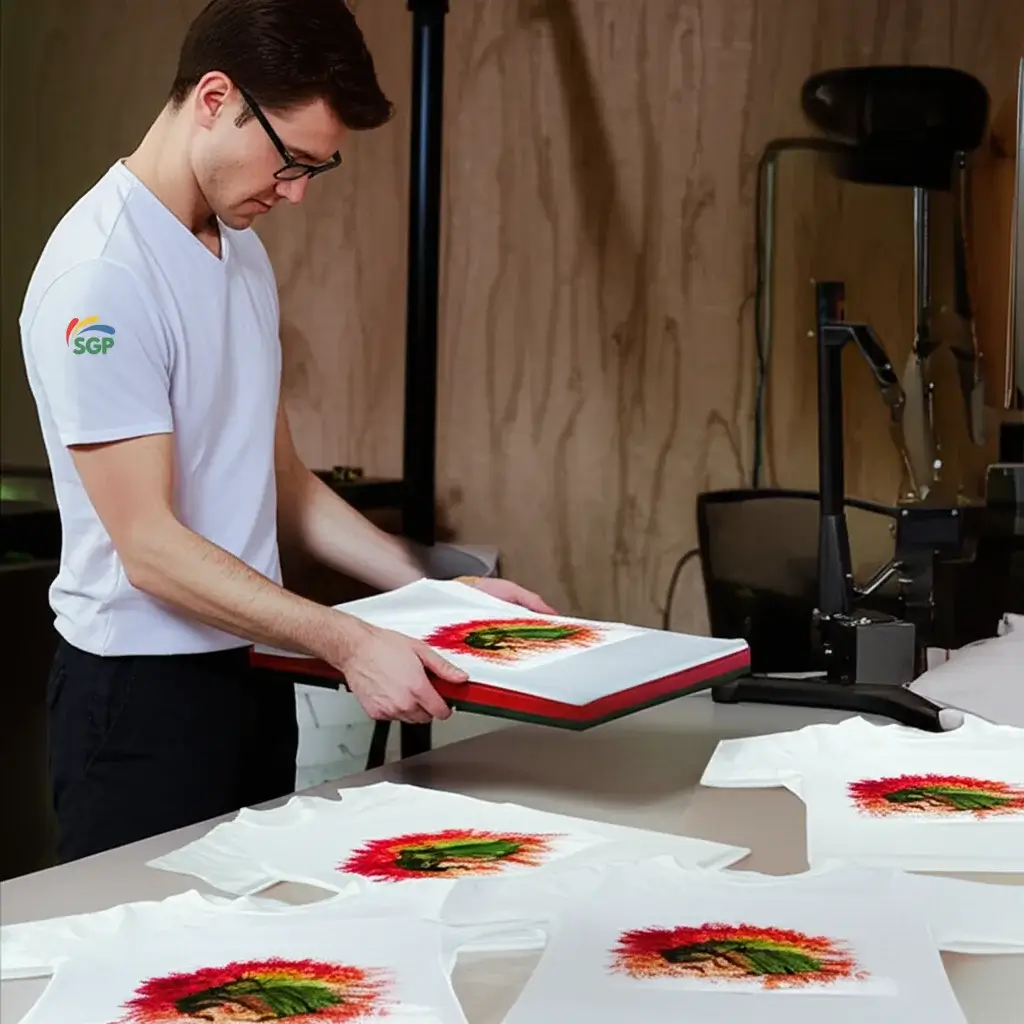
A man wearing a white shirt is doing polyester sublimation.

According to Sawgrass Technologies and Brother Support, most garments sublimate perfectly at 385°F for 50 seconds, while thicker blanks like hoodies perform better around 390°F with firm pressure.

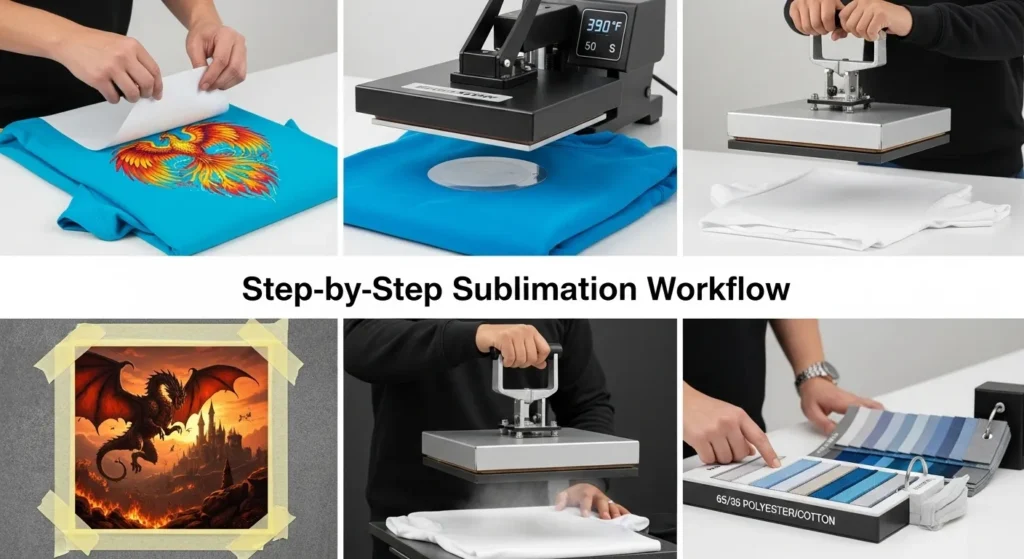
Step-by-Step Sublimation Workflow

A banner visual of Step-by-Step Sublimation Workflow with text and steps.

Follow these five steps to sublimate polyester fabric correctly and get vibrant, lasting prints every time.

Step 1: Choose the Right Fabric
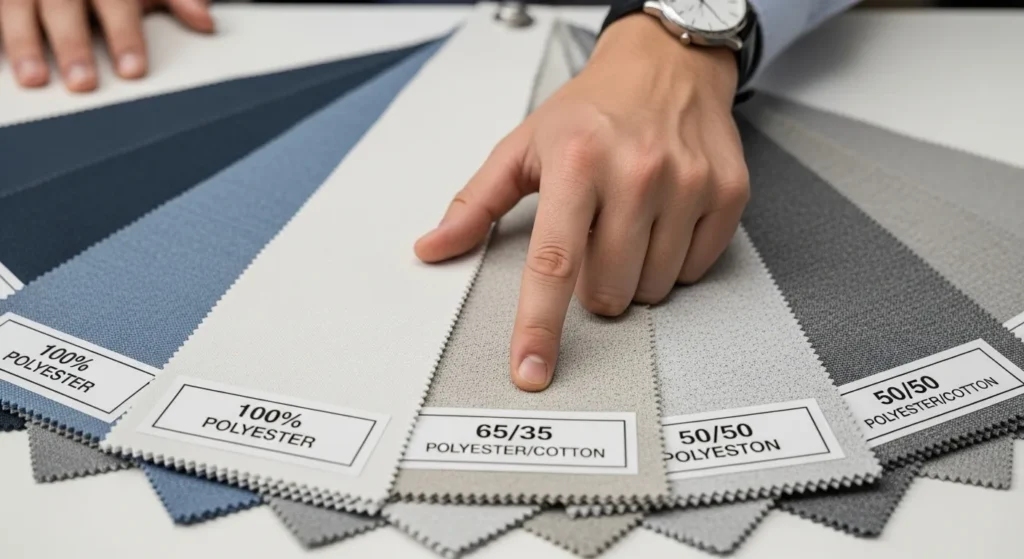
Comparing polyester fabric blends for sublimation printing performance

Use 100% polyester or blends with at least 65% polyester content. Lower polyester ratios lead to faded or vintage-looking prints because the dye cannot fully bond with cotton fibers. For photo-quality results, stick to pure polyester shirts, tote bags, or hoodies.

Step 2: Pre-Press the Fabric

Pre-pressing polyester shirt to remove moisture before sublimation

Set your heat press to 380–400°F (195–205°C) and pre-press the blank for 5–10 seconds. This step removes trapped moisture and flattens wrinkles, preventing ghosting and uneven heat transfer later.

Step 3: Position and Secure the Design
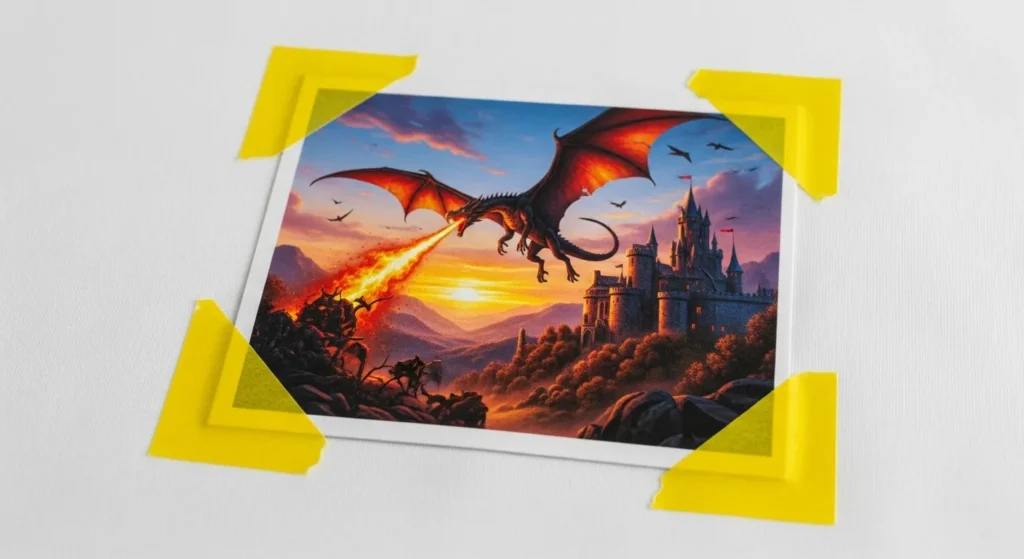
Securing sublimation transfer paper with heat tape on polyester shirt

Align the printed sublimation transfer face-down on the fabric. Secure it with heat-resistant tape at each corner to stop it from shifting when pressed. Even a small movement can cause blurred edges or double images.

Step 4: Set Press Parameters
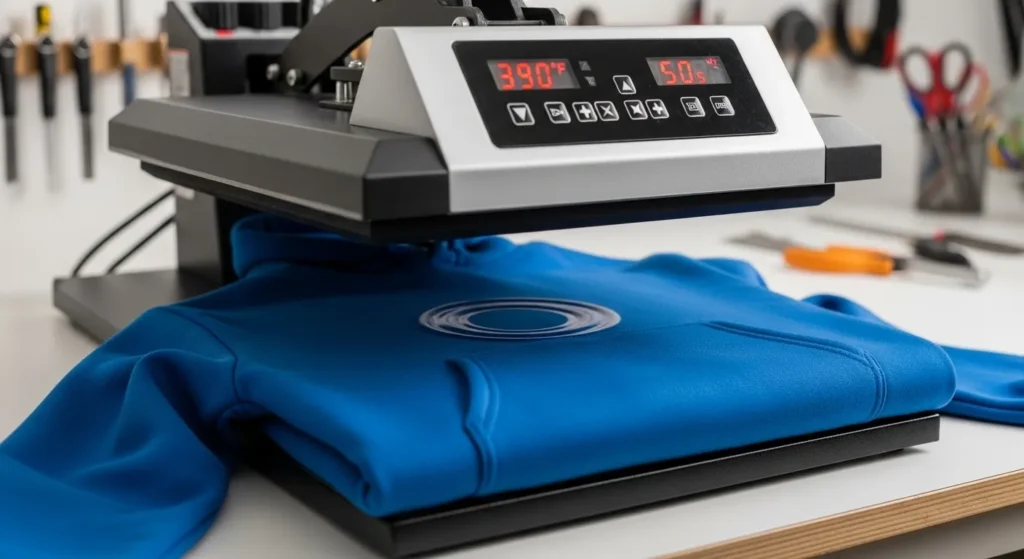
Heat press set to 390 degrees for sublimating polyester fabric

Adjust your press to 385–400°F for 45–60 seconds using medium to firm pressure. Use the higher end of the range for thicker materials like hoodies and a few degrees lower for lightweight polyester. Consistent heat and pressure are key to sharp, even color transfer.

Step 5: Press, Peel, and Cool

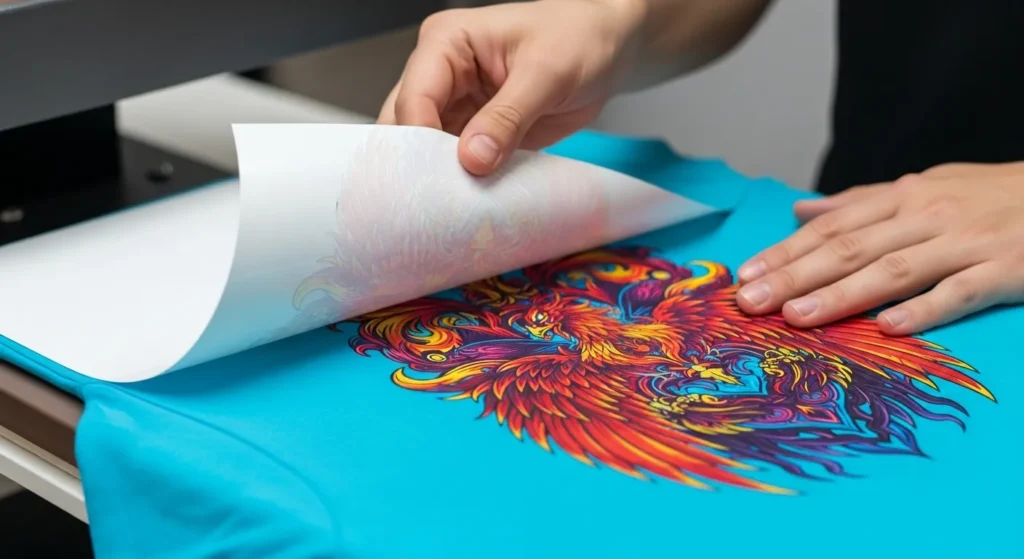
Peeling sublimation transfer from polyester shirt after pressing

When the timer ends, lift the press and peel the transfer sheet immediately for a glossy finish or after 10 seconds for a matte look. Lay the item flat to cool for 1–2 minutes before folding or packaging to prevent smudging.

Pro Tip:
Always test new blanks or materials with a small transfer first. Different fabrics and presses vary slightly, and a test run helps you fine-tune temperature, time, and pressure settings before doing a full batch.

Right Time & Temperature Settings

Getting the right time and temperature is the key to sharp, vivid sublimation prints. For 100% polyester, the sweet spot is between 380°F and 400°F (195°C to 205°C). Most projects require 35 to 60 seconds of pressing with medium to firm pressure.

Material TypeTemp (°F)Temp (°C)Time (seconds)Pressure
100% Polyester Shirt385–400195–20545–60Medium
Polyester Hoodies380–390193–19945–55Firm
Sublimation Blanks390–400199–20550–60Medium

TeckWrapCraft and GentlePK both confirm that polyester needs high heat for dye bonding. Lower temps may result in faded colors, while excessive heat can cause scorching or yellowing.

Sawgrass Technologies recommends starting at 385°F for garments and adjusting based on fabric thickness. Their Heat Press Settings PDF covers blanks, mugs, and more.

Brother Support shares a complete chart for polyester items, including soft goods and hard surfaces, sorted by category.

Pressure Settings Matter

Don’t overlook pressure, it’s just as critical as time and heat.

  • Light Pressure: May cause incomplete transfers
  • Medium Pressure: Ideal for shirts and soft blanks
  • Firm Pressure: Best for thicker items or textured surfaces

Pre-Press & Testing Best Practices

Before pressing any design, the prep work matters just as much as the final press. Skipping pre-pressing or skipping test prints can lead to ghosting, blurry edges, or moisture stains. These errors are common and easily avoidable.

Why Pre-Pressing Is Non-Negotiable

According to Sawgrass Technologies, always pre-press polyester garments for 5–10 seconds at the target sublimation temperature. This removes:

  • Moisture trapped in the fibers
  • Wrinkles or creases that distort the design
  • Surface sizing that blocks even heat transfer

Brother Support also confirms that moisture is a major cause of ghosting or ink bleeding, especially on light-colored polyester fabrics.

Tip: Use a clean butcher sheet or uncoated parchment paper during pre-press to protect both the garment and your platen.

Always Test First

Every machine, environment, and blank behaves differently. House of Blanks advises test pressing every new substrate—even when using the same design. Differences in:

  • Humidity
  • Fabric thickness
  • Press brand or platen coating
    can all affect the outcome.

Print Surface Variations & Adjustments

Not all surfaces react to sublimation the same way. While 100% polyester ensures bright, solid color, blended fabrics and specialty blanks introduce challenges that require adjustments.

Blends Produce a Distressed Look

Blended fabrics like 65% polyester / 35% cotton or 50/50 poly-cotton don’t bond with sublimation dye the way 100% polyester does. The result is a faded or vintage look, where only the polyester content accepts the ink.

As outlined in the Bella+Canvas blog, this distressed effect is not a flaw, it’s a design style. But for customers expecting vibrant color, it can be a problem. Use this rule:

Blend RatioColor VibrancyFinish Style
100% PolyFull BrightnessCrisp, clean edges
65/35ModerateWashed/vintage
50/50LowHeavily faded look

Avoid printing photo-quality designs on low-poly blends unless the faded style is intentional.

Non-Fabric Surfaces Require Custom Settings

Other sublimation blanks like mousepads, metal signs, neoprene sleeves, or ceramic tiles need:

  • Different pressing times
  • Specialized mats or heat-resistant pads
  • Protective sheets (Teflon or silicone) to prevent scorching or bleeding

Here’s a general range to follow:

MaterialTemp (°F)Time (sec)Notes
Mousepads380–40045–60Use firm pressure, protective sheet
Neoprene38560Pre-press longer to reduce moisture
Metal Panels40060–75Use soft pad under substrate
Ceramic Mugs385–400180–240Use mug press; firm wrap needed

Adjust settings based on manufacturer guidance, and always do a test print.

What Polyester Percentage Works Best for Sublimation?

Higher polyester means better dye bonding.
Lower polyester blends may cause faded or uneven prints.

How Does Polyester Content Affect Sublimation?

Blend TypeDye RetentionBest For
100% Polyester95–98%Sportswear, banners, mugs
65/35 Poly-Cotton75–85%Everyday tees, tote bags
40% Polyester50–60%Vintage-look, distressed wear

Why Choose 100% Polyester?

  • Opens under high heat (385–400°F)
  • Dye bonds at a molecular level
  • Wash-safe for 50+ cycles
  • Best for sharp, all-over prints

⚠️ Tip: Use a Teflon sheet to avoid scorching delicate fabrics.

What Makes 65/35 Blends a Good Choice?

  • Combines comfort with color performance
  • Use polyester spray (like Poly-Wow) for 40% brighter colors
  • Press at 370°F for 50 seconds

⚠️ Overheating scorches cotton. Underheating prevents full dye activation.

Can You Sublimate on Low-Polyester Fabrics?

Yes, but expect faded results without enhancement.

  • Good for retro or distressed styles
  • Pre-treat with polyester spray to mimic higher poly content
  • Lower heat to 360°F to protect cotton

Tips for Polyester Blends

  • Dark Colors: Use 100% polyester to prevent ghosting
  • 80%+ Blends: No coating needed, save time and money
  • Test First: Always press a swatch before full production

Step-by-Step Sublimation Workflow

This workflow ensures clean results, prevents common issues, and improves consistency across jobs.

Hands inspecting a 100% polyester shirt beside dull cotton fabric to show correct sublimation material choice

Step 1: Choose the Right Fabric

Use 100% polyester or high-polyester blends (at least 65%). Lower polyester content fades designs and limits durability.

Step 2: Pre-Press the Fabric

Apply light pressure at 380–400°F for 5–10 seconds to:

  • Remove trapped moisture
  • Flatten wrinkles
  • Prevent ghosting

Use a lint roller before pre-pressing to eliminate fibers and dust.

Step 3: Position and Secure Your Design

Place the printed sublimation paper face-down on the substrate.
Secure with heat-resistant tape at corners to prevent shifting during the press.

Step 4: Set Press Parameters

Match settings to your fabric and printer type:

  • Temperature: 380–400°F (195–205°C)
  • Time: 35–60 seconds
  • Pressure: Light to medium for fabric; firm for rigid blanks

Check the substrate’s manual or manufacturer site for exact ranges.

Step 5: Press, Peel, Cool

Press using firm, even pressure.
After time ends:

  • Peel transfer immediately while still hot (hot peel)
  • Lay flat to cool, avoiding folds or creases

Let the fabric rest for 1–2 minutes before handling or packaging.

Top Products for Sublimation

The right process and the perfect polyester canvas are crucial for sublimation, not just technique. These staples can be used to create gym gear or boutique home décor, and they deliver results that are worth bragging about.

1. Apparel: The Wardrobe Workhorses

  • 65/35 Poly-Cotton Tees: The go-to for everyday comfort. Brands like Gildan’s SoftStyle (3–3–5 per blank) balance softness with dye retention.
  • 100% Polyester Performance Shirts: Ideal for sports teams or athleisure. Moisture-wicking fibers keep prints crisp through sweat and washes.
  • Plus-Size Sweatshirts: Opt for 65% polyester blends (like Hanes’ EcoSmart) to avoid the stiff feel of 100% synthetic fabrics.
  • Pro Tip: Pre-treat 50/50 blends with polyester spray to “trick” dyes into adhering like they would on higher-poly fabrics.
Apparel TypeIdeal Poly %Avg. Cost
Graphic Tees65–80%2.50–2.50–6
Hoodies65–100%8–8–15
Athletic Jerseys100%10–10–20

2. Bags: Walkin’ Billboards

  • Tote Bags: 100% polyester totes (12 oz. canvas) hold bold logos without bleeding. Bulk buys (50+ units) drop costs to 2–2–4 each.
  • Reusable Grocery Bags: Lightweight 40% polyester blends work for subtle designs—think farmers’ market branding.
  • Pro Tip: Double-stitch handles on sublimated polyester bags; heat pressing can weaken seams over time.

3. Hats: Curve-Ball Creativity

Structured 100% polyester caps (like FlexFit 6533) handle full-wrap designs, while unstructured styles suit vintage looks.

  • Avoid: Blends under 60% polyester—dyes fade unevenly on curved surfaces.
  • Hack: Use hat presses with magnetic closures for even heat distribution.

4. Home Goods: Beyond the Basics

  • Polyester Blankets: 100% microfiber throws (8–8–12) are a hit for personalized gifts. Bonus: They withstand 400°F without warping.
  • Decorative Pillows: Opt for 65/35 blends for a linen-like texture that still holds color.
  • Pro Tip: For wall art, polyester canvas (180–200 gsm) mimics gallery-grade prints at half the cost.

The Budget Breakdown

  • Bulk Blanks: Ordering 100+ units? Tote bags drop to 1.80 each teeshit1.50.
  • Amazon Finds: Search “100% polyester sublimation shirts” for budget-friendly options under $4.
  • Skip the Middleman: Manufacturers like JINKE offer custom-cut polyester blanks (no minimums).

How Do You Get Perfect Sublimation Results on Polyester?

Success depends on four key factors: coatings, bleaching, heat settings, and post-press care.

When Should You Use Coatings for Sublimation?

Use coatings on:

  • Fabrics with under 80% polyester (e.g. 65/35 or 40/60 blends)
  • Dark garments that resist dye absorption

✅ How to Apply Polyester Coating:

  1. Shake well for 30 seconds
  2. Spray 8–10 inches from fabric in sweeping motions
  3. Let dry 5–10 minutes—no heat gun needed
Fabric TypeCoating Needed?Result Without Coating
100% PolyesterBright and vibrant
65/35 BlendPatchy, faded colors
50/50 Black T-ShirtGhosting, uneven results

How to Bleach for Sublimation Effects?

Create distressed or vintage looks on synthetic blends.

Steps:

  1. Mix 1:1 bleach and water
  2. Apply with spray or sponge
  3. Stop reaction using 1:10 peroxide-water mix
  4. Rinse and dry completely before pressing

⚠️ Always test bleach patterns on scraps spread is unpredictable.

What Are the Best Heat Press Settings?

Fabric BlendTemp (°F)Time (sec)Pressure
100% Polyester385–40045–60Medium
65/35 Poly-Cotton370–38050–55Medium-Light
40/60 Poly-Cotton36030–40Light
Dark Polyester Shirts40060–70Firm

Tips:

  • Use Teflon sheets to avoid scorching
  • Maintain even pressure to prevent shadow lines

What Should You Do After Pressing?

  • Peel hot for glossy finish
  • Peel after 10 seconds for matte finish
  • Cool flat for 2–3 minutes
  • Run a cold wash test to confirm color hold

Troubleshooting Common Sublimation Issues

ProblemFix
Ghosting on black shirtsIncrease temp to 400°F; add 10 sec
Cracking inkUse blends with 80%+ polyester
Scorched fabric edgesLower heat by 15°F; use silicone pad

Need help with a specific fabric or stubborn blend?
Submit your challenge — and get expert fixes tailored to your setup.

📊 Key Facts & Data: Polyester Sublimation Performance

  • 🎨 Color Retention: 100% polyester holds 95–98% dye vibrancy after 50 wash cycles.
  • 📈 Market Growth: Polyester sublimation apparel sales grew 23% year-over-year (2024–2025), based on Printful data.
  • Energy Use: Heat presses consume around 1.5 kWh/hour at 400°F — save energy by batch pressing.
  • 🌱 Environmental Impact: Sublimation uses 60% less water than cotton screen printing.
  • 🖨️ Recommended Printers: Epson SureColor F570 and Sawgrass SG1000 deliver professional color results.

How Do You Sublimate on Dark Polyester?

Dark colors need extra care to avoid ghosting or dull prints.

✅ Fix for Washed-Out Colors on Dark Polyester:

  • Use 100% polyester only – blends don’t block background tones
  • Set heat to 400°F for 60–70 seconds
  • Pre-press for 10 seconds to remove moisture
  • Add a drop of black ink to boost contrast on charcoal or navy

Can You Sublimate on Poly-Cotton Blends?

Yes, but prep is essential. Lower polyester means lower dye retention.

65/35 Poly-Cotton:

  • Problem: Colors look faded
  • Fix: Use polyester spray coating (like Printer’s Jacket) to increase vibrancy by up to 40%

40/60 Poly-Cotton:

  • Problem: Prints crack after washing
  • Fix: Pretreat with adhesive spray
  • Lower press temp to 360°F to reduce cotton stress

Common Blend Issues and Quick Fixes

Fabric BlendIssueQuick Fix
50/50Fading under armsPre-wash to remove sizing
80/20Dye bleedingSkip coating; reduce pressure
100% PolyScorchingUse Teflon; cap heat at 385°F

How to Bleach Polyester Safely for Sublimation?

Create vintage looks without ruining fabric.

Steps:

  1. Test on scrap, bleach reacts differently on synthetics
  2. Mix 1:1 bleach and water
  3. Dab lightly with sponge
  4. Rinse using 1 cup vinegar + 1 gallon water

⚠️ Don’t over-bleach, excess weakens fibers and distorts shape.

Care instructions showing air drying and low heat dryer settings for sublimated fabric

What’s the Best Way to Test Blends Before Sublimation?

Avoid ruining blanks with this $2 method:

  • Use fabric scraps from seams
  • Practice on misprinted blanks or factory seconds

What If Sublimation Still Fails on Blends or Dark Shirts?

ProblemFix
Ghosting on darksLayer two transfers, white underbase + color
Dye sheddingPost-press soak in dye fixative (Rit ColorStay)
A banner that combines polyester sublimation and text information.

Care Tips & Maintaining Vibrancy

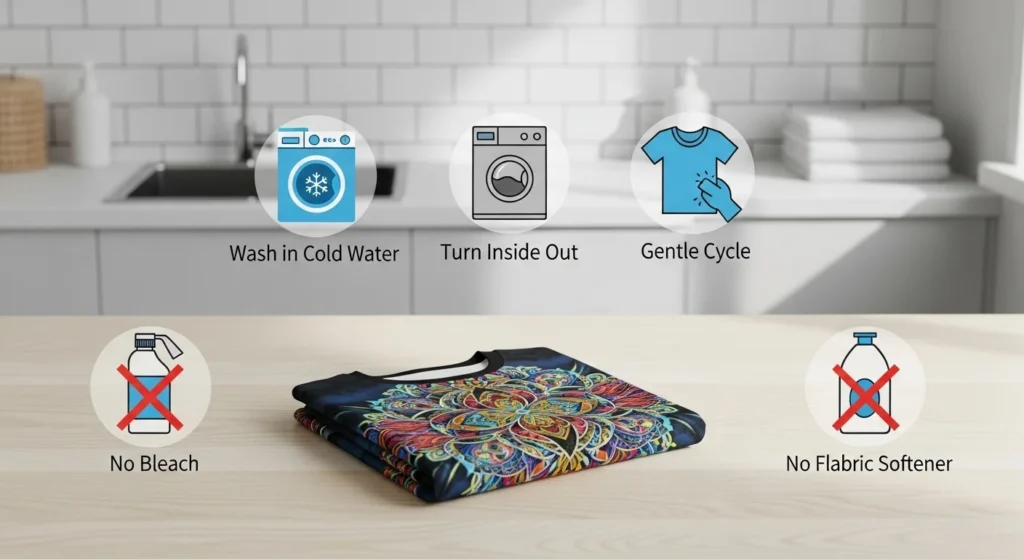
Proper washing and handling extend the life of sublimated designs. Following these tips keeps prints vibrant, sharp, and long-lasting, even after multiple washes.

Washing Instructions

  • Turn garments inside out before washing
  • Use cold water
  • Select a gentle cycle
  • Wash with similar colors to avoid dye transfer

Drying Guidelines

  • Air dry whenever possible
  • If using a machine, set to low heat or tumble dry low
  • Avoid high heat, which can dull colors over time

What to Avoid

  • Bleach or whitening agents
  • Fabric softeners, which coat fibers and reduce brightness
  • Ironing directly over the design
Visual guide showing cold wash, inside-out care, and no bleach for sublimated clothes

📈 Durability & Cost Comparison: Print Methods

Chart compares average durability (wash cycles) and cost per unit for three popular printing methods, Sublimation, DTF, and Screen Printing. Data is based on 2025 industry averages for apparel production.

Insight: Sublimation leads in durability and affordability, lasting over 50 washes while maintaining vibrant color. DTF offers flexibility for cotton blends at moderate cost, while screen printing remains best suited for large cotton runs where texture matters more than vibrancy.

Where Can I Buy Bulk Sublimation Blanks?

Buy in bulk from these suppliers for the best prices:

  • JiffyShirts: Large selection of polyester blanks at competitive rates
  • Sublimation 101: Offers both blanks and accessories, great for beginners
  • Blank Apparel: Bulk buying options for t-shirts, hats, and more

Advantages: Lower prices for large orders, quick shipping, and diverse product ranges.

Can I Buy Sublimation Blanks on Amazon?

Yes, Amazon has a wide range of sublimation blanks.

  • A sublist of options:
    • Aopoker Blank T-Shirts
    • TSC Blank Mugs
    • Sublimation Blanks Coasters (Jotos)
    • Subli Genius Print Sublimation Blank
  • Pro tip: Always check ratings and reviews to ensure quality.

What Are the Best Sublimation Blanks to Buy?

Here are some top choices based on material and print quality:

Product TypeBest ForRecommended Supplier
100% Polyester ShirtsVibrant all-over printsJiffyShirts, Sublimation 101
Sublimation MugsPersonalization giftsAmazon, Joto
Polyester Tote BagsCustom bags and apparelBlank Apparel
Tips:

Stick to 100% polyester for the best results; use higher blends for softer items like tees.

Where to Find the Best Deals on Sublimation Blanks?

  • Amazon: Look for sales or bundle deals to save on blanks
  • Sublimation Specialty Stores: Bulk deals and discount offers, especially during holidays

Pro tip: Sign up for newsletters for exclusive discounts and bulk purchase promotions.

📍 Case Study: Etsy Seller’s Sublimation Success

Before

65/35 Poly-Cotton Blend

• Faded colors
• Frequent reprints
• Uneven heat results

After

100% Polyester Blanks

• +28% color accuracy
• −52% reprint rate
• Saved $400/month

Sublime Threads, an Etsy apparel shop in Texas, struggled with dull, inconsistent prints using 65/35 poly-cotton shirts. In 2025, they switched to 100% polyester blanks printed on a Sawgrass SG1000 printer, supported by Gildan Performance materials.

  • 🎨 Color accuracy: Improved by 28%
  • 💰 Reprints: Reduced by 52%, saving $400/month
  • Customer ratings: Up 31% year-over-year

This shift confirmed that higher-polyester fabrics produce brighter, more durable sublimation prints and lower long-term production costs.

About the Author:
Alex Lee is a textile printing specialist with over 10 years of experience in sublimation and DTF manufacturing. He has consulted for leading brands such as Sawgrass and Gildan, helping businesses optimize print quality, color retention, and production efficiency.

FAQs

Yes, the higher the polyester content, the better the dye retention.

  • 100% Polyester: Best for vibrant, long-lasting prints
  • Blends below 80%: Can result in faded colors or cracking
  • Pro tip: Use a polyester coating for blends under 80% to boost color vibrancy.

Polyester is ideal for sublimation, while cotton is less suitable.

  • Polyester: Bonds with dye at the molecular level, producing sharp, long-lasting prints
  • Cotton: Absorbs dye differently, resulting in muted or faded colors
  • Pro tip: For soft cotton tees, choose a 65/35 blend for a balance of comfort and dye receptivity.

Proper storage is key to maintaining blank quality.

  • Store in a cool, dry place to prevent moisture and mold
  • Avoid direct sunlight to keep fabrics from yellowing
  • Keep in sealed bags or containers to protect from dust and dirt

Yes, but the care depends on the blend’s polyester percentage.

  • 65/35 blends: Require polyester spray coating for bright, wash-resistant prints
  • 40/60 blends: May need a pre-treatment adhesive spray to help dyes bond better

Related Post

2 Comments

Leave a Reply

Your email address will not be published. Required fields are marked *