
What Is Sublimation Printing? How It Works for Beginners

Sublimation printing is a heat-transfer method that uses special dye to decorate polyester fabrics and polymer-coated products. Heat activates the dye so it transfers into the compatible material instead of forming a thick film or vinyl layer on top.
For beginners, the key is compatibility. You need sublimation ink, suitable transfer media, controlled heat, and a blank designed to receive the dye. Standard direct sublimation does not work the same way on cotton, uncoated hard goods, or ordinary dark garments.
| Quick Answer | Sublimation Printing |
|---|---|
| What does it use? | Sublimation ink, transfer paper, heat, and a compatible blank |
| Best fabric | Polyester |
| Hard surfaces | Products made or coated for sublimation |
| Works directly on cotton? | No, not with standard direct sublimation |
| Works well on dark fabric? | No, standard sublimation dye is transparent |
| Does the design sit on top? | No, the dye transfers into the compatible material |
| Do you need a Cricut? | No |
What Is Sublimation Printing?
Sublimation printing is a digital heat-transfer process used for full-color designs on polyester and compatible polymer-coated products. A design is typically printed with sublimation ink onto transfer paper, positioned against the blank, and heated so the dye transfers into the receiving material.
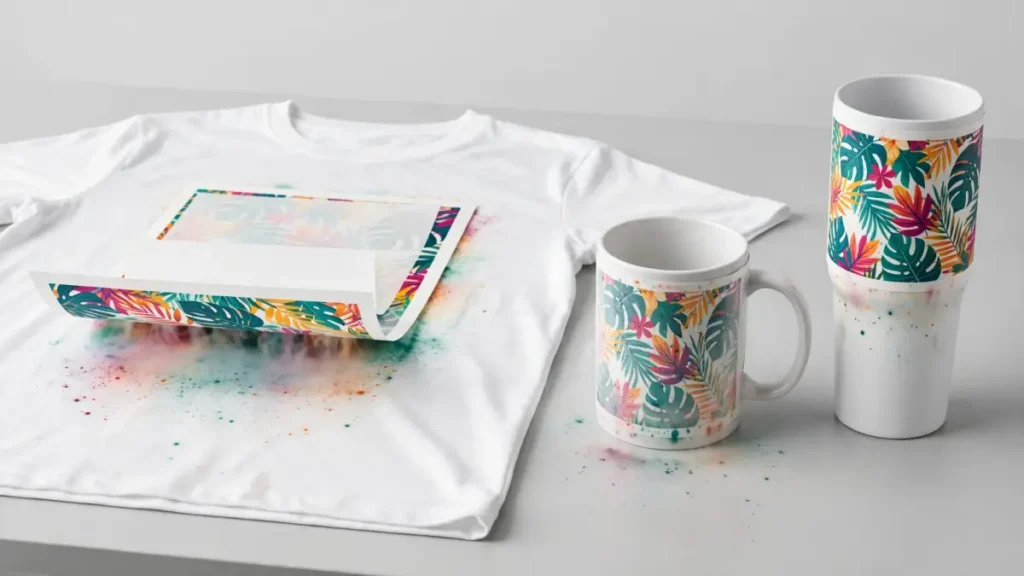
The word sublimation comes from the physical change where a solid changes directly into a gas without first becoming a liquid. In printing, the practical point is simpler: heat activates the sublimation dye and moves it into a compatible polyester or polymer surface.
That material-level transfer is why a sublimated polyester shirt does not have the same raised film feel as heat transfer vinyl. The result still depends on the blank, ink, paper, color workflow, and pressing conditions.
How Does Sublimation Printing Work?
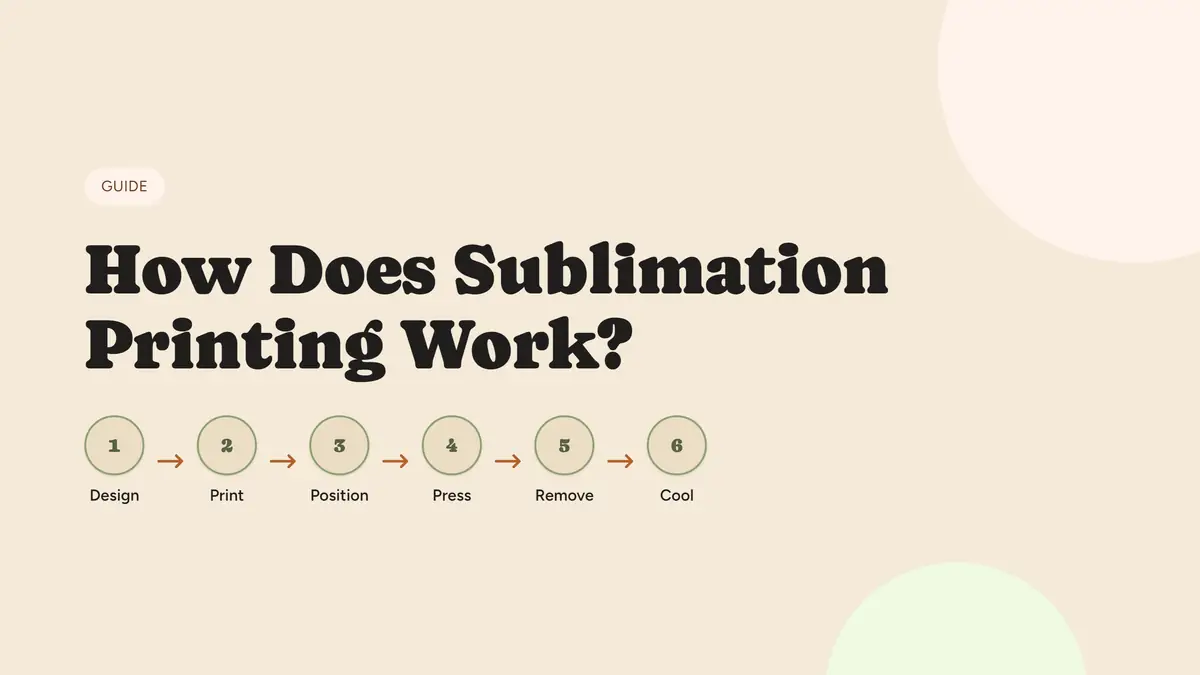
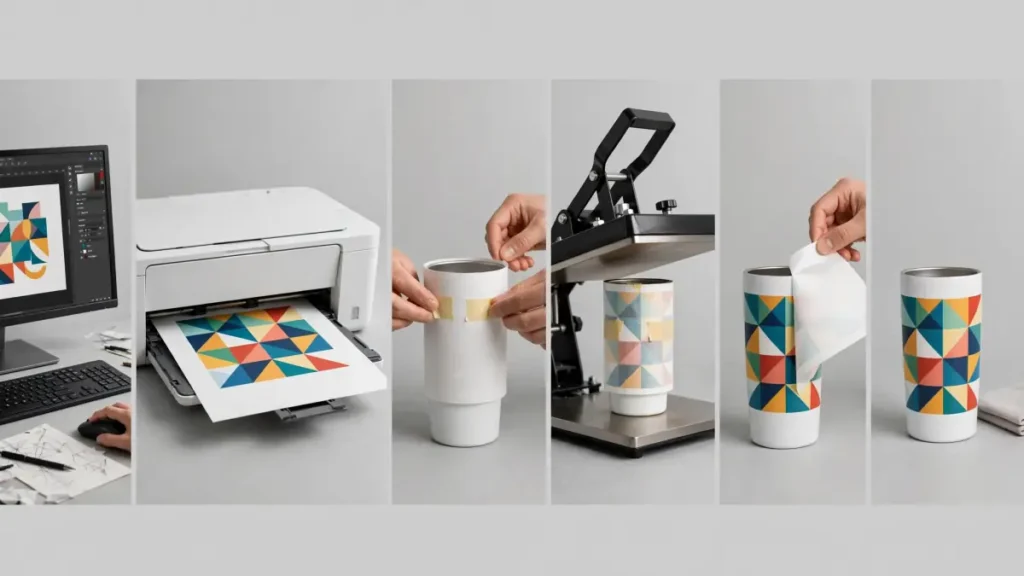
The basic workflow is Design → Print → Position → Press → Remove → Cool. Each step matters, but the full pressing procedure should follow the instructions for the exact blank and equipment you are using.
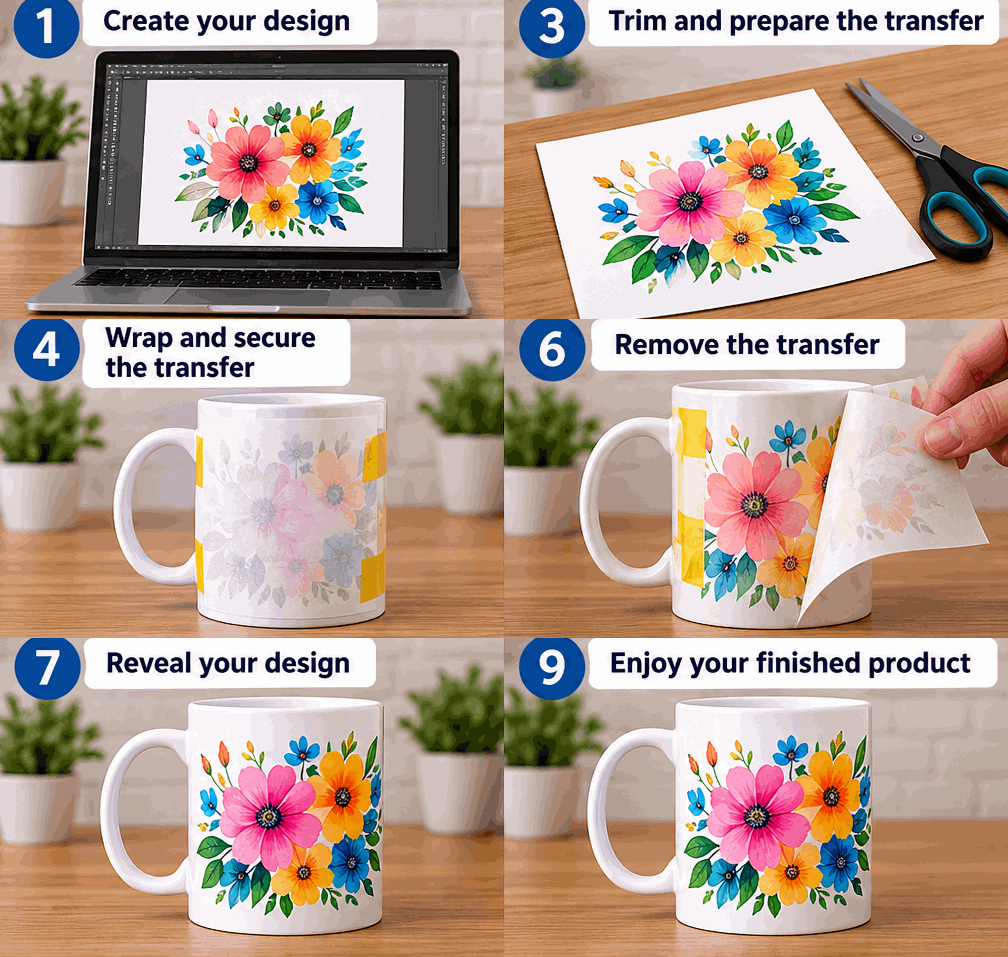
Watch a Sublimation Mug Go From Design to Finished Print
This animation shows the workflow visually: create the artwork, print the transfer, position it on a sublimation-ready mug, apply heat, and reveal the finished design. The exact pressing settings still depend on the mug and equipment manufacturer.
- Prepare the design. Size the artwork for the blank and mirror text or directional artwork when the transfer workflow requires it.
- Print with sublimation ink. Use a compatible printer, sublimation ink, and the transfer media required by your workflow.
- Position the transfer. Align the printed design with the sublimation-ready surface and secure it when movement could cause ghosting.
- Apply heat, time, and pressure. Use the blank manufacturer’s instructions as the starting point instead of one universal setting.
- Remove the transfer correctly. Follow the recommended peel or removal method and avoid sliding the paper across the hot surface.
- Cool and inspect. Check color, alignment, edge sharpness, missed areas, and ghosting before changing any settings.
For the full production workflow, use the step-by-step sublimation process guide.
What Materials Work With Sublimation?
Standard direct sublimation works best with polyester and products manufactured with a compatible polymer coating. Material choice has a major effect on color strength and whether the transfer works at all.
| Material | Direct Sublimation? | What to Know |
|---|---|---|
| 100% polyester fabric | Yes | Strong choice for bright transfers |
| Polyester blends | Partial | Lower polyester content usually gives a softer or more faded appearance |
| Sublimation-ready ceramic | Yes | Requires a compatible coating |
| Sublimation aluminum | Yes | Uses a sublimation-ready polymer-coated surface |
| Coated hardboard | Yes | Must be manufactured or prepared for sublimation |
| Sublimation-ready tumbler | Yes | Requires a compatible coating |
| Cotton | No | Natural cotton does not directly accept sublimation dye like polyester |
| Uncoated metal | No | Requires a compatible coating or another decoration method |
| Uncoated ceramic | No | Requires a compatible coating |
| Dark polyester | Limited | The dye is transparent and does not provide a normal white underbase |
Why Polyester Works Better
Sublimation dye is suited to polyester-based materials. Higher polyester content generally allows more of the transferred dye to be retained, while lower-polyester blends can produce a deliberately softer appearance.
What About Cotton?
Standard direct sublimation is not designed to dye cotton fibers. Cotton-focused products marketed for sublimation usually add another compatible coating, film, transfer material, or polyester-containing layer. That is a different workflow from direct sublimation onto polyester.
Check the sublimation material guide when you are unsure whether a fabric or hard blank is compatible.
What Equipment Do You Need for Sublimation?
A basic setup is small, but every part must fit the same workflow. The printer, ink, paper, heat equipment, and blank should all be suitable for sublimation.
| Equipment | Purpose |
|---|---|
| Sublimation printer | Prints the transfer design |
| Sublimation ink | Supplies heat-activated dye |
| Sublimation paper | Carries the printed design for transfer |
| Heat equipment | Applies controlled heat and pressure where required |
| Sublimation blank | Receives the transferred dye |
| Heat-resistant tape | Helps prevent transfer movement |
| Protective paper | Helps protect the press and product |
| Design software | Prepares and sizes artwork |
A printer can be purpose-built for dye sublimation or, in some workflows, a compatible inkjet can be dedicated to third-party sublimation ink. Those are not the same support path. Read what kind of printer is needed for sublimation before choosing one.
Sublimation ink is also different from ordinary inkjet ink. Regular desktop ink is not a substitute for a sublimation transfer workflow, and switching an existing printer between ink types can create contamination and color problems.
Do You Need a Cricut for Sublimation?
No. A Cricut cutting machine is not required for a standard printer-based sublimation transfer. You can prepare artwork in many graphics programs, print it with a sublimation printer, and press it without using a cutting machine.
Cricut can still fit some craft workflows. Design Space can be used to prepare or size artwork, and Cricut’s Infusible Ink products use sublimation principles on compatible blanks. A Cricut machine does not replace the sublimation printer used for a normal printed transfer.
For Cricut-specific workflows, see sublimation with Cricut.
Sublimation vs Other Printing Methods
Sublimation is one decoration method among several. Material, design, garment color, production volume, and the desired surface feel all affect which process fits a project.
| Method | Where the Design Ends Up | Common Material Fit | Dark Shirts | Full-Color Designs |
|---|---|---|---|---|
| Sublimation | Dye transfers into compatible material | Polyester, coated blanks | Limited | Yes |
| HTV | Film sits on the surface | Many fabrics | Yes | Depends on the vinyl/process |
| DTF | Printed transfer layer bonds to the surface | Many fabrics | Yes | Yes |
| Screen printing | Ink is applied to the fabric surface | Cotton, blends, and other suitable textiles | Yes | Yes, with process-dependent setup |
Sublimation is a strong fit for detailed artwork, photographs, gradients, polyester sportswear, and compatible drinkware. Another method may be a better choice for dark cotton garments, uncoated products, heat-sensitive materials, or designs that need an opaque white layer.
The sublimation vs heat transfer comparison explains the tradeoffs in more detail.
What Can You Make With Sublimation?
The useful product range is broad once material compatibility is confirmed. Common categories include apparel, drinkware, and coated home or gift products.
- Apparel: polyester shirts, jerseys, hoodies, socks, tote bags, and uniforms
- Drinkware: sublimation-ready mugs, tumblers, travel cups, and other coated drinkware
- Home and gift products: coasters, ornaments, photo panels, signs, pillow covers, keychains, and name tags
A normal-looking mug or metal panel is not automatically suitable. Confirm that the product is manufactured or coated for sublimation before pressing it. For project ideas, see what you can make with sublimation.
Advantages and Limitations of Sublimation
Sublimation can produce detailed, lightweight decoration on compatible materials, but it is not the right process for every substrate or product.
Advantages
- Detailed color reproduction: photos, gradients, and complex artwork can be transferred without separating every color into individual vinyl layers.
- Soft feel on polyester: the transferred dye does not create a thick vinyl-style surface layer.
- No vinyl-style peeling: a properly sublimated polyester design is not an adhesive film sitting on top of the fabric.
- Multiple product types: the same general process can decorate compatible apparel and polymer-coated hard goods.
Limitations
- Material restrictions: polyester and compatible polymer coatings are central to standard sublimation.
- Dark garments are difficult: sublimation dye is transparent, so the background color affects the design.
- No standard white underbase: white areas usually depend on the blank itself being white or light colored.
- Special supplies are required: regular desktop ink and ordinary blanks cannot simply replace sublimation-compatible materials.
- Press settings vary: temperature, time, pressure, orientation, and removal method depend on the product and manufacturer.
Use the blank manufacturer’s instructions as your starting point. One setting should not be treated as universal for shirts, mugs, tumblers, ceramic, and coated metal.
Common Sublimation Mistakes Beginners Can Avoid
Most early problems come from mismatched materials or an inconsistent workflow. A short checklist prevents many wasted blanks.
- Using regular printer ink instead of sublimation ink
- Pressing a blank that is not made or coated for sublimation
- Expecting standard direct sublimation to dye cotton like polyester
- Forgetting to mirror text or directional artwork when the workflow requires it
- Allowing the transfer to move and create ghosting
- Guessing heat settings instead of checking the blank instructions
- Changing several troubleshooting variables at the same time
If a result is wrong, record the settings and change one variable at a time. That makes it easier to identify whether the problem comes from the printer, color workflow, material, alignment, pressure, time, or temperature.
Sublimation Beginner Quick Reference
Save this checklist before setting up a transfer. It keeps the most important compatibility and process checks in one place.
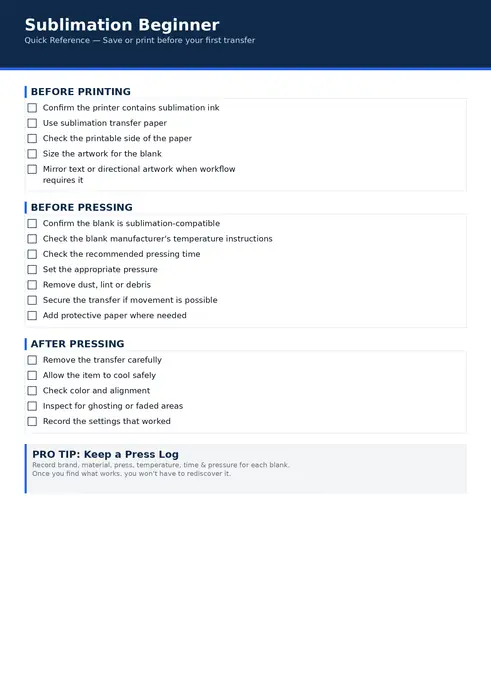
Before Printing
- ☐ Confirm the printer contains sublimation ink
- ☐ Use the transfer media required by your sublimation workflow
- ☐ Check the printable side of the paper
- ☐ Size the artwork for the blank
- ☐ Mirror text or directional artwork when required
Before Pressing
- ☐ Confirm the blank is sublimation-compatible
- ☐ Check the blank manufacturer’s temperature and time instructions
- ☐ Set the recommended pressure
- ☐ Remove dust, lint, or debris
- ☐ Secure the transfer if movement is possible
- ☐ Add protective paper where the workflow requires it
After Pressing
- ☐ Remove the transfer according to the product instructions
- ☐ Allow the item to cool safely
- ☐ Check color and alignment
- ☐ Inspect for ghosting, fading, or missed areas
- ☐ Record the settings that worked
Frequently Asked Questions
What is sublimation printing?
Sublimation printing is a heat-transfer method that uses special dye to decorate polyester fabrics and polymer-coated products. Heat transfers the dye from the printed carrier into the compatible material.
What materials can you sublimate?
Standard direct sublimation works best with polyester fabric and hard products made or coated for sublimation. Cotton, uncoated metal, and ordinary ceramic do not accept the dye the same way without another compatible layer or coating.
Can you sublimate directly on cotton?
No, not with the same direct process used on polyester. Cotton-focused sublimation workflows normally add a compatible coating, film, transfer layer, or polyester-containing surface for the dye.
Do you need a special printer for sublimation?
You need either a purpose-built dye-sublimation printer or a compatible printer dedicated to a suitable sublimation-ink workflow. A normal printer filled with ordinary ink will not produce a standard sublimation transfer.
Why does sublimation ink look dull before pressing?
The transfer paper is only carrying the printed dye. The final appearance develops during the heat-transfer stage, so judging finished color only from the unpressed paper can be misleading.
Do you need a Cricut for sublimation?
No. A printer-based sublimation setup can work without a Cricut. A Cricut can help with some design and craft workflows, but it does not replace the printer, sublimation ink, compatible blank, and heat equipment.
Start With Material Compatibility
The most important beginner decision is not the temperature. It is choosing a material that can receive sublimation dye. Confirm the fabric contains enough polyester or that the hard product is manufactured for sublimation, then follow the instructions for that specific blank.
Once compatibility is correct, printer setup, color management, alignment, heat, time, and pressure become much easier to troubleshoot in a controlled way.


40 Comments