
White Sublimation Printer Explained: Why It Doesn’t Exist

Many people search for a “white sublimation printer” because they want to print white designs on dark shirts or colored products.
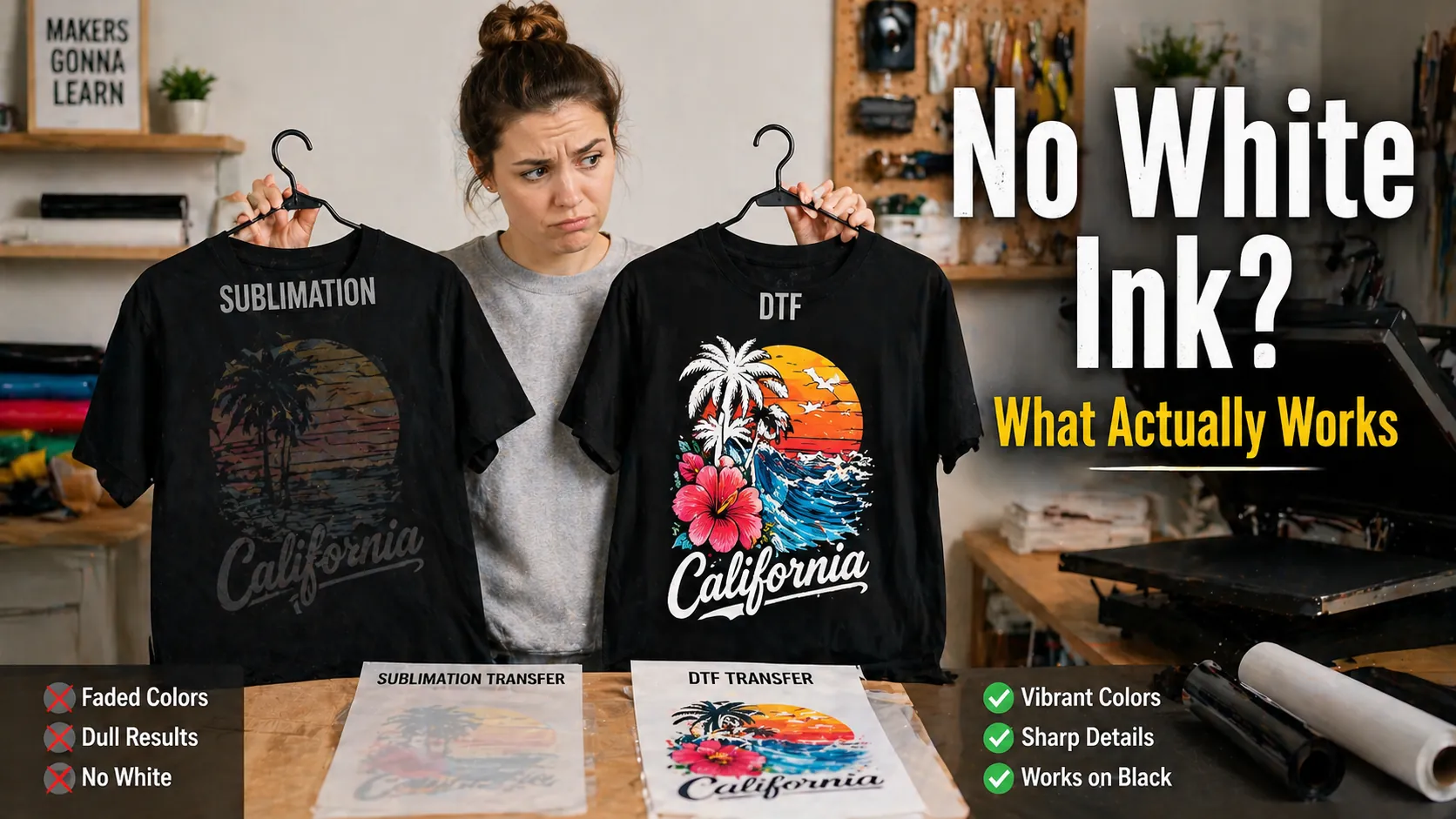
The truth is simple: a white sublimation printer does not exist.
Sublimation ink is transparent, which means it cannot create white. This misunderstanding leads many beginners to buy the wrong equipment or expect results that aren’t possible.
In this guide, you’ll learn why sublimation can’t print white, what people actually mean when they search for it, and the best alternatives that work in real production.
Can a Sublimation Printer Print White?
No, a sublimation printer cannot print white because the ink is transparent and depends on the base color of the material.
Why Sublimation Ink Cannot Produce White
Sublimation printing works through heat transfer. The ink turns into gas and bonds directly with polyester fibers or coated surfaces.
Because of this process:
- The ink has no opacity
- White areas are left unprinted
- The material itself provides the white color
This is why sublimation works best on:
- White polyester fabrics
- Light-colored garments
- Polymer-coated blanks
If you’re still learning the basics, this guide on what sublimation printing is explains the full process clearly.
What People Really Mean by “White Sublimation Printer”
Most people are not actually looking for a new type of printer.
They’re trying to solve a specific problem:
How do I print white designs on dark materials?
Common situations include:
- Black t-shirts
- Dark hoodies
- Colored fabrics
- Non-white blanks
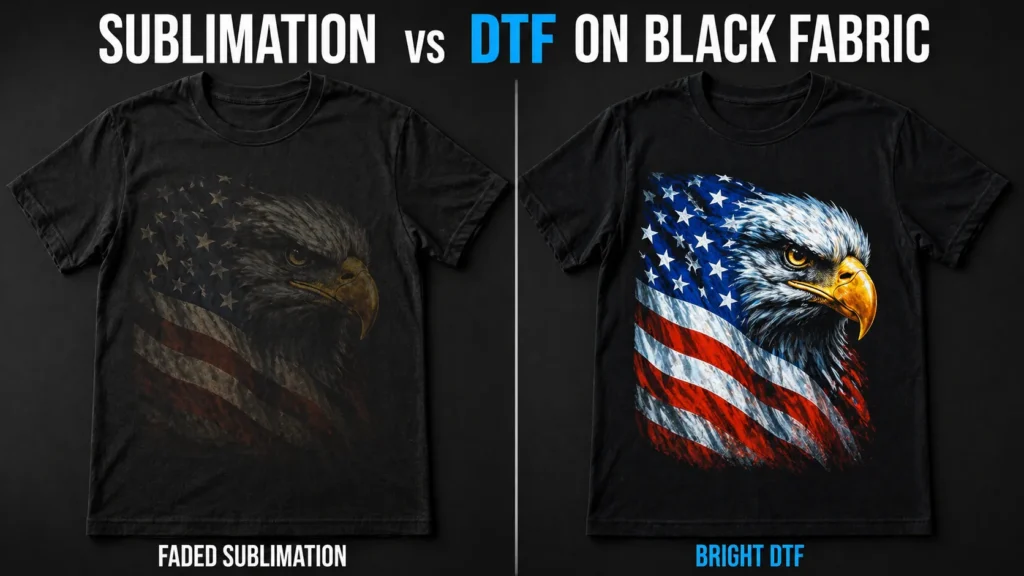
Sublimation struggles here because:
- Dark colors absorb the ink
- There is no white ink layer
- Designs lose visibility
Understanding how sublimation printing works helps prevent this confusion early.undle – T-Shirt Transfer Printer with White Ink Circulatory System
Best Ways to Print White on Dark Materials
If your goal is to print white or bright designs on dark surfaces, you need a different method.
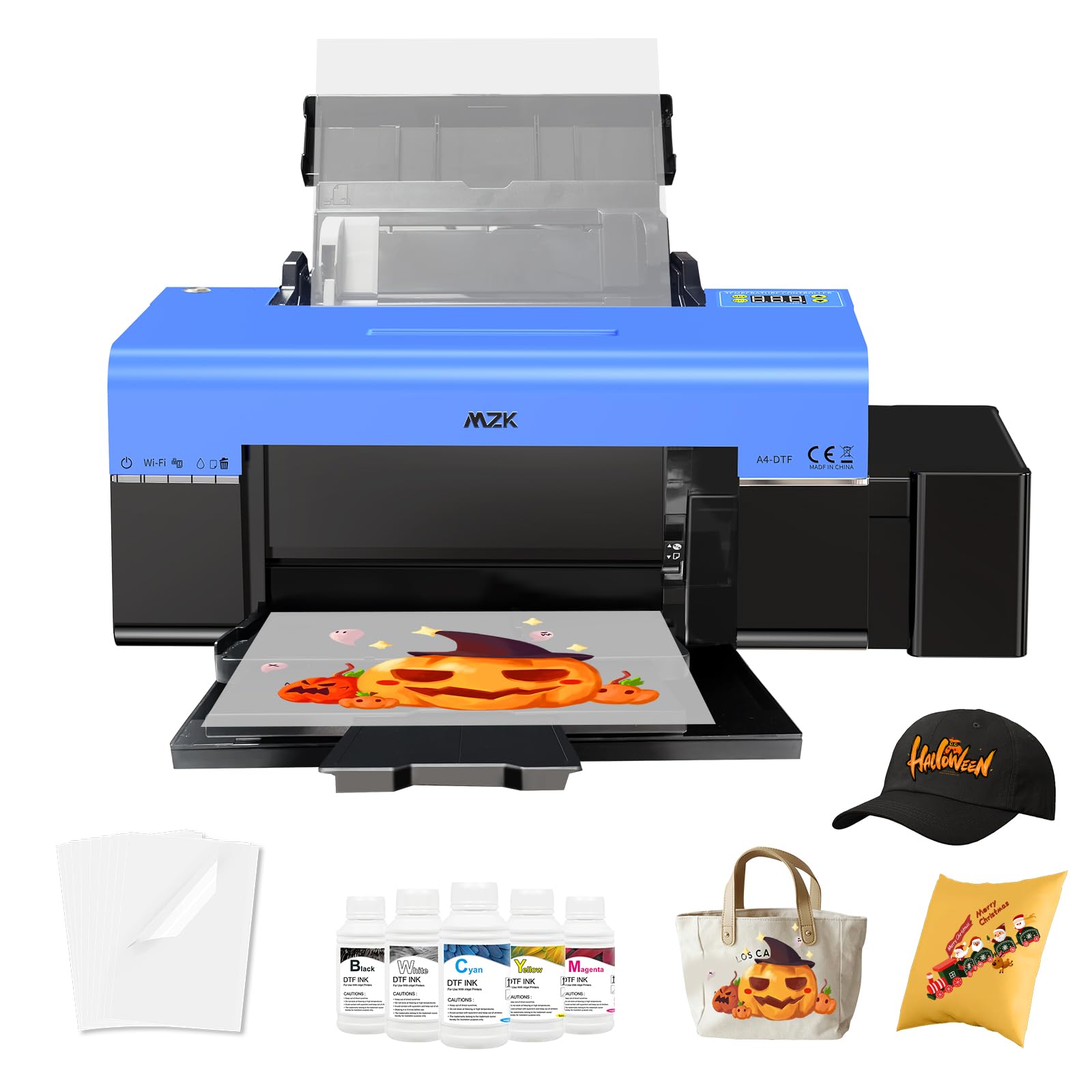
DTF Printing (Most Popular Solution)
DTF (Direct-to-Film) printing uses CMYK plus white ink printed onto a transfer film, then heat pressed onto fabric.
Why it works:
- Prints solid white ink
- Works on cotton, polyester, and blends
- No special coating required
This is the most practical upgrade for small businesses expanding beyond sublimation.
Learn more in this breakdown of DTF vs sublimation printing.
White Toner Printers (Alternative Option)
White toner printers use laser printing technology with white toner instead of liquid ink.
They are:
- More expensive upfront
- Ideal for transfer-based workflows
- Useful for small production runs
They are often confused with sublimation but operate differently.
Sublimation HTV (Beginner Workaround)
Sublimation HTV uses a white vinyl base that allows sublimation ink to appear on dark fabrics.
Best for:
- Small projects
- Beginners testing designs
- Occasional use
Trade-offs:
- Adds an extra step
- Leaves a slight vinyl feel
- Slower for scaling
White-Coated Sublimation Blanks
Some products already include a white coating, which allows sublimation to work properly.
Examples:
- Mugs
- Metal panels
- Ceramic items
This is why sublimation produces vibrant results on these materials.
Explore more in this sublimation blanks and substrates guide.
How to Print White Designs on Dark Shirts
Printing white on dark shirts requires a method that uses opaque white ink or a white base layer, because sublimation alone cannot produce white.
Here’s the simplest workflow you can follow.
Step 1: Choose the Right Printing Method
Start by selecting a method that can actually produce white:
- DTF printing for full white ink capability on any fabric
- White toner printers for transfer-based designs
- Sublimation HTV as a beginner-friendly workaround
If you’re unsure which fits your setup, this comparison of DTF vs sublimation printing explains the differences clearly.
Step 2: Prepare Your Design File
Make sure your design is set up correctly:
- Use high-resolution PNG files with transparent backgrounds
- Keep white areas clearly defined
- Mirror the design if required by your transfer method
This step matters because white layers must be printed intentionally, not assumed.
Step 3: Print Using the Correct Setup
Each method works differently:
- DTF: Print CMYK + white ink onto transfer film
- White toner: Print design onto transfer paper using toner system
- HTV: Print sublimation design onto white vinyl
Incorrect setup here leads to faded or missing white areas.
Step 4: Apply with Proper Heat Press Settings
Use the correct heat press settings based on your material:
- Temperature: typically 300–320°F
- Pressure: medium to firm
- Time: 10–20 seconds depending on method
For precise settings, follow a proper heat press temperature for sublimation guide.
Step 5: Test Before Full Production
Always test before scaling:
- Check color vibrancy
- Confirm white coverage
- Inspect adhesion and durability
This prevents wasted materials and ensures consistent results.
Pro Tip
If your goal is consistent white printing on dark fabrics, DTF is the most reliable long-term solution, while sublimation should be reserved for light or white materials.
Sublimation vs DTF vs White Toner (Quick Comparison)
| Method | Prints White | Works on Dark Fabric | Best Use Case |
|---|---|---|---|
| Sublimation | No | No | Light polyester items |
| DTF | Yes | Yes | Apparel and custom products |
| White Toner | Yes | Yes | Specialty transfers |
When You Should Switch from Sublimation
You don’t need to replace sublimation completely.
But you should consider adding another method if:
- You want to print on black or dark shirts
- Customers request white designs
- You’re turning down orders
- You want more product flexibility
Most small print businesses start with sublimation and expand when they reach these limits.
Common Mistakes Beginners Make
These issues often come from misunderstanding the process:
- Expecting sublimation to print white
- Using dark fabrics without alternatives
- Choosing the wrong material
- Ignoring compatibility requirements
If your prints look dull or incorrect, review this guide on common sublimation printing problems.
Practical Tips for Better Results
- Match your printing method to your material
- Use correct heat press settings
- Test designs before production
- Stick to light-colored blanks for sublimation
- Add DTF or HTV when needed
Frequently Asked Questions
Is there a sublimation printer that prints white?
No, there is no sublimation printer that can print white. Sublimation ink is transparent and relies on the material color.
What is a sublimation printer used for?
A sublimation printer is used to transfer full-color designs onto polyester fabrics and coated surfaces using heat and ink vaporization.
What are the downsides of sublimation?
Sublimation cannot print white, does not work well on dark materials, and is limited to polyester or coated substrates.
Which is better, a Cricut or a sublimation printer?
They serve different purposes. Cricut machines cut materials like vinyl, while sublimation printers produce full-color heat transfers.
Quick Recap
There is no such thing as a white sublimation printer.
Sublimation works by transferring transparent ink onto light-colored materials, which means it cannot produce white.
If you need white designs on dark fabrics, your best options are:
- DTF printing
- White toner printers
- Sublimation HTV for small projects
Understanding this early helps you avoid costly mistakes and build a workflow that actually works with Subli Genius Print.
Professional Sublimation Printing & Wholesale Custom Products
Looking for high-quality sublimation printing for apparel, drinkware, and promotional items? Subli Genius Print delivers vibrant color, sharp detail, and long-lasting results for businesses, brands, and resellers across the U.S.




3 Comments