DTF Transfer Cost Calculator: Ink, Film, Powder & Profit

An order for 50 DTF transfers looks profitable until you count the sheet that misprinted, the white ink consumed, and the time spent setting up the printer. A quote based on film cost alone can miss most of the actual expense.
Use this DTF transfer cost calculator to estimate the total cost of producing a specific order, the cost for each good transfer delivered, and a selling price based on your target margin. Enter your own ink consumption, film length, powder use, labor, waste allowance, and overhead. The calculator uses no assumed supplier prices.
This is for producing DTF transfers, not the cost of buying shirts or applying transfers to garments. If you sell decorated apparel, add garment, pressing, packing, fulfillment, and other garment-order costs in your separate apparel quote.
Use the Free DTF Transfer Cost Calculator
Enter your own shop’s figures. Asterisks mark required fields. Optional costs left blank are treated as zero. No figures are sent to a server by this calculator.
Your transfer-only quote
Enter your figures to begin.
Itemized job cost
| Cost | Per order | Per good transfer |
|---|
Transfer-only estimate. No garment, heat-press application labor, sales tax, customer shipping, or unentered business costs are included. A modeled scrap rate does not guarantee the actual number of reprints. The calculated suggested price is rounded up to cents.
Start with an actual order. Enter how many good transfers the customer expects, then use production records and supplier invoices to fill in the costs. If you have not measured ink or powder consumption, leave the final quote on hold until you have a defensible estimate.
The Load example button demonstrates the math using invented practice figures. It is not a price survey or a recommended price list. Replace every example number before quoting a customer.
What Does One DTF Transfer Cost to Make?
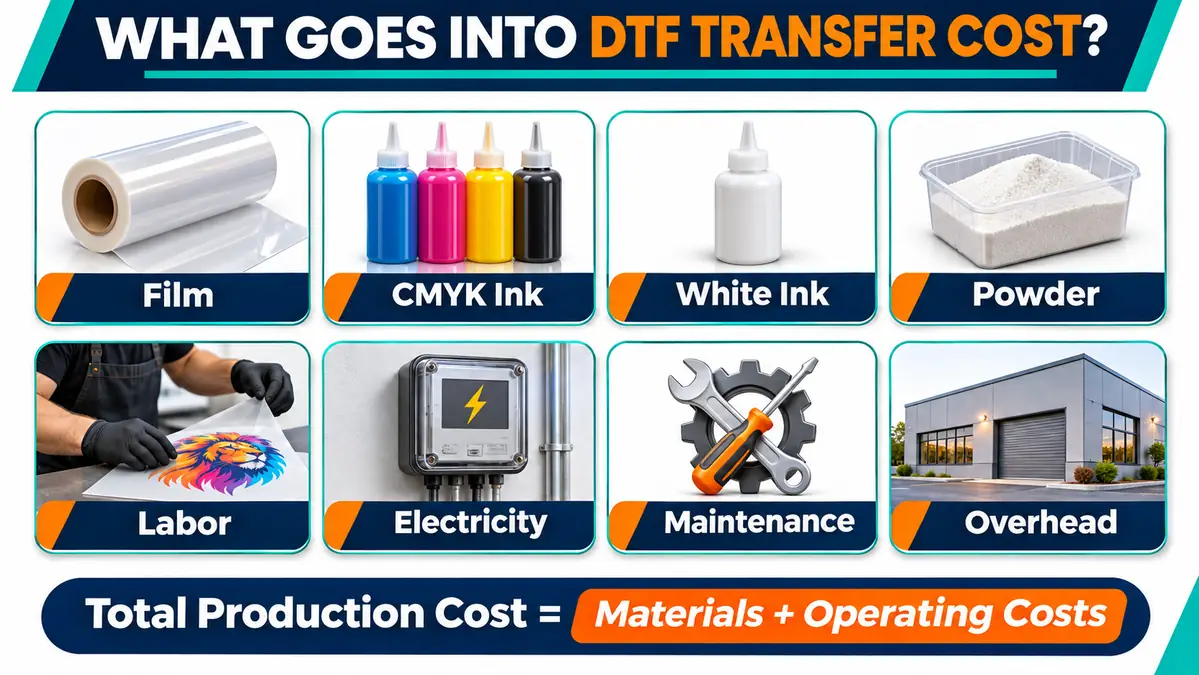
The useful number for quoting is total production cost divided by good transfers delivered. It includes the cost of unsuccessful attempts when your process has a realistic scrap rate.
| Cost level | Included | What it tells you |
|---|---|---|
| Materials only | DTF film, CMYK ink, white ink, adhesive powder | Consumables used by attempted prints |
| Direct production | Materials, hands-on labor, electricity, order packing | What the job directly consumes |
| Fully loaded | Direct production, maintenance reserve, allocated overhead | A more useful basis for your selling price |
Formula: cost per good transfer = total order production cost ÷ number of good transfers required.
Say a job costs $35.68 to produce and yields 50 good transfers. The cost is about $0.71 per delivered transfer. These numbers are a hypothetical example used to explain the calculator, not an observed industry average. The tool below calculates using your actual entries rather than these example figures.
Account for spoiled or reprinted transfers
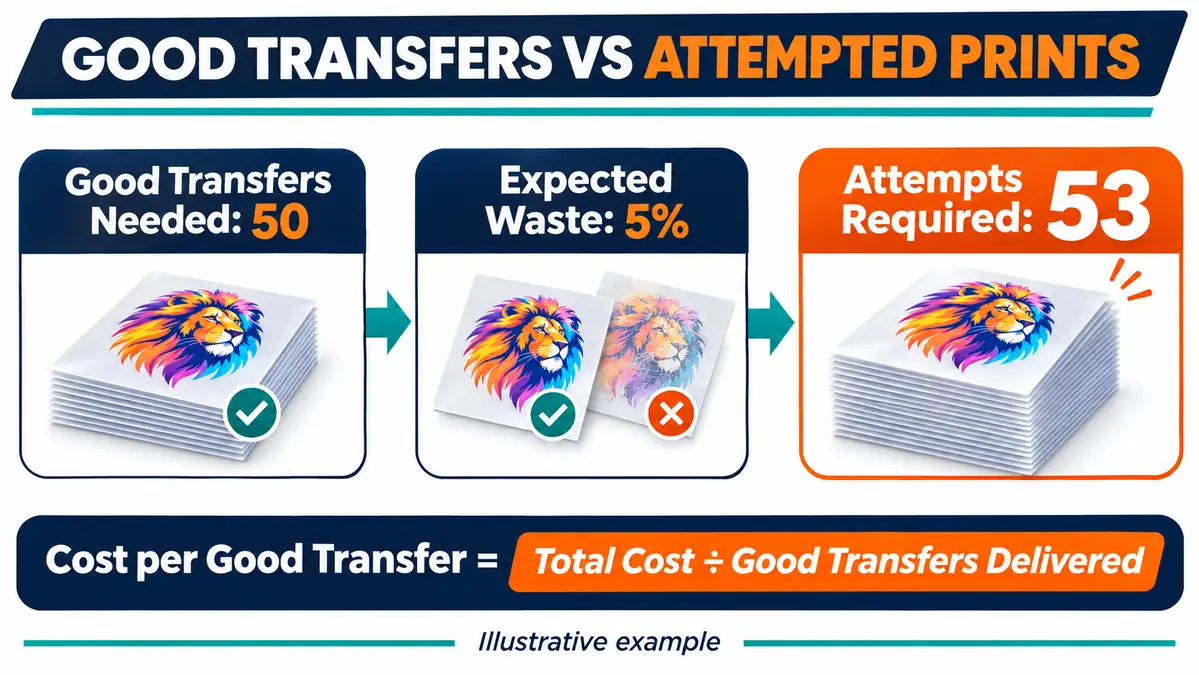
The waste field is an estimated failure rate per attempt, not extra artwork space or film trimming. For 50 good transfers at an assumed 5% failure rate, the planning model rounds up to 53 attempts:
attempts = round up(good quantity ÷ (1 − failure rate))
That means the model purchases materials for 53 attempts but divides the finished job cost by 50 accepted transfers. A 5% historical failure rate is a planning assumption, not a promise that exactly three transfers will fail. Use your shop records to choose the rate.
Film gaps and trimming are a separate issue. They belong in the allocated film length per attempt, not the failure-rate field.
Calculate DTF Ink, Film, and Powder Costs
The calculator asks for quantities per attempted transfer, with prices in USD. Keeping those units consistent prevents errors that are easy to miss in a spreadsheet.
| Material | Quantity to enter | Cost calculation |
|---|---|---|
| DTF film | Linear inches allocated to one transfer | (Inches ÷ 12) × film price per linear foot |
| CMYK ink | mL used for one transfer | CMYK mL × CMYK cost per mL |
| White ink | mL used for one transfer | White mL × white-ink cost per mL |
| Adhesive powder | Grams consumed per transfer | Grams × powder cost per gram |
Film cost is not just printed square inches
Film is often sold by the roll, while a gang-sheet layout may fit several graphics across its width. This calculator deliberately does not try to recreate the sheet-layout tool.
Instead, enter the amount of roll length charged to one attempted transfer. For example, if a 12-inch-long row contains three equal transfers, allocate 4 linear inches to each before adding any extra roll length that the job actually consumed. The film rate must be the price for a linear foot of that same roll width. Include the supplier’s shipping in the roll cost if your accounting policy treats it as material cost.
Do not multiply the film inches by transfer width again. That would charge the width twice. For mixed-size artwork, work out the allocation from your actual layout and then enter its per-transfer average here.
Keep white and CMYK ink separate
White underbases and full-color artwork do not consume ink at the same rate. Record each channel separately if your RIP or printer provides reliable job-level consumption information. Otherwise, run a known-size production sample and document the supplier-approved measurement method before setting standard costs.
Do not use a universal ink-per-square-inch figure. Epson notes that actual DTF ink use varies with images, print settings, media, operating conditions, and maintenance. Ink used for printer maintenance also needs an allowance in your operating costs. Source: Epson SureColor G6070 ink information.
For ink and powder bought by the liter, kilogram, or pound, convert the price to the units in the form. For example, a powder invoice expressed per kilogram can be divided by 1,000 to obtain a cost per gram. Use the net purchased quantity and your actual invoice total; never mix ounces and grams in the same field.
Add Labor, Electricity, Maintenance, and Waste
Material cost is only one part of a production quote. A low-cost transfer can still lose money if the batch needs a long setup or an unusual amount of intervention.
Measure hands-on labor, not unattended machine time
Enter the setup minutes once per order. Then enter the hands-on minutes per attempted transfer for steps your worker actually performs, such as loading, inspection, powder handling, sorting, and trimming. The calculator multiplies those minutes by the hourly labor rate.
Do not enter the whole dryer run as employee labor if the operator is doing other paid work during that period. Record equipment running time separately for electricity.
Allocate power and shop costs without double counting
For electricity, use your measured or supported average equipment draw in kilowatts, the powered hours assigned to the order, and your electricity cost per kilowatt-hour. The model uses kW × hours × $/kWh.
The maintenance reserve and overhead fields are dollars per order. Use them for documented allocations such as ink consumed during cleaning, periodic consumables, rent, or equipment recovery. If electricity or wages are already included in overhead, do not charge them again in the separate fields.
A reserve is an accounting estimate, not a claim that every job wears out a fixed fraction of a printhead. Use a consistent allocation based on your own expenses and throughput.
Set Your DTF Selling Price and Profit Margin
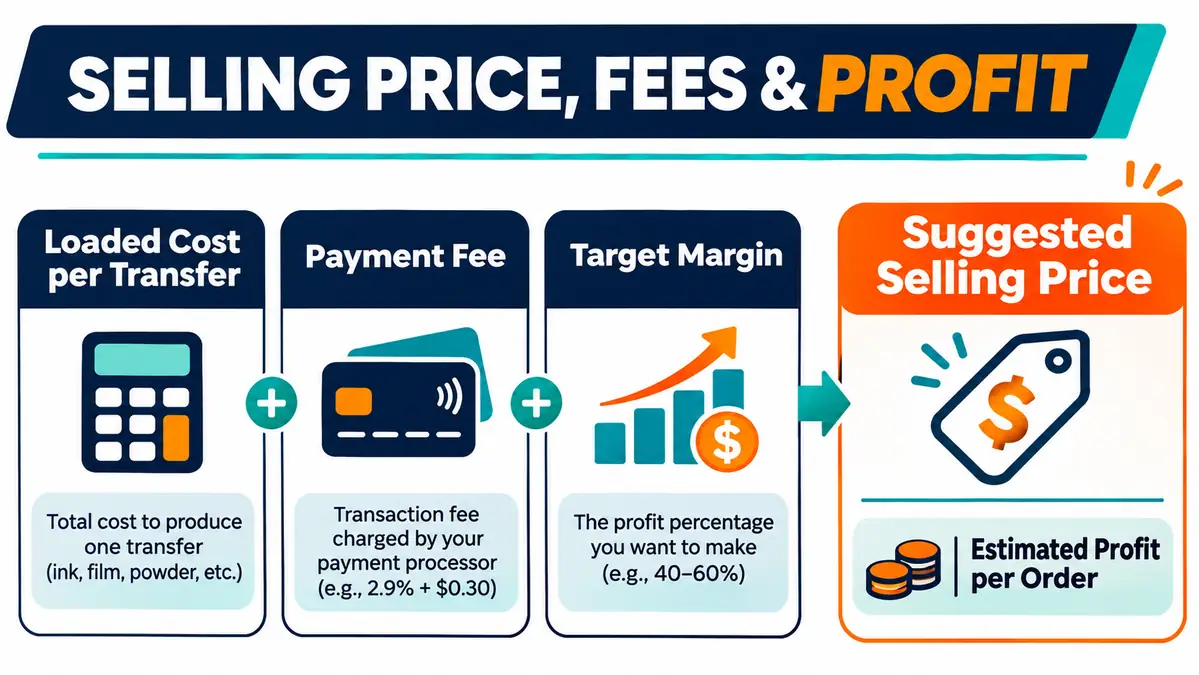
The suggested unit price is based on margin, not markup.
- Markup compares profit with cost. A 50% markup on $2.00 cost gives a $3.00 selling price.
- Margin compares profit with sales revenue. A $3.00 price on $2.00 cost gives a 33.3% margin before fees.
If you want a 35% margin on a $2.00 unit cost with no payment fee, the price is about $3.08, not $2.70.
The calculator also accepts an optional payment fee percentage on sales revenue. With that fee, the formula is:
minimum unit price = cost per good transfer ÷ (1 − target margin − payment fee rate)
It rounds the proposed price up to the next cent so normal rounding does not silently reduce the target margin. It reports both per-unit price and total estimated profit at that price. If margin plus fee rate reaches 100%, the formula has no valid finite price; the tool blocks that combination.
Taxes, customer-paid postage, discounts, refunds, and payment-provider fixed transaction charges are not automatically modeled. Add them to an appropriate cost or use your shop’s full checkout calculation when they apply. The result is a planning quote, not a guarantee of future profit.
Small Orders vs Bulk Orders: Why Unit Cost Changes
A small order may use little material but still require file checking, setup, and cleanup. Those fixed minutes are spread over fewer good transfers. Larger batches spread the same setup cost across more units, but only if the layout, throughput, and failure rate stay comparable.
| Factor | One-off or small order | Larger batch |
|---|---|---|
| Setup and calibration | Significant cost per transfer | Shared over more transfers |
| Film and ink | Based on actual attempt count | More predictable once measured |
| Scrap allowance | One failed print can dominate cost | Estimated from a longer production history |
| Handling | May require separate cutting and packing | Can improve with a repeatable batch process |
| Minimum order charge | Often useful when setup time is high | May matter less per piece |
Calculate more than one quantity before offering a volume discount. A lower selling price makes sense only when the saved setup and handling cost justifies it.
For repeat orders, keep the same job-cost fields in your print shop production checklist. A documented print shop workflow also helps keep material usage and labor measurements consistent between operators.
How to Improve DTF Profit Without Guessing
Start by recording the actual quantities behind the quote. A useful production log captures film length, printed attempts, accepted transfers, CMYK and white ink consumption if measurable, powder usage, operator minutes, and machine maintenance expenses.
Then compare estimated and actual job costs. If film is consistently higher than planned, inspect layout and trimming. If white ink is the variable that moves most, check RIP settings and production records before changing them. If labor exceeds the quote, record the step that took longer instead of hiding the difference in a higher material price.
A lower unit cost is not the only valid goal. Sometimes a safer operating margin comes from better minimum-order pricing, reducing unpriced setup work, or declining orders that require unusual handling.
If you are deciding whether the transfer process itself fits a product line, compare DTF and sublimation by material and workflow before buying equipment. That decision is separate from quoting a DTF transfer job.
DTF Transfer Pricing FAQs
What is a good profit margin for DTF transfers?
There is no reliable universal margin. Your minimum sustainable price depends on the equipment, consumable costs, labor, downtime, product quality, market, and business overhead. Use the calculator to test different targets against your own expenses, then compare the results with what customers will pay.
Does this calculator work for DTF gang sheets?
Yes, once you know the film length and material use allocated to each attempted transfer. It does not arrange designs or optimize nesting. If your sheet holds mixed designs, first calculate their allocated material use rather than assuming every image uses the same area.
How do I calculate DTF cost per square inch?
You can divide an actual job’s fully loaded cost by the total square inches of good printed designs. That is useful for historical comparisons, but it may not be fair for quoting different designs with different white-ink coverage, setup work, and film waste. Transfer-level costing is more reliable for a real quote.
Should I include maintenance in every DTF job quote?
If maintenance costs are part of producing transfers, they should be recovered somewhere in pricing. You might allocate them per job, per transfer, or through a monthly overhead rate. Use one consistent method and do not charge them twice. Epson confirms that DTF printers require maintenance even when some functions are automated: SureColor G6070 maintenance guidance.
How should I estimate ink usage when my RIP does not provide it?
Use documented supplier estimates as provisional inputs or measure representative jobs with a method suitable for your printer. Keep white ink separate from CMYK, and include ink spent on cleaning as a maintenance cost. Do not present unmeasured usage as a tested value.
Is the result a finished-shirt selling price?
No. It estimates a transfer-only quote. A finished-shirt order also needs the garment, pressing labor, pressing-related electricity, packing, order handling, potential returns, and any other applicable costs.
Keep the Numbers From Your Last Real Job
The first calculation establishes a defensible estimate. The next completed order tells you which assumptions were wrong. Save the calculator’s quote summary and compare it with actual usage after production.
That comparison is more useful than copying a competitor’s price because it shows exactly which cost you can control and which one must be included in your next DTF transfer quote.
Source notes
- Epson SureColor G6070 ink information: ink use changes with artwork, print settings, conditions, and maintenance.
- Epson SureColor G6070 maintenance FAQ: automatic maintenance does not remove all operator maintenance.