How to Reduce Print Shop Mistakes and Reprints

A single reprint rarely feels like a big deal on its own. Blanks, ink, labor, and a little extra press time get absorbed into the day and everyone moves on. The problem shows up later, when a shop adds up how many reprints happened over a month and realizes the cost was closer to a part time employee’s paycheck than a rounding error.
Most reprints trace back to a handful of preventable causes: a file that was never checked properly, a proof that got skipped during a busy week, or a miscommunication between the person who took the order and the person who produced it. None of these require expensive equipment to fix. They require a workflow that catches problems before they reach the press.
Quick Answer
Reducing print shop mistakes comes down to four things: checking files before they reach production, requiring a proof step on every order, building quality control checkpoints into the workflow, and creating a simple way for staff to flag recurring problems. Shops that struggle with reprints are usually missing one of these, not all of them.
Why Mistakes and Reprints Cost More Than Materials
The obvious cost of a reprint is the blank and the ink used the first time around. That part is easy to calculate. The harder costs to see are the ones that eat into a shop’s schedule and reputation.
A reprint means the job has to be produced twice, which pushes back everything scheduled after it. If the original order was a rush job, the second attempt often becomes one too. Staff spend time diagnosing what went wrong instead of moving on to the next order, and a customer who receives a delayed or incorrect item is less likely to reorder without asking questions first.
These costs multiply as order volume increases. A shop running five orders a day can absorb an occasional reprint without much disruption. A shop running fifty orders a day with the same error rate is losing a meaningful percentage of its production capacity to problems that could have been caught earlier.
Common Print Shop Mistakes That Lead to Reprints
Most reprints fall into a small number of categories. Recognizing the pattern is the first step toward preventing it.
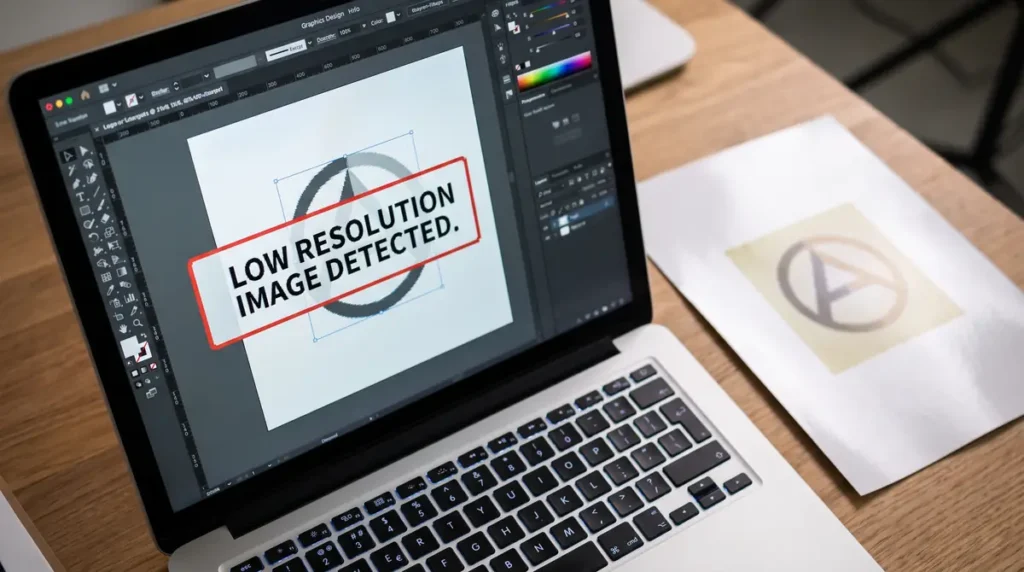
File and artwork problems. Wrong file formats, missing bleed, low resolution images, and fonts that were not embedded cause a large share of production errors. Files that look fine on a screen do not always translate correctly to a press, especially when a customer submits their own design.
Skipped or rushed proofing. A proof exists to catch problems before ink hits a blank. When a shop is behind schedule, this step is often the first one to get shortened or skipped entirely, which removes the one checkpoint most likely to catch a mistake.
Miscommunication between order intake and production. The person who talks to the customer and the person who runs the job are not always the same, and details can get lost between them. Color preferences, sizing notes, or special instructions written in an email thread do not always make it to the production floor.
Inconsistent settings or equipment calibration. Small equipment on the wrong file format can slow production or degrade print quality and lead to print mistakes. Sublimation shops in particular deal with temperature, pressure, and timing variables that drift over time if machines are not checked regularly.
No standardized checklist before a job goes to print. Without a consistent process, quality control depends on whoever happens to be working that shift, which produces inconsistent results.
If your shop deals with color accuracy issues specifically, a closer look at ICC profiles and color correction can help isolate whether the problem is coming from files, settings, or equipment.
Building a Prevention Focused Workflow
Fixing mistakes after they happen is expensive. Preventing them is cheaper and far less stressful for staff.
Start with a standard file submission checklist that customers and staff both follow. This should cover file format, resolution minimums, bleed requirements, and color mode. Sharing this checklist with customers upfront reduces the number of unusable files that make it into your queue in the first place.
Make proofing a mandatory step rather than an optional one, even on rush orders. A proof does not need to slow down production significantly. It needs to happen every time, without exception, so it becomes part of the process instead of a step someone decides to skip when things get busy.
Assign clear ownership for each stage of an order. When everyone assumes someone else will catch a problem, nobody actually checks. A documented print shop workflow that names who is responsible for file review, proofing, and final inspection removes that ambiguity.
Setting Up Quality Control Checkpoints
Quality control works best as a series of small checks rather than one inspection at the end.
Pre-production checks should confirm the file is correct, the color profile matches the substrate, and the order details match what the customer approved. This is the cheapest point to catch a problem, since nothing has been produced yet.
Mid-production checks matter most on larger runs. A test print or spot check partway through a batch can catch a drifting temperature setting or a color shift before an entire run comes out wrong.
Final inspection before packaging or pickup is the last opportunity to catch a mistake before it reaches the customer. This step should compare the finished product against the original order, not just check for obvious print defects.
Shops that produce a high volume of custom orders often find that organizing customer artwork files consistently makes each of these checkpoints faster and more reliable, since staff are not searching for the correct version of a file under time pressure.
Improving Communication Across Your Team
Many reprints are not technical failures. They happen because information did not travel from one person to the next.
Build a simple feedback loop that lets production staff flag issues back to sales or design without friction. If a printer notices a file problem repeatedly coming from the same source, that information should reach the person who can fix it at the source, not just get worked around each time.
Document recurring issues instead of solving them one at a time. A shop that fixes the same file problem five times in a month without addressing why it keeps happening is spending five times the effort it should. A short note in a shared log, even something as simple as a spreadsheet, can reveal patterns that are easy to miss day to day.
Make it easy for staff to flag a problem before it becomes a reprint. This might mean a quick message to a supervisor or a physical hold tag placed on a job. The goal is giving staff permission to pause a job when something looks wrong, rather than pushing it through because stopping feels disruptive.
Best Practices for Reducing Reprints Long Term
Reducing reprints is not a one time fix. It is a habit a shop builds and maintains as order volume changes.
Review reprint causes on a regular schedule, even if it is just once a month. Look for patterns rather than treating each reprint as an isolated event. If three reprints in a month all trace back to the same file issue, that points to a training gap or a missing checklist item, not bad luck.
Train new staff on the standardized workflow itself, not just how to operate the equipment. Someone can know how to run a heat press perfectly and still cause reprints if they were never shown the proofing and file review steps that come before it.
Track which types of jobs cause the most reprints. Complex multi color designs, rush orders, and first time customers often carry more risk than routine repeat orders. Knowing this lets a shop apply extra scrutiny where it actually matters instead of treating every job the same way.
For a broader look at how reprints and rework affect profit margins, it helps to see the numbers laid out against your actual production costs rather than estimating.
Frequently Asked Questions
What are the most common mistakes to avoid in printing projects?
The most common mistakes involve file preparation, including missing bleed, low resolution images, and fonts that are not embedded correctly. Skipped proofing steps and miscommunication about order details are close behind.
How do you manage a print shop to avoid errors?
Managing a print shop to avoid errors means building checkpoints into the workflow rather than relying on any single person to catch every mistake. Standardized file checklists, mandatory proofing, and clear ownership at each production stage all reduce the chance of an error reaching the customer.
What are the most common printing errors?
Common printing errors include incorrect color output, sizing mismatches, missing design elements, and files that were not formatted correctly for production. Equipment calibration issues, such as inconsistent heat press temperature, also contribute.
How do you fix a printing mistake after it happens?
Start by identifying whether the cause was the file, the settings, or a communication gap, since the fix depends on where the problem started. Document what went wrong so the same issue does not repeat, and correct the underlying process rather than only reprinting the individual order.
Conclusion
You do not need to overhaul your entire operation to see fewer reprints. Start with one change, such as making proofing mandatory on every order or building a simple file submission checklist, and give it a few weeks to show results. Once that step becomes routine, add the next checkpoint. Shops that reduce mistakes successfully tend to build the habit gradually rather than trying to fix everything at once.