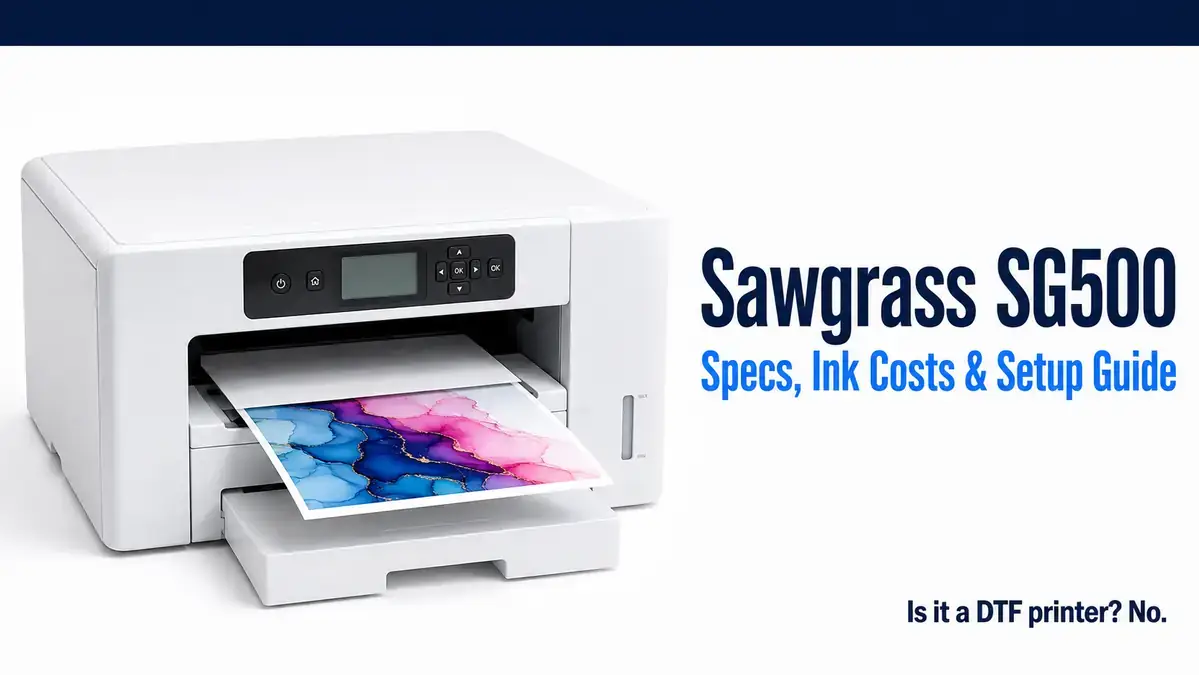
Sawgrass SG500: Specs, Ink Costs, and What You’re Actually Buying

Before you buy a Sawgrass SG500, you probably want three questions answered: what it actually costs to run, whether it connects wirelessly, and whether it’s the same machine as the SG1000 or something you’d be settling for. There’s also a common mix-up worth clearing up early: the SG500 is not a DTF printer.
This page covers the verified specs, real ink and setup costs, and how it stacks up against the SG1000 and the Epson F170, sourced directly from Sawgrass’s own documentation rather than repeating what other retailer pages copy from each other.
If you’re still weighing the SG500 against other Sawgrass models, our Sawgrass sublimation printer guide covers the full lineup.
What the SG500 actually is
The SG500 is a dedicated dye-sublimation printer. It is not a converted office inkjet, and it is not a DTF (direct-to-film) printer, even though both come up in searches around it.
Dye sublimation and DTF are different processes entirely. Sublimation ink transfers via heat directly into a polyester coating on the substrate itself, with no separate powder step and no white ink channel.
DTF printing uses a different ink set that includes white, prints onto a film, and requires a powder-adhesive step before heat pressing onto fabric.
The SG500 is built specifically for the sublimation process and cannot do DTF printing.
| Sawgrass SG500 | Epson F170 | |
|---|---|---|
| Ink system | Proprietary cartridges (SubliJet-UHD or VersiFlex) | T49M ink bottles |
| Bundled software | Print Utility, MySawgrass, DesignMate, Sawgrass Academy | None included |
| Typical starting price | Around $599 | $449.99 MSRP |
| Best fit for | Buyers who want a bundled business toolkit alongside the printer | Buyers who want the lowest-cost dedicated sublimation printer |
Full specifications
| Spec | Detail |
|---|---|
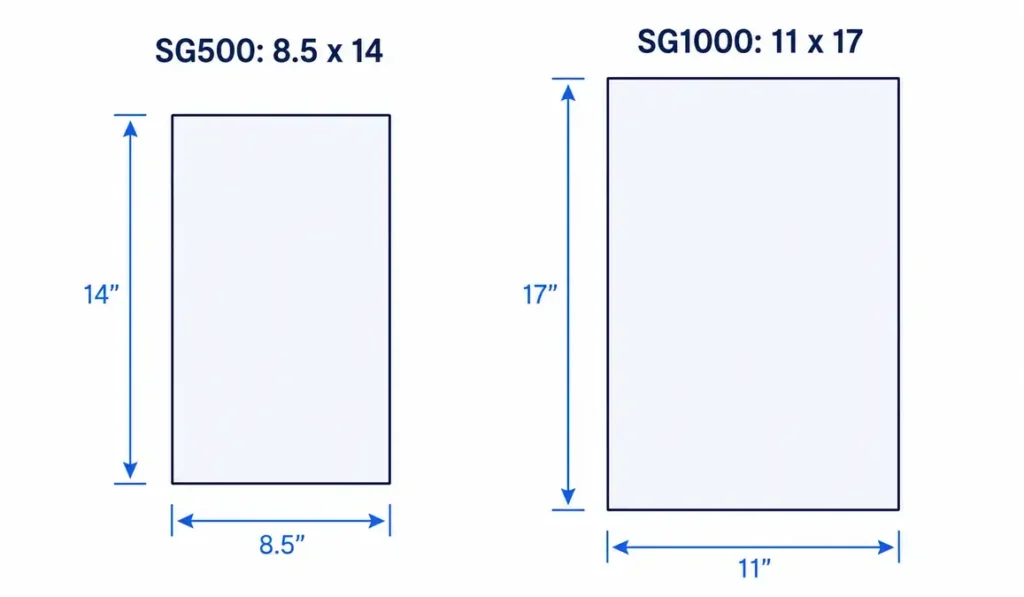
| Maximum standard media size | 8.5″ x 14″ (A4/Legal), optional bypass tray for longer media |
| Connectivity | Ethernet port, USB port, 2.4GHz Wi-Fi |
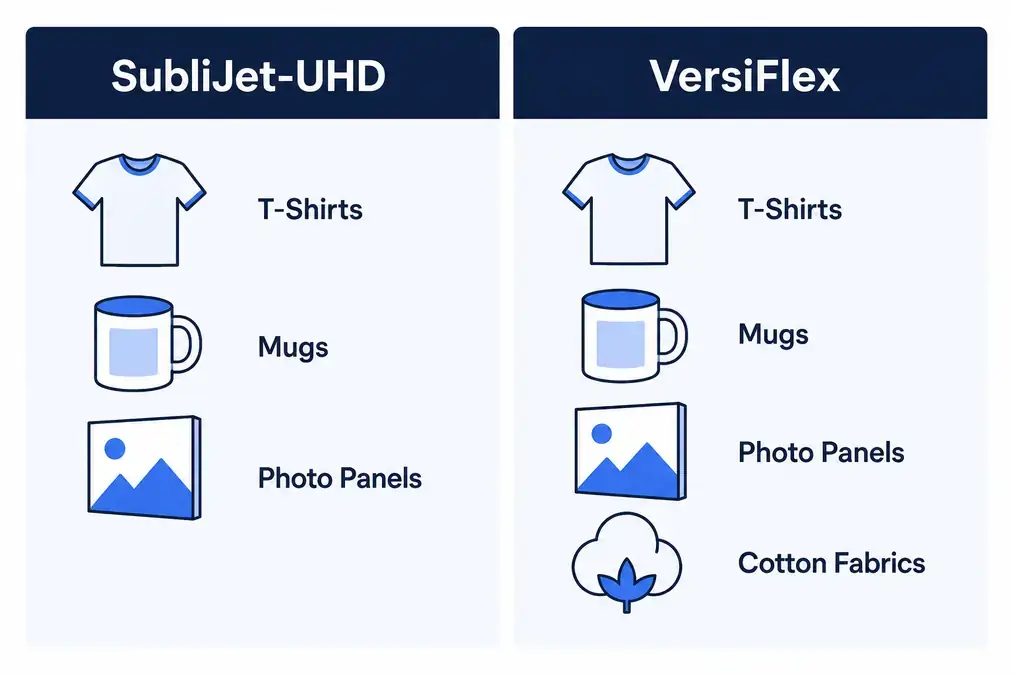
| Ink systems | SubliJet-UHD (standard) or VersiFlex (extends to cotton and natural fabrics) |
| Cartridge sizes (SG500) | 20 mL (Starter Install Kit) or 31 mL (Standard Install Kit). The 70 mL high-capacity cartridge exists but fits the SG1000 only. |
| High Speed print mode | 600 x 600 dpi, approximately 15 seconds |
| High Quality print mode | 600 x 600 dpi, approximately 29 seconds |
| Advanced Photo print mode | 1200 x 600 dpi, approximately 48 seconds |
| Ultra Fine Photo print mode | 4880 x 1200 dpi, approximately 6 minutes 40 seconds |
| Maintenance | Automatic maintenance cycling; printer should stay powered on to run it |
| System requirements | Windows 8 or Mac 10.13 or later, internet connection required during software installation |
| Bundled software | Print Utility (color management), MySawgrass (built-in selling platform), DesignMate (design tool), Sawgrass Academy (training) |
Worth knowing before you buy: printer sales are typically final and non-returnable across the authorized dealers we checked. This isn’t unique to Sawgrass, most dedicated sublimation printer sales work this way, but it’s worth confirming with your specific dealer before purchase rather than assuming a standard return window applies.
WiFi and connectivity setup
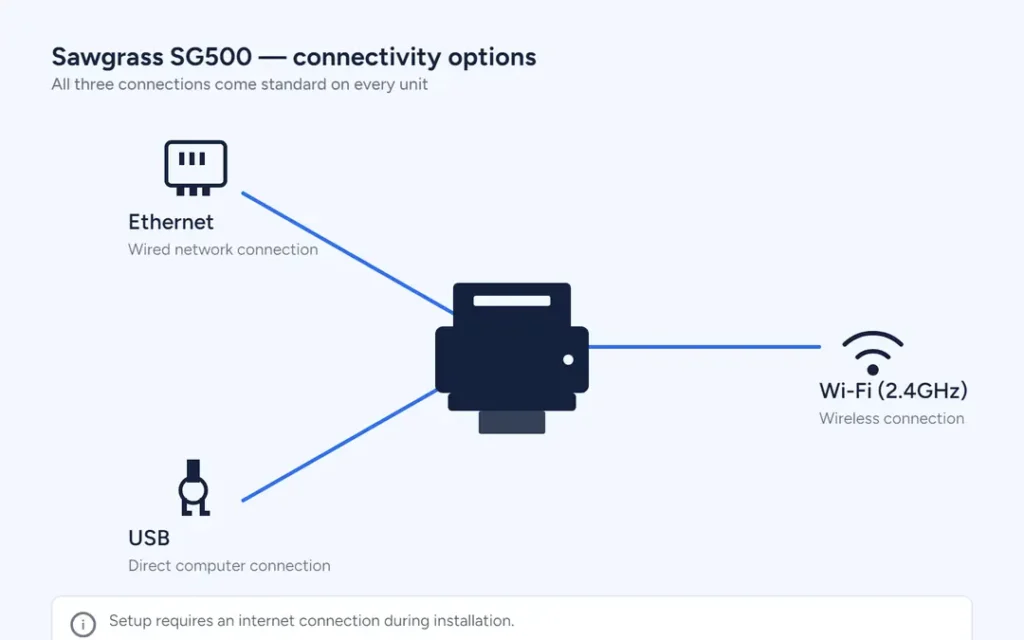
The SG500 ships with Ethernet, USB, and 2.4GHz Wi-Fi as standard, confirmed directly on Sawgrass’s own printer comparison page. You’re not choosing between a wired or wireless model, every SG500 has all three options built in.
Setup is software-driven through Sawgrass’s own installer, and an internet connection is required during that installation process regardless of whether you plan to print wirelessly afterward.
Once set up, Wi-Fi lets you send print jobs without keeping the printer tethered to a single computer, similar to how most modern all-in-one printers work.
SubliJet-UHD vs. VersiFlex: which ink system
The SG500 works with two different Sawgrass ink systems, and the choice affects both what you can print on and what you’ll spend.
- SubliJet-UHD is the traditional standard, formulated for polyester fabrics and sublimation-coated hard goods like mugs, tumblers, and photo panels. It’s the more established option and what most SG500 buyers start with.
- VersiFlex is Sawgrass’s newer system, extending sublimation-style decoration onto cotton and other natural fabrics in addition to the traditional polyester and hard-goods range. If your product mix includes cotton apparel alongside the usual sublimation blanks, VersiFlex removes the need for a separate print process for those items.
Cartridges for the SG500 come in two sizes: a 20 mL Starter Install Kit, which is the lower-cost way to get printing, and a 31 mL Standard Install Kit, which costs more upfront but lowers your cost per fill over time. The 70 mL high-capacity cartridge is SG1000-exclusive and does not fit the SG500.
On third-party ink
Using non-genuine ink in an SG500 can void the warranty, and according to at least one authorized Sawgrass dealer, can disable printer operation or cause damage.
This is a real point of difference from EcoTank-style converted printers, where third-party ink is common practice, even if it carries its own warranty tradeoffs there too.
The SG500 is built and warrantied around genuine Sawgrass ink specifically.
Which ink system fits you?
| ✓ | Choose SubliJet-UHD if you’re working primarily with polyester fabrics and sublimation-coated hard goods like mugs, tumblers, and photo panels |
| ✓ | Choose VersiFlex if your product mix includes cotton or other natural-fiber apparel alongside your usual sublimation blanks |
| ✓ | Either works if you’re strictly doing polyester and hard goods and don’t anticipate adding cotton apparel later |
Switching ink systems later means draining and refilling the cartridges, so it’s worth deciding based on your product roadmap, not just your current lineup.
What it actually costs to run
Checked across multiple authorized dealers and major retailers as of August 22, 2026:
| Bundle | Typical price |
|---|---|
| SubliJet-UHD, 20 mL Starter Install Kit | Around $599, the lowest-cost entry point |
| SubliJet-UHD, 31 mL Standard Install Kit | Roughly $599 to $699 depending on retailer and included paper |
| VersiFlex bundle | Roughly $699 to $950 MSRP, frequently discounted toward the lower end |
Beyond the printer itself, the ongoing cost is ink refills. Genuine Sawgrass ink costs more than generic sublimation ink systems, which is a real tradeoff against a converted inkjet running third-party ink. What that higher ink cost buys you is the bundled software ecosystem:
Print Utility for color management, MySawgrass as a ready-made selling platform, and DesignMate for creating designs, all included rather than sold separately or left for you to piece together from third-party tools.
Print Utility for color management, MySawgrass as a ready-made selling and design platform, and Sawgrass Print Utility for color-managed printing, all included rather than sold separately or left for you to piece together from third-party tools.
That’s a genuinely different value proposition than a bare printer, and worth weighing against ink cost alone rather than comparing ink prices in isolation.
Confirm the details that matter before you buy, download the checklist.
The warranty question
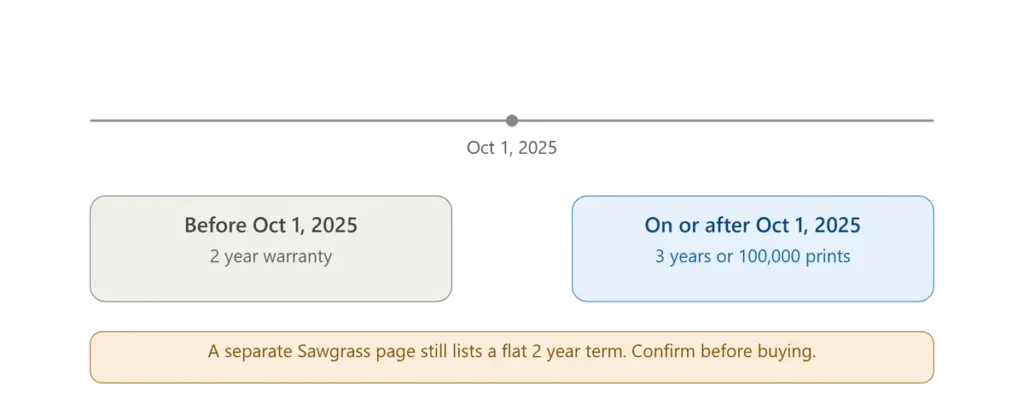
Sawgrass’s main SG500 product page states that printers purchased on or after October 1, 2025 carry a 3-year or 100,000-print warranty, whichever comes first. Printers purchased before that date carry a 2-year warranty.
Sawgrass’s own “Printer Comparison” page, however, still lists a flat 2-year warranty for the SG500 and SG1000 with no mention of the newer 3-year/100,000-print terms. We’re not going to pick one of these to sound more authoritative than the other, since it’s Sawgrass’s own documentation that’s inconsistent, not something we can resolve from outside.
What this means for you: if you’re buying new today, the 3-year/100,000-print policy is the more recently stated term and likely the current one.
Confirm directly with Sawgrass or your authorized dealer before purchase, and register your printer either way so you’re covered under whichever term applies.
You can check the current warranty language yourself on Sawgrass’s own SG500 product page, though as this page shows, it may not fully agree with their separate printer comparison page.
SG500 vs. SG1000: what’s actually different
| SG500 | SG1000 | |
|---|---|---|
| Maximum standard media | 8.5″ x 14″ (A4/Legal) | 11″ x 17″ (A3/Tabloid), 13″x19″ with bypass tray |
| Ink cartridge sizes | 20 mL or 31 mL | 20 mL, 31 mL, or 70 mL high-capacity |
| Connectivity | Ethernet, USB, 2.4GHz Wi-Fi | Ethernet, USB, 2.4GHz Wi-Fi |
| Core components | Same electronics and operation as SG1000 | Same electronics and operation as SG500 |
| Typical price | $599 to $950 depending on bundle | Roughly $2,500 for a VersiFlex bundle |
According to Sawgrass, the two printers share the same core components and operate the same way. The difference comes down to paper size and the high-capacity 70 mL cartridge option on the SG1000, which lowers cost per print at higher volumes.
For most beginners and small operations printing standard shirt-front and mug-sized designs, the SG500’s 8.5″x14″ ceiling is enough.
If you’re regularly producing oversized designs or panels beyond that size, the SG1000’s larger format and lower per-print ink cost at volume become worth the significantly higher upfront price.
SG500 vs. Epson F170
Both are dedicated sublimation printers with no conversion required, which puts them in direct competition for the same first-time buyer. The core difference isn’t print quality, it’s the ecosystem around the printer.
The F170 is a bare-bones dedicated sublimation printer: bottle-based ink, no bundled selling platform, no included design software beyond your own driver settings. It’s typically the lower-cost entry point. Full specs, settings, and cost breakdown are in our Epson SureColor F170 guide.
The SG500 costs more upfront and runs on more expensive proprietary ink, but it comes with Sawgrass’s bundled software ecosystem, including a built-in selling platform and design tools, plus Sawgrass Academy training. If you want a printer and a starter business toolkit in one purchase, that’s a real value difference, not just marketing language.
If you want the lowest-cost path into dedicated sublimation printing and you’re comfortable sourcing your own design and selling tools separately, the F170 is the cheaper route to the same core sublimation capability.
Common questions about buying an SG500
Is the SG500 good for beginners?
Yes, with the caveat that it costs more upfront than a converted inkjet. What you get in exchange is a printer built specifically for sublimation with no conversion risk, plus guided setup and bundled software that can shorten the learning curve for someone starting a sublimation business from scratch.
Can you refill SG500 ink cartridges?
Sawgrass sells genuine replacement cartridges in both 20 mL and 31 mL sizes. Using non-genuine ink or attempting to refill cartridges with third-party ink risks voiding the warranty and, per at least one authorized dealer, can disable printer operation.
What’s included in the box?
This varies by bundle. Starter bundles typically include the printer, a 20 mL starter ink set, and sometimes a paper pack. Standard and Complete bundles typically include the full 31 mL ink set and a larger paper pack. Check the specific listing, since “SG500” alone doesn’t tell you which bundle you’re buying.
Is the printer sale final?
Across the authorized dealers we checked, yes, typically. Confirm the specific return policy with your dealer before purchase.
Frequently asked questions
Is the Sawgrass SG500 a good sublimation printer?
Yes. It’s a dedicated dye-sublimation printer built specifically for the process, with automatic maintenance cycling and a bundled software ecosystem. It costs more than a converted inkjet, but removes the conversion risk and warranty tradeoffs that come with converting a standard printer.
Is the Sawgrass SG500 a DTF printer?
No. The SG500 is a dye-sublimation printer, a different process from DTF (direct-to-film). Sublimation transfers ink directly into a polyester coating via heat with no powder step and no white ink; DTF uses a white-inclusive ink set, prints onto film, and requires a powder-adhesive step before heat pressing.
Is the Sawgrass SG500 wireless?
Yes. It ships standard with Ethernet, USB, and 2.4GHz Wi-Fi connectivity, confirmed directly on Sawgrass’s own printer comparison page.
What’s the difference between the SG500 and SG1000?
Both share the same core components and operate the same way. The SG500 tops out at 8.5″x14″ media; the SG1000 handles up to 11″x17″ standard, 13″x19″ with a bypass tray, and supports a 70 mL high-capacity cartridge the SG500 doesn’t.
Does the SG500 work with third-party ink?
It’s built and warrantied around genuine Sawgrass ink (SubliJet-UHD or VersiFlex). Using non-genuine ink can void the warranty and, according to at least one authorized dealer, can disable the printer or cause damage.
How long is the SG500 warranty?
Sawgrass’s product page states 3 years or 100,000 prints, whichever comes first, for printers purchased on or after October 1, 2025, and 2 years for printers purchased before that date. A separate Sawgrass comparison page still lists a flat 2-year term, so confirm directly with Sawgrass or your dealer at time of purchase.
The bottom line
The SG500 is a legitimate, dedicated sublimation printer, not a DTF machine and not a converted inkjet, with WiFi standard and a real software ecosystem bundled in.
It costs more than the alternatives, both upfront and in ongoing ink costs, and that premium buys you a business toolkit alongside the hardware rather than just a printer. If the bundled software and support are worth the price to you, it’s a solid choice.
If you’d rather spend less and handle design and sales tools yourself, our Epson F170 guide covers the lower-cost dedicated alternative, and our EcoTank vs Sawgrass cost breakdown covers what you’d trade going the converted-printer route instead. For a wider look at every printer option in this space, see our best sublimation printers roundup. For maintenance steps when print quality drops, see our SG500 nozzle check and head-cleaning guide.