Print Shop Artwork Proofing Software: Free vs Paid Tools

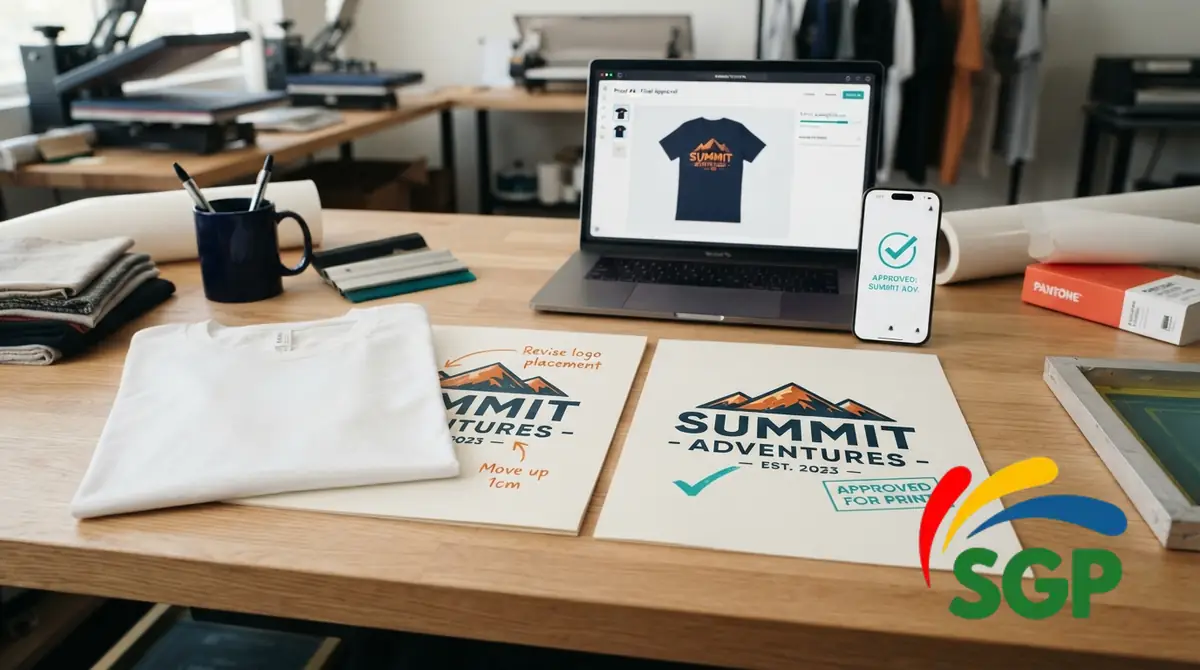
A customer says the logo should have been larger. The file on the press computer says one thing, and the email thread contains two older mockups. Artwork proofing software for print shops can keep the approved design, size, placement and revision together before production. The right choice depends on how many proofs you send and whether you need a full order-management system or only a clean approval record.
The comparison below covers three products with vendor-documented proofing features, a workable manual option, and a proofing software cost worksheet. Features and subscription terms can change. Product descriptions are based on vendors’ published documentation, not independent hands-on tests.
Print Shop Artwork Proofing Software Comparison
The essential question is not which app has the longest feature list. It is whether the customer can review the right version and your team can later find exactly what was approved.
| Option | Documented focus | Potential fit | Confirm in a trial |
|---|---|---|---|
| PrintProof | Garment mockups, proof links, approvals with signed and timestamped records | Apparel decorators needing mockup-first approval | Actual blank accuracy, revision flow, exports, proof limits |
| rastr | Customer proofing connected with quotes, orders and shop jobs | Shops that also need basic order workflow | How multi-location art and changes appear in the order record |
| ShopWorks ProofStuff | Online art and document approvals with reminders and history | Shops processing larger volumes of proofs or documents | Per-proof allowances, user roles, integrations and retention |
| Email plus PDF and a shared job log | Manually assembled mockup and approval reply | Low-volume shops able to enforce a consistent process | File naming, approval version, who authorized changes and auditability |
Comparison method: Only features clearly described on official vendor pages are listed. We did not sign up, run a production order or test deliverability, speed, customer support, security or print output. Pricing and limits need to be confirmed during your own demonstration.
Free vs Paid Artwork Approval Tools
A manual workflow can work for a shop sending a few proofs a week. Export one PDF per version, label the filename clearly, record the customer and order, and request approval using unambiguous wording. Save the final approval alongside the exact version that will be printed.
Paid software becomes more useful when the manual process regularly breaks. Common pressure points include customers replying to an old PDF, several staff members editing the same order, or approvals scattered across texts, email and invoices. A dedicated tool may centralize proofs and sign-offs, but paying for software does not automatically remove mistakes.
| Situation | Start with | What would justify moving up? |
|---|---|---|
| Occasional one-color or one-position jobs | Versioned PDF and saved email approval | Repeatedly lost approvals or confusing change requests |
| Personalized shirts and mugs | Approval template with spelling and placement fields | Many name variations or frequent revisions |
| Several decorators working from one queue | Shared job log plus consistent handoff | Staff need one source for approved artwork and production status |
| Frequent front/back/sleeve or multi-design orders | Proof tool with separate placements | Customers and staff often miss a location or artwork version |
The decision worksheet below lets you estimate whether subscription cost is justified by time saved and potential reprints avoided. It does not claim that any software prevents a known percentage of mistakes.
Free Proofing Software Cost & Decision Worksheet
Enter the number of customer proofs per month, the minutes you expect a new workflow to save per proof, your labor rate and any reprints you realistically expect it to prevent. The worksheet shows a break-even amount of time savings, not a guarantee about any vendor’s results.
Proofing software cost & decision worksheet
Enter your shop’s estimates in USD. This is a decision aid, not a forecast of reprints prevented by any vendor.
Potential time value = proofs × minutes saved ÷ 60 × loaded hourly labor cost. Potential avoided reprint cost is added only when you enter it. Monthly tool cost includes recurring charges plus setup amortization. No customer data is sent or saved by this worksheet.
Avoid double-counting labor: if you include time savings per proof, do not also include those same minutes in a reprint cost. Estimate avoided reprints conservatively and run the zero avoided reprints scenario first. Use the browser print option to save the completed worksheet as a PDF for internal review.
Customer Approval Features Worth Checking
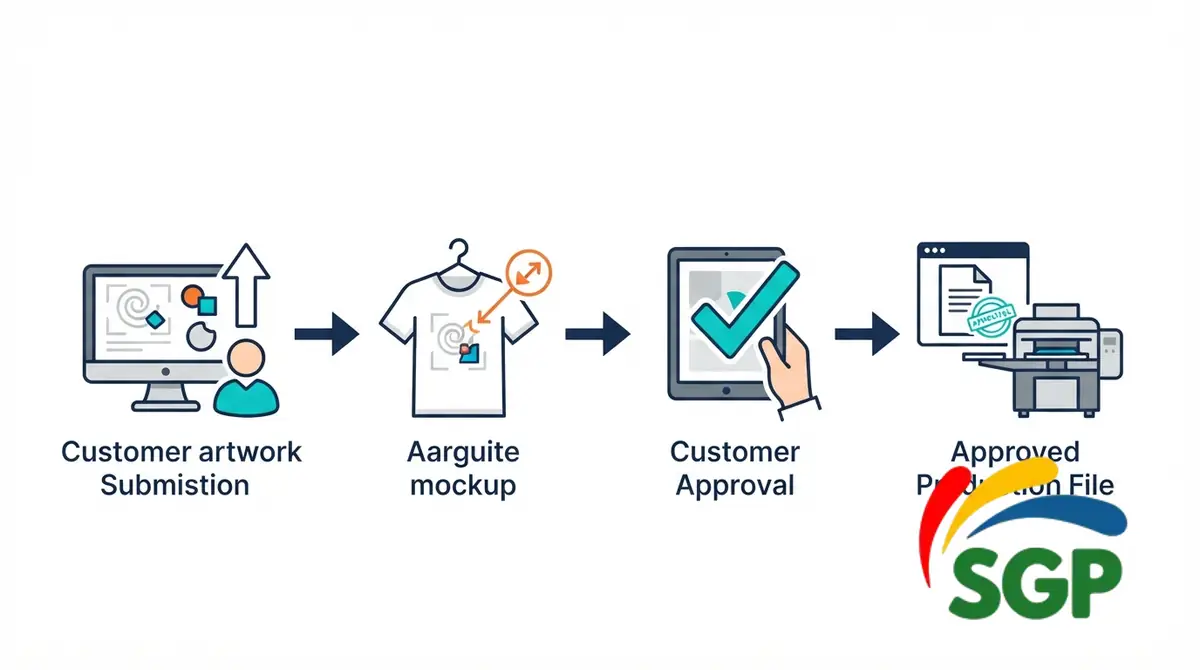
A good system should make six details unambiguous: which artwork, which product, what size, where it prints, which revision and who approved it. Look beyond an attractive mockup and ask what happens after the customer requests a change.
| Feature | Test during a demo | Red flag |
|---|---|---|
| Version control | Send version 1, revise art, send version 2 | Old link still appears approved for production without clear version context |
| No-login customer review | Open the proof on an ordinary mobile browser | Customer needs a complicated account or app installation |
| Measurements and locations | Show a front print in inches and a sleeve location | Visual mockup has no physical print size |
| Change requests | Ask for one text correction and one placement adjustment | Notes detach from the revised artwork |
| Approval history | Export approved art, approver identity and date | Approval information cannot be found after production |
| Access and retention | Ask about storage, permissions, deletion and export | No clear documentation of how customer files are handled |
A customer's approval is a valuable production record, but it is not a guarantee against refunds, disputes or chargebacks. Keep job terms, proof limitations and customer communication clear, especially when a digital mockup cannot perfectly represent physical fabric or printed color.
PrintProof, rastr and ProofStuff: What Each Vendor Documents
PrintProof: Garment Mockup and Customer Sign-Off
PrintProof describes a garment mockup workflow for screen printing, DTF, DTG and embroidery. It advertises front, back and sleeve layouts, customer-facing approval links, revision requests, downloadable proof files and timestamped signature records. Its vendor page lists a 7-day trial and Solo and Studio plans, but subscription details should be reconfirmed before you buy.
Consider it if: showing the garment, decoration placement and physical size matters more than broad shop accounting features. Check first: whether your real blanks, embellishments, multi-location jobs and version-history requirements are supported in the plan you intend to use.
rastr: Proofing Within the Order Workflow
rastr's proofing documentation presents customer artwork approval as part of a wider print-shop system with quotes and jobs. The vendor describes proof links that customers can review, with a relationship to job tracking and other management functions.
Consider it if: the shop wants artwork approval tied to quoting and production. Check first: exactly how updated proofs change an existing order, which plans include the functions you need, and whether artwork approval is independent of invoice approval.
ShopWorks ProofStuff: Proofs, Other Documents and History
ShopWorks ProofStuff supports approvals for artwork and other documents. The vendor lists reminders, notifications, an approval history and optional connection to ShopWorks OnSite. Its public pricing is volume-based and should be verified against your current monthly proof count.
Consider it if: your team sends many approvals or needs document history beyond garment mockups. Check first: allowances, overage charges, integration needs, export formats and whether standalone operation fits your processes.
A broad platform comparison is a separate buying decision. If you also need quoting, job boards, inventory or invoicing, consult the print shop management software guide.
Proofing for DTF, Sublimation and Screen Printing
Each decoration method raises different proof questions. A digital mockup may show what a customer wants while still leaving production-specific limits unrecorded.
| Decoration job | Put on the customer proof | Keep in your internal production notes |
|---|---|---|
| DTF transfer on shirts | Artwork version, inches wide/high, garment color, location | Transfer provider file settings, print/press workflow and finishing |
| Sublimation tumbler | Name spelling, wrap placement, size, seam position, blank color | Exact blank SKU, print direction, wrap dimensions and blank press instructions |
| Screen printing | Print locations, ink-color count or intended colors, garment style | Separation requirements, screens, registration and production tolerances |
| Embroidery | Logo placement, approximate decoration size, garment style | Stitch file, thread plan, backing and machine instructions |
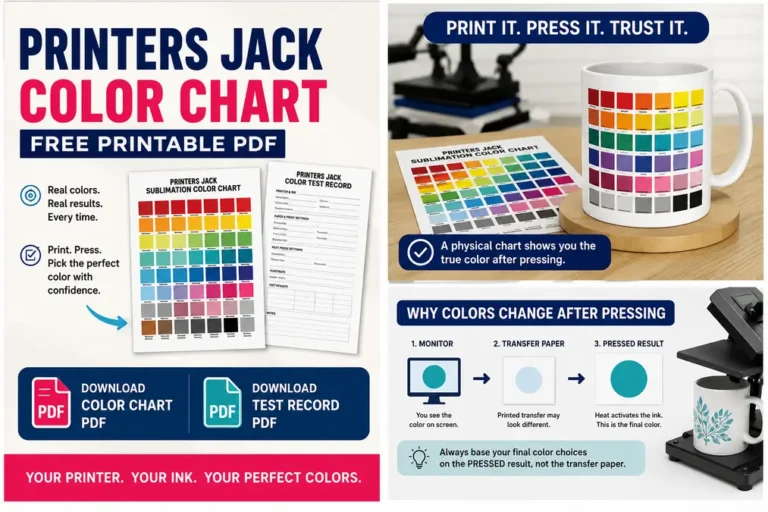
Do not promise exact physical color matching from an uncalibrated screen. Explain that a screen proof is for layout and spelling unless the shop separately offers an approved physical sample. Save the approval next to the production-ready file, not only the preview JPG.
Software Cost vs Reprint Cost
Use the interactive worksheet to compare three situations: a free manual process, a paid tool with no reprints prevented, and a paid tool with a conservative estimate of avoided reprints. This avoids treating vendor marketing claims as measured savings.
Example, with illustrative inputs only: a $30 monthly tool, 40 proofs each month, five minutes saved per proof, and $24 per hour in labor gives $80 of potential time value. Subtract the $30 subscription and the hypothetical difference is $50 per month before onboarding and other costs. If those minutes were not actually saved, that value disappears.
Software subscriptions also have an opportunity cost. A free email system can be cheaper than a paid app when few customers need formal approvals. As order volume grows, searchability and customer-facing proof status may become more important than the fee alone.
Test One Realistic Order Before Buying
Use a dummy order or customer-approved test file, not another customer's confidential artwork. Run through the same steps a production job follows.
- Create a proof for a product with two print locations and a specified size in inches.
- Send the link to a different phone without signing into the operator's account.
- Request a spelling or color change, then verify that the previous version cannot be confused with the new one.
- Approve the final version and export the proof, its revision history and the approval record.
- Hand the job to a second team member and confirm they can identify the approved file and the physical print specifications.
- Check billing, data retention, access controls and how to retrieve past approvals before committing to an annual plan.
If an approval gets lost in this small test, document that gap before introducing the software to real customers. Your customer artwork file organization guide explains how versioned files can remain findable after handoff.
Common Proofing Mistakes That Cause Reprints
- Approving a mockup without a physical size. “Looks centered” does not tell the press operator how many inches wide the transfer should be.
- Overwriting the approved file. Keep the signed version separate from a later working edit.
- Using the wrong garment or blank color. Confirm the exact SKU and color for the order.
- Leaving quantity and placement outside the job record. The approved art is only one part of a complete order.
- Treating an approval as a quality guarantee. Continue to check production settings and the finished item.
The print shop reprint-prevention guide and production checklist are useful follow-ups after the customer approval step.
Artwork Proofing Software FAQs
Do I need paid software to get customer artwork approval?
No. A clearly versioned proof PDF and an explicit, saved customer reply can work at low volume. Paid software can reduce administrative work and make a record easier to retrieve, but only if staff use the system consistently.
Should I ask customers to approve color as well as layout?
State clearly what the proof can and cannot show. A screen image is usually more reliable for spelling, product selection, proportions and placement than for exact physical ink or fabric color. A physical sample is a separate approval process.
What should a print shop approval record contain?
At minimum, save the customer and order ID, final artwork version, dimensions, print locations, product/color, approver name, approval date and any revision notes. Save a reference to the exact production-ready file as well.
Can artwork approval software prevent all reprints?
No. It can help reduce ambiguous customer instructions, but nozzle faults, press mistakes, bad blanks, misprints and shipping damage still need separate quality checks. Do not assume a provider's advertised savings will match your shop.
Can a small sublimation business use the same proofing process?
Yes. Even a single-person seller can label a proof by order ID and version, record spelling, product choice and wrap placement, and save the customer's response. The same habits scale to a paid proofing platform later.
Buying decision: Pick the least complex workflow that preserves a clear, approved version and keeps production specifications attached to the order. Test proof revision and export first, then compare subscription cost with the time your own shop can actually save.