
Best Sublimation Ink: Compatibility, ICC Profiles & Buying Guide

The best sublimation ink is the ink system that matches your printer, refill method, and color-management workflow. A converted Epson EcoTank, Epson SureColor, Sawgrass SG500, and Brother SP-1 each use different ink systems. Match the exact printer before comparing ink brands.
For a purpose-built printer, start with the manufacturer’s supported ink system. For a converted EcoTank, choose a third-party sublimation ink that currently lists your exact model and provides clear ICC-profile or ICC-free instructions.
Best Sublimation Ink by Printer Type
Start with the printer. This avoids the biggest buying mistake: choosing an ink because it is popular, then discovering that the bottle, cartridge, profile, or printer support does not match your setup.
| Printer setup | Ink route to consider first | Color-management note | What to verify before buying |
|---|---|---|---|
| Epson SureColor F170, F570, F370 | Epson T49M genuine dye-sublimation ink | Use the Epson-supported workflow for the printer and media | Exact printer model and current Epson ink code |
| Sawgrass SG500 or SG1000 | Sawgrass SubliJet UHD for standard sublimation | Use the Sawgrass software and matched ink workflow | Do not confuse SubliJet UHD with the separate VersiFlex system |
| Brother SP-1 | Brother genuine SP01 sublimation cartridges (CMYK) | Follow Brother’s supported printer and ink workflow | SP01BKS, SP01CS, SP01MS and SP01YS; not refillable EcoTank bottles |
| Converted Epson EcoTank | A third-party sublimation ink whose current compatibility list includes your exact model | Follow the ink supplier’s current ICC or ICC-free instructions | Model support, bottle fit, warranty risk, profile availability |
| Older Epson WorkForce or cartridge/CISS setup | A model-specific refillable cartridge or CISS sublimation system | Profile support is especially important | Cartridge/chip compatibility and exact printer support |
Epson lists T49M genuine dye-sublimation ink for the F170, F370, F570, and F570 Pro. Sawgrass lists SubliJet UHD for the SG500/SG1000. Brother lists SP01-series cartridges for its SP-1, 47 mL per cartridge. These are separate manufacturer-supported systems.
Check Printer Compatibility Before You Compare Brands
If you are comparing original cartridges with third-party refills, start with the genuine versus compatible sublimation ink comparison. The answer changes between Epson SureColor, converted EcoTank, Sawgrass, and Brother printers.
A bottle labeled “sublimation ink” is not automatically suitable for every printer. The ink delivery system, refill port, cartridge design, printhead, and color workflow all matter.
- Purpose-built sublimation printers: use the manufacturer’s supported ink system unless the manufacturer explicitly documents another option.
- Converted EcoTank printers: verify that the third-party ink manufacturer lists your exact model.
- WorkForce and cartridge printers: confirm the refillable cartridge, chip, or CISS system as well as the ink itself.
- Used printers: do not pour sublimation ink into a printer that still contains regular ink without a proper conversion or flushing plan.
If you are comparing sublimation ink with ordinary printer ink, read what happens when sublimation and regular ink are mixed before filling a printer.
Converted EcoTank vs Purpose-Built Sublimation Printer Ink
This distinction changes the answer to “What is the best sublimation ink?” more than any brand ranking does.
Converted Epson EcoTank
Standard EcoTank printers are sold for normal inkjet printing. Users commonly dedicate a clean EcoTank to sublimation by filling it with third-party sublimation ink, but that conversion is not the same as buying an Epson dye-sublimation printer.
Epson states on its EcoTank ET-15000 ink page that it strongly recommends genuine Epson ink and that damage caused by non-genuine ink may not be covered under the printer’s limited warranty. If warranty coverage matters to you, read the current terms for your exact model before converting it.
Epson SureColor F-Series
The SureColor F170, F570, F570 Pro, and F370 are purpose-built dye-sublimation printers. Epson currently lists T49M genuine dye-sublimation ink bottles for these models. That gives you a manufacturer-matched ink path instead of a third-party conversion workflow.
Sawgrass SG500 and SG1000
Sawgrass currently lists SubliJet UHD for the SG500 and SG1000. Sawgrass also sells VersiFlex, which is a separate ink system for a different workflow. Treat those as distinct systems rather than interchangeable refill choices.
Brother SP-1
The Brother SP-1 is a purpose-built sublimation cartridge printer. Brother specifies SP01BKS (black), SP01CS (cyan), SP01MS (magenta), and SP01YS (yellow), with 47 mL per cartridge. Check Brother’s current part numbers and printer support. Do not buy EcoTank bottle ink or Sawgrass cartridges based only on the word “sublimation.”
When comparing replacement costs, allow for cartridge recognition, testing, maintenance and print waste. An unsupported third-party cartridge is not automatically a practical substitute.
Current EcoTank Sublimation Ink Options
For a converted EcoTank, the useful question is not “Which brand wins every test?” It is “Which current product explicitly supports my printer and gives me a repeatable color workflow?”
| Ink option | Current manufacturer positioning | Useful for | Check before filling |
|---|---|---|---|
| Hiipoo EcoTank sublimation ink | Current Hiipoo listings include many EcoTank models, including ET-2800, ET-2850, ET-3760, ET-4800 and ET-15000, with ICC-free versions available | Users converting a supported EcoTank who want an autofill-style bottle workflow | Exact product version, supported model list, and current color instructions |
| A-SUB EcoTank sublimation ink | A-SUB currently sells an EcoTank-specific sublimation ink line with autofill and ICC-free positioning | Users who want an EcoTank-focused refill product from a sublimation supplier | Exact model support and the current A-SUB instructions for your printer/paper setup |
| INKXPRO sublimation ink | INKXPRO currently lists refill ink, cartridge kits, CISS options and ICC resources for multiple Epson EcoTank and WorkForce models | Older WorkForce, cartridge, CISS and selected EcoTank workflows that need model-specific support | Exact cartridge/chip or tank compatibility and the correct ICC file for your setup |
Supplier listings, not independent testing: Hiipoo, A-SUB, and INKXPRO describe their own products and supported printers. Their product pages do not establish measured comparative print quality or universal compatibility. Recheck the exact ink version, model list, refill port, and color settings before ordering. An “ICC-free” label is a supplier workflow claim, not a color-match guarantee.
These are compatibility examples, not laboratory rankings. Product formulas, bottle designs, supported models, and profile instructions can change, so check the current manufacturer page before ordering.
Best Sublimation Ink for Epson ET-15000
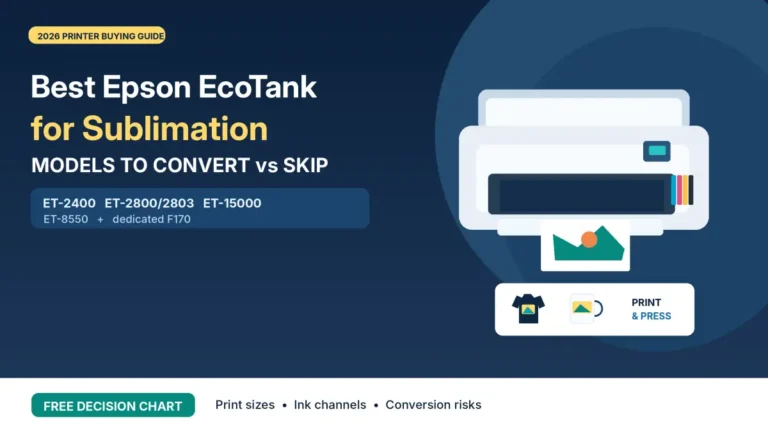
The ET-15000 is a common conversion choice because it can print larger sheets than many smaller EcoTank models, but Epson does not sell it as a sublimation printer. If you convert a clean ET-15000, use a sublimation ink supplier that currently lists the ET-15000 and follow that supplier’s color-management workflow.
Hiipoo currently lists the ET-15000 on its EcoTank-compatible sublimation ink pages. INKXPRO also lists ET-15000 support and publishes ICC resources for multiple Epson workflows. If you use another brand, verify the current ET-15000 listing rather than assuming an ink sold for a different EcoTank is identical.
For color setup, see the Epson ET-15000 ICC profile guide. A profile built for a different ink, paper, or printer combination can make color less accurate instead of fixing it.
Do You Need an ICC Profile?
Not every sublimation ink is sold with the same color-management approach. Some suppliers provide ICC profiles. Others market specific products as ICC-free and expect you to use their recommended driver settings.
An ICC profile is a color-conversion file. It describes how a specific printer, ink, paper, and output workflow reproduces color. That means a random profile downloaded for another setup is not a universal upgrade.
| Situation | What to do |
|---|---|
| Your ink supplier provides a profile for your exact printer and paper | Use the supplier’s installation and print-setting instructions |
| The ink is sold as ICC-free | Start with the manufacturer’s current driver settings and make a controlled test print |
| You changed ink or paper | Recheck the color workflow instead of assuming the old profile still applies |
| You need close brand-color matching | Use a controlled profile workflow and consistent paper, ink, substrate and press settings |
For a deeper setup explanation, use the ICC profile guide for sublimation.
ICC-Free Does Not Mean Every Color Will Match Automatically
“ICC-free” is a supplier workflow claim, not a guarantee that every monitor color will match every pressed blank. Final color still depends on the design file, printer settings, sublimation paper, substrate coating, heat, pressure, and viewing conditions.
If an ICC-free setup looks acceptable for your normal products, you may not need a custom profile. If you sell products that require tight brand-color consistency, build a repeatable test and color-management process instead of relying on a label alone.
Should You Mix Sublimation Ink Brands?
Avoid casually topping one sublimation ink brand with another. Different formulations can change color response, viscosity, and the profile/settings that produced your previous results.
If you plan to change brands, identify the ink already installed and obtain model-specific transition instructions from the ink supplier. Do not assume flushing is required or safe. A printer’s built-in maintenance command is different from removing ink manually or injecting fluid into its lines.
Read the risks of mixing sublimation ink brands before topping off with a different bottle. For a full transition, use the ink-brand switching guide. If a printer develops nozzle problems, consult the model-specific flushing and maintenance guide instead of attempting a generic syringe procedure.
Bottle Design and Refilling Matter More Than They Look
For EcoTank conversions, a well-matched bottle can make refilling cleaner and reduce the need for syringes or funnels. But bottle shape is not a substitute for chemical and printer compatibility.
- Confirm that the nozzle fits your printer’s refill port.
- Check whether the bottle uses an auto-stop or manual-fill design.
- Do not force a keyed bottle into a tank it was not designed to fit.
- Label opened bottles and keep caps clean to avoid contamination.
- Store ink according to the supplier’s current instructions.
Cost per Bottle Is Not the Same as Cost per Good Print
Do not choose sublimation ink only by the cheapest bottle price. A low-cost ink can be poor value if the color workflow is inconsistent, the bottle does not fit cleanly, or the supplier does not support your printer.
- Compatibility: Does the current product page list your exact printer?
- Color support: Is there a current ICC profile or a documented ICC-free workflow?
- Supply consistency: Can you buy the same formula again when you need a refill?
- Refill method: Does the bottle or cartridge system match your printer?
- Support: Can you find current installation or troubleshooting instructions?
For production work, consistency usually matters more than saving a small amount on the initial bottle. Use the sublimation ink cost-per-print calculator with your own purchase cost, volume, ink usage and waste estimates. Its output is a planning estimate, not a tested yield for a named brand.
How to Choose Sublimation Ink Before You Buy
- Write down the exact printer model. Do not shop from a broad label such as “Epson sublimation printer.”
- Decide whether the printer is purpose-built or converted. That determines whether you should start with an OEM ink system or a third-party conversion ink.
- Check the current compatibility list. Look for your exact model on the ink manufacturer’s page.
- Check the color workflow. Find the correct ICC profile or the supplier’s ICC-free instructions before filling the printer.
- Check the refill system. Confirm bottle fit, cartridge/chip requirements, or CISS hardware.
- Review warranty implications. This matters most when converting a general-purpose printer with non-genuine ink.
- Stay with one documented workflow. Avoid changing ink, paper, profile, and press settings at the same time because you will not know which change caused the result.
Sublimation Ink Buying Checklist
| Exact printer model confirmed | □ |
| Printer is clean/new or conversion state is known | □ |
| Ink manufacturer currently lists the model | □ |
| Correct bottle, cartridge, chip, or CISS format confirmed | □ |
| ICC profile or ICC-free instructions found | □ |
| Warranty implications understood | □ |
| Same ink formula is likely to remain available for refills | □ |
| Test workflow planned before customer production | □ |
Common Sublimation Ink Buying Mistakes
Buying by brand name without checking the exact product
A brand can sell more than one ink formula or bottle type. Match the exact product to the exact printer.
Using a random ICC profile
A profile from another ink, paper, or printer combination can shift colors in the wrong direction.
Converting a printer that already contains regular ink
A printer that has been filled with regular ink needs a different plan from a clean printer that has never been charged. Do not treat those situations as identical.
Switching brands without rebuilding color settings
If you change the ink chemistry but keep an old profile or old correction settings, the printed color may change even when the artwork stays the same.
Assuming purpose-built printers should use cheap third-party conversion ink
A purpose-built Epson SureColor or Sawgrass printer has a matched manufacturer ink ecosystem. Start there unless you have a documented reason to use something else.
Common Ink Buying Problems: Check Before Replacing Your Ink
Real buyers face problems that a simple list of brands will not solve. Identify the printer and ink already installed before treating a new bottle as the answer.
| Reader problem | Practical first check | Avoid this mistake |
|---|---|---|
| Generic ink says “for Epson” but does not list your EcoTank | Confirm exact model and formula with the supplier | Assuming all Epson printheads and refill systems are identical |
| The bottle tip will not fit the refill port | Check the exact printer and bottle variant; contact the seller before filling | Forcing a keyed nozzle or treating fit as proof of ink chemistry |
| No ICC profile is available | Find the ink supplier’s documented ICC or ICC-free workflow for the exact printer and paper | Assuming any profile will work or that ICC-free guarantees color |
| Unpressed transfer looks pale | Evaluate a pressed test on a compatible blank using blank-specific instructions | Buying new ink based on transfer paper appearance alone |
| Black prints green, or one color disappears | Run the printer’s supported nozzle check; verify driver settings and a pressed sample | Changing brands before diagnosing missing color |
| Current brand is discontinued | Identify old ink and request a supported transition plan | Mixing formulas because the CMYK labels match |
| Six-color EcoTank needs sublimation ink | Verify a complete kit for all six channels, including photo black and gray | Using a four-color kit as if it covers every ET-8550 channel |
If the nozzle check is complete but the final transfer is inaccurate, review the sublimation ICC profile guide before trying another ink brand. Change one variable at a time.
Frequently Asked Questions
Which ink should I buy for a Brother SP-1?
Brother lists SP01BKS, SP01CS, SP01MS and SP01YS genuine sublimation cartridges for the SP-1. Each contains 47 mL. Check the current part number and model listing instead of buying an EcoTank bottle or another printer’s cartridge.
My new sublimation bottle does not fit. What should I do?
Do not force the bottle. Check the full EcoTank model and the refill-port design against the exact product sold, then ask the ink supplier for the correct bottle variant.
Why does sublimation ink look dull before pressing?
Transfers may look muted before heat transfer. Assess a controlled pressed sample on a sublimation-compatible blank. If colors remain wrong, inspect the nozzle pattern, color settings, paper and blank instructions before changing ink.
What is the best sublimation ink for an Epson EcoTank?
There is no universal best brand for every EcoTank. Choose a third-party sublimation ink that currently lists your exact model, fits the refill system, and provides a documented ICC or ICC-free color workflow. Hiipoo, A-SUB, and INKXPRO currently sell products or systems aimed at supported Epson EcoTank models.
What ink should I use in an Epson SureColor F170?
Epson currently lists T49M genuine dye-sublimation ink for the SureColor F170. The same T49M line is also listed for the F570, F570 Pro, and F370.
What ink does the Sawgrass SG500 use?
Sawgrass currently lists SubliJet UHD as its standard sublimation ink system for the SG500 and SG1000. Sawgrass also offers VersiFlex as a separate system, so confirm which workflow your printer is dedicated to.
Do I need an ICC profile for sublimation ink?
It depends on the ink and the level of color accuracy you need. Some suppliers provide profiles for specific printer and paper combinations, while some products are sold with an ICC-free workflow. Follow the current instructions for your ink rather than installing a random profile.
Can I switch sublimation ink brands?
Yes, but treat the switch as a color-management and printer-maintenance change. Do not simply top one brand with another unless the manufacturers explicitly say the formulas can be mixed.
Can sublimation ink print on cotton?
Standard dye-sublimation ink is designed for polyester or polymer-coated surfaces. Printing directly onto ordinary cotton is not the standard dye-sublimation process. Products such as Sawgrass VersiFlex use a different ink-and-media workflow and should not be confused with standard SubliJet sublimation.
Choose the Ink System Before You Chase Color
The safest buying sequence is simple: identify the printer, confirm the supported ink system, check the color-management instructions, then buy. That approach is more reliable than copying a generic “top ink” list that ignores printer compatibility.
For a converted EcoTank, keep the printer dedicated to one documented sublimation workflow. For Epson SureColor, Sawgrass and Brother SP-1 printers, start with the manufacturer’s matched ink system. Once the ink, paper, and color settings are stable, make controlled test prints before customer production.



22 Comments