

Best Sublimation Paper: TexPrint vs A-SUB vs Hiipoo vs TruePix

The best sublimation paper depends on your printer, ink load, sheet size, and color workflow. A converted Epson EcoTank, an Epson SureColor dye-sublimation printer, and a Sawgrass SG500 should not all be treated as if they need the same paper.
For Epson-based desktop workflows, compare papers that explicitly support Epson Piezo printers or your exact setup. For Sawgrass SG500 and SG1000 systems, TruePix remains part of Sawgrass’s current matched ecosystem. Paper weight also matters because lighter and heavier sheets behave differently with ink coverage, feeding, curl, and handling.
Use the comparison below to narrow the options, then run a controlled test with your own printer, ink, substrate, and press settings before buying a large quantity.
Best Sublimation Paper: Quick Picks by Printer and Workflow
Start with the printer and the exact paper product, not the brand name alone. TexPrint and A-SUB both sell multiple paper variants, so a recommendation that says only “use TexPrint” or “use A-SUB” is incomplete.
| Printer or workflow | Paper to compare first | Why it belongs on the shortlist | Verify before buying |
|---|---|---|---|
| Converted Epson EcoTank | A-SUB 105g/120g/125g, Hiipoo 120gsm, TexPrint DT/Light | These product families are currently sold or positioned for Epson-compatible desktop sublimation workflows | Exact printer feed, sheet size, ink load, and supplier instructions |
| Sawgrass SG500 / SG1000 | TruePix first | Sawgrass currently includes TruePix in its SG500 and SG1000 SubliJet systems | Current Sawgrass Print Utility/media workflow if comparing another paper |
| Heavy ink coverage | Heavier paper options such as A-SUB 125g | A-SUB currently positions 125g for designs with very high ink saturation | Feed reliability, drying, curl, and your printer’s paper-weight limits |
| Mixed ink coverage | A-SUB 120g or another mid-weight option | A-SUB positions 120g as the middle choice when a design mixes lighter and heavier areas | Your actual image coverage and printer behavior |
| Roll-fed production | Paper matched to the printer, roll width, ink load, and production speed | Roll workflows have different handling and waste considerations than desktop sheets | Core size, roll width, GSM, coating, and printer documentation |
For Epson-specific buying decisions, use the Epson sublimation paper guide. Sawgrass owners can compare the matched system in the TruePix vs TexPrint guide for Sawgrass.
Sublimation Paper Comparison: TexPrint, A-SUB, Hiipoo and TruePix
The table below uses current manufacturer positioning and published product details rather than unpublished test scores or invented rankings.
| Paper | Current verified detail | Good fit to investigate | Main caution |
|---|---|---|---|
| TexPrint DT/Light | Beaver Paper lists 105 GSM and positions the coating for Epson Piezo desktop sheet and roll printers | Epson-based desktop sublimation workflows | TexPrint has multiple variants, so confirm the exact product instead of buying by brand name alone |
| TexPrint DT/H | Beaver Paper lists 120 GSM and currently highlights Ricoh and Virtuoso desktop systems on its product page | Users who need a heavier desktop TexPrint option and whose printer is supported | Check the current data sheet and printer fit because distributor descriptions can differ |
| A-SUB 105g | A-SUB positions 105g for light to medium ink saturation | Lighter designs and users who want a thinner sheet | Very heavy ink coverage may need a different weight |
| A-SUB 120g | A-SUB positions 120g as a middle option for mixed saturation | General use when designs vary from lighter to heavier coverage | Do not assume 120g is ideal for every printer or every artwork file |
| A-SUB 125g | A-SUB positions 125g for very high ink saturation | Heavy-coverage artwork where a heavier sheet feeds reliably | Heavier paper is not automatically better for low-coverage work |
| Hiipoo 120gsm | Hiipoo currently sells 120gsm desktop sublimation paper in multiple sheet sizes | Desktop users who want a current 120gsm option to test | Manufacturer transfer-rate claims should not be treated as independent lab results |
| Sawgrass TruePix | Sawgrass currently bundles TruePix with SG500 and SG1000 SubliJet systems | Sawgrass owners who want the manufacturer’s matched paper workflow | Third-party paper can require different media or color-management choices |
Manufacturer pages checked for this update include Beaver Paper’s TexPrint desktop specifications, A-SUB’s paper-weight guidance, Hiipoo’s current 120gsm paper listing, and Sawgrass’s current SubliJet system page.

What Actually Makes One Sublimation Paper Different?
Brand names matter less than the paper specification that reaches your printer. Compare coating, GSM, format, handling, and the color workflow attached to the exact product.
Coating and ink release
Sublimation paper uses a coating that keeps dye-sublimation ink available for transfer under heat instead of letting it behave like ordinary office paper. Manufacturers may describe release, drying, or color yield differently, but those claims should be treated as product specifications or marketing claims unless an independent test method is provided.
Paper weight in GSM
GSM means grams per square meter. A higher number indicates a heavier sheet, but heavier is not automatically better. Ink coverage, printer feed behavior, humidity, and the blank being pressed can all change which weight is easier to use.
Sheet, roll, and tack formats
Desktop sheets simplify small jobs. Rolls make more sense for wide-format or repeat production. Tack papers are designed for workflows where the transfer needs help staying in position on fabric. Match the format to the printer and production process rather than choosing by GSM alone.
Color-management workflow
Changing paper can change the final color even when the printer and ink stay the same. Follow the printer, ink, RIP, or paper supplier’s current instructions instead of assuming one ICC profile works with every paper. The ICC profile guide explains how profiles fit into a sublimation workflow.
TexPrint vs A-SUB: Which Should You Buy?
Choose between TexPrint and A-SUB by exact variant, not by declaring one brand better for every printer.
| Decision | TexPrint | A-SUB |
|---|---|---|
| Product structure | Multiple desktop variants with different weights and printer positioning | Common desktop weights include 105g, 120g, and 125g |
| Epson desktop option | DT/Light is explicitly positioned for Epson Piezo printers | Multiple weights are sold for sublimation-printer workflows |
| Weight choice | Depends on the TexPrint variant | A-SUB publishes separate guidance for 105g, 120g, and 125g |
| Best reason to choose | You have confirmed the exact TexPrint variant for your printer and format | You want to choose paper weight around the ink coverage of your designs |
Bottom line: TexPrint gives you clearly differentiated product families. A-SUB gives desktop users a straightforward weight choice. Neither brand should be called the universal winner without a controlled test on the same printer, ink, artwork, blank, and press settings.
A-SUB 105g vs 120g vs 125g
A-SUB’s own guidance treats paper weight as an ink-load decision. That is more useful than assuming the thickest sheet is automatically the highest-quality sheet.
| A-SUB weight | Manufacturer positioning | When to test it |
|---|---|---|
| 105g | Light to medium ink saturation | Artwork with lower ink coverage or when a lighter sheet handles better in your printer |
| 120g | Middle option for designs with mixed saturation | General work where one design contains lighter and heavier color areas |
| 125g | Very high ink saturation | Heavy-coverage artwork when your printer feeds the heavier sheet reliably |
A-SUB also suggests changing paper weight when troubleshooting curl, wheel marks, and ghosting. Treat that as manufacturer guidance to test, not a guarantee that paper weight is the only cause.
For print-side and setup details, use the approved A-SUB sublimation paper instructions.
TexPrint DT/Light, DT/H and Other TexPrint Variants
“TexPrint” is not one paper specification. Beaver Paper currently lists separate desktop products with different weights and printer positioning.
- TexPrint DT/Light: 105 GSM and positioned for Epson Piezo desktop sheet and roll printers.
- TexPrint DT/H: 120 GSM. Beaver Paper’s current desktop page highlights Ricoh and Virtuoso systems for this heavier variant.
- Other TexPrint products: can target different printers, roll widths, or production environments.
Distributor names can shorten or combine these labels. Check the manufacturer data sheet before buying a large pack or roll. The TexPrint R vs DT Heavy vs XPHR guide covers the product-family differences in more detail.

TruePix vs TexPrint for Sawgrass
For a Sawgrass SG500 or SG1000 running the standard SubliJet workflow, TruePix is the simplest place to start because Sawgrass currently includes TruePix with those systems.
That does not mean another paper cannot work. It means switching paper should be treated as a workflow change. Confirm the media choice in Sawgrass software, test color, and compare handling before changing production stock.
The dedicated Sawgrass sublimation paper comparison covers this decision without turning the general buyer guide into a second Sawgrass article.
Best Sublimation Paper for Epson EcoTank
For a converted EcoTank, compare the exact paper with your printer feed, sublimation ink, and color workflow. Current options worth testing include A-SUB’s desktop weights, Hiipoo’s 120gsm paper, and TexPrint DT/Light.
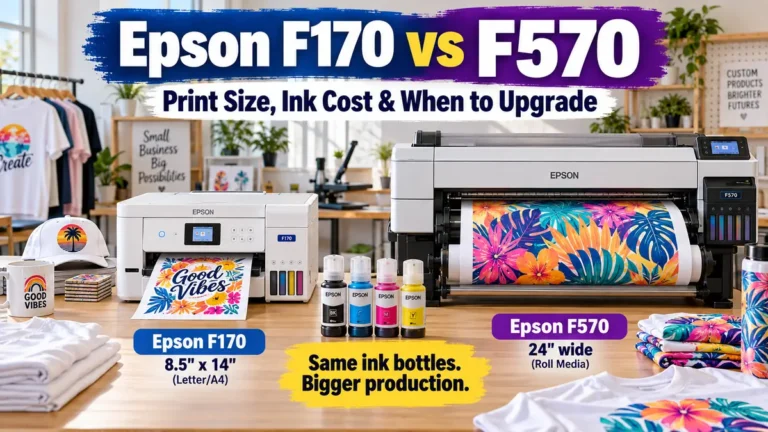
Do not choose paper only because another EcoTank owner uses it. EcoTank models differ in maximum paper size, feed path, and driver options. The best sublimation paper for Epson printers page covers EcoTank, F170, and F570-specific considerations.
Paper for Epson SureColor F170 and F570
The F170 and F570 are purpose-built dye-sublimation printers, so do not copy a converted EcoTank workflow automatically. Match the transfer paper to the printer’s supported media handling, your job size, and the color-management instructions used with the printer.
A third-party paper can still be a practical option, but the comparison should start with exact sheet or roll specifications rather than a generic “Epson-compatible” label.
Sheets vs Rolls: Which Costs Less?
The lower package price is not always the lower production cost. Compare how much paper you actually use for a sellable transfer.
| Sheets | Rolls |
|---|---|
| Easy to count and store | Better for continuous or larger production |
| Convenient for desktop printers | Can reduce unused length on repeat jobs |
| Fixed sheet size can create trimming waste | Requires a printer designed for the roll format |
| Simple cost-per-sheet calculation | Cost is better compared by usable length or area |
Wide-format buyers can use the 75GSM jumbo roll sublimation paper guide for roll-specific purchasing factors.
Calculate Cost per Usable Sublimation Print
Use your own current purchase numbers instead of a fixed price from an article.
Landed paper cost = pack or roll price + inbound shipping + applicable fees
Cost per usable sheet = landed paper cost ÷ usable sheets
For roll media, calculate the cost from the usable length or area consumed by the job. Include damaged sheets, feeding failures, and test prints if you are comparing real production cost.
Bottom line: A paper with a lower package price can cost more per successful transfer if it creates more handling waste or reprints in your specific setup.
How to Test Sublimation Paper Yourself
A useful comparison changes one variable at a time. Test the paper while holding the rest of the workflow constant.
- Use the same printer and the same sublimation ink.
- Print the same color chart or artwork at the same size.
- Record the exact printer and color-management settings.
- Use the same blank material and the same press.
- Keep time, temperature, pressure, and protective paper consistent.
- Record feeding, curl, drying, smudging, alignment, and handling notes.
- Compare the finished transfers under the same lighting.
- Repeat a promising result before changing your production paper.
A test record is more valuable than an unexplained claim that one paper is “brighter” or transfers a specific percentage more ink.
When the Paper Is Not Actually the Problem
Faded color, banding, ghosting, and poor transfers can come from several parts of the workflow. Changing paper will not fix a nozzle problem or an incorrect color setup.
| Symptom | Check before blaming the paper |
|---|---|
| Banding or missing lines | Nozzle check, printhead condition, and printer settings |
| Color does not match the screen | ICC/profile workflow, driver settings, ink, and substrate |
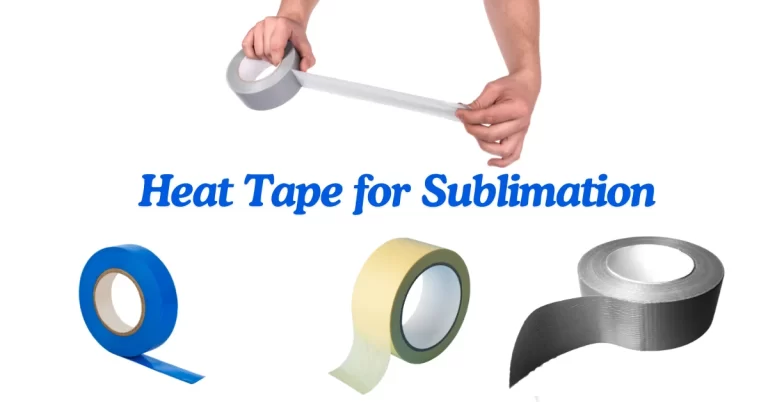
| Ghosted edges | Paper movement, tape, press opening, and handling |
| Wet or smeared print | Ink load, paper setting, humidity, drying time, and printable side |
| Weak transfer | Time, temperature, pressure, substrate coating, and paper orientation |
Use the sublimation printer settings guide when the problem begins before pressing. Use sublimation protective paper to protect the press and surrounding surfaces from stray dye during transfer.

Common Sublimation Paper Buying Mistakes
- Buying by brand name only: TexPrint and A-SUB both have multiple variants.
- Assuming heavier means better: GSM should match the ink load and printer behavior.
- Copying another printer’s settings: the same paper can behave differently across printer, ink, and profile combinations.
- Using manufacturer percentages as independent proof: treat transfer-rate claims as manufacturer claims unless the test method is independently documented.
- Buying a large quantity before testing: confirm feeding, color, handling, and the final pressed result first.
- Using standard sublimation paper to solve dark cotton: ordinary dye sublimation is translucent and does not create a white base layer on dark fabric.
If you still need a source after choosing the paper type, compare retailers in where to buy sublimation paper.
Frequently Asked Questions
What is the best sublimation paper overall?
There is no universal winner for every printer. For Epson-based desktop systems, compare a supported A-SUB weight, Hiipoo 120gsm, or TexPrint DT/Light. For Sawgrass SG500 and SG1000 systems, TruePix is the manufacturer’s matched starting point. Test the exact paper with your ink and color workflow before standardizing on it.
Is 105gsm or 125gsm sublimation paper better?
Neither weight is automatically better. A-SUB currently positions 105g for light to medium ink saturation and 125g for very high ink saturation, with 120g as the middle option. Printer feeding and the artwork’s ink coverage should decide which weight you test first.
Can I use TexPrint with an Epson EcoTank?
TexPrint DT/Light is currently positioned by Beaver Paper for Epson Piezo desktop sheet and roll printers. Do not assume every TexPrint variant has the same printer fit. Check the exact TexPrint product and your EcoTank’s paper-handling limits before buying.
What paper should I use with a Sawgrass SG500?
TruePix is the simplest starting point because Sawgrass currently includes it with SG500 SubliJet systems. If you test another paper, treat the change as part of the color and media workflow rather than swapping sheets without checking the print settings.
Can regular sublimation paper print white on dark shirts?
No. Standard dye-sublimation ink does not include white, and ordinary sublimation paper does not add an opaque white layer. Dark garments require a different decoration workflow or an intermediate material designed for that purpose.
Choose the Paper Specification, Then Test the Workflow
The best sublimation paper is the one that feeds reliably, matches your printer and color workflow, handles the ink coverage in your designs, and produces repeatable transfers on the products you sell.
Shortlist the exact paper variant, buy a practical test quantity, document the settings, and compare the pressed results under the same conditions. That gives you a defensible buying decision without relying on unsupported rankings or invented performance percentages.




3 Comments