Wide-Format Sublimation Printers: 24 vs 44 vs 64 Inch for Production

A wide-format sublimation printer makes sense when your current print width has become a repeatable production bottleneck, not simply because a larger machine is available.
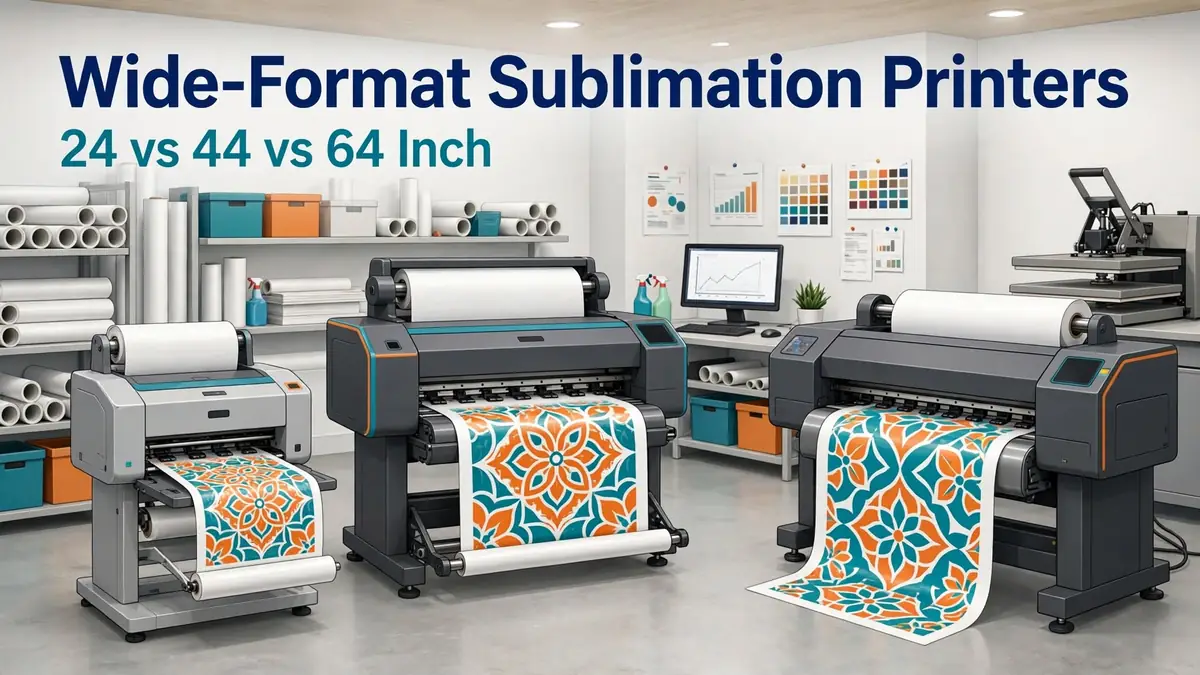
For a growing shop, 24 inches can be enough to move beyond desktop sheet sizes. A 44-inch printer makes more sense when roll production, larger textile panels, and commercial jobs are already common. A 64-inch machine belongs in a different class, where wide textiles, production volume, floor space, finishing equipment, and downtime all carry much larger costs.
The best width is the smallest one that comfortably handles your proven workload and leaves enough room for realistic growth.
Quick Comparison: 24 vs 44 vs 64 Inch Sublimation Printers
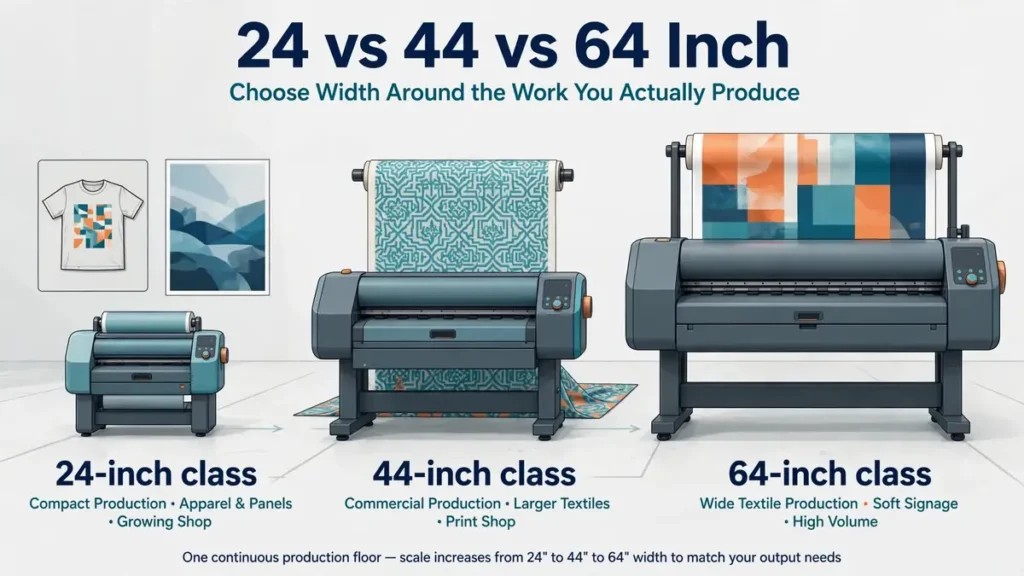
Start with the jobs you already produce. Printer width should follow demand, not the other way around.
| Printer class | Current example | Best fit | Main advantage | Main constraint |
|---|---|---|---|---|
| 24 inch | Epson SureColor F570 | Growing personalization shop | Compact roll and sheet workflow | Limited for wide textiles and large nesting layouts |
| 44 inch | Epson SureColor F6470 / F6470H | Commercial print shop | Wider roll production and higher output capacity | More floor space, finishing capacity, and capital |
| 64 inch | Epson SureColor F9570 / F9570H | High-volume textile production | Wide textile and soft-signage workflow | Very high total equipment and workflow cost |
Price and specifications checked: October 17, 2026. Manufacturer pricing and availability can change.
The current Epson SureColor F570 is a 24-inch dye-sublimation printer priced at $2,495 on Epson’s U.S. site. The F6470 is a 44-inch four-color model with an $8,450 MSRP, while the six-color F6470H is listed at $8,995 MSRP. Epson currently lists the 64-inch F9570 at $30,895 and the F9570H at $34,995. Epson F570, Epson F6470, Epson F6470H, Epson F9570, and Epson F9570H.
Bottom line: moving from 24 to 44 inches is a production upgrade. Moving from 44 to 64 inches is often a business-model decision.
What Counts as a Wide-Format Sublimation Printer?
There is no single width where every seller starts using the term wide format. For buying decisions, the workflow matters more than the label.
- 24 inches: compact production
- 44 inches: commercial roll production
- 64 inches: high-volume wide textile production
A 24-inch printer can still be called wide format compared with a desktop sheet-fed printer. A 44 or 64-inch machine changes much more than print size. Media handling, floor space, finishing equipment, ink inventory, service access, and production planning all become more important.
24-Inch Sublimation Printers: When the F570 Class Makes Sense
A 24-inch printer is often the most practical first step into roll-fed sublimation production.
Epson SureColor F570
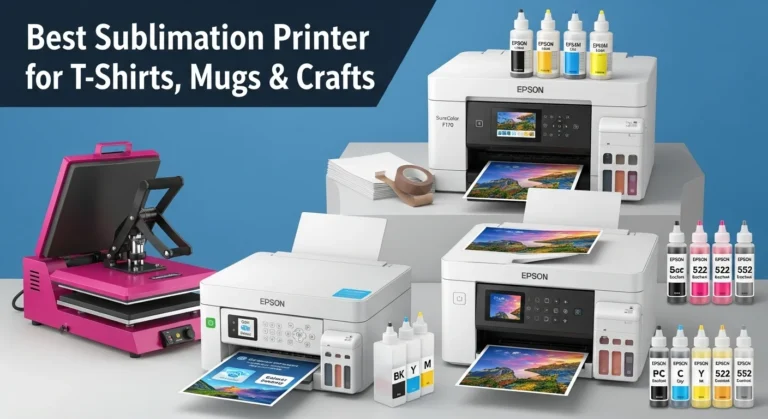
The current SureColor F570 supports rolls and sheets up to 24 inches wide. Epson includes a 50-sheet auto-feed tray, built-in cutter, Windows and Mac drivers, and a compact design aimed at personalization work such as awards, mugs, mousepads, apparel decoration, and other transfer applications. Epson currently lists the standard F570 at $2,495. Manufacturer source.
That combination makes 24 inches useful for businesses moving beyond 8.5 × 11, 11 × 17, or 13 × 19-inch desktop workflows.
- photo panels
- larger shirt graphics
- mousepads
- awards
- small signs
- short textile panels
- multiple small transfers nested across a roll
- shops that regularly exceed desktop sheet sizes
The biggest benefit is not just a wider image. Roll media changes how jobs can be nested and queued. Instead of loading individual sheets for every design, a shop can arrange multiple transfers on a wider roll and let the printer handle longer production runs.
Where 24 Inches Starts to Feel Small
The limitation becomes obvious when wider products become normal rather than occasional. You may start splitting artwork, rotating layouts to make them fit, reducing useful nesting space, or outsourcing jobs that exceed the printable area.
A 24-inch machine also does not automatically increase finished-product capacity if the heat press is still the bottleneck.
Bottom line: the F570 class works well when you need more width than a desktop printer but are not yet operating a wide textile production line.
44-Inch Sublimation Printers: Moving Into Commercial Production
A 44-inch printer is a much larger workflow step than the numbers alone suggest. You are moving toward sustained roll production, larger media inventory, take-up systems, commercial software, and jobs that may need larger finishing equipment.
Epson SureColor F6470
The SureColor F6470 is a 44-inch four-color dye-sublimation printer using CMYK with high-density black. Epson lists a media take-up reel, built-in cutter, Epson Edge Print software, Nozzle Verification Technology, and manufacturer-rated print speeds up to 820 square feet per hour. Epson’s current U.S. MSRP is $8,450. Manufacturer source.
That speed is a manufacturer print-engine figure, not a guaranteed shop throughput number. File preparation, ink coverage, print settings, transfer paper, operator workflow, heat transfer, trimming, and finishing can all reduce real production output.
Epson SureColor F6470H
The F6470H keeps the 44-inch format but uses six colors. Epson currently lists three selectable configurations:
- CMYK + Light Cyan and Light Magenta
- CMYK + Orange and Violet
- CMYK + Fluorescent Pink and Fluorescent Yellow
Once the configuration is selected, Epson says the additional ink type is not user-changeable. The current MSRP is $8,995. Epson rates the F6470H at up to 400 square feet per hour. Manufacturer source.
The F6470 is built around faster four-color production. The F6470H trades some rated speed for expanded color options aimed at applications such as photographic panels, brand-color requirements, flags, apparel, and fluorescent work.
Six colors are not automatically better. They only make sense when the products you sell benefit from those additional colors.
- cut-and-sew apparel
- larger fabric panels
- commercial gang layouts
- home décor production
- larger promotional products
- short-run soft signage
- repeated roll production
- shops regularly losing time to a 24-inch width limit
Bottom line: buy 44 inches when width and roll production are already limiting paid work, not because you expect larger orders to appear after the printer arrives.
64-Inch Sublimation Printers: When Production Volume Justifies the Jump
A 64-inch sublimation printer belongs in a production environment. Media rolls, ink packs, transfer equipment, service access, floor space, workflow software, staffing, and downtime all operate at a different scale.
Epson SureColor F9570
The current SureColor F9570 is a 64-inch four-color production dye-sublimation printer. Epson lists a user-replaceable 2.6-inch PrecisionCore Micro TFP printhead, Nozzle Verification Technology, a hot-swappable ink pack system, Epson Edge Print, Cloud Solution PORT monitoring, and manufacturer-rated speeds up to 1,590 square feet per hour.
Epson currently lists the F9570 at $30,895. Manufacturer source.
The machine supports transfer-paper rolls up to 64 inches wide. Epson’s media specifications allow 2 or 3-inch cores, rolls up to 9.8 inches in diameter, and roll weights up to 99.2 pounds. Epson media specifications.
Epson SureColor F9570H
The F9570H uses the same 64-inch production class but adds the selectable six-color configurations also offered on the F6470H. The current U.S. price is $34,995. Epson also rates it at up to 1,590 square feet per hour, depending on print mode and workflow. Manufacturer source.
- sportswear production
- cut-and-sew textile panels
- soft signage
- wide home décor
- flags and banners
- large fabric graphics
- contract transfer printing
- repeated high-volume roll production
A mug, tumbler, photo panel, or standard shirt business should not assume that moving to 64 inches will improve profitability.
Bottom line: 64 inches makes sense when wide textile production is already part of the business, not as a speculative upgrade.
Wider Does Not Automatically Mean More Profitable
More print width gives you more options, but every additional inch only matters when the business can sell the output.
| Potential benefit | Added burden |
|---|---|
| Nesting flexibility | Higher printer cost |
| Larger artwork | More media inventory |
| Wider textile panels | More ink inventory |
| Batch layout efficiency | More workspace |
| More work kept in-house | More finishing capacity |
| Longer roll production | Higher downtime exposure |
The common mistake is treating capacity as demand. Before upgrading, write down the last 60 to 90 days of jobs that were delayed, split, rejected, or outsourced specifically because of printer width. That list is more useful than a brochure specification.
Your Heat Press May Be the Real Bottleneck
Printer width and transfer capacity need to be planned together. A shop can buy a 44-inch printer and still struggle with large work if every finished transfer must fit on a small clamshell heat press.
For rigid products and apparel, platen size can limit what you can actually press. For continuous textiles, wide fabric, or high-volume cut-and-sew work, a calendar heat press may become part of the production system.
- What is the widest transfer you can print now?
- What is the widest transfer your press can apply in one controlled operation?
- Do you regularly need anything larger?
- Can your current workspace hold a wider press or calendar?
- Would the finishing equipment cost more than the printer upgrade?
If pressing equipment is the constraint, use the heat press buying guide before spending money on more print width.
Bottom line: the printer should not outrun the finishing side of the shop.
Print Width, Media Width, and Printable Width Are Not the Same Thing
A printer advertised as 24, 44, or 64 inches should not be compared by the headline number alone.
- maximum media width
- maximum printable area
- required side margins
- roll core size
- maximum roll diameter
- maximum roll weight
- sheet support
- built-in cutter
- media take-up
- tension control
For example, Epson’s F570 supports roll media up to 24 inches wide, while the F9570 family supports transfer paper up to 64 inches wide and much heavier rolls. That difference affects production far beyond artwork size.
When comparing two machines, download the manufacturer’s media specification sheet rather than assuming the advertised width equals the exact usable artwork width for every job.
What Does a Wide-Format Sublimation Upgrade Really Cost?
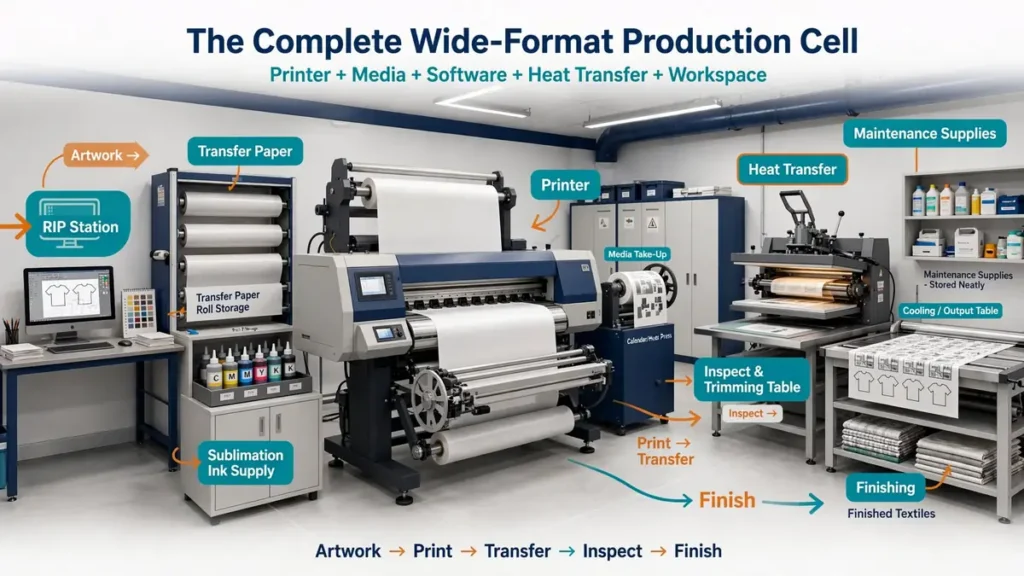
The printer price is only the starting point.
- printer
- stand
- take-up system
- RIP or production software
- initial ink inventory
- transfer paper
- larger heat press
- calendar heat press
- electrical work
- computer or RIP workstation
- media racks
- trimming area
- freight
- installation
- operator training
- service plans
- maintenance supplies
- spare consumables
- lost production during installation and training
The jump becomes especially large at 64 inches. A current $30,895 F9570 is not a $30,895 production system if the shop also needs new finishing equipment, electrical changes, larger media inventory, and installation.
Run the complete investment through the Sublimation Equipment ROI Calculator before deciding that a wider machine will pay for itself.
Bottom line: finance the production cell, not just the printer.
When Does a 24-Inch Printer Become Too Small?
A 24-inch machine is too small when its width repeatedly forces inefficient decisions on profitable jobs.
- artwork is regularly split into sections
- oversized transfers are outsourced
- wide jobs are turned away
- nesting on 24-inch media creates excessive waste
- orders are delayed because layouts need manual workarounds
- the finishing equipment can already handle larger transfers
- customers regularly request products outside the current width
One large order is not enough evidence. Look for a pattern. If the shop encounters the same width problem several times each month and those jobs carry healthy margins, a 44-inch system deserves serious comparison.
When Does a 44-Inch Printer Become Too Small?
Most small print businesses never need to move past 44 inches. A 64-inch upgrade becomes more reasonable when 44-inch media regularly limits the actual products being sold.
- wide cut-and-sew sportswear panels
- soft signage
- wide fabric décor
- flags
- larger contract textile work
- repeated jobs that must currently be tiled or outsourced
- production layouts that waste too much media at 44 inches
The business should also have finishing equipment that can use the extra width. If a 64-inch printer simply sends wider transfers into the same finishing bottleneck, the upgrade has moved the problem instead of solving it.
Four-Color vs Six-Color Production Printers
Four-color and six-color systems solve different problems. The Epson F6470 and F9570 use four-color CMYK with high-density black. The F6470H and F9570H add a selectable pair of extra inks.
A four-color system may make more sense when
- most work is standard promotional printing
- apparel colors already reproduce acceptably
- simplicity matters
- production speed is a higher priority
- expanded-gamut work is uncommon
Six colors may be useful when
- photographic output is important
- customers have demanding brand-color requirements
- fluorescent sportswear is part of the product mix
- orange/violet gamut expansion supports actual paid work
- the shop has a clear reason for the additional ink channels
Do not choose a six-color machine because the specification sounds more advanced. Choose it when your product mix needs the extra color capability. For the F6470H and F9570H, that decision matters before installation because Epson says the selected additional ink configuration cannot be changed by the user later.
Roll Paper Becomes a Bigger Buying Decision at Production Scale
Transfer paper that feels like a minor consumable on a desktop printer becomes a production variable on a wide-format machine.
- roll width
- roll length
- GSM
- coating
- ink load
- drying behavior
- cockling
- take-up compatibility
- storage conditions
- usable yield
- damaged-edge waste
- price per usable square foot
A paper that works well for small sheet-fed designs may not be the most practical choice for a long, heavily inked production roll. The best sublimation paper for Epson printers guide helps with printer-specific paper selection.
For higher-volume roll workflows, the 75GSM jumbo roll sublimation paper buying guide covers roll dimensions, ink load, drying, storage, and usable cost.
How Much Workspace Does a Wide-Format Printer Need?
Do not measure only the printer cabinet. A usable production area needs room for loading, service, media handling, transfer, trimming, pressing, cooling, and finished-product handling.
- roll loading
- media unloading
- rear and side service access
- take-up systems
- transfer-paper storage
- ink storage
- computer or RIP workstation
- trimming
- transfer inspection
- heat pressing
- cooling
- finished-product handling
A 64-inch printer may be the width of one machine, but the complete production cell can occupy a much larger area. The heavier rolls used by production machines also change material handling. Epson lists a maximum roll weight of 99.2 pounds for the F9570 family.
24 vs 44 vs 64 Inch Decision Matrix
Use this matrix as a first filter before comparing specific models.
| Decision factor | 24 inch | 44 inch | 64 inch |
|---|---|---|---|
| Typical business stage | Growing personalization shop | Commercial print shop | High-volume textile operation |
| Current Epson example | F570 | F6470 / F6470H | F9570 / F9570H |
| Current printer price | $2,495 | $8,450 / $8,995 MSRP | $30,895 / $34,995 |
| Roll printing | Yes | Yes | Yes |
| Typical jobs | Apparel graphics, panels, awards, smaller décor | Apparel, décor, larger panels, textiles, soft signage | Wide textiles, sportswear, contract printing, signage |
| Workspace | Compact | Dedicated production area | Production cell |
| Finishing requirement | Larger platen press may be enough | Large platen or calendar depending on work | Often calendar or industrial finishing |
| Service importance | Moderate | High | Very high |
| Main reason not to buy | Width still exceeds real demand | Volume cannot justify commercial workflow | Capital and workflow exceed proven demand |
Prices checked October 17, 2026. Epson pricing and availability can change.
Wide-Format Sublimation Printer Size Selector
Use this tool to narrow the printer class based on your actual workflow. It is a planning aid, not a substitute for equipment quotes or production testing.
Enter your workflow details to see which width class deserves a closer comparison.
Should You Buy Bigger Now or Outsource Large Transfers?
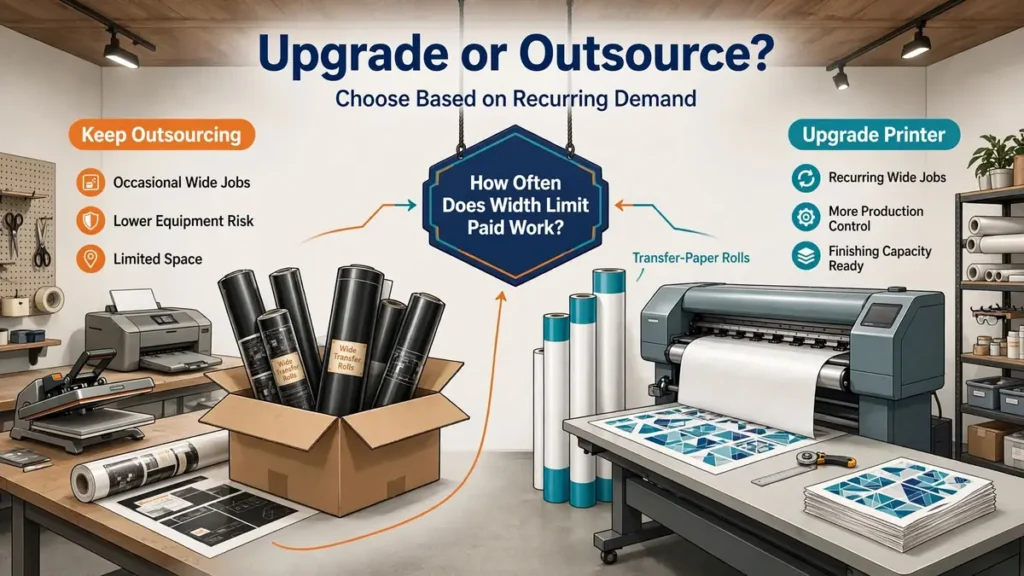
Outsourcing is not a failure to scale. It is often the lowest-risk way to serve occasional wide-format jobs.
Keep outsourcing when
- large jobs arrive only occasionally
- width requirements change from project to project
- you lack suitable finishing equipment
- floor space is limited
- the current printer handles normal daily work
- a supplier can deliver within your customer deadline
Buy wider when
- outsourced transfers are a frequent monthly expense
- supplier turnaround causes missed orders
- large jobs are already part of your normal product mix
- the current printer repeatedly blocks profitable work
- the shop has enough finishing capacity
- the new machine can stay productive throughout the year
A useful test is to separate opportunity from recurring demand. A customer asking once for a six-foot textile panel is an opportunity. A shop ordering wide transfers every week has recurring demand. Buy equipment for the second situation.
Wide-Format Sublimation Printer Buying Checklist
Production
- widest recurring transfer
- typical transfer width
- current monthly roll usage
- peak weekly workload
- jobs currently outsourced because of width
- expected operating hours
- maximum useful print width
Printer
- maximum media width
- printable width
- roll core size
- maximum roll weight
- take-up system
- cutter
- ink configuration
- ink pack size
- maintenance procedure
- user-replaceable parts
- operating environment requirements
Software
- included RIP
- supported operating system
- nesting
- repeat patterns
- color-management tools
- job queue
- profile support
- license or subscription costs
Finishing and Service
- heat press or calendar width
- trimming and cooling area
- warranty
- on-site support
- technician availability
- service-plan cost
- replacement-part availability
- operator training
Financial
- printer price
- freight
- installation
- electrical work
- ink
- paper
- finishing equipment
- software
- monthly finance payment
- working capital after purchase
- downtime cost
A printer that looks affordable on a monthly payment can still be a poor purchase if it consumes the cash needed for blanks, payroll, marketing, or seasonal inventory.
Which Width Should Your Business Choose?
Choose 24 inches when
You regularly exceed desktop sheet sizes but still run a compact personalization business. The F570 class gives you roll media and much more layout flexibility without moving into an industrial production footprint.
Choose 44 inches when
Commercial roll production is already part of the workload. The F6470 class makes more sense when larger apparel, décor, textile, panel, and soft-signage jobs appear often enough to justify dedicated production equipment.
Choose 64 inches when
Wide textiles and sustained production are core parts of the business. A 64-inch machine should solve a known production bottleneck and feed equipment that can actually transfer and finish the output.
Keep outsourcing when
The bigger printer would solve an occasional problem rather than a recurring one.
For businesses still comparing smaller machines or general-purpose sublimation printers, use the Best Sublimation Printers 2026 guide before moving into production-width equipment.
The safest upgrade path is straightforward: prove the jobs first, identify the width bottleneck, confirm the finishing workflow, price the complete production system, then choose the smallest machine that solves the problem with sensible room for growth.
Frequently Asked Questions
What is considered a wide-format sublimation printer?
The definition varies by seller, but 24-inch printers are commonly treated as entry-level wide-format systems, while 44 and 64-inch machines belong more clearly to commercial production. For buying decisions, focus on usable media width and production workflow rather than the label.
Is a 24-inch sublimation printer big enough for a small business?
Yes, for many businesses. A 24-inch printer can handle larger apparel graphics, photo panels, awards, décor, roll nesting, and many personalized products. Upgrade only when recurring paid work requires more width than the printer can provide.
When should I upgrade from 24 inches to 44 inches?
Consider 44 inches when 24-inch width regularly forces you to split layouts, waste media, turn away work, or outsource profitable jobs. Your finishing equipment and workspace should also be ready for the wider output.
Do I need a 64-inch sublimation printer?
Most small personalization businesses do not. A 64-inch printer is better suited to wide textile panels, sportswear production, soft signage, contract printing, and sustained roll production. It needs enough volume to justify the much larger investment.
How much does a commercial sublimation printer cost?
Current Epson examples range from $2,495 for the 24-inch F570 to $8,450 and $8,995 for the 44-inch F6470 and F6470H, and $30,895 to $34,995 for the 64-inch F9570 series. These prices were checked October 17, 2026 and can change.
What can a 44-inch sublimation printer make?
A 44-inch printer can support commercial apparel, fabric panels, home décor, larger promotional products, photo panels, short-run textile work, and soft signage. Actual product size still depends on the heat-transfer and finishing equipment.
What can a 64-inch sublimation printer make?
A 64-inch machine is suited to wide textiles, cut-and-sew apparel, sportswear, soft signage, flags, large décor, and other roll-to-roll production work. The printer is only one part of the system. Wide transfer equipment is also needed.
Is six-color sublimation better than four-color?
Not automatically. Six-color configurations can help with photographic smoothness, fluorescent work, or an expanded color gamut, depending on the chosen inks. Four-color machines may be more appropriate when standard production, simplicity, or higher rated speed matters more.
Can I use a normal heat press with a wide-format sublimation printer?
Yes for products that fit the press. The problem appears when the printer can produce transfers wider than the press can apply. Larger textile production may require a larger platen press or calendar heat press.
Should I outsource large sublimation transfers instead of buying a bigger printer?
Outsourcing is usually the lower-risk option when large jobs are occasional. Buying wider equipment becomes more reasonable when outsourced work is frequent, delays production, limits profit, and can support the full equipment and finishing cost.