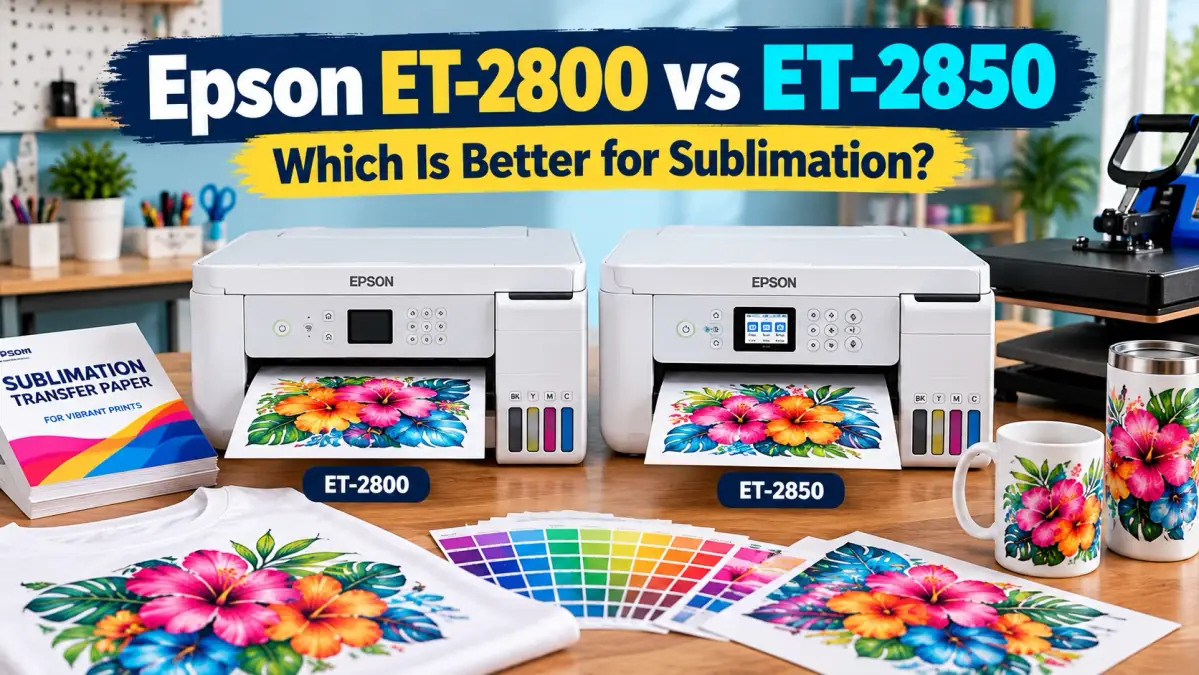
Epson ET-2800 vs ET-2850 for Sublimation: Which Should You Buy?

If you are choosing between the Epson ET-2800 and ET-2850 for sublimation, the ET-2800 is usually the better value when the printer will be dedicated to sublimation.
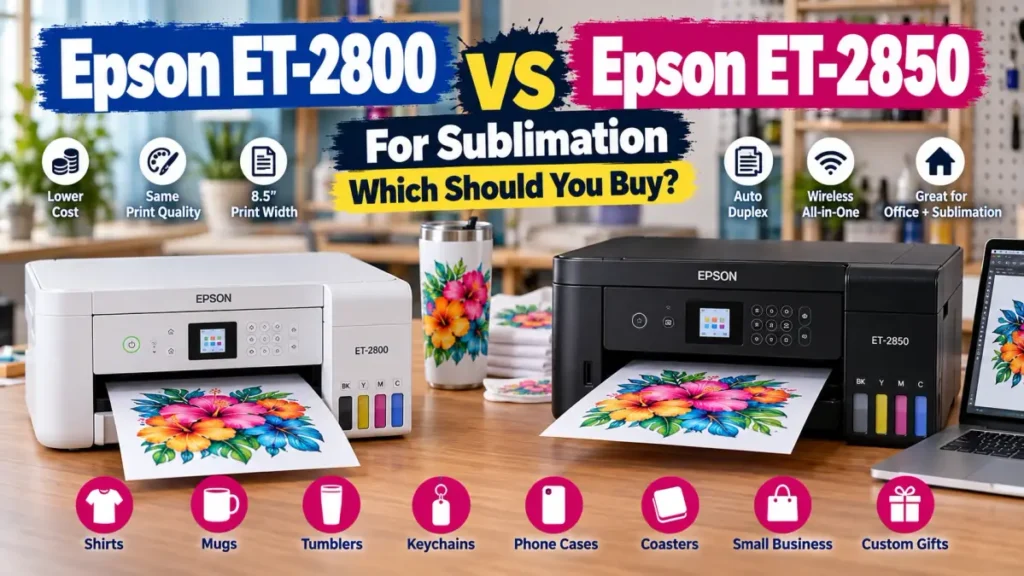
Both are compact EcoTank all-in-one printers with an 8.5-inch paper width, wireless printing, a 100-sheet rear feed, a 1.44-inch color display, and Epson Micro Piezo Heat-Free printing technology. The main feature the ET-2850 adds is automatic two-sided printing.
That is useful for normal office documents. It has very little value for a dedicated sublimation setup because transfer paper is normally printed on one side. The decision changes if you also want to use the printer for ordinary documents.
Jump to a section:
- Quick verdict
- Specs that matter
- Sublimation color
- Print size
- Conversion and warranty
- Current price comparison
- Maintenance
- Final decision
- FAQs
ET-2800 vs ET-2850: Quick Sublimation Verdict
| Situation | Better choice |
|---|---|
| Lowest-cost dedicated sublimation setup | ET-2800 |
| Shirts, mugs, tumblers and small blanks | Either |
| Better sublimation color because of the printer model | No clear winner |
| Automatic double-sided document printing | ET-2850 |
| Mixed home-office and normal printing | ET-2850 |
| Best value when ET-2850 costs much more | ET-2800 |
| Need prints wider than 8.5 inches | Neither |
| Want a manufacturer-designed sublimation printer | Consider a purpose-built model |
For most beginners converting an EcoTank specifically for sublimation, I would put the price difference toward transfer paper, compatible ink, blanks, and a reliable heat press rather than paying more for automatic duplex printing.
If you are still comparing EcoTank models broadly, the live Best Epson EcoTank for Sublimation guide helps narrow the choices before you commit to one model. If you are deciding whether to convert an EcoTank at all, compare the trade-offs in the Epson EcoTank vs Sawgrass cost breakdown.
ET-2800 vs ET-2850 Specs That Matter for Sublimation
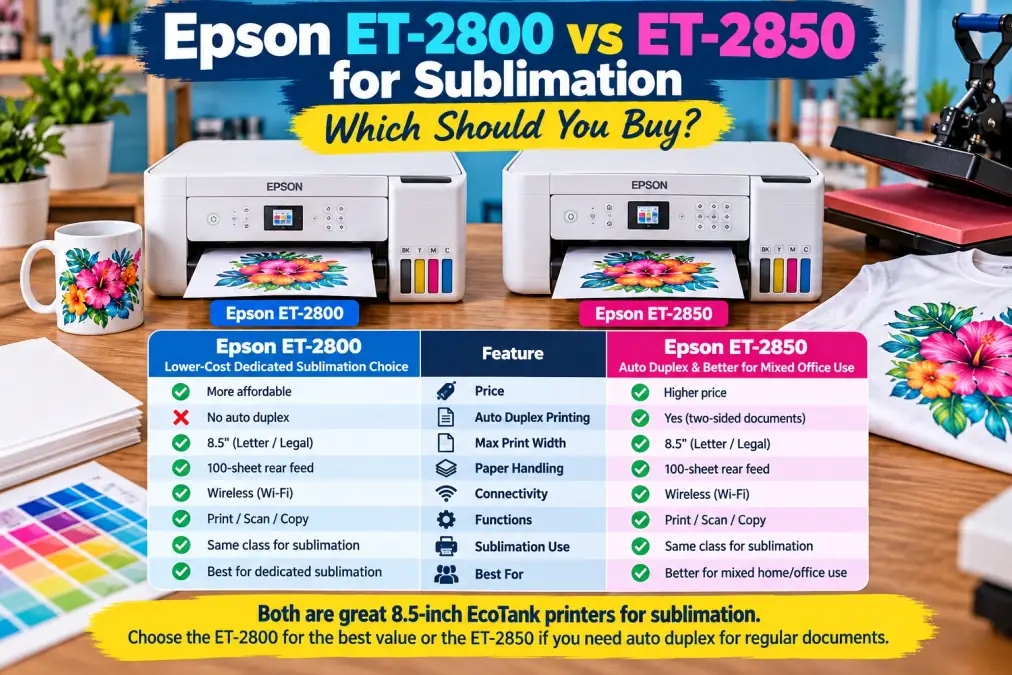
A long printer specification sheet can make the ET-2850 look like a major upgrade. For sublimation, the two models are much closer than their names suggest.
| Feature | ET-2800 | ET-2850 | Sublimation impact |
|---|---|---|---|
| Printing technology | Micro Piezo Heat-Free | Micro Piezo Heat-Free | Important |
| Color system | CMYK EcoTank | CMYK EcoTank | Important |
| Standard max paper width | 8.5 in | 8.5 in | Important |
| Rear paper feed | 100 sheets | 100 sheets | Useful |
| Standard legal paper support | Up to 8.5 × 14 in | Up to 8.5 × 14 in | Useful |
| Color LCD | 1.44 in | 1.44 in | Minor |
| Wireless printing | Yes | Yes | Useful |
| Print, scan, copy | Yes | Yes | Minor for sublimation |
| Automatic two-sided printing | No | Yes | Very little value for sublimation |
| ISO black print speed | 10 ppm | 10.5 ppm | Little relevance |
| ISO color print speed | 5 ppm | 5 ppm | Little relevance |
The biggest production limitation is the same on both models: 8.5-inch print width. That matters far more for sublimation than the ET-2850’s duplex feature.
What Are You Actually Paying Extra for With the ET-2850?
The clearest ET-2850 upgrade is automatic two-sided printing. For office use, that is convenient because documents can print on both sides without manually flipping the paper.
For sublimation, it is almost irrelevant. You normally want the design on one coated side of transfer paper. Printing on the back does not improve the transfer.
The ET-2850 also has a small advantage in Epson’s ISO black document-print speed rating: 10.5 ppm instead of 10 ppm. Both are rated at 5 ISO ppm for color. These figures describe standard document printing, not full-color sublimation artwork printed at a quality setting, so that small black-speed difference should not decide the purchase.
Does the ET-2850 Produce Better Sublimation Color?
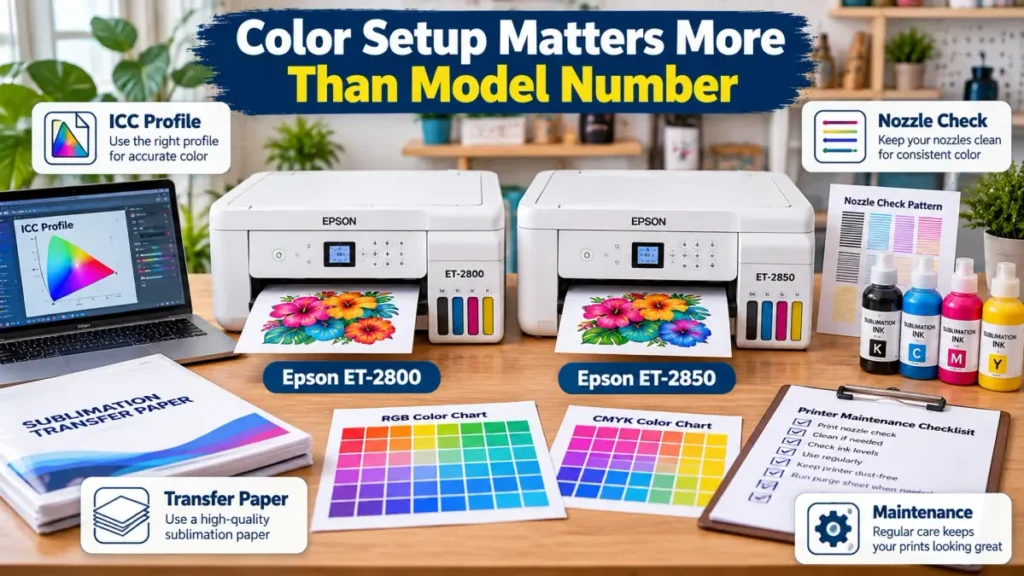
There is no good basis for assuming the ET-2850 will automatically produce better sublimation colors. The printer is only one part of the finished result.
- sublimation ink
- transfer paper
- color-management settings
- ICC profile when applicable
- design color space
- print-quality setting
- heat press temperature and time
- pressure
- substrate coating or polyester content
If you choose the ET-2800, use the live Epson ET-2800 ICC profile guide when you are working through ink/profile matching and setup. ET-2850 owners have a separate Epson ET-2850 ICC profile guide. These pages are model-specific, which is more useful than applying one generic color recipe to both printers.
If you are still selecting ink, start with the sublimation ink buying guide and confirm that the ink supplier supports your exact printer before filling the tanks.
Print Size Is the Same Problem on Both Printers
Both models are letter-width printers. For common sheet-based work, think in terms of an 8.5-inch maximum standard paper width, with support for common letter and legal-size sheets.
That works well for many mugs, ornaments, coasters, keychains, small signs, youth apparel graphics, mouse pads, photo panels, and smaller shirt designs.
It becomes restrictive when you want large adult shirt fronts or other wide transfers. Choosing the ET-2850 instead of the ET-2800 does not solve that problem because the print width remains the same.
Transfer Paper Matters More Than Duplex Printing
A rear paper feed is useful for sublimation because coated transfer paper can behave differently from ordinary copier paper. Both models have a 100-sheet rear feed, so neither gets a meaningful advantage here.
Test unfamiliar paper before loading a large stack. Watch for roller marks, curl, skewed feeding, smearing, head strikes, or ink that stays wet too long.
The best sublimation paper for Epson printers guide covers the paper decision separately.
Converting the ET-2800 or ET-2850 for Sublimation
Neither the ET-2800 nor ET-2850 is sold by Epson as a dye-sublimation printer. They are standard EcoTank inkjet printers. Using either for sublimation means building a third-party ink workflow around the printer.
If you plan to dedicate one to sublimation, keep the ink system consistent from the beginning. Avoid casually mixing normal document ink and sublimation ink in the same tanks. If the printer has already been filled with another ink type, follow a verified conversion or flushing procedure for that printer and ink combination rather than simply adding sublimation ink on top.
What about the warranty?
Avoid the blanket claim that conversion automatically cancels every part of the warranty. Epson recommends genuine Epson ink, and its warranty language says damage caused by non-Epson or incorrect ink may not be covered.
For a sublimation business, the practical point is simple: once you build a third-party ink workflow, do not assume Epson will cover damage caused by that ink.
Epson’s Published Ink Yields Do Not Tell You Sublimation Cost
| Model | Epson replacement ink yield |
|---|---|
| ET-2800 | Up to 4,500 black / 7,500 color ISO pages |
| ET-2850 | Up to 7,500 black / 6,000 color ISO pages |
Do not use those document-yield numbers to claim that one converted printer is cheaper per sublimation transfer. They are based on Epson ink and standardized document-printing methodology.
Once you replace the original ink workflow with third-party sublimation ink and start printing full-color graphics, actual usage depends on coverage, design size, print quality, ink supplier, failed prints, cleaning cycles, and the colors used most heavily.
ET-2800 vs ET-2850 Price: Check the Real Checkout Price
Printer pricing moves too often for a permanent price table to stay accurate. During an October 5, 2026 US price check, Best Buy showed the white ET-2800 at about $200 in some current listings, while current ET-2850 listings were considerably higher and less consistent.
Do not compare a direct retailer ET-2800 offer with an inflated marketplace ET-2850 listing and assume the gap represents the normal manufacturer price difference. Check the seller, condition, return policy, and whether the unit is new, renewed, open-box, or marketplace stock.
If the ET-2850 costs only a little more and you genuinely need automatic two-sided office printing, paying the difference can make sense. If the gap is large and the printer will be dedicated to sublimation, the ET-2800 is the stronger value.
Maintenance Is More Important Than the Model Difference
Converted inkjet printers can develop missing colors, banding, or nozzle problems when they sit unused or when the ink system is not maintained properly. That issue matters on either model.
- Print a nozzle check.
- Identify whether a color channel has gaps.
- Run the appropriate cleaning procedure if required.
- Print another nozzle check.
- Only change color settings after confirming the printer is mechanically printing correctly.
The live sublimation printer maintenance schedule gives you a printable routine for ongoing care. For targeted troubleshooting, the printer purge sheets guide explains when a purge pattern is useful and when a normal nozzle check should come first.
ET-2800 and ET-2803 owners can also use the dedicated ET-2800 / ET-2803 purge sheet guide.
Who Should Buy the ET-2800?
- The printer will be dedicated to sublimation.
- You want to minimize the upfront printer cost.
- An 8.5-inch print width is enough.
- You do not care about automatic duplex document printing.
- You would rather spend the difference on the press, blanks, ink, or paper.
There is also an ET-2803 variant that is commonly confused with the ET-2800. If you find one on sale, see the ET-2800 vs ET-2803 comparison before assuming the higher model number means a major upgrade.
Who Should Buy the ET-2850?
- You also need normal home or office printing.
- Automatic double-sided documents are useful to you.
- Its current price is close to the ET-2800.
- You find one from a reputable seller at a reasonable price.
- You understand that the upgrade does not increase sublimation print width.
The ET-2850 makes more sense as a general-purpose EcoTank with an extra office feature than as an expensive way to get better sublimation output.
When Neither Printer Is the Right Choice
Skip both if you need wider apparel transfers, manufacturer-supported sublimation ink, or a printer designed around higher production volume. Entry-level home EcoTanks are attractive conversion platforms, but they are still letter-width office printers.
If your budget is still flexible, the best sublimation printer for beginners under $500 guide gives you alternatives beyond these two models.
ET-2800 vs ET-2850 for Sublimation: Final Decision
For a dedicated sublimation conversion, buy the ET-2800 when it is meaningfully cheaper. You get the same 8.5-inch class of printer, rear-feed workflow, wireless functionality, and basic EcoTank platform without paying extra for automatic two-sided office printing.
Buy the ET-2850 when its price is close enough that the duplex feature has real value because you also plan to use the printer for ordinary documents.
Do not pay a large premium expecting better sublimation color. Ink, paper, color management, nozzle health, pressing conditions, and the substrate have a much larger role in the finished transfer.
Frequently Asked Questions
Is the Epson ET-2850 better than the ET-2800 for sublimation?
Not automatically. The ET-2850 adds automatic two-sided printing and has a slightly different office-print specification, but those advantages do not materially improve a normal one-sided sublimation transfer workflow. If the ET-2800 is cheaper, it is usually the better value for a dedicated conversion.
Does the ET-2850 make better sublimation colors?
There is no reliable reason to expect better sublimation color simply because you choose the ET-2850. Final color depends on the complete workflow, including ink, transfer paper, color management, print settings, press conditions, and substrate.
Can both printers be converted for sublimation?
Both are standard EcoTank inkjet printers commonly used in third-party sublimation workflows. Epson does not sell either model as a dye-sublimation printer, so conversion depends on compatible third-party ink and setup.
Do the ET-2800 and ET-2850 print the same size?
For normal sheet-based use, both are 8.5-inch-width printers and support common letter and legal-size paper. Moving from the ET-2800 to the ET-2850 does not give you a wider sublimation print.
Does automatic duplex printing help with sublimation?
Not for a normal transfer workflow. Sublimation paper is normally printed on one side. Duplex printing is mainly useful if you also use the ET-2850 for regular documents.
Which is better for sublimation shirts?
Neither has a width advantage. Both work for smaller shirt designs that fit the 8.5-inch paper width. For large adult shirt-front graphics, a wider printer is the more important upgrade.
Can I use the same sublimation ink in both printers?
Do not assume compatibility just because both are EcoTank models. Buy ink specifically listed by the ink manufacturer or supplier as compatible with your exact printer and follow its filling and color-management instructions.
Should I buy an EcoTank or a purpose-built sublimation printer?
An EcoTank conversion can offer a lower-cost entry point, but it relies on a third-party ink workflow. A purpose-built sublimation printer is designed around dye-sublimation printing from the start. Compare support, print width, ink cost, warranty considerations, and your production needs rather than purchase price alone.