Best Sublimation Paper for Epson Printers: EcoTank, F170 and F570

Ask about sublimation paper for Epson printers in any crafting group and you get two confident answers that contradict each other. One person swears by a third-party brand and has never had a problem. Another says only Epson’s own paper belongs in the machine.
Both are right, and they are talking about different printers. A converted EcoTank and a SureColor F170 share a badge and almost nothing else. One is a document printer running ink it was never designed for. The other is a purpose-built dye-sublimation printer with a paper matched to it in the driver.
Work out which camp your machine falls into and the paper question mostly answers itself.
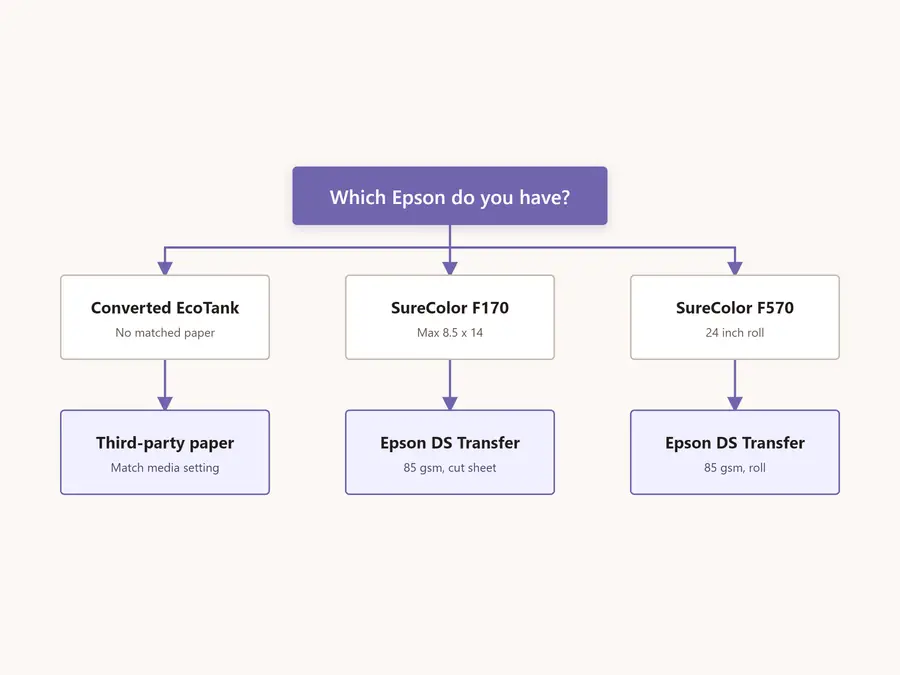
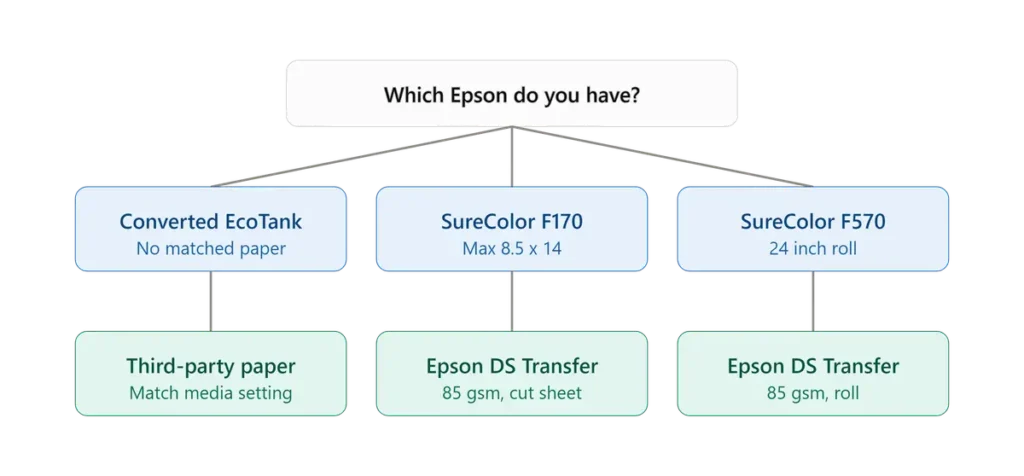
Quick answer: The SureColor F170 and F570 are built around Epson DS Transfer Multi-Use paper, an 85 gsm matte transfer paper made for those two models. Converted EcoTanks have no matched Epson sublimation media at all, so third-party paper is normal and expected.
On a converted machine the limiting factor is the paper path and the driver media setting, not the brand on the box.
Why Two Epsons Give You Two Different Answers
Three things separate a native SureColor from a converted EcoTank, and each one changes what paper you should put in it.
Warranty status. Filling an EcoTank with sublimation ink voids Epson’s warranty the moment you do it. That is not a reason to avoid conversion, but it does mean nobody at Epson will help you diagnose a feed or transfer problem afterward. On an F-series machine the support relationship stays intact.
Media profiles. The F170 and F570 drivers know what Epson DS Transfer paper is and lay down ink accordingly. An EcoTank driver has no idea sublimation paper exists, so you have to pick a substitute media setting and live with whatever ink volume it produces.
Paper path. Purpose-built sublimation printers assume you are feeding coated transfer stock all day. Consumer EcoTanks assume copy paper, and their feeders are built accordingly.
If you are still deciding between a conversion and a dedicated machine, the trade-offs go beyond paper. Our breakdown of why converted printers fail after six months and the EcoTank versus Sawgrass cost comparison both cover the longer-term picture.
Epson Paper Compatibility at a Glance
| Machine | Maximum sheet | Matched Epson paper | What actually limits you |
|---|---|---|---|
| ET-2800, ET-2850 (converted) | 8.5 x 47.2 in long document mode | None | Rear feeder only, single sheet above legal size |
| ET-8550, ET-15000 (converted) | 13 x 19 | None | Reduced sheet capacity at large sizes |
| SureColor F170 | 8.5 x 14 | Epson DS Transfer Multi-Use | Sheet width, capped at 8.5 inches |
| SureColor F570 | 24 inch roll or cut sheet | Epson DS Transfer Multi-Use | Storage conditions and handling |
Sublimation Paper for Converted Epson EcoTank Printers
This is where most of the confusion lives, because the machine was never documented for this use. Nothing in the manual will tell you what to buy.
Are All Paper Types Compatible With EcoTank Printers?
No, and the answer is more specific than most people expect. Epson publishes a compatible paper list for each EcoTank model, and on the ET-2800 that list contains plain paper, bright white paper, presentation matte, and four glossy photo papers. There is no sublimation transfer paper on it, because these were never sold as sublimation printers.
That does not mean sublimation paper will not feed. It means you are operating outside the supported media list, and any feeding or quality issue is yours to solve.
Three properties matter more than the brand name. The sheet needs to be flat, since the manual explicitly warns against loading paper that is curled, damp, or wavy. It needs to sit in a weight range the rear feeder handles comfortably, which for most people means staying in the common sublimation range rather than reaching for the heaviest stock available. And it needs to be coated on one side only, so you can tell which face receives the ink.
Weight selection has its own trade-offs around ink load and humidity, which our sublimation paper guide covers in detail.
The Media Type Setting Problem
Open the driver on a converted EcoTank and look for a sublimation option. There is not one. Your choices are Plain Paper, Presentation Paper Matte, Premium Presentation Paper Matte, and several glossy photo settings.
Most people end up on one of the matte presentation settings, because they instruct the printer to lay down more ink than a plain paper setting does, and sublimation transfers need a heavy ink load to survive the press. Which of the two works better depends on your ink, your paper, and how much saturation your blanks need.
Tip: Test both matte settings on the same design before you commit to one. Print the identical file twice, press both onto the same blank type, and compare. This takes ten minutes once and saves you from second-guessing every faded transfer afterward.
ET-2800 and ET-2850 Paper Handling
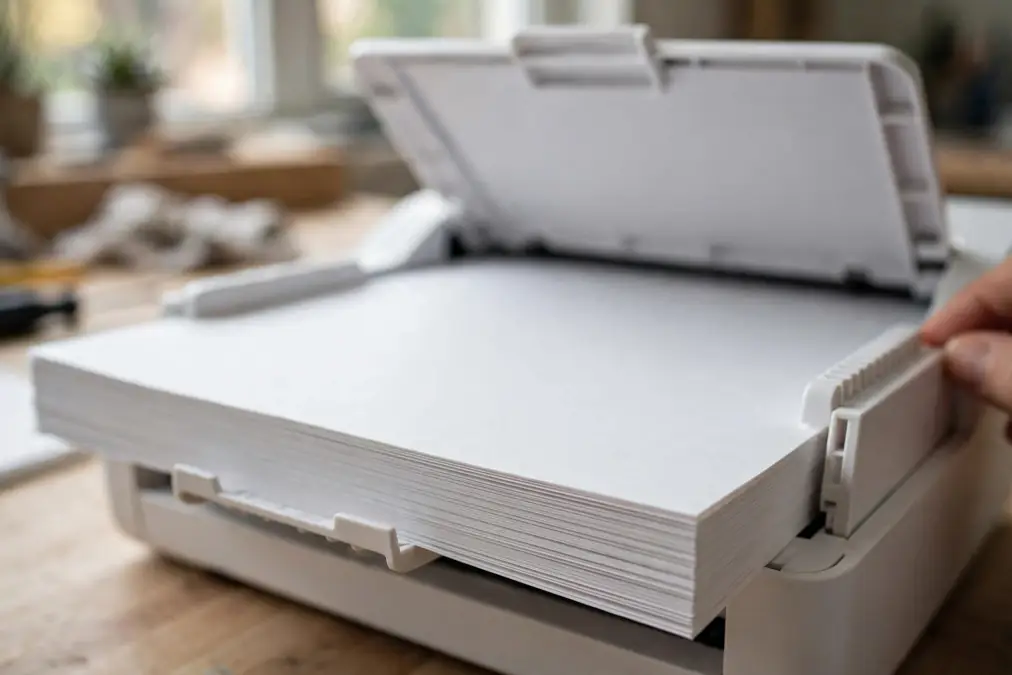
These two are the most commonly converted models and they share the same constraint: neither has a paper cassette. Everything feeds through the rear paper feeder, printable side up, short edge first.
A few specifics that matter for sublimation work:
- Loading long edge first is only possible if you set a User-Defined paper size and enter the long edge as the width. This is how tumbler wrap prints get their full width on these machines.
- At 8.5 x 13 inches or larger, the feeder handles one sheet at a time rather than a stack.
- Long document mode allows printing up to 8.5 x 47.2 inches, which is more length than most people realise these printers have.
- If prints smear, the Windows driver has a Thick Paper and Envelopes option under Extended Settings that increases the head gap.
ET-8550 and ET-15000
Both handle 13 x 19, which changes what you can produce. The ET-8550 in particular accepts A3 and A3+ sheets through its rear paper feeder, though capacity drops to five sheets at those sizes rather than a full stack.
Longer sheets scuff more easily against each other in a rear feeder, so loading fewer sheets is often the fix for surface marks rather than a paper quality problem. If you are setting one of these up, our ET-8550 sublimation setup guide walks through the full configuration.
Sublimation Paper for the Epson SureColor F170
The F170 is a genuine dye-sublimation printer, so the paper question is far simpler here.
Epson DS Transfer Multi-Use Paper
Epson makes one general-purpose transfer paper for the F-series, and the F170 spec sheet lists it as the supported paper type. The specifications are worth knowing because they explain why it behaves the way it does.
| Property | Specification |
|---|---|
| Weight | 85 gsm |
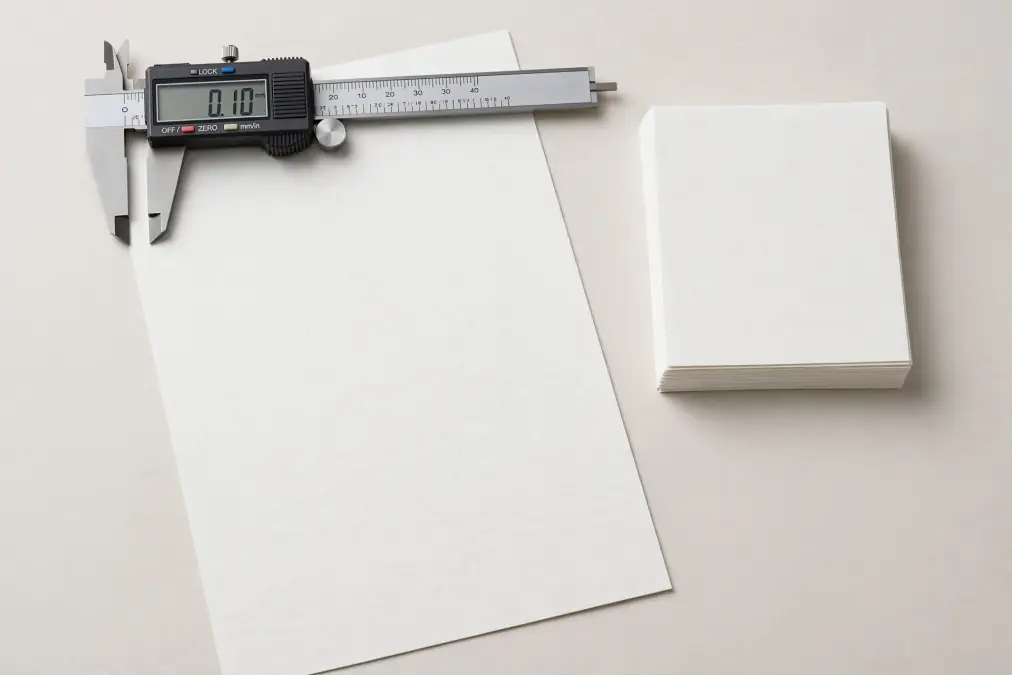
| Thickness | 4.5 mil |
| Material | Alpha cellulose, matte finish |
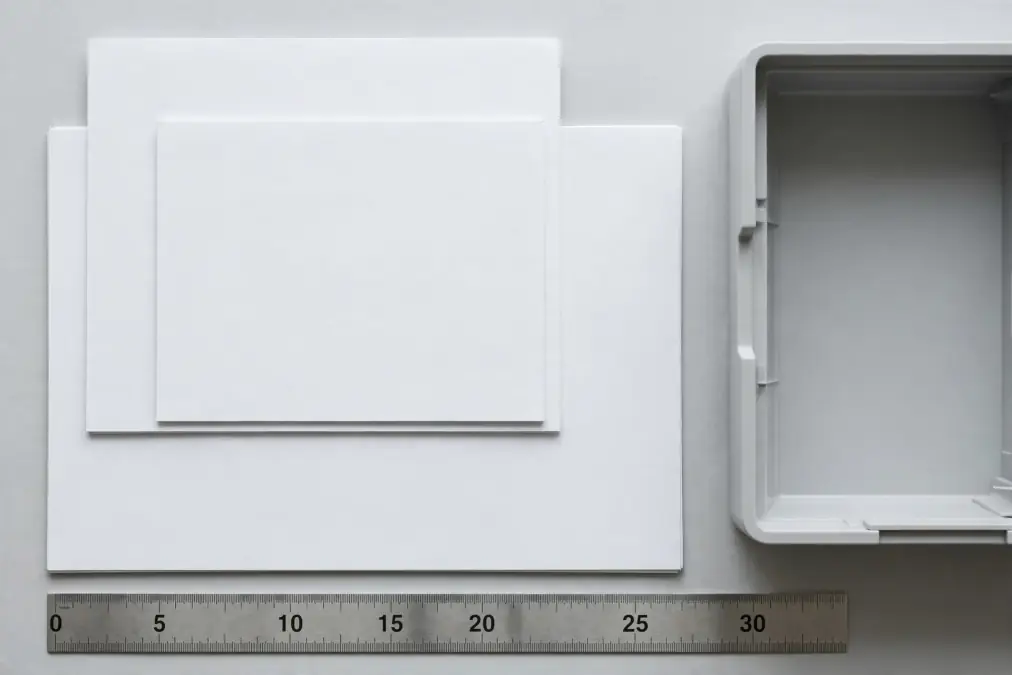
| Sheet sizes | 8.5 x 11, 8.5 x 14, 11 x 14 |
| Roll | 24 inch width |
At 85 gsm it sits at the lighter end of what most people associate with sublimation paper. That is deliberate. The paper is engineered for high ink release and a low-cockling base, meaning it stays flat under a heavy ink load rather than rippling. It works on both polyester textiles and polymer-coated rigid blanks.
Note: The 11 x 14 sheet size exists for the F570. An F170 tops out at 8.5 inches of paper width, so that size will not feed regardless of what the product listing says.
Using Third-Party Paper in an F170
You can, and plenty of people do. What you give up is the matched media profile, which means the ink volume the driver assumes may not match what your paper is designed to hold.
The practical approach is to buy a small pack first, print one test design, and compare it against the same design on Epson stock before switching a full workflow. Cost savings on paper disappear quickly if the transfers come out lighter and you start reprinting.
The 8.5 x 14 Ceiling
The F170 accepts sheets from 3.5 inches wide up to 8.5 x 14 inches, with a 150-sheet auto-feed tray. Margins run 3 mm on each side, so usable width is slightly under the sheet width.
That ceiling covers tumblers, mugs, youth apparel, and pocket prints comfortably. It does not cover full adult front prints, which is the single most common reason people outgrow this machine.
Sublimation Paper for the Epson SureColor F570
At 24 inches wide, the F570 moves into a different category of paper handling.
Roll or Cut Sheet
The F570 takes both. Rolls make sense for apparel production and gang printing, where you are cutting to length anyway and want minimal waste. Cut sheets make sense for mixed job types where you are switching between blank sizes and do not want to trim every print.
Most shops running one of these end up with a roll loaded for volume work and a small stock of cut sheets for one-off jobs.
Why Storage Matters More at 24 Inches
Epson specifies an operating environment of 68 to 75 degrees Fahrenheit and 40 to 50 percent relative humidity for optimum performance with its transfer paper. Those numbers are easy to ignore on a letter sheet and hard to ignore on a 24 inch roll.
Wide paper absorbs moisture across a much larger surface, and the resulting cockling shows up as head strikes and banding rather than as visible curl. A roll stored in a damp garage will cause problems that look exactly like a printer fault.
What About Cotton and Dark Shirts?
This comes up constantly, and the honest answer is that no sublimation paper solves it. The limitation is not in the paper.
Sublimation dye bonds with polyester at a molecular level. Cotton fibres have nothing for the dye to bond to, so whatever transfers washes out. The dye is also translucent, which means it takes on the colour underneath it. On a black shirt, a red design has nothing to be red against.
When experienced people in these threads recommend a specific paper for cotton, they are usually pointing at inkjet transfer paper used with pigment ink, which is a different process entirely and needs different consumables. It is not sublimation, and it will not work with sublimation ink.
For dark garments, the realistic options are DTF, screen printing, or a hybrid workflow. Our guide to the DTF sublimation approach for dark shirts covers the method that actually works when you have a sublimation setup already.

Sticker Paper, Butcher Paper, and Parchment
Two related questions come up alongside the main one, and neither is really about transfer paper.
Sublimation sticker paper is a separate product with its own handling requirements and its own failure modes. It runs through the same Epson printers, but the pressing process and the trimming are different enough that it deserves its own treatment. Our guide on sublimation sticker paper covers types and selection.
Butcher paper and parchment paper are protective sheets, not transfer sheets. They go between the press platen and your project to catch ink that gasses past the edges of the transfer, and they protect the platen from residue. They never carry your design. Which one to use, and when a Teflon sheet is the better answer, is covered in our guide to sublimation protective paper.
Settings That Matter More Than the Brand You Buy
A well-chosen paper still fails if three settings are wrong, and all three are easy to get wrong on an Epson.
Printable side up. Epson’s own loading instruction for the rear paper feeder is printable side up. Sublimation paper is coated on one side, and it is not always obvious which. The coated face is usually brighter and slightly smoother, and most brands print a faint watermark on the back.
Mirror. On Windows the setting lives under More Options, then Additional Settings, as Mirror Image. On a Mac it is under Print Options. Missing it wastes the sheet and the blank together.
Media type. Covered above for converted machines. On an F-series, leave it matched to the paper you loaded.
The full menu walkthrough, including colour handling, is in our guide to sublimation paper settings.
Problems That Get Blamed on the Paper
Four failures regularly get attributed to paper quality when the cause is somewhere else entirely.
- Clogged nozzles. Blamed on paper dust, usually caused by the printer sitting unused. Sublimation ink dries in the head faster than people expect. Regular use, or regular purge printing, prevents far more clogs than switching paper brands ever will.
- Curling and cockling. Blamed on cheap paper, usually caused by humidity. Paper stored out of its packaging absorbs moisture and stops sitting flat.
- Faded transfers. Blamed on poor coating, usually caused by press time, temperature, or pressure. Paper affects how much ink releases, but the press determines whether that ink actually goes anywhere.
- Ghosting and blur. Blamed on paper release, usually caused by the transfer shifting during or after pressing. Heat-resistant tape and a controlled lift solve this.
Frequently Asked Questions
Are all types of paper compatible with EcoTank printers?
No. Epson publishes a compatible paper list for each model, and it covers plain, bright white, presentation matte, and glossy photo papers. Sublimation transfer paper is not on that list for any EcoTank, because these are not sublimation printers. Most sublimation paper still feeds fine, but you are outside the supported media range.
Do I have to use Epson DS Transfer paper in an F170?
No, but it is the paper the printer was designed around and the one listed in its specifications. Third-party paper works, at the cost of the matched media profile in the driver. Test a small pack against a known result before switching your whole workflow.
What paper should I use with an Epson ET-2800?
Any standard sublimation transfer paper in a common weight range will feed, since Epson offers no matched sublimation media for this model. What matters more is loading it flat, printable side up, through the rear feeder, and choosing a matte presentation media setting in the driver so the printer lays down enough ink.
What is the best sublimation paper for dark shirts?
There is not one. Sublimation dye is translucent and bonds only to polyester, so it cannot show up on a dark garment regardless of which paper carries it. Dark shirts need DTF, screen printing, or a hybrid method rather than a different transfer paper.
Can I use a Canon EcoTank printer for sublimation?
EcoTank is Epson’s product line, so the question usually refers to Canon’s MegaTank models. Some Canon printers can be used with sublimation ink, though the ecosystem is far smaller than Epson’s and profile support is thinner. Our guide to Canon printers for sublimation ink covers which models work.
Should I use butcher paper or parchment paper when pressing?
Either works as a protective sheet, and neither carries your design. Butcher paper is generally the better choice for repeat use because it is more absorbent and less prone to leaving a sheen. Both go between the press and your project to catch stray ink, not under the transfer.
Choosing Paper for Your Specific Epson
Start with the machine rather than the shelf. If you run an F170 or F570, Epson DS Transfer Multi-Use paper is the default, and any move away from it should be tested rather than assumed. If you run a converted EcoTank, you were always going to use third-party paper, so put your attention on flat storage, correct loading, and a media setting that lays down enough ink.
The one thing both camps share is that testing beats reading. A five dollar sample pack tells you more about how a paper behaves with your ink, your press, and your blanks than any specification sheet can.
Once your machine is settled, the brand question is worth revisiting properly. Our sublimation paper buying guide covers what separates one brand from another, and the paper comparison guide breaks down how the common options perform across fabric and hard substrates.