
How to Sublimate: Step-by-Step Sublimation Printing Process

The sublimation printing process has six practical stages: prepare the artwork, print the transfer, prepare the blank, position the transfer, apply the blank-specific heat cycle, then remove, cool, and inspect the result.
The key is not memorizing one temperature or time. Your blank, coating, transfer paper, printer workflow, and heat equipment all affect the result. Start with the blank manufacturer’s instructions, record what you used, and change one variable at a time when troubleshooting.
If you need the definition before the hands-on steps, read what sublimation printing is and how it works.
Sublimation Printing Process at a Glance
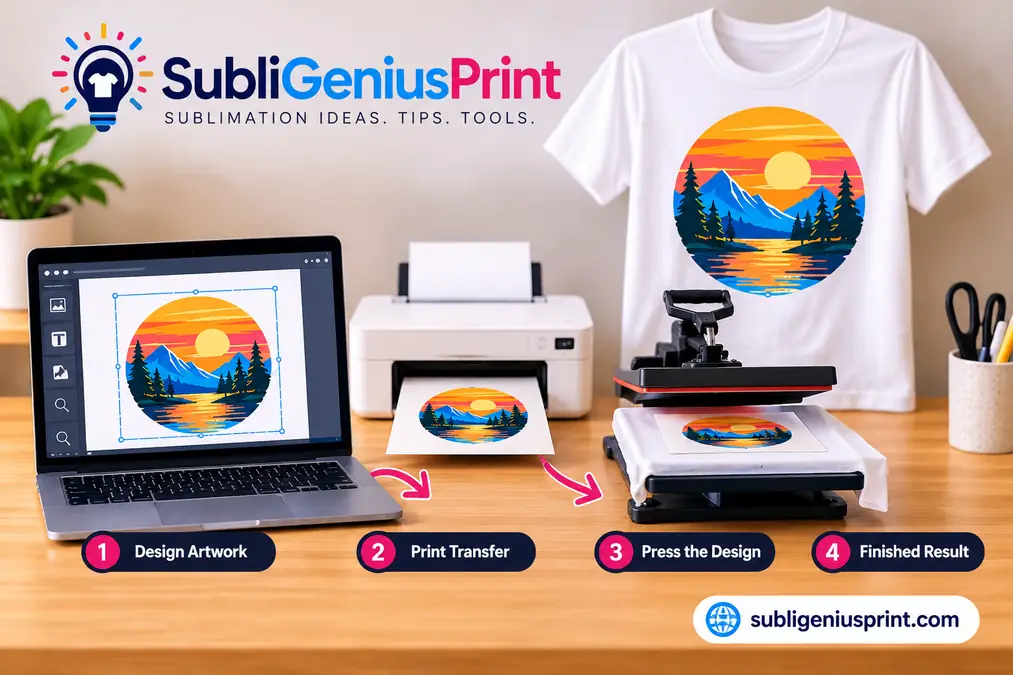
Use this sequence as your basic workflow. The pressing stage changes by blank, so treat the manufacturer’s instructions as the starting specification rather than using one universal setting.
| Stage | What You Do | Check Before Continuing |
|---|---|---|
| 1. Prepare artwork | Size the design and confirm orientation | Correct dimensions and readable text |
| 2. Print transfer | Print with sublimation ink on compatible transfer paper | Correct paper side, color workflow, and mirror state |
| 3. Prepare blank | Clean or lint-roll as appropriate | Blank is sublimation-compatible and ready to press |
| 4. Position transfer | Align and secure the printed transfer | No wrinkles, gaps, or unwanted movement |
| 5. Press | Apply the blank-specific temperature, time, and pressure | Manufacturer instructions are confirmed |
| 6. Remove and inspect | Follow the specified removal method and check the result | Color, alignment, edges, and surface look correct |
Step 1: Prepare the Design
Start with artwork sized for the printable area of your blank. Use a file with enough resolution for the final print size, especially for photographs, fine text, and detailed graphics.
- Set the design to the final print dimensions before printing.
- Check spelling, names, dates, and text direction.
- Keep important artwork inside the usable print area.
- Confirm how your software or print workflow handles mirroring.
Many sublimation transfers need to be mirrored so the design reads correctly after it is placed face-down on the blank. The important point is to mirror it once. Some print software can handle this automatically, so confirm your workflow before adding another flip.
Step 2: Print the Sublimation Transfer
Print with sublimation ink on compatible sublimation transfer paper. Load the paper so the printer places ink on the intended printable side.
Do not assume the highest printer-quality setting is automatically correct. Paper type, print quality, color management, ICC use, and driver settings depend on the printer, ink, paper, and software combination.
If the transfer looks wrong before pressing, fix the print workflow first. The sublimation printer settings guide covers driver, color, alignment, and print-quality troubleshooting in more detail.
Sublimation transfers commonly look less vivid on paper than they do after heat activation. That alone does not mean the transfer is defective.
Step 3: Prepare the Blank and Heat Equipment
Confirm that the blank is designed for sublimation before pressing. Polyester fabric and polymer-coated hard blanks are common examples, but compatibility is product-specific.
Preparation also depends on the material:
- Polyester apparel: lint-roll the print area and smooth the fabric.
- Coated hard blanks: keep the transfer surface clean and free of dust, fingerprints, or protective film when the product instructions require its removal.
- Heat equipment: allow the press to reach a stable operating temperature and confirm pressure or fit before placing the final transfer.
Pre-pressing can help with some textile workflows, but it is not a universal step for every blank. Follow the blank and press instructions for the material you are using.
For pressure, platen setup, and heat-press preparation, use the heat press setup guide for sublimation.
Step 4: Position and Secure the Transfer
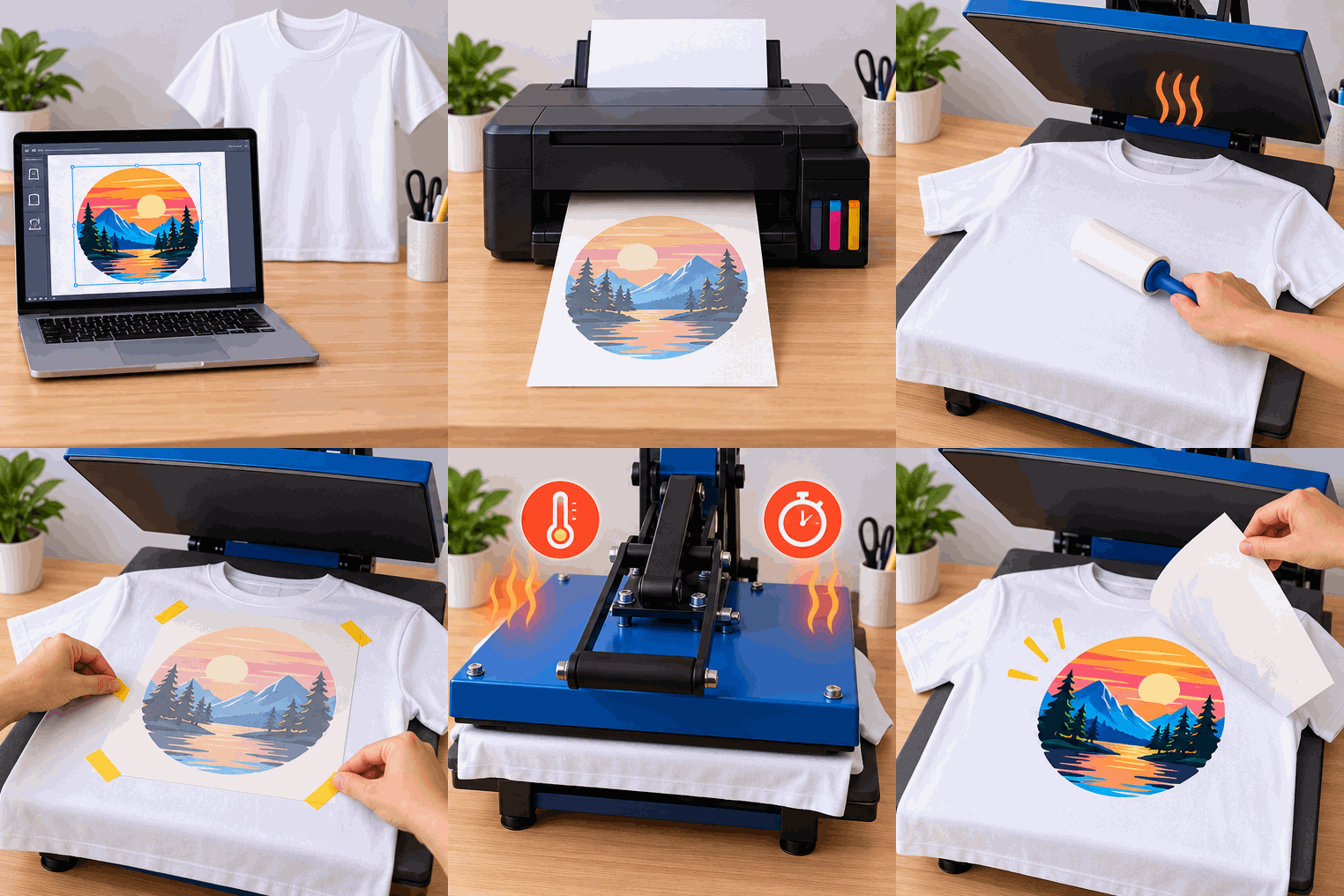
Place the printed transfer against the receiving surface in the orientation required by the blank. Center it carefully before applying heat.
- Check alignment from more than one edge.
- Use heat-resistant tape when it helps keep the transfer from moving.
- Keep folds, wrinkles, and loose paper away from the active print area.
- Use protective paper or another barrier when required by your press and blank workflow.
Movement during pressing or removal can create a second faint edge known as ghosting. Secure the transfer before the press closes instead of trying to reposition it after heat has been applied.
Step 5: Apply the Correct Heat, Time, and Pressure
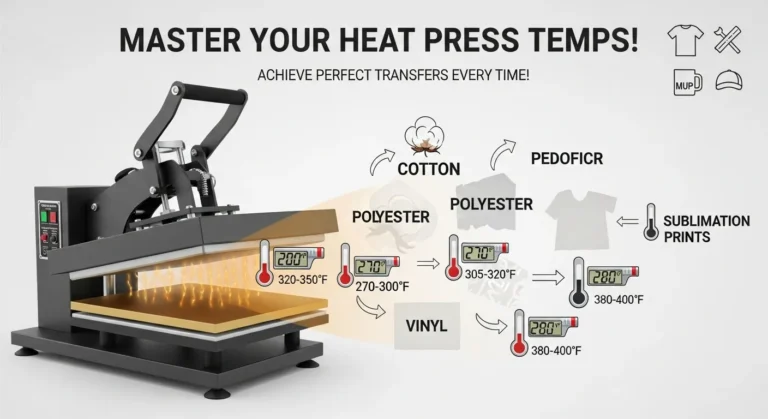
This is where many beginner guides become misleading. There is no single temperature, time, or pressure setting that is correct for every sublimation blank.
Start with the instructions supplied by the blank manufacturer or the supplier responsible for that specific coated product. Then record your result and make controlled adjustments only when needed.
| Variable | What It Controls | What to Do |
|---|---|---|
| Temperature | Heat available to activate and transfer the dye | Start with the blank-specific recommendation |
| Time | How long the transfer remains under heat | Use the recommended dwell time before changing it |
| Pressure | Contact between transfer and receiving surface | Match the blank and press instructions |
| Orientation | How the transfer and blank sit in the press | Follow product-specific placement guidance |
| Removal method | How the transfer is removed after pressing | Use the specified hot, warm, or cool removal method when provided |
Use the sublimation temperature and time guide as a reference, but treat the instructions for your actual blank as the final starting point.
Step 6: Remove, Cool, and Inspect the Print
When the press cycle finishes, remove the transfer according to the blank or paper instructions. Do not assume every product uses the same hot, warm, or cold removal method.
Inspect the finished item before changing any settings:
- Is the design aligned correctly?
- Are the edges sharp or is there a ghosted second image?
- Did the whole design transfer evenly?
- Are there lint marks, pressure marks, or missed areas?
- Does the color problem appear to come from printing or pressing?
Write down what happened while the details are fresh. A simple test record makes the next adjustment much easier.
Sublimation Process Troubleshooting
Diagnose the stage that failed before changing several settings at once. This keeps one small issue from turning into a new printer, paper, color, and heat problem at the same time.
| Problem | Check First | Next Step |
|---|---|---|
| Faded transfer | Blank compatibility and blank-specific press instructions | Confirm heat, time, pressure, ink, and paper workflow one variable at a time |
| Ghosting | Transfer movement during pressing or removal | Improve alignment and securing method |
| Blurry image before pressing | Source file, printer, paper, or print settings | Fix the print before changing press settings |
| Patchy transfer | Contact, pressure, coating, or material consistency | Check platen fit and the blank’s surface |
| Unexpected color | Printer and color-management workflow | Verify the file, ink, profile, paper, and driver before changing heat |
| Little or no transfer | Ink type, paper orientation, blank compatibility, and heat cycle | Confirm each part of the workflow from print to press |
| Backwards design | Mirror state | Confirm that mirroring occurs once in the workflow |
For deeper diagnosis, use the sublimation troubleshooting guide.
First-Press Checklist
Run this checklist before using a new blank, paper, ink, or press setup.
- Blank is confirmed as sublimation-compatible.
- Printer contains the intended sublimation ink.
- Transfer paper is loaded on the correct printable side.
- Artwork size and orientation are checked.
- Mirroring is confirmed once in the print workflow.
- Blank surface is clean and prepared correctly.
- Manufacturer or supplier pressing instructions are available.
- Transfer is aligned and secured.
- Protective paper or barriers are positioned when required.
- Temperature, time, pressure, paper, ink, and result will be recorded.
If you are still choosing materials, use the sublimation material guide before testing a blank that was not designed for the process.
What Equipment Is Required for the Process?
The basic workflow needs a sublimation-capable printer using sublimation ink, transfer paper, compatible blanks, suitable heat equipment, and the small supplies needed to position and protect the transfer.
A purpose-built sublimation printer and a compatible inkjet dedicated to sublimation are different equipment paths. If you are deciding between them, see what kind of printer is needed for sublimation.
You do not need a specific printer model, ink brand, paper brand, or fixed startup budget to understand the process. Those decisions belong to the equipment and buying guides, while this page stays focused on producing a controlled transfer.
The Science Behind the Transfer, Briefly
During dye sublimation, heat activates the sublimation dye so it can move into compatible polyester fibers or a polymer coating. As the item cools, the dye becomes part of the receiving material rather than forming a vinyl-like layer on top.
For the broader definition, material limitations, and equipment overview, see What Is Sublimation Printing?
Final Process Check
A repeatable sublimation process is more useful than memorizing a single press setting. Prepare the artwork, verify the print, use a compatible blank, secure the transfer, follow the blank-specific heat instructions, inspect the result, and record what happened.
When a result needs adjustment, change one variable at a time. That makes it much easier to identify whether the problem came from printing, material preparation, positioning, heat, time, pressure, or removal.



25 Comments